https://github.com/osll/apagescan
https://github.com/osll/apagescan
Last synced: 11 months ago
JSON representation
- Host: GitHub
- URL: https://github.com/osll/apagescan
- Owner: OSLL
- License: mit
- Created: 2020-03-04T14:09:26.000Z (over 6 years ago)
- Default Branch: master
- Last Pushed: 2022-12-27T15:37:40.000Z (over 3 years ago)
- Last Synced: 2025-04-22T18:49:32.204Z (about 1 year ago)
- Language: Python
- Size: 144 KB
- Stars: 7
- Watchers: 4
- Forks: 1
- Open Issues: 6
-
Metadata Files:
- Readme: README.md
- License: LICENSE
Awesome Lists containing this project
README
# _apagescan_
### Welcome to our project!
[Operating System Laboratory](http://os.osll.ru/) introduce a new tool - _apagescan_ for virtual memory page tracking.
_apagescan_ maintain:
1. Graphical user-friendly interface
2. Display information page by page
3. Display process tree
4. Selection of processes from cgroups
5. Scanning zRAM
## Table of contents
[Installation](#Installation)
[Usage](#Usage)
[Contributing](#Contributing)
## Installation
### Requirements
* [Adb - Android Debug Bridge](https://developer.android.com/studio/command-line/adb)
* Cross compiler to arm
* Python 3.6+:
* pip3
* virtualenv
On Ubuntu run:
```bash
sudo apt-get install android-tools-adb android-tools-fastboot
sudo apt install gcc-arm-linux-gnueabi
pip3 install virtualenv
```
### Get Started
#### Installing on Ubuntu 18.04.
Open terminal and follow these steps:
1. Clone this repo:
```bash
git clone https://github.com/OSLL/apagescan.git
```
2. Change directory to `apagescan`:
```bash
cd apagescan/
```
3. Connect your device (**must be rooted and unlocked**)
```bash
cd data_tool/
make
```
4. Set up the environment and create executable file:
```bash
cd ../
./setup.sh
```
сreated executable file would be located in `/apagescan` folder
## Usage
### Start
0. Connect your device and run in terminal (optional):
```bash
adb root
```
1. Run the `apagescan`
### Example usage
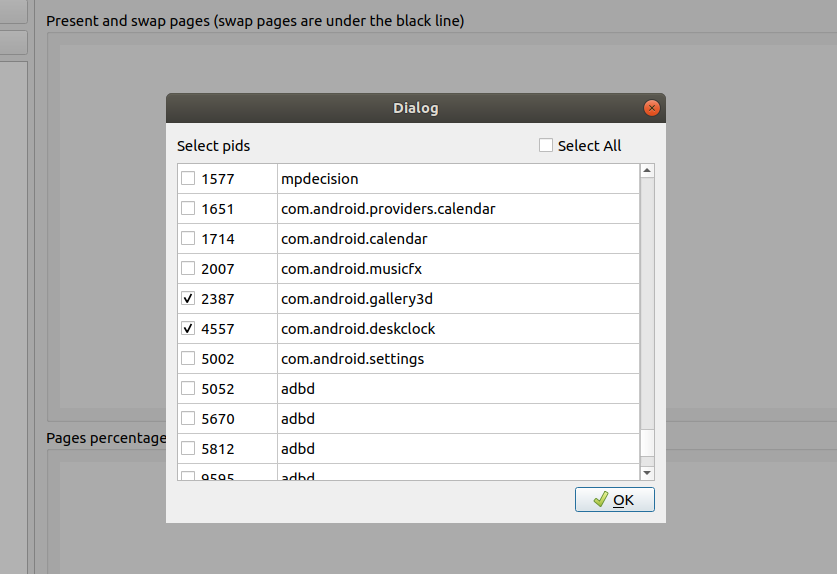
1. Choose PIDs
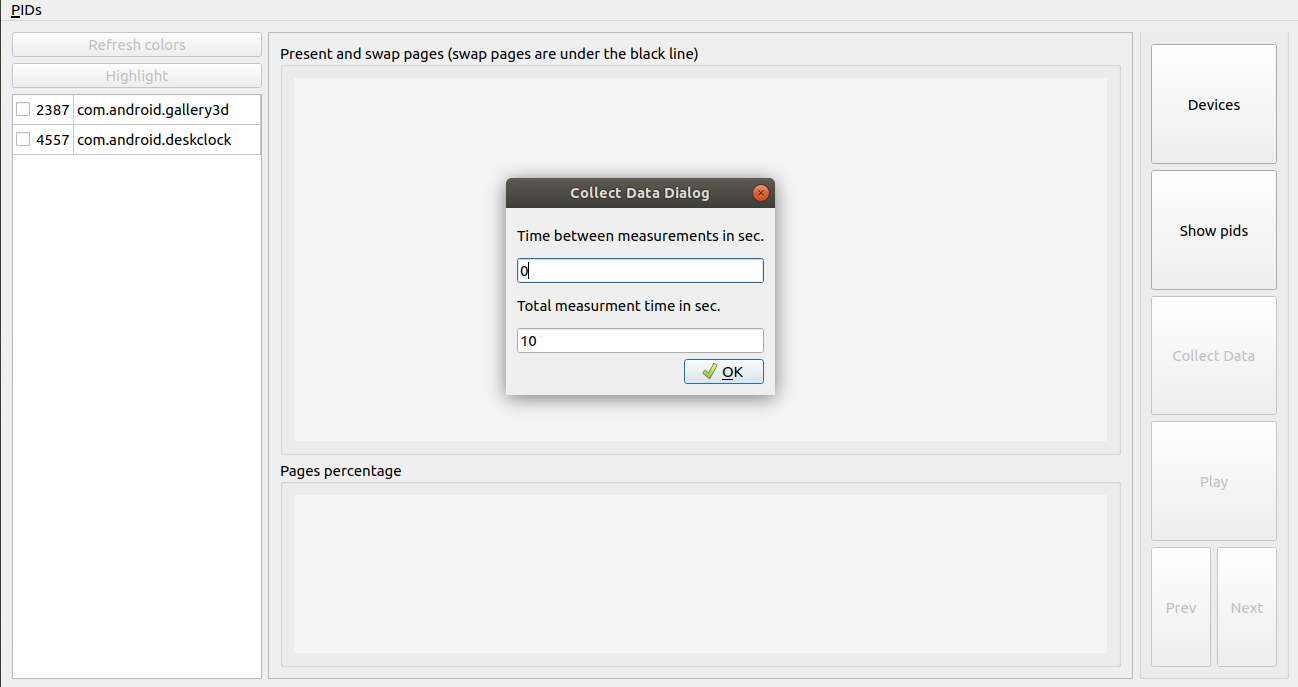
2. Push `Collect Data` button and set time-interval: 10-sec. experiment with 0 sec. delay between data collection
3. Watch the result
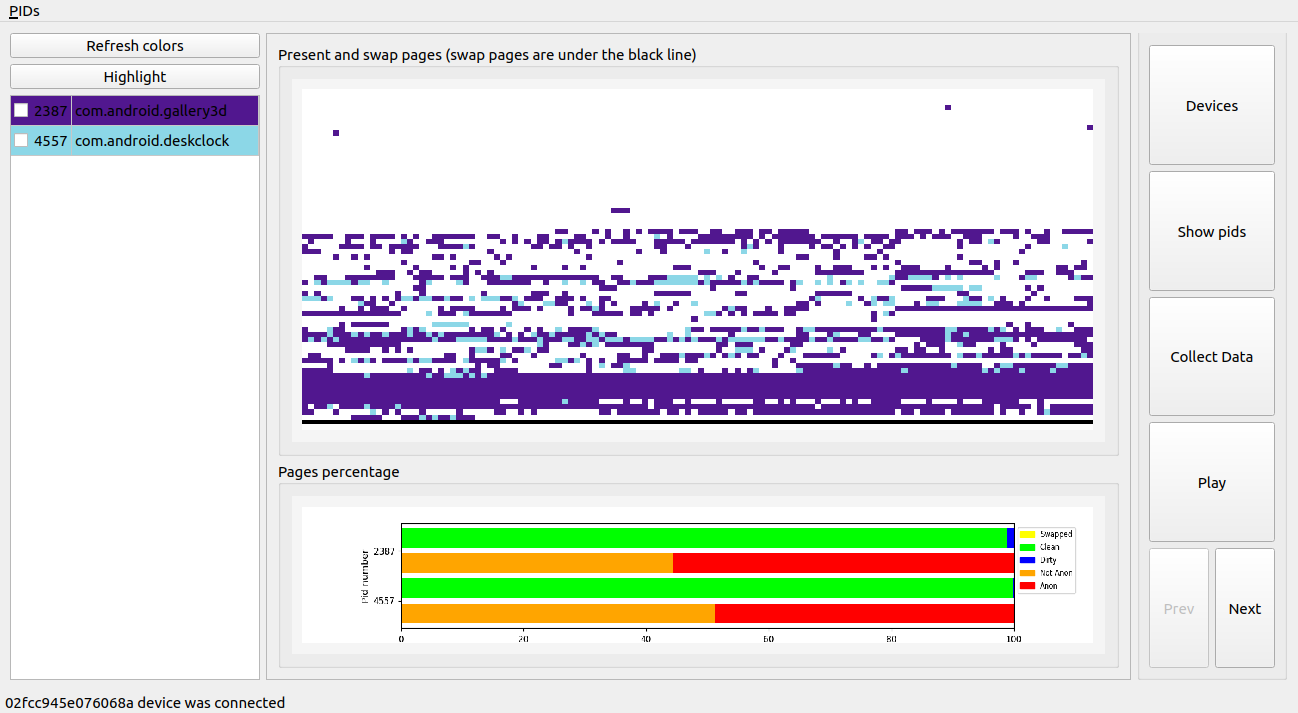
**_NOTE_**: The full interface description you can find on [Wiki](https://github.com/OSLL/apagescan/wiki/Interface-guide)
## Contributing
Contributions are welcome, and they are greatly appreciated!
Report bugs at https://github.com/OSLL/apagescan/issues.
If you are reporting a bug, please apply label "bug" and include:
* Any details about your local setup that might be helpful in troubleshooting;
* Detailed steps to reproduce the bug.