https://github.com/ostinelli/scar_ucm
Utilities Construction Mod for Arma 3.
https://github.com/ostinelli/scar_ucm
arma3
Last synced: 6 months ago
JSON representation
Utilities Construction Mod for Arma 3.
- Host: GitHub
- URL: https://github.com/ostinelli/scar_ucm
- Owner: ostinelli
- License: other
- Created: 2017-09-18T18:03:28.000Z (almost 9 years ago)
- Default Branch: master
- Last Pushed: 2018-01-03T16:23:54.000Z (over 8 years ago)
- Last Synced: 2025-03-29T14:13:46.447Z (over 1 year ago)
- Topics: arma3
- Language: SQF
- Size: 3.48 MB
- Stars: 10
- Watchers: 3
- Forks: 2
- Open Issues: 6
-
Metadata Files:
- Readme: README.md
- License: LICENSE.md
Awesome Lists containing this project
README

# Utilities Construction Mod
The **Utilities Construction Mod** is a module for Arma 3. Quickly add construction areas in your missions for pipelines, railways, electric lines, and such.
> This module is still in early beta. Some changes and bugs are to be expected.
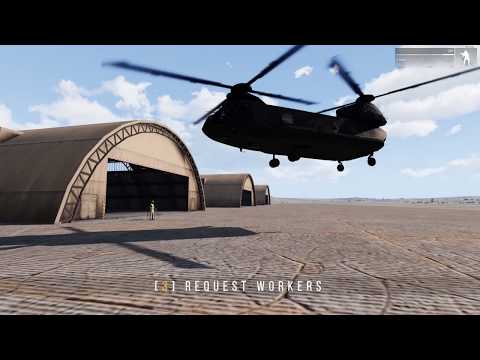
## Video Trailer
[](https://www.youtube.com/watch?v=ZIp2BfbvO1E)
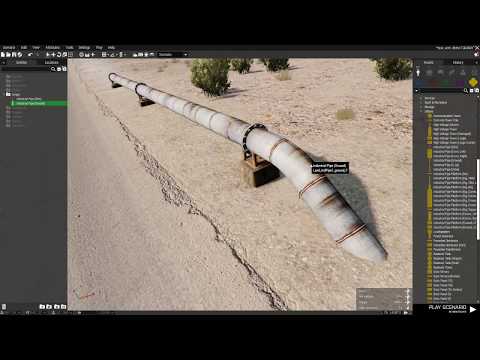
## Video Tutorial
[](https://www.youtube.com/watch?v=sbx0QSRaUt4)
## Dependencies
#### Compulsory
- CBA_A3 ([Steam](https://steamcommunity.com/workshop/filedetails/?id=450814997), [Github](https://github.com/CBATeam/CBA_A3/releases/latest))
#### Optional
- ACE3 ([Steam](https://steamcommunity.com/sharedfiles/filedetails/?id=463939057), [Github](https://github.com/acemod/ACE3/releases/latest)). UCM does not need ACE to run, but if enabled the Interaction and Cargo functionalities will the the ones of ACE, otherwise they will default to enhanced vanilla ones.
> The presence of ACE on the **server** will set the type of interactions on the clients.
## Example mission
You can download an example mission from [here](https://github.com/ostinelli/SCAR_UCM/raw/master/resources/ucm_demo.Altis.zip).
## Download
You can get the module from [Steam](http://steamcommunity.com/sharedfiles/filedetails/?id=1145478729).
## Persistence
UCM has its own Persistence Module. It works by saving data to the `profileNamespace` on the server. You will see the save menu in the standard Arma menu of the Pause screen.
A few important things to note:
- The Persistence Module saves _only_ UCM data, the rest is left to Arma or other modules you may be using.
- If you add / rename the variable names of the UCM Logic modules, your persistence will be lost.
## ALiVE integration
UCM supports ALiVE natively, with some caveats.
#### ALiVE objectives
The Construction Area is automatically added as a Custom Objective to the hostile OPCOMs. This objective is also moved when the construction moves.
#### ALiVE profiles
The workers are not profiled by ALiVE [Virtual_AI_System](http://alivemod.com/wiki/index.php/Virtual_AI_System), and therefore they will not be attacked by profiled enemies when they are virtualized. This substantially means that at least one player needs to be next to the workers, which will cause ALiVE profiled enemies to be spawned on the map and hence attack the workers.
#### ALiVE Persistence
UCM integrates with ALiVE save features. Therefore, if you want UCM data to be also saved when you save ALiVE, the only thing you have to do is to drop the UCM Persistent Module in your mission in addition to the ALiVE Data module.
> UCM data will be saved locally, regardless of the ALiVE Data setting.
## Functions
##### SCAR_UCM_fnc_isInitialized
```
Description:
Returns if the UCM module is initialized.
Parameter(s):
0: OBJECT - The logicModule.
Return:
BOOLEAN
Example:
[_logicModule] call SCAR_UCM_fnc_isInitialized;
```
##### SCAR_UCM_fnc_getWorkers
```
Description:
Returns the current workers.
Parameter(s):
0: OBJECT - The logicModule.
Return:
ARRAY of UNITS
Example:
[_logicModule] call SCAR_UCM_fnc_getWorkers;
```
##### SCAR_UCM_fnc_getMaterials
```
Description:
Returns the current materials.
Parameter(s):
0: OBJECT - The logicModule.
Return:
ARRAY of UNITS
Example:
[_logicModule] call SCAR_UCM_fnc_getMaterials;
```
##### SCAR_UCM_fnc_getCurrentPiece
```
Description:
Returns the active piece of the construction.
Parameter(s):
0: OBJECT - The logicModule.
Return:
OBJECT or objNull
Example:
[_logicModule] call SCAR_UCM_fnc_getCurrentPiece;
```
##### SCAR_UCM_fnc_setCustomVariable
```
Description:
Sets a custom variable on UCM logic's namespace. Will be persisted if persistence is enabled.
Parameter(s):
0: OBJECT - The logicModule.
1: STRING - The key.
2: STRING, BOOL, NUMBER, ARRAY, CBA HASH - The value.
Return:
true
Example:
[_logicModule, _key, _value] call SCAR_UCM_fnc_setCustomVariable;
```
##### SCAR_UCM_fnc_getCustomVariable
```
Description:
Gets a custom variable from the UCM logic's namespace. Will be persisted if persistence is enabled.
Parameter(s):
0: OBJECT - The logicModule.
1: STRING - The key.
Return:
STRING, BOOL, NUMBER, ARRAY, CBA HASH
Example:
[_logicModule, _key] call SCAR_UCM_fnc_getCustomVariable;
```
## Events
| NAME | DESCRIPTION | PARAMS
|------|------|------
| `UCM_ConstructionAreaMoved` | Construction Area was moved. | `_logicModule`, `_currentPiece`
| `UCM_ConstructionDone` | Construction is completed. | `_logicModule`
| `UCM_ConstructionNowInProgress` | Construction work is now ongoing. | `_logicModule`, `_currentPiece`
| `UCM_NoWorkersInConstructionArea` | Construction works are stopped, there are no more workers on the site. | `_logicModule`, `_currentPiece`
| `UCM_NoMaterialsInConstructionArea` | Construction works are stopped, there are no more materials on the site. | `_logicModule`, `_currentPiece`
| `UCM_WorkerKilled` | A worker has been killed. | `_logicModule`, `_worker`
| `UCM_RequestedWorkers` | New workers have been requested. | `_logicModule`, `_vehicle`, `_newWorkers`
| `UCM_RequestedMaterials` | New materials have been requested. | `_logicModule`, `_vehicle`
| `UCM_BeforeSave` | Called before the UCM module is saved (if persistence is enabled). This is a good place to set custom variables that need persistence. | `_logicModule`
All events will be called on the server only.
You can subscribe to events in your scripts with [`CBA_fnc_addEventHandler`](https://cbateam.github.io/CBA_A3/docs/files/events/fnc_addEventHandler-sqf.html) or [`CBA_fnc_addEventHandlerArgs`](https://cbateam.github.io/CBA_A3/docs/files/events/fnc_addEventHandlerArgs-sqf.html). For instance:
```sqf
private _id = ["UCM_ConstructionAreaMoved", {
params ["_logicModule", "_currentPiece"];
private _mapPosition = mapGridPosition getPos _currentPiece;
systemChat format ["Construction area is now at %1", _mapPosition];
}] call CBA_fnc_addEventHandler;
```
## Thank you
Thanks to all alpha and beta testers, in particular:
* 2RGT Hollywood
* W4lly63
## Contribute
So you want to contribute? That's great! Please follow the guidelines below. It will make it easier to get merged in.
Before implementing a new feature, please submit a ticket to discuss what you intend to do. Your feature might already be in the works, or an alternative implementation might have already been discussed.
Do not commit to master in your fork. Provide a clean branch without merge commits. Every pull request should have its own topic branch. In this way, every additional adjustments to the original pull request might be done easily, and squashed with `git rebase -i`. The updated branch will be visible in the same pull request, so there will be no need to open new pull requests when there are changes to be applied.`