https://github.com/osu-nlp-group/skillweaver
SkillWeaver is a framework to enable web agent self-improvement through environment exploration and skill synthesis.
https://github.com/osu-nlp-group/skillweaver
Last synced: 6 days ago
JSON representation
SkillWeaver is a framework to enable web agent self-improvement through environment exploration and skill synthesis.
- Host: GitHub
- URL: https://github.com/osu-nlp-group/skillweaver
- Owner: OSU-NLP-Group
- License: mit
- Created: 2025-04-10T00:56:29.000Z (over 1 year ago)
- Default Branch: main
- Last Pushed: 2025-04-14T19:05:53.000Z (over 1 year ago)
- Last Synced: 2025-09-08T18:34:10.511Z (11 months ago)
- Language: Python
- Homepage: https://osu-nlp-group.github.io/SkillWeaver/
- Size: 56.7 MB
- Stars: 91
- Watchers: 2
- Forks: 8
- Open Issues: 1
-
Metadata Files:
- Readme: README.md
- License: LICENSE
Awesome Lists containing this project
README
SkillWeaver
Web Agents can Self-Improve by Discovering and Honing Skills





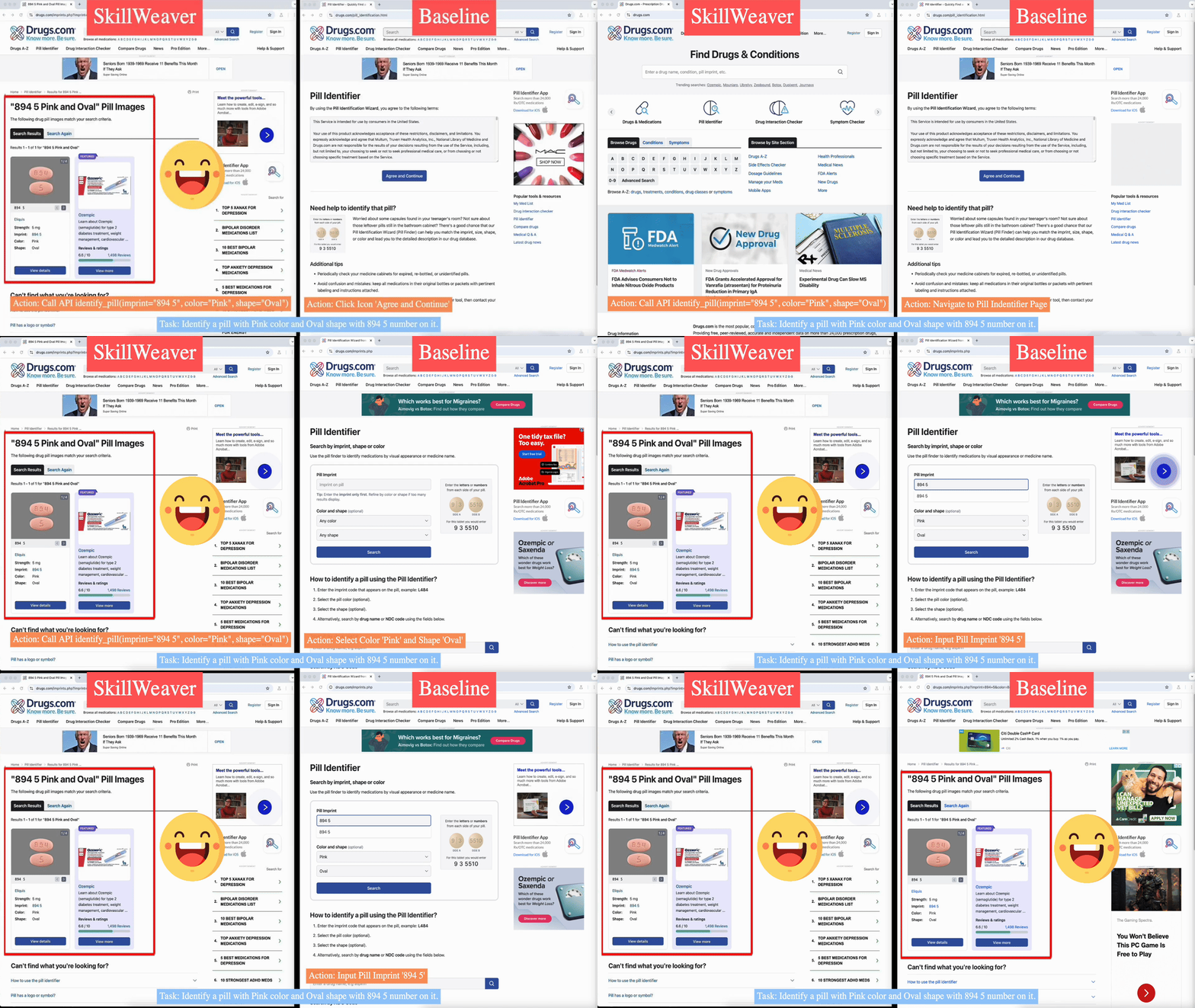
SkillWeaver is a skill-centric framework enabling agents to self-improve by autonomously synthesizing reusable skills as APIs. Given a new website, the agent autonomously discovers skills, executes them for practice, and distills practice experiences into robust APIs. Iterative exploration continually expands a library of lightweight, plug-and-play APIs, significantly enhancing the agent's capabilities.
## Installation
It is recommended to first create a virtual environment:
```bash
conda create -n skillweaver python=3.10
conda activate skillweaver
pip install -r requirements.txt
playwright install
```
## Configuration
```bash
# OpenAI API
export OPENAI_API_KEY=
# If you'd love to use Azure-hosted OpenAI models instead
export AZURE_OPENAI=1
export AZURE_OPENAI_gpt-4o_ENDPOINT=
export AZURE_OPENAI_gpt-4o_API_KEY=
```
## Running A Demo
To attempt a task, you can use the following command:
```bash
python -m skillweaver.attempt_task [...options]
```
Arguments:
- `start-url`: The URL to start the task from. You can use `__REDDIT__`, `__MAP__`, `__SHOPPING__`, `__SHOPPING_ADMIN__`, and `__GITLAB__` as the prefix if you would like to load the address from environment variables and perform the login step (required for most WebArena tasks).
- `task`: The task to attempt. This should be a string that describes the task to be attempted.
- `--agent-lm-name [lm_name]`: The name of the LLM to use for the agent. Default: `gpt-4o`.
- `--max-steps`: The agent's time limit to complete the task, as measured in generated actions. Default: 10.
- `--knowledge-base-path-prefix`: The path to the synthesized APIs (without `_code.py`). For example, `logs/explore-reddit-gpt4o/iter_79/kb_post`.
- `--headless`: Whether to attempt the task in headless mode.
For example, to try a task on the `reddit` website, you could use the following command:
```bash
python -m skillweaver.attempt_task __REDDIT__ "Post to the gaming forum to ask about the best games of the year" --knowledge-base-path-prefix skill_library/reddit/reddit_kb_post
```
To compare the performance without the knowledge base, remove the `--knowledge-base-path-prefix` argument:
```bash
python -m skillweaver.attempt_task __REDDIT__ "Post to the gaming forum to ask about the best agmes of the year"
```
### Browser-Use Version
This is an experimental version that uses the agent from [Browser-Use](https://browser-use.com/). It converts our knowledge base into a Browser-Use `Controller` object that can be used to extend the action space of an existing agent.
To attempt a task, you can use the following command:
```bash
python -m skillweaver.attempt_task_browser_use [...options]
```
Arguments:
- `start-url`: The URL to start the task from. You can use `__REDDIT__`, `__MAP__`, `__SHOPPING__`, `__SHOPPING_ADMIN__`, and `__GITLAB__` as the prefix if you would like to load the address from environment variables and perform the login step (required for most WebArena tasks).
- `task`: The task to attempt. This should be a string that describes the task to be attempted.
- `--agent-lm-name [lm_name]`: The name of the LLM to use for the agent. Default: `gpt-4o`.
- `--knowledge-base-path-prefix`: The path to the synthesized APIs (without `_code.py`). For example, `logs/explore-reddit-gpt4o/iter_79/kb_post`.
- `--headless`: Whether to attempt the task in headless mode.
For example, to try a task on the `reddit` website, you could use the following command:
```bash
python -m skillweaver.attempt_task_browser_use __REDDIT__ "Post to the gaming forum to ask about the best games of the year" --knowledge-base-path-prefix skill_library/reddit/reddit_kb_post
```
To compare the performance without the knowledge base, remove the `--knowledge-base-path-prefix` argument:
```bash
python -m skillweaver.attempt_task_browser_use __REDDIT__ "Post to the gaming forum to ask about the best agmes of the year"
```
## Explore a Website
Once you have set up your virtual environment and created a `.env` file with the appropriate configuration, you can explore a website using the following command:
```bash
python -m skillweaver.explore [website] [out_dir] --iterations [niter] (... options ...)
```
Arguments:
- `website`: The URL or name of the website to explore. You can specify a WebArena website by passing in the name of the website (e.g., `shopping`). The available WebArena environments are `shopping`, `shopping_admin`, `map`, `reddit`, and `gitlab`.
- `out_dir`: The directory to save the exploration results. Note that if a directory already exists at the specified path, the exploration will not start.
- `--iterations [niter]`: The number of iterations to run the exploration for. Default: 10.
- `--agent-lm-name [lm_name]`: The name of the LLM to use for the agent. Default: `gpt-4o`.
- `--api-synthesis-lm-name [lm_name]`: The name of the LLM to use for API synthesis.
- `--success-check-lm-name [lm_name]`: The name of the LLM to use for success checking. Default: `gpt-4o`.
- `--explore-schedule`: How to perform exploration and testing iterations. Can be of the format `test_probability:X` to test a generated API (if possible) with probability `X`, or `explore:X,test:Y` to alternate between `X` iterations of exploration and `Y` iterations of testing.
- `--allow-recovery`: Whether to allow the agent to "patch" APIs that throw exceptions during testing. Default: `--allow-recovery`. This can be disabled with `--no-allow-recovery`.
Here is an example command:
```bash
python -m skillweaver.explore reddit logs/explore-reddit-gpt4o --agent-lm-name gpt-4o --api-synthesis-lm-name gpt-4o --iterations 160
```
## Run Evaluations
WebArena recommends using Docker containers to host the websites that are being evaluated. We recommend taking a look at [their guide](https://github.com/web-arena-x/webarena/tree/main/environment_docker) to download the containers. We have an automated way to run evaluations using these containers once downloaded, but you can also run the containers manually, or even specify a custom URL to evaluate with instead of using the containers.
### Managed Containers (Parallel Evaluation)
We orchestrate multiple docker container to allow running experiments in parallel. The Orchestrator Server should run outside of Docker (e.g., with a virtualenv). It exposes REST endpoints on port 5125, used internally by the containers context manager.
Before running experiments, we need to run the orchestrator.
```bash
python -m skillweaver.containerization.serve
ORCHESTRATOR_PORT=5128 python -m skillweaver.containerization.serve
```
#### Networking Setup
The containers will be routed to port `8000`, `8001`, `8002`, etc. Ensure that these ports are accessible externally if you are using a cloud environment. Make sure the `IP` variable is set correctly in your `.env` file if using a cloud environment; otherwise, the containers may redirect you to `127.0.0.1`, which will be incorrect if you are using a server (e.g. AWS) to run the test.
### Existing Container (Single Evaluation)
To evaluate a single website using an existing container, set the following environment variables in your `.env` file:
```bash
SHOPPING=(hostname)
SHOPPING_ADMIN=(hostname)
REDDIT=(hostname)
GITLAB=(hostname)
MAP=(hostname)
CONTAINER_SETUP=manual
```
Use `CONTAINER_SETUP=manual` to use your existing container. If you would like to use the containerization framework, omit this line. The orchestrator server will automatically spin up containers as needed.
### Execution
To run the evaluation, use the following command:
```bash
python -m skillweaver.evaluate_benchmark [website] [out_dir] (... options ...)
```
Arguments:
- `website`: The name of the website to evaluate. This can be one of `shopping`, `shopping_admin`, `reddit`, `gitlab`, or `map`.
- `out_dir`: The directory to save the evaluation results. Note that if a directory already exists at the specified path, the evaluation will not start.
- `--time-limit [time_limit]`: The agent's time limit to complete each evaluation task. Default: 10 actions.
- `--knowledge-base-path-prefix [prefix]`: The prefix of the knowledge base to use for the evaluation. Default: `None` (no knowledge base). This should be of the format `/path/to/iteration/dir/kb_post`.
- `--lm-name [lm_name]`: The name of the LLM to use for the agent. Default: `gpt-4o-2024-08-06`.
- `--pool-size [pool_size]`: The number of subprocesses for evaluation. Each subprocess gets its own Docker container. Default: 8.
- `--use-debugger-eval`: Whether to use the modified WebArena debugger which adds additional information about why a test case failed. Default: `True`.
- `--allow-recovery`: Whether to allow the agent to "patch" APIs that throw exceptions during testing. Default: `True`.
- `--reduced-set`: Whether to use a reduced set of test cases (one test case per unique "intent template" provided in the WebArena benchmark). Default: `True`.
- `--allow-unverified-apis`: Whether to allow the agent to use APIs that have not been executed without a runtime error. Default: `False`.
- `--selected-tasks [task1,task2,...] OR reduced_set`: A list of task indices to evaluate. If specified as `reduced_set`, will select one of each `intent_template` from the WebArena benchmark (approximately 20-40 out of 100+ tasks). If specified as a list of integers, will select tasks by index from the WebArena benchmark. Default: `None`, which will evaluate all tasks in the benchmark for that website.
### Prompt Organization
The prompts have all been organized into separate .md files and put under `skillweaver/templates`.
## Disclaimer
This dataset was collected and released solely for research purposes, with the goal of making the web more accessible via language technologies. The authors are strongly against any potential harmful use of the data or technology to any party.