https://github.com/otakuweber/monkeytypebot
Automatically type on a typing speed testing famous website called monkeytype
https://github.com/otakuweber/monkeytypebot
automation monkeytype monkeytypebot python python-automation python3 selinium type typing wpm
Last synced: 10 months ago
JSON representation
Automatically type on a typing speed testing famous website called monkeytype
- Host: GitHub
- URL: https://github.com/otakuweber/monkeytypebot
- Owner: OTAKUWeBer
- License: apache-2.0
- Created: 2024-09-19T16:25:51.000Z (almost 2 years ago)
- Default Branch: master
- Last Pushed: 2024-11-02T07:34:38.000Z (over 1 year ago)
- Last Synced: 2024-11-02T08:21:00.003Z (over 1 year ago)
- Topics: automation, monkeytype, monkeytypebot, python, python-automation, python3, selinium, type, typing, wpm
- Language: Python
- Homepage:
- Size: 378 KB
- Stars: 5
- Watchers: 1
- Forks: 0
- Open Issues: 0
-
Metadata Files:
- Readme: README.md
- License: LICENSE
Awesome Lists containing this project
README
# MonkeyTypeBot
This script automates typing tests on Monkeytype.com using Selenium WebDriver. You can log in with your email and password or start typing without logging in. The script allows you to control typing speed and page mode.
## Features
- **Login with Email and Password**: Automate typing tests while logged in.
- **Start Without Login**: Directly start typing tests without authentication.
- **Customizable Typing Speed**: Set the time interval between typing each character.
- **Mode Switching**: Specify the time to switch between typing modes.
## Requirements
- Python 3.x
- Selenium WebDriver
- Chrome or Firefox
## Installation
1. **Clone the Repository**:
```bash
git clone https://github.com/OTAKUWeBer/MonkeyTypeBot.git
cd MonkeyTypeBot
```
2. **Install Dependencies**:
Install the necessary Python package:
```bash
pip install -r requirements.txt
```
3. **Download WebDriver**:
- **For Firefox**: Download `geckodriver` from [here](https://github.com/mozilla/geckodriver/releases) and place it in your desired location.
- **For Chrome**: Download `chromedriver` from [here](https://googlechromelabs.github.io/chrome-for-testing/) and place it in your desired location.
4. **Update the Script**:
Edit the script to specify the path to your WebDriver executable and select your browser. Update the following variables in `main.py`:
```python
# Specify the browser to use: "Firefox" or "Chrome"
browser = "Firefox"
```
## Usage
Run the script and follow the prompts:
```bash
python main.py
```
You will be prompted to choose between logging in or starting without login, and to enter typing speed and mode-switching time.
### Login Method
1. **Enter Email and Password**: Provides a login option.
2. **Enter Typing Speed**: Time between typing each character (e.g., 0.1 for ~100 WPM).
3. **Enter Mode Switching Time**: Seconds to wait before switching mode (0 for no switch).
### Without Login
1. **Enter Typing Speed**: Time between typing each character (e.g., 0.1 for ~100 WPM).
2. **Enter Mode Switching Time**: Seconds to wait before switching mode (0 for no switch).
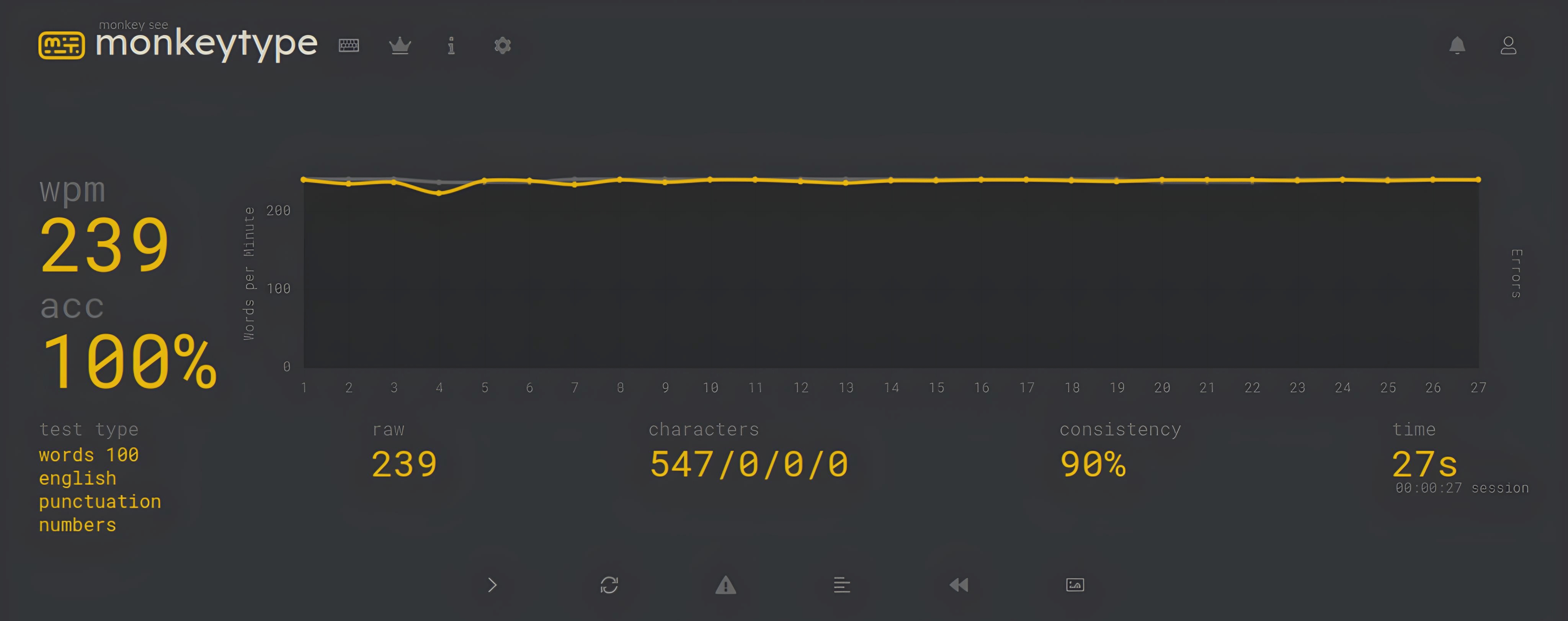
## Screenshots
## Troubleshooting
- Ensure that the path to your WebDriver executable is correctly set.
- Make sure the WebDriver version matches your browser version.
- If encountering issues with the script, check the console output for error messages.
## Disclaimer
- **Use at Your Own Risk**: This script is provided for educational purposes only. Using automation on typing test websites may violate their terms of service.
- **Potential for Banning**: Automating typing tests could result in your account being banned or other penalties. Use this tool responsibly and understand the risks involved.
- **Not Liable for Consequences**: The author of this script is not responsible for any consequences resulting from its use, including but not limited to account bans or other penalties.