https://github.com/ousc/ng2-window
ng2-window is a powerful Angular window component, supports drag, resize, full screen, minimize, and various comprehensive window functions. It supports creation through declaration and service methods, complete window lifecycle management, and highly customizable styles.
https://github.com/ousc/ng2-window
angular angular-window component-library ng-window ng2-window ngx-window
Last synced: over 1 year ago
JSON representation
ng2-window is a powerful Angular window component, supports drag, resize, full screen, minimize, and various comprehensive window functions. It supports creation through declaration and service methods, complete window lifecycle management, and highly customizable styles.
- Host: GitHub
- URL: https://github.com/ousc/ng2-window
- Owner: ousc
- Created: 2023-06-21T15:41:55.000Z (about 3 years ago)
- Default Branch: main
- Last Pushed: 2025-02-25T04:35:10.000Z (over 1 year ago)
- Last Synced: 2025-03-22T13:37:59.775Z (over 1 year ago)
- Topics: angular, angular-window, component-library, ng-window, ng2-window, ngx-window
- Language: TypeScript
- Homepage:
- Size: 3.62 MB
- Stars: 6
- Watchers: 1
- Forks: 1
- Open Issues: 1
-
Metadata Files:
- Readme: readme.md
Awesome Lists containing this project
README
# ng2-window
`ng2-window` is a powerful Angular window component, supports drag, resize, full screen, minimize, and various comprehensive window functions. It supports creation through declaration and service methods, complete window lifecycle management, and highly customizable styles.
# screenshot
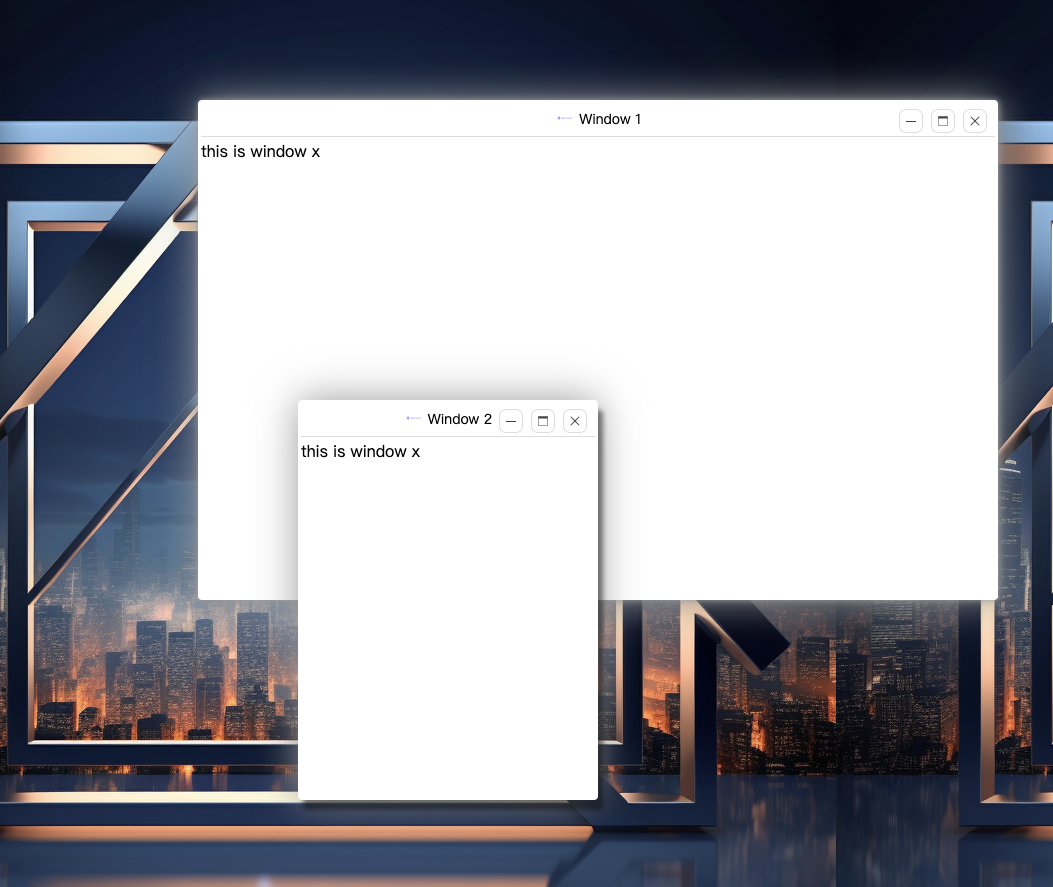
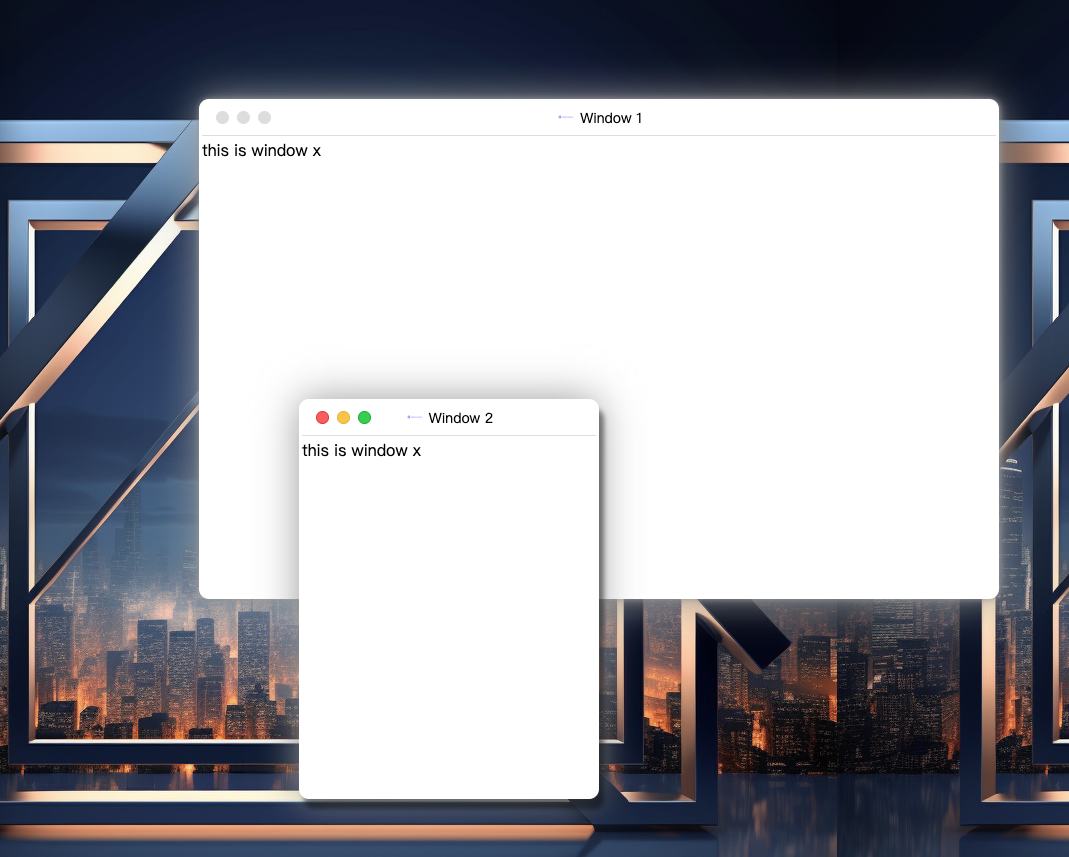
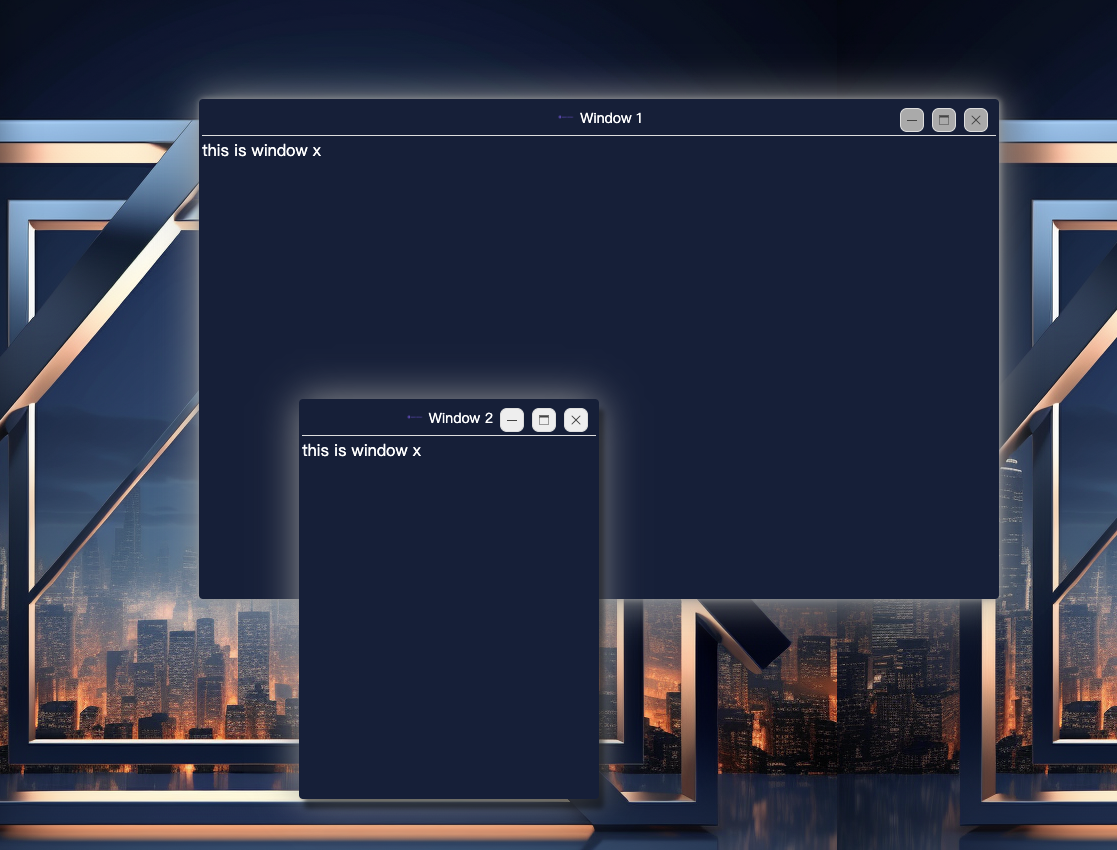
## Installation
To install `ng2-window`, simply run:
```bash
npm install ng2-window --save
```
## Usage
Import `ng2-window` module in your Angular app:
```typescript
import { Ng2WindowModule } from 'ng2-window';
```
Then add `Ng2WindowModule` to your app's module imports:
```typescript
@NgModule({
imports: [
Ng2WindowModule
]
})
export class AppModule { }
```
Once the module is installed, you can use `WindowService` to create window dynamically:
```typescript
import { Ng2WindowService } from 'ng2-window';
@Component({
selector: 'app-root',
templateUrl: './app.component.html',
styleUrls: ['./app.component.css']
})
export class AppComponent {
constructor(private windowService: Ng2WindowService) { }
windowManager = {
tpl: {
visible: false,
instance: null,
},
};
openWindow(ref: TemplateRef) {
this.windowService.create({
title: 'Window 1',
icon: '/assets/logo.png',
width: 800,
height: 500,
content: ref,
offsetX: 200,
offsetY: 100,
align: 'leftTop',
bodyStyle: {
lineHeight: '1.5',
},
}).then((win: Ng2WindowComponent) => {
this.windowManager.tpl.instance = win;
win.onClose.subscribe(() => {
this.windowManager.tpl.visible = false;
this.windowManager.tpl.instance = null;
});
});
}
}
```
or use `ng-window` component in your Angular template:
```html
```
## Features
`ng2-window` supports the following features:
- Dragging window to move
- Resizing window to fit content
- Toggling full screen mode
- Minimizing window to task bar
- Comprehensive window functions, such as minimize/maximize/close buttons
- Complete window lifecycle management, including opening/closing, focusing, and activation tracking
- Highly customizable styles, with support for customizing window appearance and behavior
## API
### `ng2-window` Component
#### Inputs
- `title` (string/TemplateRef): Window title, can be a string or a template
- `icon` (string/TemplateRef): Window icon, can be a string or a template
- `align` ('leftTop'/'rightTop'/'leftBottom'/'rightBottom'): Window align
- `width` (number): Window width
- `height` (number): Window height
- `minWidth` (number): Window minimum width
- `minHeight` (number): Window minimum height
- `offsetX` (number): Window offset x, when align is 'leftTop' or 'leftBottom', offsetX is the distance from the left side of the screen, when align is 'rightTop' or 'rightBottom', offsetX is the distance from the right side of the screen
- `offsetY` (number): Window offset y, when align is 'leftTop' or 'rightTop', offsetY is the distance from the top of the screen, when align is 'leftBottom' or 'rightBottom', offsetY is the distance from the bottom of the screen
- `closable` (boolean): Whether the window can be closed
- `maximizable` (boolean): Whether the window can be maximized
- `minimizable` (boolean): Whether the window can be minimized
- `outOfBounds` (boolean): Whether the window can be dragged out of the screen. if outOfBounds is `true` and the offsetY < 0, after dragging the window, the offsetY will be set to 0
- `draggable` (boolean): Whether the window can be dragged
- `resizable` (boolean): Whether the window can be resized
- `loading` (boolean): Whether the window is loading
- `loadingTip` (string/TemplateRef): Window loading tip, can be a string or a template
- `content` (string/TemplateRef): Window content, can be a string or a template
- `contentScrollable` (boolean): Whether the window content is scrollable
- `theme` ('light'/'dark'): Window theme, default is 'light'
- `zIndex` (`number): Window z-index
- `bodyStyle` (object): Window body style
- `closeOnNavigation` (boolean): Whether to close the window when the route changes
- `language` ('en'/'zh'): Window language, default is 'zh', set in `WindowService`
- `dockTheme` ('light'/'dark'): Window dock theme, default is 'light', set in `WindowService`
#### Outputs
- `onReady`: Emitted when the window is ready
- `onClose`: Emitted when the window is closed
- `onResize`: Emitted when the window is resized
- `onMaximize`: Emitted when the window is maximized
- `onMaximizeRestore`: Emitted when the window is restored
- `onMinimize`: Emitted when the window is minimized
- `onMinimizeRestore`: Emitted when the window is restored
- `onSelected`: Emitted when the window is selected
- `onMove`: Emitted when the window is moved
## Custom Style
before use ng2-window, please import style varibles:
```less
@import 'ng2-window/styles/theme/default';
@import 'ng2-window/styles/style';
// If you want to import more style, you can import them after import default style:
// @import 'ng2-window/styles/theme/default-dark';
// @import 'ng2-window/styles/style-dark'; // if you are using dark style, you need also import this
// other theme we apply:
// @import 'ng2-window/styles/theme/default'
// @import 'ng2-window/styles/theme/macos'
// @import 'ng2-window/styles/theme/material-design'
```
you can modify styles by overload less varibles:
```less
@window-title-bar-text-align: left;
```
All varibles (see here)[https://github.com/ousc/ng2-window/blob/main/projects/windowx/styles/theme/default.less]
## Development
To run the demo application:
1. Clone the repository to your local machine.
2. Install dependencies using `npm install`.
3. Start the demo using `npm run start`.
## Contribution
We welcome community contributions and pull requests. To contribute to `ng2-window`, please fork the repository and open a pull request.