https://github.com/outerbounds/metaflow-kubeflow
https://github.com/outerbounds/metaflow-kubeflow
Last synced: about 1 month ago
JSON representation
- Host: GitHub
- URL: https://github.com/outerbounds/metaflow-kubeflow
- Owner: outerbounds
- License: apache-2.0
- Created: 2025-12-08T20:55:38.000Z (7 months ago)
- Default Branch: main
- Last Pushed: 2026-01-27T06:48:11.000Z (6 months ago)
- Last Synced: 2026-01-27T19:52:58.823Z (6 months ago)
- Language: Python
- Size: 60.5 KB
- Stars: 0
- Watchers: 0
- Forks: 1
- Open Issues: 0
-
Metadata Files:
- Readme: README.md
- License: LICENSE
Awesome Lists containing this project
- awesome-metaflow - metaflow-kubeflow - Deploy Metaflow flows to Kubeflow Pipelines with no infra changes required. (Orchestration & Scheduling)
README
# Kubeflow Pipelines extension for Metaflow
Compile and run Metaflow flows on Kubeflow Pipelines (**argo workflows** backend).
## Basic Usage
- Have access to a Kubeflow Pipelines instance with the API server URL.
- Use the CLI commands to compile your flow into a Kubeflow Pipeline and deploy it.
## Youtube Screencast
[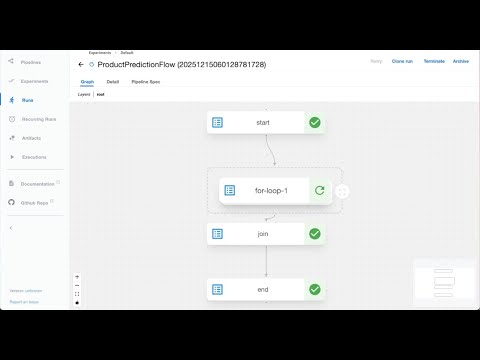](https://www.youtube.com/watch?v=ALg0A9SzRG8)
## Compiling and Deploying a Pipeline
```py
python my_flow.py kubeflow-pipelines --url https://my-kubeflow-instance.com create
```
This command will:
- Compile your Metaflow flow into a Kubeflow Pipeline YAML specification
- Upload it to your Kubeflow Pipelines instance
- Create a new version of the pipeline
### Accessing Kubeflow Pipelines for Deployment
Metaflow needs to be able to connect to Kubeflow Pipelines for deployment. If you have connectivity already set up, you don't need to do anything.
If you can't connect to the service directly, you can set up a port forward to the service:
```bash
kubectl port-forward -n kubeflow svc/ml-pipeline-ui 8081:80
```
After this, you can specify the service URL as `http://localhost:8081` in one of these ways:
- On the CLI for `kubeflow-pipelines` with the `--url` option
- In the Metaflow config, specify `"METAFLOW_KUBEFLOW_PIPELINES_URL": "http://localhost:8081"`
- Set an environment variable, `METAFLOW_KUBEFLOW_PIPELINES_URL=http://localhost:8081`
## Available Commands
### 1. **create** - Compile and/or Deploy Pipeline
Compile a new version of your flow to Kubeflow Pipelines:
**Recurring Runs**: If your flow is decorated with `@schedule`, this command will automatically create or update the corresponding Recurring Run in Kubeflow Pipelines.
```py
python my_flow.py kubeflow-pipelines \
--url https://my-kubeflow-instance.com \
create \
--version-name v1.0.0 \
--experiment "My Production Experiment" \
--alpha 0.5
```
Options:
- `--experiment`: The experiment name to create the recurring run under (if @schedule is present). Defaults to "Default".
- `--version-name`: Allows one to deploy a custom version name. Else, a new version with UTC timestamp is created.
- `--only-yaml`: Print the YAML specification to stdout and exit without uploading to Kubeflow Pipelines.
- Flow Parameters: Any flow parameters (e.g., `--alpha`) passed here will be baked into the recurring run configuration (if @schedule is present), overriding the defaults defined in your code.
Use `--help` for all available options including `tags`, `namespace`, `max-workers`, and production token management.
### 2. **trigger** - Execute Pipeline
Trigger an execution of your deployed pipeline:
```py
python my_flow.py kubeflow-pipelines \
--url https://my-kubeflow-instance.com \
trigger \
--experiment my-experiment \
--alpha 0.1 \
--max-epochs 100
```
Flow parameters can be passed as command-line arguments. Use `--help` for all available options.
By default, the latest version of the deployed pipeline is used for the trigger. Else, one can also pass in a custom version using `--version-name`.
### 3. **status** - Check Execution Status
Fetch the status of a running or completed pipeline execution:
```py
python my_flow.py kubeflow-pipelines \
--url https://my-kubeflow-instance.com \
status \
--kfp-run-id abc-123-def-456
```
Use `--help` for all available options.
### 4. **terminate** - Terminate Execution
Terminate a running pipeline execution:
```py
python my_flow.py kubeflow-pipelines \
--url https://my-kubeflow-instance.com \
terminate \
--kfp-run-id abc-123-def-456
```
Use `--help` for all available options.
### 5. **delete** - Delete a Deployed Pipeline
Delete the flow definition and all its associated versions from Kubeflow Pipelines.
This command also searches for and deletes any associated Recurring Runs (Schedules) to ensure no orphaned schedules continue trying to trigger deleted pipelines.
In essence, this undeploys the pipeline but preserves execution history (runs) and artifacts.
```py
python my_flow.py kubeflow-pipelines \
--url https://my-kubeflow-instance.com \
delete
```
Use `--help` for all available options.
### Fin.