https://github.com/owenmelbz/change-log-now
Automatically generate a CHANGELOG based off your commit messages.
https://github.com/owenmelbz/change-log-now
changelog-generator git nodejs
Last synced: about 2 months ago
JSON representation
Automatically generate a CHANGELOG based off your commit messages.
- Host: GitHub
- URL: https://github.com/owenmelbz/change-log-now
- Owner: OwenMelbz
- Created: 2020-06-21T09:13:30.000Z (about 6 years ago)
- Default Branch: master
- Last Pushed: 2023-01-09T22:59:39.000Z (over 3 years ago)
- Last Synced: 2025-09-04T03:37:04.843Z (10 months ago)
- Topics: changelog-generator, git, nodejs
- Language: JavaScript
- Homepage:
- Size: 154 KB
- Stars: 1
- Watchers: 0
- Forks: 0
- Open Issues: 3
-
Metadata Files:
- Readme: README.md
- Changelog: CHANGELOG.md
Awesome Lists containing this project
README
# Change Log NOW!!! (automatic-changelog)
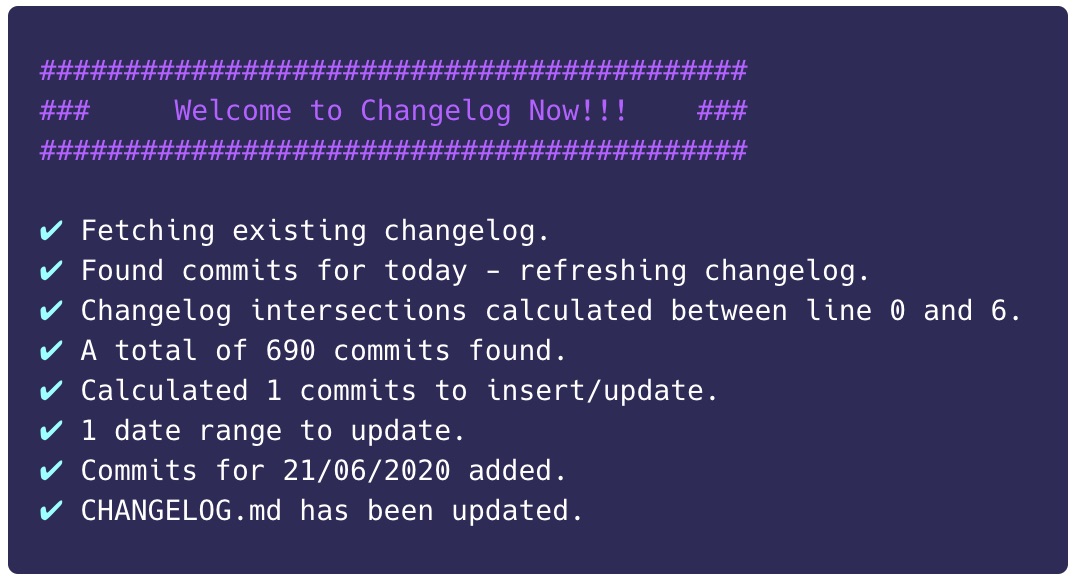
Change Log NOW!!! (CLN) is a simple CLI tool which will generate you a CHANGELOG file using pre-defined trigger words
to extract specific commits based off defined conventions.
You can see a generated example [here](https://github.com/OwenMelbz/change-log-now/blob/master/CHANGELOG.md)!
This will convert a commit history which looks like...
```
Feature - You can now configure your triggers yourself!
House-keeping - Tidied up all the files and removed anything not needed
WIP
Bug - Fixed an issue where merged branches would show double commits
Bug - Fixed issue that prevented todays changelog from regenerating
WIP
WIP
```
Into this!
```markdown
# Our magnificent change log!
## 28/03/2020
## Features
- You can now configure your triggers yourself! (570e69e9e)
## Bugs
- Fixed an issue where merged branches would show double commits (f437631b)
- Fixed issue that prevented todays changelog from regenerating (388f1cc)
```
# Installation
CLN can be installed globally, or within your project so you can set up a commit-hook, GitHub action etc etc...
```bash
# Globally
npm install -g automatic-changelog
yarn add -g automatic-changelog
# Locally
npm install automatic-changelog -D
yarn add automatic-changelog -D
```
# Usage
CLN comes with a default config which can be found at `node_modules/automatic-changelog/src/defaultConfig.js` however you should
publish the config and configure it to your desired convention.
You can publish it by changing into your GIT repo directory and running:
```bash
cln --init
```
It will generate a `changelog.config.js` in the root of your repo with something like the following in, you should commit this to your repo and share amongst your team.
```javascript
module.exports = {
fileName: "CHANGELOG.md",
dateFormat: "dd/LL/yyyy",
separator: "-",
triggers: [
"🐛 Bug",
"🚀 Feature",
"💥 Change",
],
pluraliseTrigger: true,
skipEmptyCommitMessages: false,
customMessageFormatter: null,
customHeadingFormatter: null,
};
```
You're now free to modify the config as you desire!
Once configured you can generate your changelog by running
### Globally with
```bash
cln
```
### Locally with
```bash
./node_modules/.bin/cln
```
### Within an NPM script
```json
"scripts" : {
"changelog": "cln"
}
```
```bash
npm run changelog
yarn changelog
```
### Amending the log manually
You might notice that some of your commit messages are less than ideal and that once you've generated them you want to tidy them up a bit.
CLN uses line-numbers to decide where to update the changelog, and it will only affect now/future entries.
This means that you are free to modify any of the data generated within the changelog to fix typos, elaborate etc.
When we update the change log we do not touch anything from previous entries
> NOTICE - If you're adjusting text content from "today's" commits, then each time you run `cln` it will overwrite today's to add in any new changes. If you're commiting this changelog as you go, you can simply discard any undesired changes if you've needed to amend it.
Additionally, if you do NOT want to preserve old messages or want to generate from scratch, you can do so by passing the `--refresh` flag e.g.
```bash
cln --refresh
```
This will generate the changelog history from the beginning of time.
## Configuration
### File name and contents
CLN works on a "convention" pattern, meaning it will only parse data that matches its conventions. This means you're able to add extra data into your changelog.
e.g. You can add a whole header section into your file as long as you don't use a double `##` as this will denote a date range.
CLN will ignore everything above the first date entry e.g. You can create something like this:
```
/$$$$$$ /$$ /$$ /$$$$$$ /$$ /$$ /$$$$$$ /$$$$$$$$ /$$ /$$$$$$ /$$$$$$
/$$__ $$| $$ | $$ /$$__ $$| $$$ | $$ /$$__ $$| $$_____/| $$ /$$__ $$ /$$__ $$
| $$ \__/| $$ | $$| $$ \ $$| $$$$| $$| $$ \__/| $$ | $$ | $$ \ $$| $$ \__/
| $$ | $$$$$$$$| $$$$$$$$| $$ $$ $$| $$ /$$$$| $$$$$ | $$ | $$ | $$| $$ /$$$$
| $$ | $$__ $$| $$__ $$| $$ $$$$| $$|_ $$| $$__/ | $$ | $$ | $$| $$|_ $$
| $$ $$| $$ | $$| $$ | $$| $$\ $$$| $$ \ $$| $$ | $$ | $$ | $$| $$ \ $$
| $$$$$$/| $$ | $$| $$ | $$| $$ \ $$| $$$$$$/| $$$$$$$$| $$$$$$$$| $$$$$$/| $$$$$$/
\______/ |__/ |__/|__/ |__/|__/ \__/ \______/ |________/|________/ \______/ \______/
## 28/03/2020
## Features
- You can now configure your triggers yoursself! (570e69e9e)
```
### Date formatting
By default, CLN ships with the British date format, because it looks good :D (and I'm British) but this can be
configured using the `dateFormat` key within the `changelog.config.js`.
We use Luxon to handle dates, so you're able to use the "Standalone Tokens" to create your own date formatting which
can all be found: [https://moment.github.io/luxon/docs/manual/formatting.html#standalone-vs-format-tokens](https://moment.github.io/luxon/docs/manual/formatting.html#standalone-vs-format-tokens)
### Commit message separator
Often your trigger and commit message will have a separator/deliminator for readability e.g.
```
Bug :: Fixed the...
```
Here the `separator` should be defined as `::` This will allow us to tidy up your commit messages more nicely!
If you don't need one, then you can simply provide an empty string e.g.
```
🐞 Fixed the...
```
```
separator: ""
```
Don't worry about any whitespace, we'll trim that for you!
### Triggers
Triggers are handled within `commitMsg.indexOf('TRIGGER') === 0` - So it **MUST** be the first in the commit message.
By default, we assume your trigger is the same as your changelog heading pluralised and is defined as a flat array e.g.
```
triggers: [
"🚀 Feature",
"🐛 Bug",
"💥 Change",
],
```
This would generate the following:
```
## 28/03/2020
🚀 Features
- XXX
- XXX
🐛 Bugs
- XXX
- XXX
```
However, if you want to map a different trigger word to your heading you can use the object syntax e.g.
```
triggers: {
"🚀 Feature": "feature-trigger-word",
"🐛 Bug": "bug-trigger-word",
"💥 Change": "change-trigger-word",
},
```
The key of the entry is the heading, and the value of the entry is the trigger word.
The order you define the triggers within your config, will be the order they appear as headings in your changelog.
### Pluralisation
By default, we pluralise your trigger word before using it as a heading e.g. `Bug` becomes `Bugs` - you can
turn this off by setting `pluraliseTrigger` to `false`.
### Skipping empty commit messages
You can enable/disable this feature by setting `skipEmptyCommitMessages` to `true` or `false`
### Custom Formatters
By default, we ship with some message and heading formatters, however you can supply your own from the config.
#### Custom Message
```javascript
customMessageFormatter: ({ commit, group, allCommits, resolvedConfig, clnMessage }) => {
return clnMessage.toLowerCase();
}
```
#### Custom Heading
```javascript
customHeadingFormatter: ({ group, commit, resolvedConfig, clnHeading }) => {
return clnHeading.toLowerCase();
}
```
## To Do
- Control trigger location.