https://github.com/ozgebayram/random-user
Random-User-App
https://github.com/ozgebayram/random-user
context-api github html-css-javascript react
Last synced: about 1 month ago
JSON representation
Random-User-App
- Host: GitHub
- URL: https://github.com/ozgebayram/random-user
- Owner: ozgebayram
- Created: 2022-10-25T12:05:50.000Z (over 3 years ago)
- Default Branch: main
- Last Pushed: 2022-12-23T23:20:59.000Z (over 3 years ago)
- Last Synced: 2025-03-01T15:31:11.780Z (over 1 year ago)
- Topics: context-api, github, html-css-javascript, react
- Language: HTML
- Homepage: https://user-generatorapp.netlify.app/
- Size: 664 KB
- Stars: 2
- Watchers: 1
- Forks: 0
- Open Issues: 0
-
Metadata Files:
- Readme: README.md
Awesome Lists containing this project
README
# Project : Random User App
## Check The Live Website ➡️(https://user-generatorapp.netlify.app/)
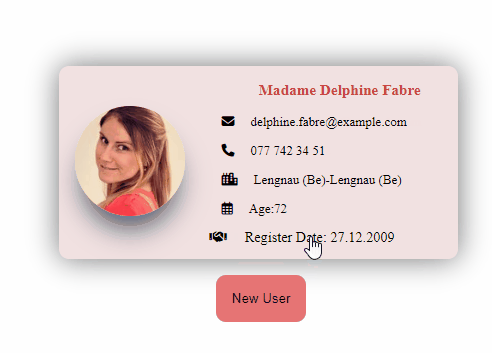
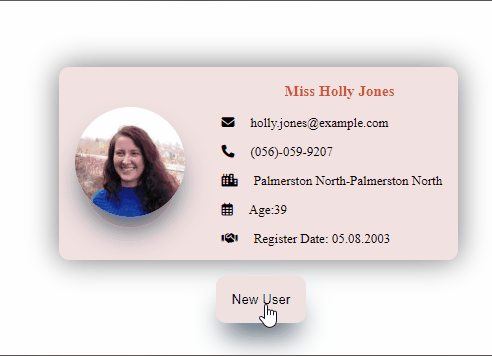
## Visualization of the Website

## Visualization of the Website
## Description
Project aims to create a Random User App .
## Project Skeleton
```
004 - Random User App 2 (folder)
|
|----readme.md # Given to the students (Definition of the project)
SOLUTION
├── public
│ └── index.html
├── src
│ ├── conponents
│ ├── Card.jsx
│ ├── Card.css
│ ├── App.js
│ ├── index.js
│ └── index.css
├── package.json
└── yarn.lock
## Objective
Build a Random User App using ReactJS.
### At the end of the project, following topics are to be covered;
- HTML,
- CSS,
- JS,
- ReactJS
### At the end of the project, students will be able to;
- Improve coding skills within HTML & CSS & JS & ReactJS.
- Use git commands (push, pull, commit, add etc.) and Github as Version Control System.
## Resources
- 🔥 You can use [`RandomUserApi`](https://randomuser.me/api/) for your own work.
-
## Steps to Solution
- Step 1: Create React App using `npx create-react-app random-user-app-two`.
- Step 2: Build Random User App fetching data from `https://randomuser.me/api/` using `axios`.
- Step 3: Push your application into your own public repo on Github.
- Step 4: Add project gif to your project and README.md file.
- Step 5: You can find project starter folder [here](./starter/)