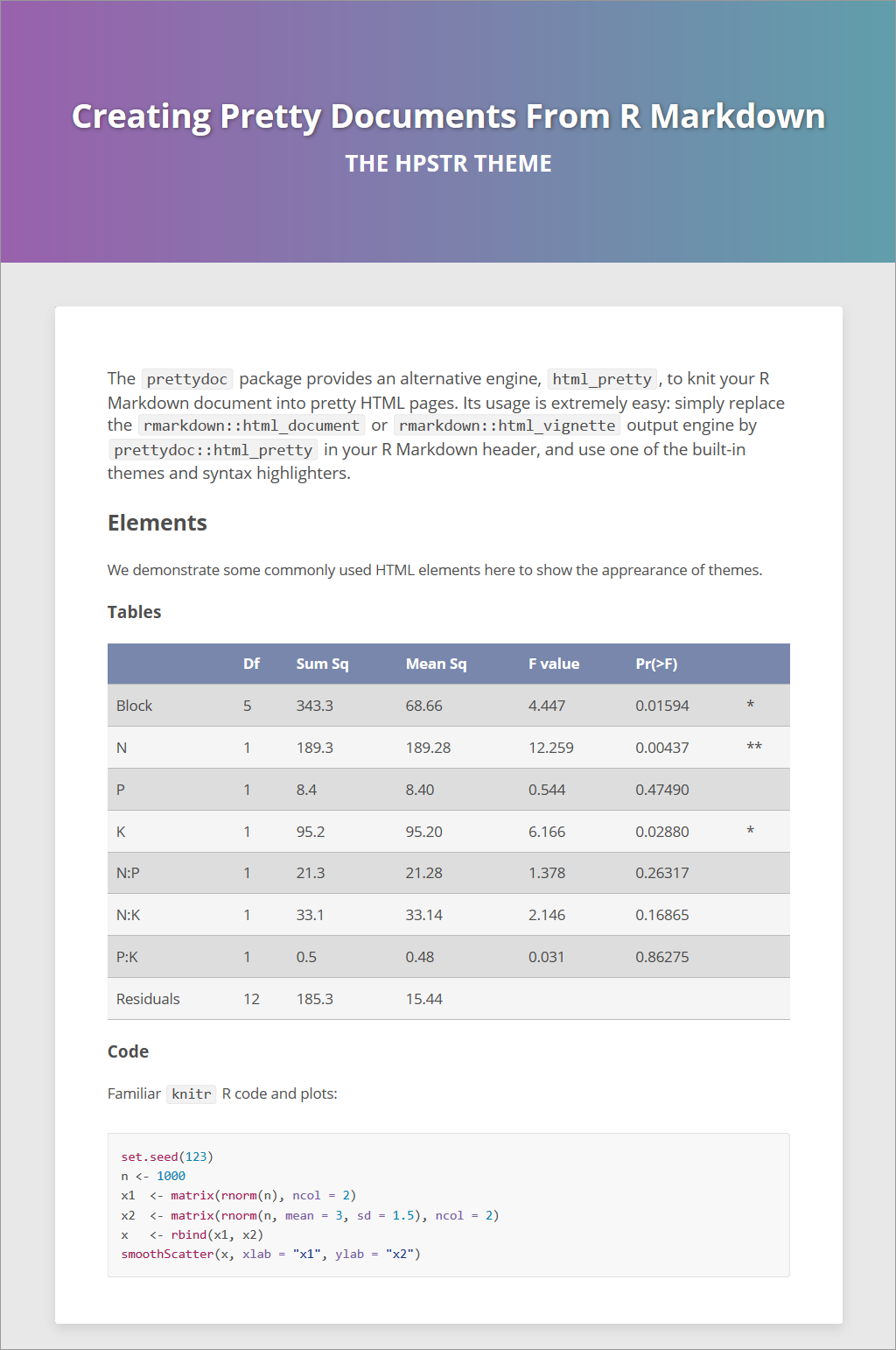
https://github.com/pachadotdev/prettydoc_experiments
prettydoc themes based on Yixuan Qiu's R package
https://github.com/pachadotdev/prettydoc_experiments
Last synced: about 1 year ago
JSON representation
prettydoc themes based on Yixuan Qiu's R package
- Host: GitHub
- URL: https://github.com/pachadotdev/prettydoc_experiments
- Owner: pachadotdev
- Created: 2017-02-03T14:10:54.000Z (over 9 years ago)
- Default Branch: master
- Last Pushed: 2017-08-03T17:37:45.000Z (almost 9 years ago)
- Last Synced: 2025-02-14T18:52:23.150Z (over 1 year ago)
- Language: CSS
- Size: 149 KB
- Stars: 1
- Watchers: 1
- Forks: 1
- Open Issues: 0
-
Metadata Files:
- Readme: README.md
Awesome Lists containing this project
README
## Creating Pretty Documents From R Markdown
> Have you ever tried to find a lightweight yet nice theme for the R Markdown
documents, like [this page](http://yixuan.cos.name/prettydoc/cayman.html)?
### Themes for R Markdown
With the powerful [rmarkdown](http://rmarkdown.rstudio.com/index.html)
package, we could easily create nice HTML document
by adding some meta information in the header, for example
```yaml
---
title: Nineteen Years Later
author: Harry Potter
date: July 31, 2016
output:
rmarkdown::html_document:
theme: lumen
---
```
The [html_document](http://rmarkdown.rstudio.com/html_document_format.html)
engine uses the [Bootswatch](http://bootswatch.com/)
theme library to support different styles of the document.
This is a quick and easy way to tune the appearance of your document, yet with
the price of a large file size (> 700KB) since the whole
[Bootstrap](http://getbootstrap.com/) library needs to be packed in.
For package vignettes, we can use the
[html_vignette](http://rmarkdown.rstudio.com/package_vignette_format.html)
engine to generate a more lightweight HTML file that is meant to minimize the
package size, but the output HTML is less stylish than the `html_document` ones.
So can we do **BOTH**, a lightweight yet nice-looking theme for R Markdown?
### The prettydoc Engine
The answer is YES! (At least towards that direction)
The **prettydoc** package provides an alternative engine, `html_pretty`,
to knit your R Markdown document into pretty HTML pages.
Its usage is extremely easy: simply replace the
`rmarkdown::html_document` or `rmarkdown::html_vignette` output engine by
`prettydoc::html_pretty` in your R Markdown header, and use one of the built-in
themes and syntax highlighters. For example
```yaml
---
title: Nineteen Years Later
author: Harry Potter
date: July 31, 2016
output:
prettydoc::html_pretty:
theme: cayman
highlight: github
---
```
You can also create documents from **prettydoc** templates in RStudio.
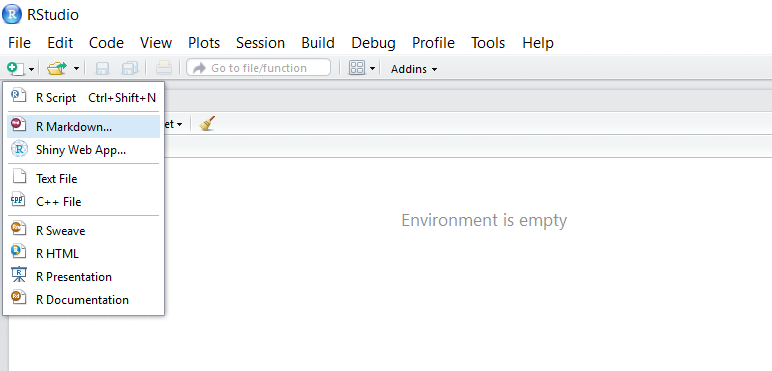
**Step 1:** Click the "New File" button and choose "R Markdown".
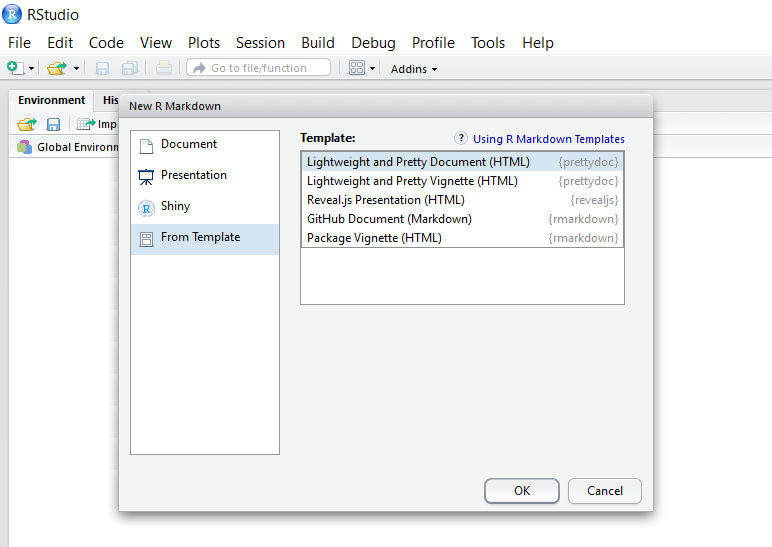
**Step 2:** In the "From Template" tab, choose one of the built-in templates.
### Options and Themes
The options for the `html_pretty` engine are mostly compatible with the default
`html_document`
(see the [documentation](http://rmarkdown.rstudio.com/html_document_format.html))
with a few exceptions:
1. Currently the `theme` option can take the following values. More themes will
be added in the future.
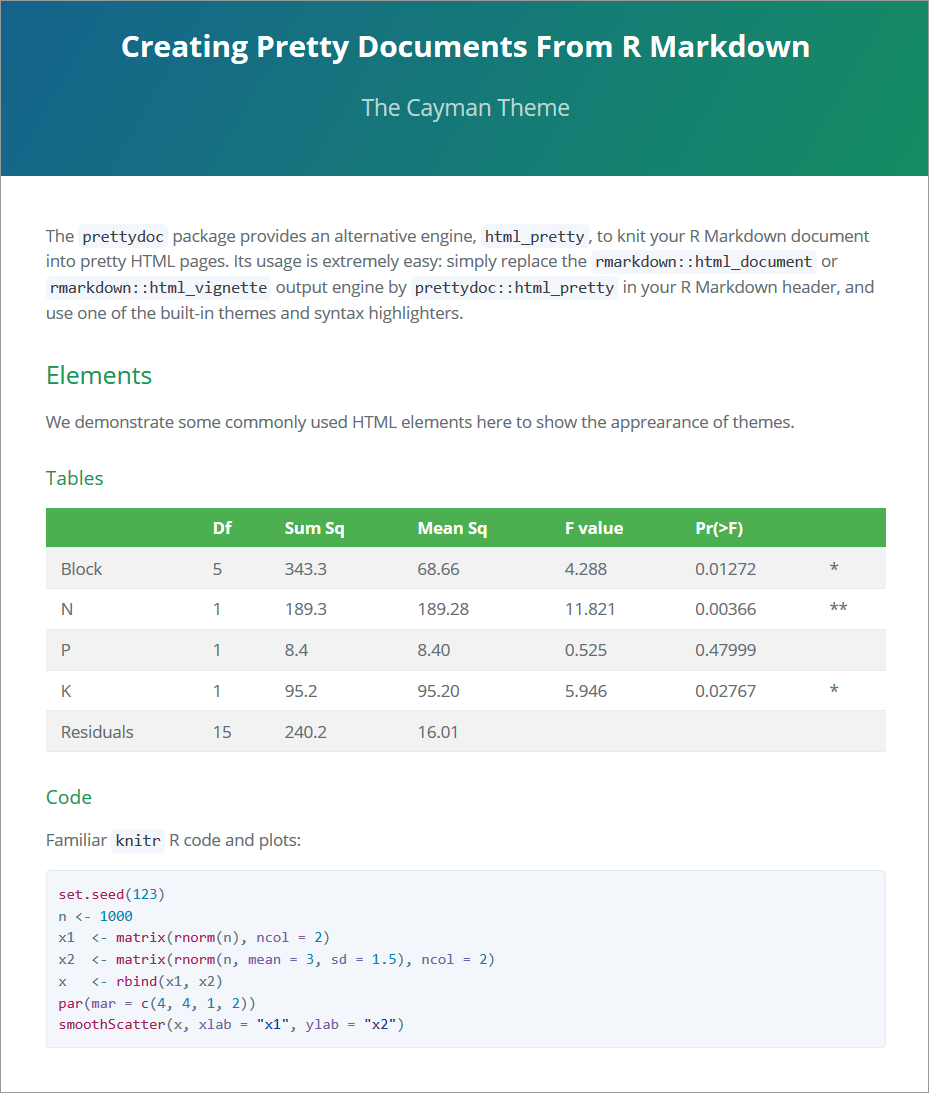
- `cayman`: Modified from the [Cayman](https://github.com/jasonlong/cayman-theme) theme.
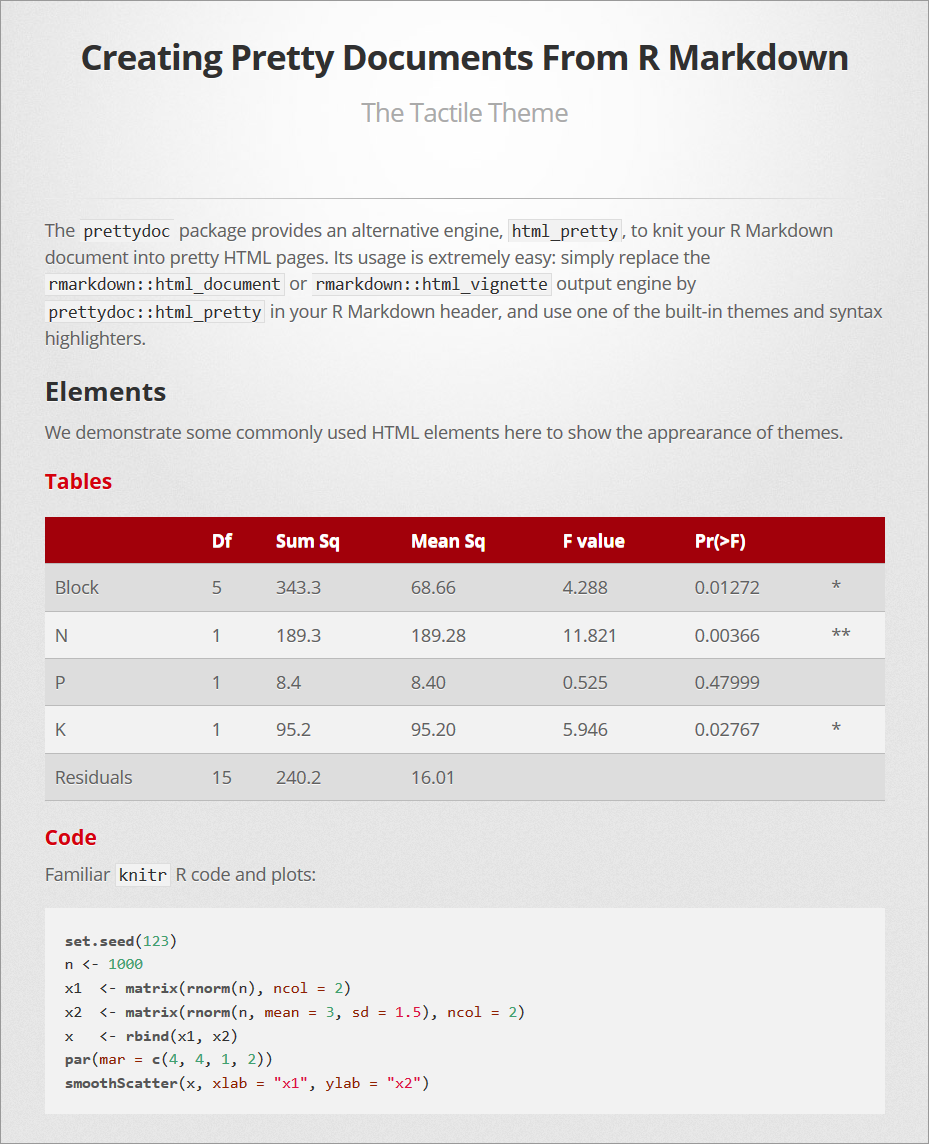
- `tactile`: Modified from the [Tactile](https://github.com/jasonlong/tactile-theme) theme.
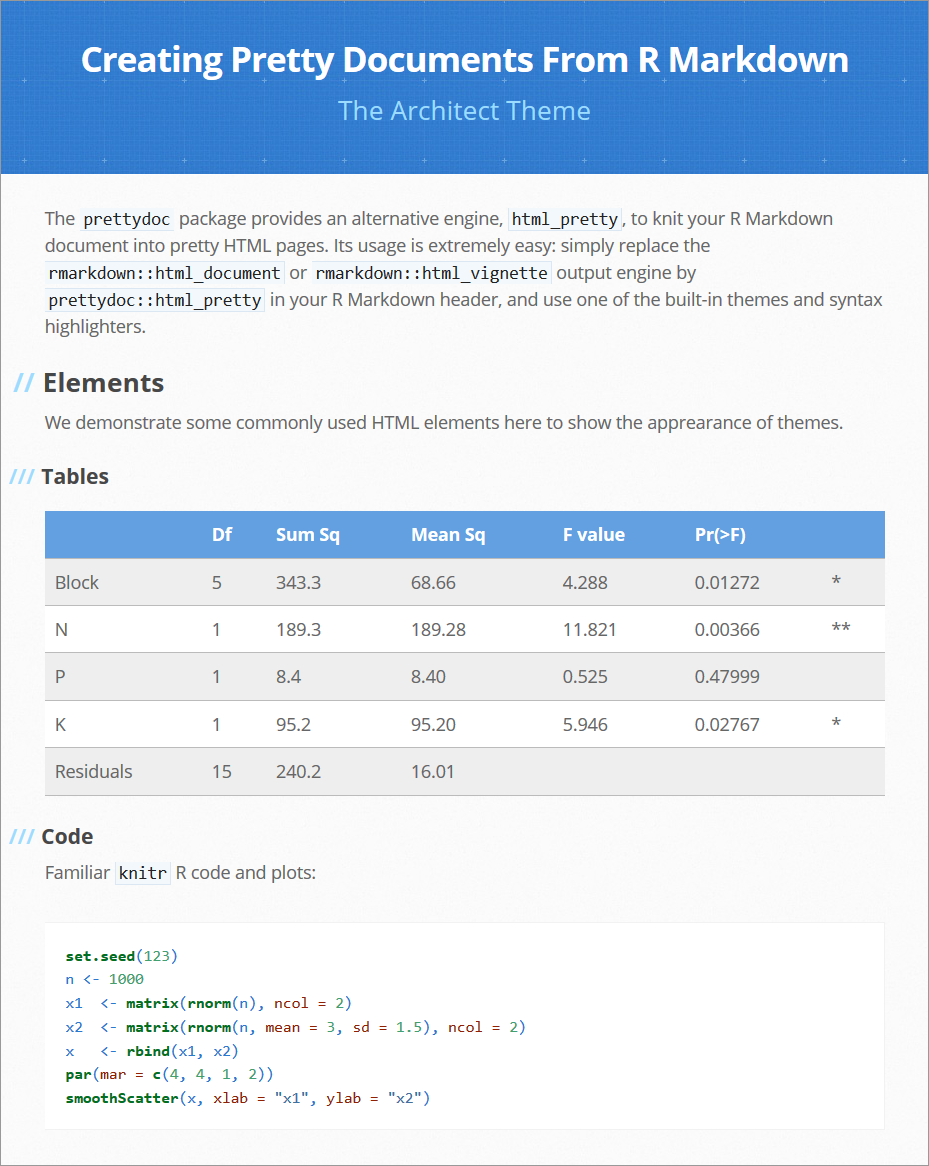
- `architect`: Modified from the [Architect](https://github.com/jasonlong/architect-theme) theme.
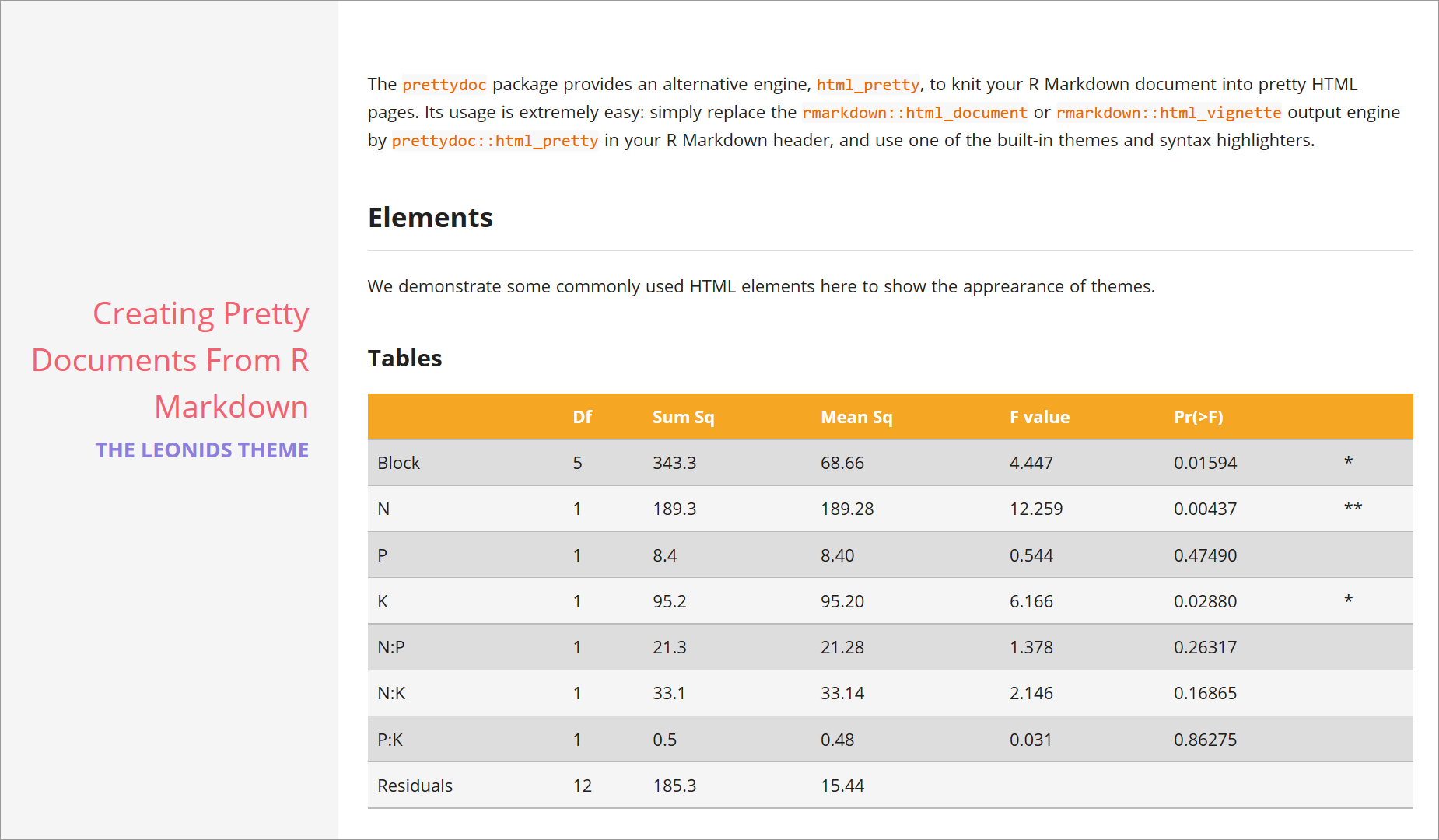
- `leonids`: Modified from the [Leonids](https://github.com/renyuanz/leonids) theme.
- `hpstr`: Modified from the [HPSTR](https://github.com/mmistakes/hpstr-jekyll-theme) theme.
2. The `highlight` option takes value from `github` and `vignette`.
3. Options `code_folding`, `code_download` and `toc_float` are not applicable.
### Related Projects
- [tufte](https://github.com/rstudio/tufte) provides the Tufte style for
R Markdown documents.
- [BiocStyle](http://bioconductor.org/packages/release/bioc/html/BiocStyle.html)
provides standard formatting styles for Bioconductor PDF and HTML documents.
- [rmdformats](https://github.com/juba/rmdformats) by Julien Barnier contains
HTML formats and templates for R Markdown documents, with some extra features
such as automatic table of contents, lightboxed figures, and dynamic crosstab
helper.
- [markdowntemplates](https://github.com/hrbrmstr/markdowntemplates) by Bob Rudis
is a collection of alternative R Markdown templates.
- [prettyjekyll](https://github.com/privefl/prettyjekyll) by Florian Privé
uses **prettydoc** to convert R Markdown documents to Jekyll Markdown for blog posting.
### Gallery
Here are some screenshots of the HTML pages generated by **prettydoc** with
different themes and syntax highlighters.
#### Cayman [(demo page)](http://yixuan.cos.name/prettydoc/cayman.html)
#### Tactile [(demo page)](http://yixuan.cos.name/prettydoc/tactile.html)
#### Architect [(demo page)](http://yixuan.cos.name/prettydoc/architect.html)
#### Leonids [(demo page)](http://yixuan.cos.name/prettydoc/leonids.html)
#### HPSTR [(demo page)](http://yixuan.cos.name/prettydoc/hpstr.html)