https://github.com/papirusdevelopmentteam/papirus-filezilla-themes
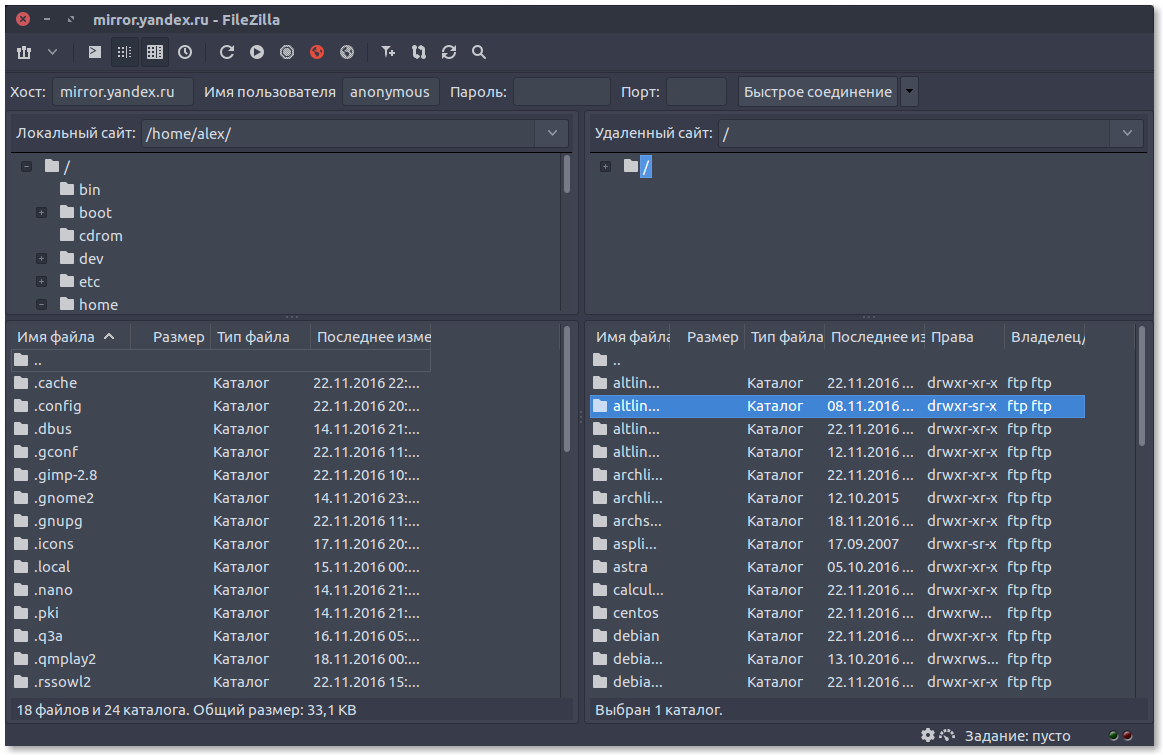
Papirus theme for FileZilla
https://github.com/papirusdevelopmentteam/papirus-filezilla-themes
filezilla papirus papirus-icons
Last synced: about 1 year ago
JSON representation
Papirus theme for FileZilla
- Host: GitHub
- URL: https://github.com/papirusdevelopmentteam/papirus-filezilla-themes
- Owner: PapirusDevelopmentTeam
- License: gpl-3.0
- Created: 2016-11-22T18:33:13.000Z (over 9 years ago)
- Default Branch: master
- Last Pushed: 2023-05-28T18:53:38.000Z (about 3 years ago)
- Last Synced: 2025-04-01T23:14:42.464Z (over 1 year ago)
- Topics: filezilla, papirus, papirus-icons
- Language: Shell
- Homepage:
- Size: 1.47 MB
- Stars: 99
- Watchers: 6
- Forks: 8
- Open Issues: 4
-
Metadata Files:
- Readme: README.md
- License: LICENSE
- Authors: AUTHORS
Awesome Lists containing this project
README
## Installation

### Ubuntu and derivatives

You can install Papirus theme for FileZilla from our official [PPA](https://launchpad.net/~papirus/+archive/ubuntu/papirus):

```

sudo add-apt-repository ppa:papirus/papirus

sudo apt-get update

sudo apt-get install filezilla-theme-papirus

```

or download .deb packages from [here](https://launchpad.net/~papirus/+archive/ubuntu/papirus/+packages?field.name_filter=filezilla-theme-papirus).

### Papirus Installer

Use the scripts to install the latest version directly from this repo (independently on your distro):

#### Install / Update

```

wget -qO- https://raw.githubusercontent.com/PapirusDevelopmentTeam/papirus-filezilla-themes/master/install.sh | sh

```

#### Remove

```

wget -qO- https://raw.githubusercontent.com/PapirusDevelopmentTeam/papirus-filezilla-themes/master/install.sh | env uninstall=true sh

```

### Third-party packages

Packages in this section are not part of the official repositories. If you have a trouble or a question please contact with package maintainer.

| **Distro** | **Maintainer** | **Package** |

|:-----------|:---------------|:------------|

| Arch Linux | [Nicola Revelant](https://aur.archlinux.org/account/nicolarevelant) | [papirus-filezilla-themes](https://aur.archlinux.org/packages/papirus-filezilla-themes/) AUR |

**NOTE:** If you maintainer and want be in the list please create an issue or send a pull request.

### Windows

On Windows machine, you can install the Papirus themes in just two steps:

1. Download the zip archive attached to the [latest release](https://github.com/PapirusDevelopmentTeam/papirus-filezilla-themes/releases/latest).

2. Unzip the folders to `\resources` (usually `C:\Program Files\FileZilla FTP Client\resources`).

**NOTE:** The dark background is not a part of the icon theme. See [#12](https://github.com/PapirusDevelopmentTeam/papirus-filezilla-themes/issues/12)

###  Manual Install

1. Install dependencies:

    - git

    - make

    - imagemagick

2. Run the following commands as normal user:

    ```

    git clone https://github.com/PapirusDevelopmentTeam/papirus-filezilla-themes.git

    cd papirus-filezilla-themes

    make build

    sudo make install

    ```

3. Start FileZilla and choose a theme.