https://github.com/paralect/react-material-ui-koa-starter
https://github.com/paralect/react-material-ui-koa-starter
Last synced: over 1 year ago
JSON representation
- Host: GitHub
- URL: https://github.com/paralect/react-material-ui-koa-starter
- Owner: paralect
- License: mit
- Created: 2020-09-25T11:25:28.000Z (almost 6 years ago)
- Default Branch: master
- Last Pushed: 2025-03-10T07:16:45.000Z (over 1 year ago)
- Last Synced: 2025-03-10T08:25:19.315Z (over 1 year ago)
- Language: JavaScript
- Homepage: react-material-ui-koa-starter.vercel.app
- Size: 3.53 MB
- Stars: 0
- Watchers: 3
- Forks: 0
- Open Issues: 31
-
Metadata Files:
- Readme: README.md
- Contributing: CONTRIBUTING.md
- License: LICENSE
- Code of conduct: CODE_OF_CONDUCT.md
Awesome Lists containing this project
README
# React Material-UI Koa starter
[](https://github.com/paralect/stack)
[](LICENSE)
[](https://snyk.io/test/github/paralect/react-material-ui-koa-starter)
[](#contributors)
[](http://makeapullrequest.com)
[](https://david-dm.org/paralect/react-material-ui-koa-starter)
[](https://github.com/paralect/react-material-ui-koa-starter/watchers)
[](https://github.com/paralect/react-material-ui-koa-starter/stargazers)
[](https://twitter.com/paralect)
[](https://twitter.com/intent/tweet?text=I%27m%20using%20Stack%20components%20to%20build%20my%20next%20product%20🚀.%20Check%20it%20out:%20https://github.com/paralect/stack)
React Material-UI Koa starter is what we think an ideal starting point for React progressive web-applications (PWA) with the power of Material design components, offline-mode, SSR etc. It is based on the following primary technologies:
- [react](https://reactjs.org/)
- [react-router](https://reactrouter.com/web)
- [react-query](https://react-query.tanstack.com/)
- [material-ui](https://material-ui.com/)
- [razzle](https://razzlejs.org/)
Universal JavaScript applications are tough to setup. Either you buy into a framework like [Next.js](https://github.com/zeit/next.js) or [react-server](https://github.com/redfin/react-server), fork a boilerplate, or set things up yourself. Aiming to fill this void, we use Razzle as a tool that abstracts all complex configuration needed for SSR into a single dependency - giving you the awesome developer experience of [create-react-app](https://github.com/facebookincubator/create-react-app), but then leaving the rest of your app's architectural decisions about frameworks, routing, and data fetching up to you.
## Quick Start
Below is a list of commands you will probably find useful.
### `npm start` or `yarn start`
Runs the project in development mode.
You can view your application at `http://localhost:3000`
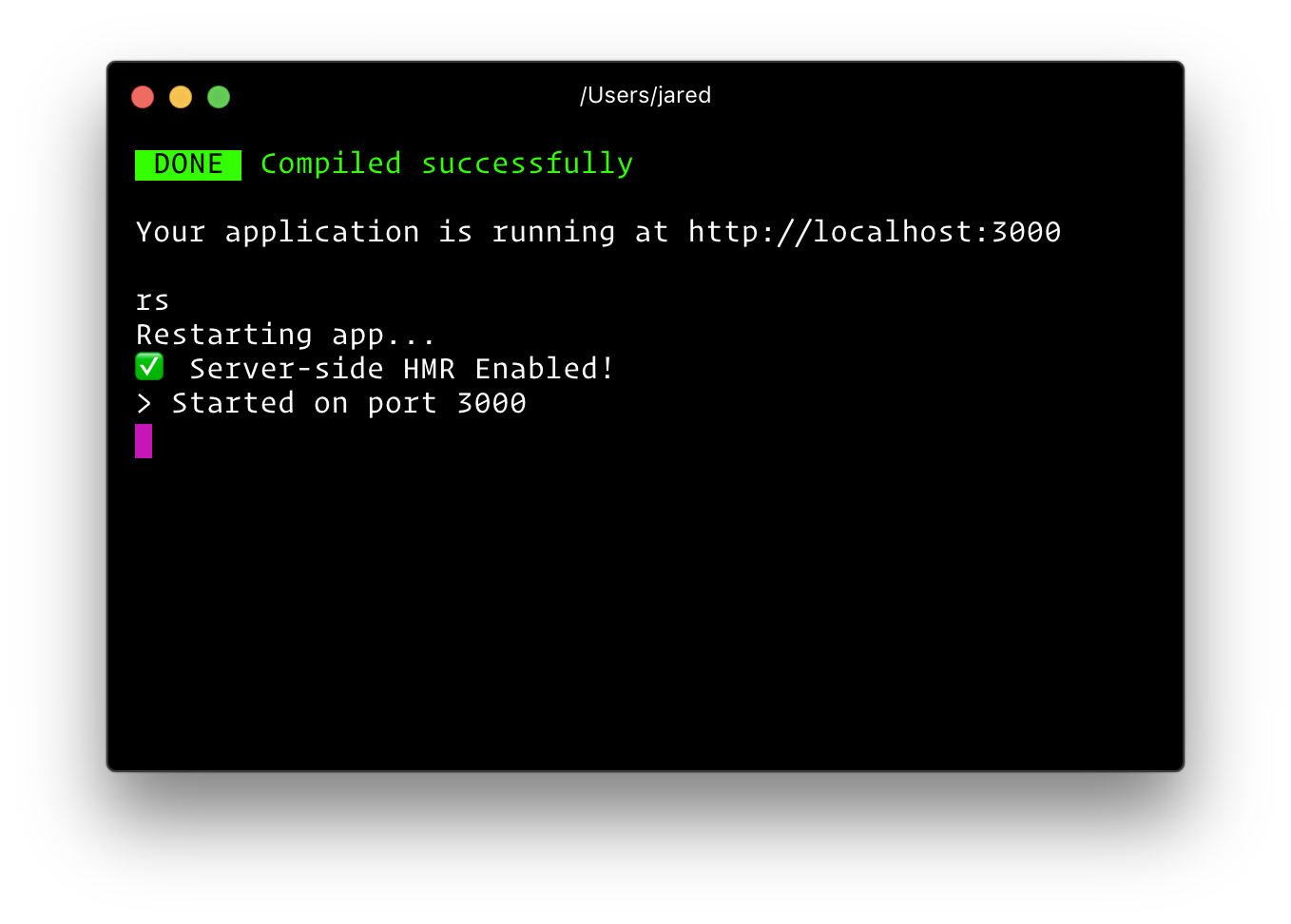
Your console should look like this:

The page will reload if you make edits.
### `npm run build` or `yarn build`
Builds the app for production to the build folder.
The build is minified and the filenames include the hashes.
Your app is ready to be deployed!
### `npm run start:prod` or `yarn start:prod`
Runs the compiled app in production.
You can again view your application at `http://localhost:3000`
### `npm test` or `yarn test`
Runs the test watcher (Jest) in an interactive mode.
By default, runs tests related to files changed since the last commit.
### `npm start -- --inspect` or `yarn start -- --inspect`
To debug the node server, you can use `razzle start --inspect`. This will start the node server and enable the inspector agent. For more information, see [this](https://nodejs.org/en/docs/inspector/).
### `npm start -- --inspect-brk` or `yarn start -- --inspect-brk`
To debug the node server, you can use `razzle start --inspect-brk`. This will start the node server, enable the inspector agent and Break before user code starts. For more information, see [this](https://nodejs.org/en/docs/inspector/).
### `rs`
If your application is running, and you need to manually restart your server, you do not need to completely kill and rebundle your application. Instead you can just type `rs` and press enter in terminal.
## 
#### Read [Razzle documentation](https://razzlejs.org/) for more info
---
MIT License
## Contributors
Thanks goes to these wonderful people ([emoji key](https://github.com/all-contributors/all-contributors#emoji-key)):
This project follows the [all-contributors](https://github.com/kentcdodds/all-contributors) specification. Contributions of any kind welcome!

