https://github.com/patrickjs/angular-intercom
An Angular.js wrapper for Intercom.io providing a simple and familiar API for Angular Developer.
https://github.com/patrickjs/angular-intercom
Last synced: 5 months ago
JSON representation
An Angular.js wrapper for Intercom.io providing a simple and familiar API for Angular Developer.
- Host: GitHub
- URL: https://github.com/patrickjs/angular-intercom
- Owner: PatrickJS
- License: mit
- Created: 2013-11-05T20:44:25.000Z (over 12 years ago)
- Default Branch: master
- Last Pushed: 2017-07-17T21:54:21.000Z (about 9 years ago)
- Last Synced: 2025-07-09T21:50:48.731Z (about 1 year ago)
- Language: HTML
- Homepage:
- Size: 60.5 KB
- Stars: 89
- Watchers: 5
- Forks: 36
- Open Issues: 8
-
Metadata Files:
- Readme: README.md
- Changelog: CHANGELOG.md
- License: LICENSE
Awesome Lists containing this project
README
# angular-intercom [](https://travis-ci.org/gdi2290/angular-intercom)
An Angular.js wrapper for Intercom.io providing a simple and familiar API for Angular Developer. I also added a asynchronous loading option $intercomProvider.asyncLoading(true) to allow anyone to quickly drop in and start using Intercom. This is great for startups who need a quick and easy way to interact with their customers
# How do I add this to my project?
You can download `angular-intercom` by:
* (prefered) Using bower and running `bower install angular-intercom --save`
* Using npm and running `npm install angular-intercom --save`
* Downloading it manually by clicking here to download development [(unminified)](https://cdn.rawgit.com/gdi2290/angular-intercom/master/angular-intercom.js) [(minified)](https://cdn.rawgit.com/gdi2290/angular-intercom/master/angular-intercom.min.js)
* CDN `https://cdn.rawgit.com/gdi2290/angular-intercom/master/angular-intercom.min.js`
# Example
Here is a simple [Example App](https://gdi2290.net/angular-intercom/example/) which allows you to include your own `app_id` to test. Below is a quick start guide. Use either `$intercom` or `Intercom` service depending on your preference and opinions.
````html
angular.module('intercomApp', [
'ngIntercom' // or you can use 'angular-intercom'
])
.value('fakeUser', {
email: 'john.doe@example.com',
name: 'John Doe',
created_at: 1234567890,
user_id: '9876'
})
// inject your app_id anyway you like
.constant('INTERCOM_APPID', 'd0idn8ii')
// Configure your $intercom module with appID
.config(function($intercomProvider, INTERCOM_APPID) {
// Either include your app_id here or later on boot
$intercomProvider
.appID(INTERCOM_APPID);
// you can include the Intercom's script yourself or use the built in async loading feature
$intercomProvider
.asyncLoading(true)
})
.run(function($intercom, fakeUser) {
// boot $intercom after you have user data usually after auth success
$intercom.boot(fakeUser); // app_id not required if set in .config() block
})
// Intercom // you may use Intercom rather than $intercom
.controller('MainCtrl', function($scope, $intercom, fakeUser) {
$scope.user = fakeUser;
// Register listeners to $intercom using '.$on()' rather than '.on()' to trigger a safe $apply on $rootScope
$intercom.$on('show', function() {
$scope.showing = true; // currently Intercom onShow callback isn't working
});
$intercom.$on('hide', function() {
$scope.showing = false;
});
$scope.show = function() {
$intercom.show();
};
$scope.hide = function() {
$intercom.hide();
};
$scope.update = function(user) {
$intercom.update(user);
};
});
````
# Require.js/AMD
`angular-intercom` is provides a Require.js/AMD interface, however it works differently depending on if you are using
`$intercomProvider.asyncLoading(true)`or not.
If you are using `$intercomProvider.asyncLoading(true)`, then *don't* specify the `"intercom"` dependency at all, just load
`"angular_intercom"` in paths, i.e.
```javascript
paths: {
"angular_intercom": '/somePath/angular-intercom/angular-intercom'
}
```
If you wish to load the intercom library through Require.js/AMD rather than using `$intercomProvider.asyncLoading(true)`, you first
need to find the CDN url provided by intercom.io. To do this, curl the url you received from intercom.io during intercom.io setup
```
curl https://widget.intercom.io/widget/INTERCOM_APPID
```
You should get something like
```html
You are being redirected.
```
This means your CDN url is `https://js.intercomcdn.com/intercom.xxxxxxx.js`. Now in your paths for require.js,
you would have something like this (remember to remove the `.js` at the end of the CDN url)
```javascript
paths: {
"intercom": "https://js.intercomcdn.com/intercom.xxxxxxx",
"angular_intercom": '/somePath/angular-intercom/angular-intercom'
}
```
And in your shim, you would do this
```javascript
shim: {
"angular_intercom": ["intercom"]
}
```
When `"intercom"` loads, it will attach itself to `window`, which will automatically be detected by angular-intercom
Then you can just use "angular_intercom" as any other `Require.js/AMD` module definition, i.e.
```javascript
define(['angular', 'angular_intercom'], function(angular, angular_intercom) {
// Bootstrap angular here
});
```
# Node.js
In node.js, angular-intercom will try and require a `intercom` dependency. If this fails, it will expect the `Intercom`
object to exposed via the `global` object
# Intercom.io
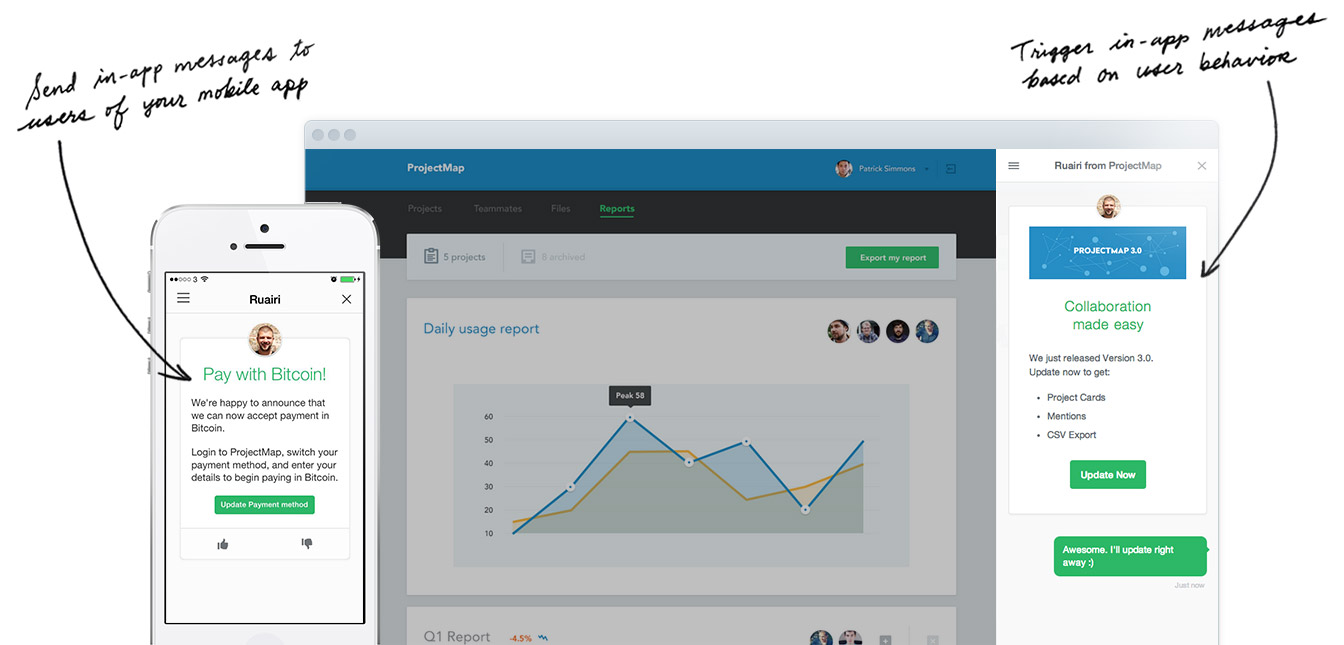
What is Intercom? An entirely new way to connect with your customers. Intercom shows you who is using your product and makes it easy to personally communicate with them through targeted, behavior-driven email and in-app messages.
# Changelog
Please see [changelog](https://github.com/gdi2290/angular-intercom/blob/master/CHANGELOG.md) for recent updates
# License
[MIT](https://github.com/gdi2290/angular-intercom/blob/master/LICENSE)