https://github.com/patsie75/awk-3d
Draw 3D objects on your terminal with awk
https://github.com/patsie75/awk-3d
Last synced: 8 months ago
JSON representation
Draw 3D objects on your terminal with awk
- Host: GitHub
- URL: https://github.com/patsie75/awk-3d
- Owner: patsie75
- Created: 2019-09-30T08:00:18.000Z (almost 7 years ago)
- Default Branch: master
- Last Pushed: 2020-04-07T21:02:25.000Z (over 6 years ago)
- Last Synced: 2024-06-25T20:00:41.055Z (about 2 years ago)
- Language: Awk
- Size: 141 KB
- Stars: 22
- Watchers: 2
- Forks: 0
- Open Issues: 0
-
Metadata Files:
- Readme: README.md
Awesome Lists containing this project
- awesome-awk - Draw 3D objects on your terminal with awk
README
A new project I got into after a colleague challenged me to 'draw more graphs' in my awk one-liners
Well, not really a graph, but it did sattisfy him to see some 3D models bouncing around a terminal.
It can draw 3D models in your terminal, using a model file in the 'models' folder.
A model file understands four types of lines:
- var <key> <value>
- col <red>;<green>;<blue>
- vert <x-coord> <y-coord> <z-coord>
- tri <vertex1> <vertex2> <vertex3> [<color>]
The 'var' keyword sets a value to a variable (key). This variable can then be used in the 'vert' and 'edge' definitions
The 'col' keyword defines a 'color' the red, green and blue values range from 0 to 255
The 'vert' keyword defines a 'vertex' (a point in 3D space) with an X, a Y and a Z coordinate
The 'tri' keyword connects three vertices into a triangle (in a certain color)
This is a first attempt to draw things in 3D space, so I hope to spend some more time refining everything
Here's a screenshot:
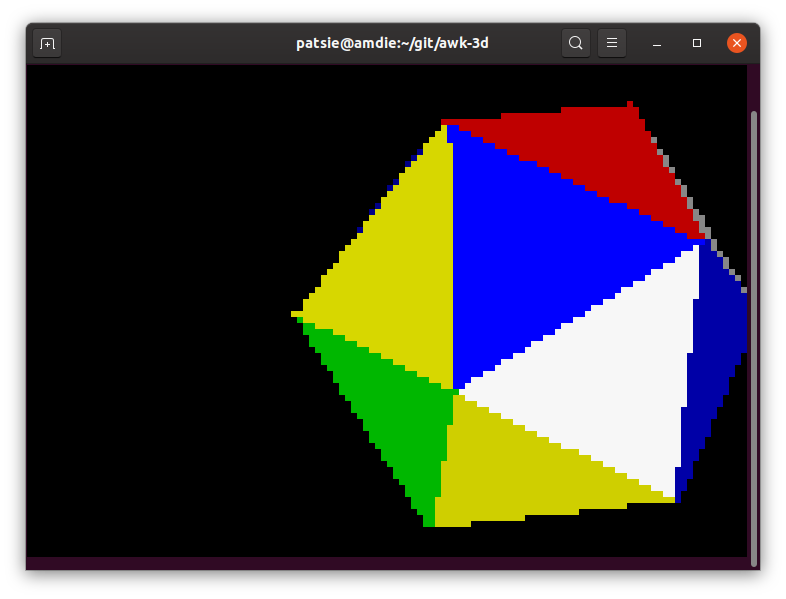
See youtube for a moving example: https://youtu.be/snj8Nl8pC6E or https://youtu.be/cNM4f10IZWQ