https://github.com/paulschwoerer/leafplayer
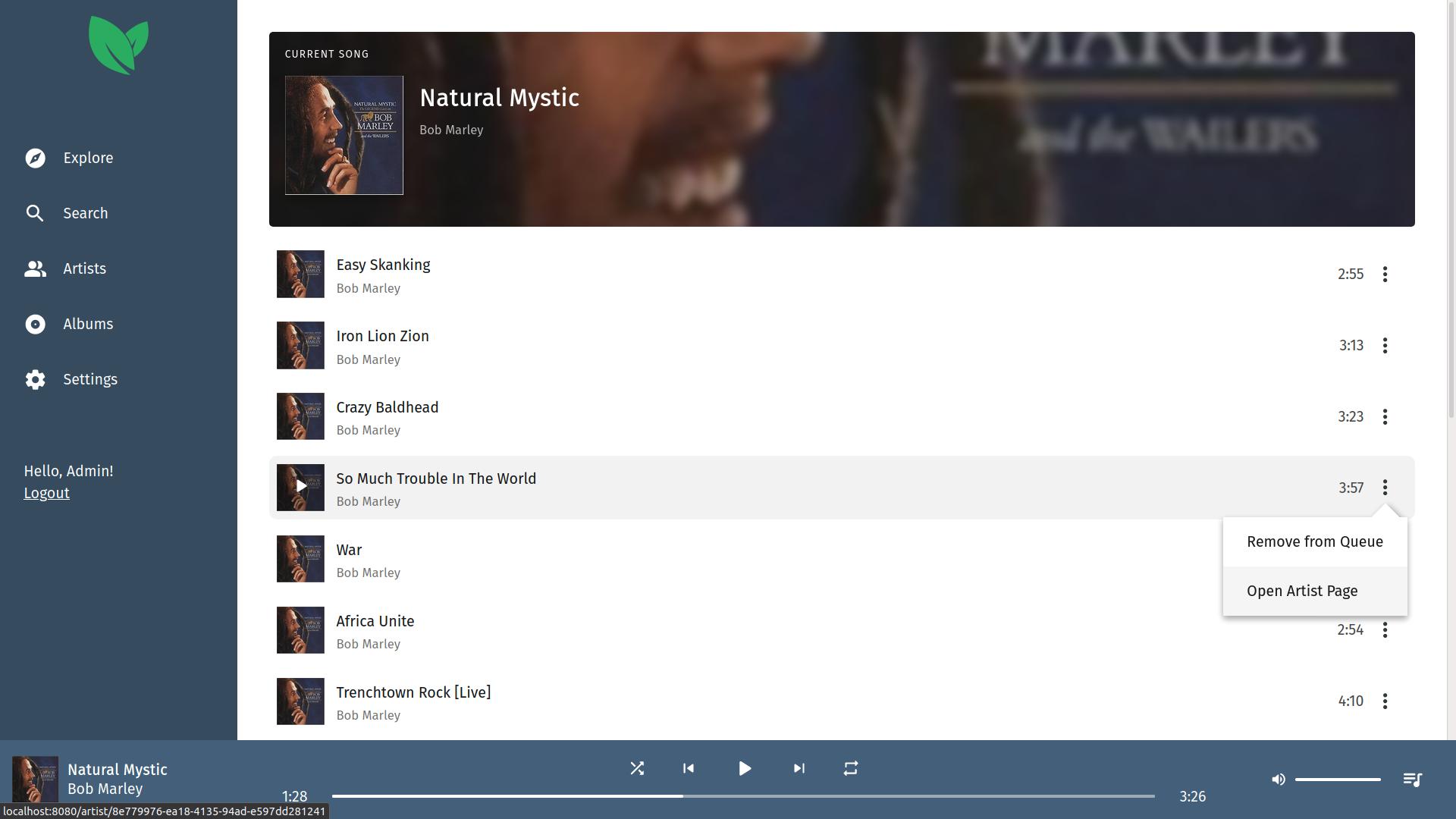
Leafplayer is a minimalistic music streaming server with a focus on performance and a slick UI. It allows you to listen to your private music collection from anywhere in the world.
https://github.com/paulschwoerer/leafplayer
leafplayer music self-hosted self-hosting streaming
Last synced: 8 months ago
JSON representation
Leafplayer is a minimalistic music streaming server with a focus on performance and a slick UI. It allows you to listen to your private music collection from anywhere in the world.
- Host: GitHub
- URL: https://github.com/paulschwoerer/leafplayer
- Owner: paulschwoerer
- License: mit
- Created: 2017-08-06T19:36:06.000Z (over 8 years ago)
- Default Branch: main
- Last Pushed: 2024-01-09T19:16:32.000Z (about 2 years ago)
- Last Synced: 2024-06-19T03:06:37.262Z (almost 2 years ago)
- Topics: leafplayer, music, self-hosted, self-hosting, streaming
- Language: TypeScript
- Homepage:
- Size: 28.8 MB
- Stars: 153
- Watchers: 4
- Forks: 34
- Open Issues: 2
-
Metadata Files:
- Readme: README.md
- Changelog: CHANGELOG.md
- License: LICENSE
Awesome Lists containing this project
- awesome-vue - LeafPlayer - A simple and fast, privately hosted music streaming server. (Projects Using Vue.js / Open Source)
- awesome-vue-zh - LeafPlayer - 一个简单,快速,私人托管的音乐流媒体服务器. (awesome-vue [](https://github.com/sindresorhus/awesome) / 开源)
- awesome-vue - LeafPlayer ★85 - A simple and fast, privately hosted music streaming server. (Awesome Vue.js [ ★101652](https://github.com/sindresorhus/awesome) / Open Source)
- awesome-vue - LeafPlayer - A simple and fast, privately hosted music streaming server. (Awesome Vue.js [](https://github.com/sindresorhus/awesome) / Open Source)
- awesome-vue - LeafPlayer - Leafplayer is a minimalistic music streaming server with a focus on performance and a slick UI. It enables you to listen to your private music collection from anywhere in the world. ` 📝 a month ago ` (Open Source [🔝](#readme))
README

Features |
Installation |
Usage |
Screenshots



Looking for contributors! Hit me up if you're interested.
Leafplayer is a minimalistic music streaming server with a focus on performance and a slick UI. It enables you to listen to your private music collection from anywhere in the world.

## Features
These are some notable features, in no particular order.
* Modern, mobile-friendly interface
* Native media controls
* Artworks from media tags for artists and albums
* Multiple user accounts
* Registration of accounts using invite codes
* Fast search
* Night mode
## Installation
### With Docker
Use the following command to get up and running quickly. Don't forget to replace `supersecret` with a secure, random string and adjust the `/path/to/your/music` directory.
```sh
docker run -d \
-e "APP_SECRET=supersecret" \
-v "/path/to/your/music:/music:ro" \
-v "leafplayer-storage:/var/lib/leafplayer" \
-p "127.0.0.1:3000:3000" \
--name leafplayer \
paulschwoerer/leafplayer
```
You should now see the Leafplayer web interface by navigating to [localhost:3000](http://localhost:3000) in your browser.
### Without Docker (Linux only)
You need to have a working install of [NodeJS](https://nodejs.org/en/download/). Development is done with Node 16, however Node 14 should work as well.
```sh
# check your node version
node --version
```
After that, grab the latest Leafplayer release from the [releases page](https://github.com/paulschwoerer/leafplayer/releases) and extract it into a directory of your choice, for example `/opt/leafplayer`.
```sh
# specify the version to use
LP_VERSION="1.0.0"
# specify the Leafplayer directory
LP_DIRECTORY="/opt/leafplayer"
# specify a user to run Leafplayer as
LP_USER="lpuser"
# add the user
adduser "$LP_USER"
# create the Leafplayer directory
sudo mkdir "$LP_DIRECTORY"
# download the specified release
wget -P /tmp "https://github.com/paulschwoerer/leafplayer/releases/download/v$LP_VERSION/leafplayer-v$LP_VERSION.zip"
# unzip release
sudo unzip -q "/tmp/leafplayer-v$LP_VERSION.zip" -d "$LP_DIRECTORY"
# give the Leafplayer user permission to write to the directory
sudo chown -R $LP_USER "$LP_DIRECTORY"
# install dependencies
cd "$LP_DIRECTORY" && npm install
# finally, remove downloaded file
rm "/tmp/leafplayer-v$LP_VERSION.zip"
```
Leafplayer will use `/var/lib/leafplayer` as its storage directory. Make sure it exists and that the user account, which will run Leafplayer, owns it.
```sh
sudo mkdir /var/lib/leafplayer
chown "$LP_USER" /var/lib/leafplayer
```
Finally, start the server. Don't forget to replace `supersecret` with a secure, random string.
```sh
cd "$LP_DIRECTORY"
NODE_ENV=production APP_SECRET=supersecret node main.js serve
```
You should now see the Leafplayer web interface by navigating to [localhost:3000](http://localhost:3000) in your browser.
### Reverse Proxy
Note, that the setup above will only allow you to access your Leafplayer instance from your local machine. When deploying a live instance, you should setup a reverse proxy to handle TLS. See for example [Caddy](https://caddyserver.com/) for a simple-to-use solution.
```sh
caddy reverse-proxy --from music.yourdomain.home --to localhost:3000
```
## Usage
If you followed the docker instructions, prefix the following commands as follows.
```sh
sudo docker exec leafplayer node main.js ...
```
To create an initial admin account, run the following command.
```sh
node main.js users:add \
--username admin \
--password supersecret
```
You can now add your music directory and start a music scan.
```sh
node main.js library:dir --add /music
node main.js library:scan
```
## Screenshots