https://github.com/pavelsust/moreapps
https://github.com/pavelsust/moreapps
android androiddevelopment moreandroidapps moreapp moreapps myapps newandroidapp playstorelink
Last synced: 12 months ago
JSON representation
- Host: GitHub
- URL: https://github.com/pavelsust/moreapps
- Owner: pavelsust
- License: mit
- Created: 2017-04-17T03:59:09.000Z (about 9 years ago)
- Default Branch: master
- Last Pushed: 2017-04-17T20:08:52.000Z (about 9 years ago)
- Last Synced: 2025-04-12T18:30:30.286Z (about 1 year ago)
- Topics: android, androiddevelopment, moreandroidapps, moreapp, moreapps, myapps, newandroidapp, playstorelink
- Language: Java
- Size: 410 KB
- Stars: 36
- Watchers: 3
- Forks: 9
- Open Issues: 0
-
Metadata Files:
- Readme: README.md
- License: LICENSE
Awesome Lists containing this project
README
# More Apps in Play Store
As a individual developer I have to copy and paste some common code to add "More Apps" feature in my applications. It's a pathetic work to add common codes in all applications and some times it makes silly mistakes and have to fix it again. So I thought why don't I make a library which can make my work simple. By writing two/three line of code and get all the features.
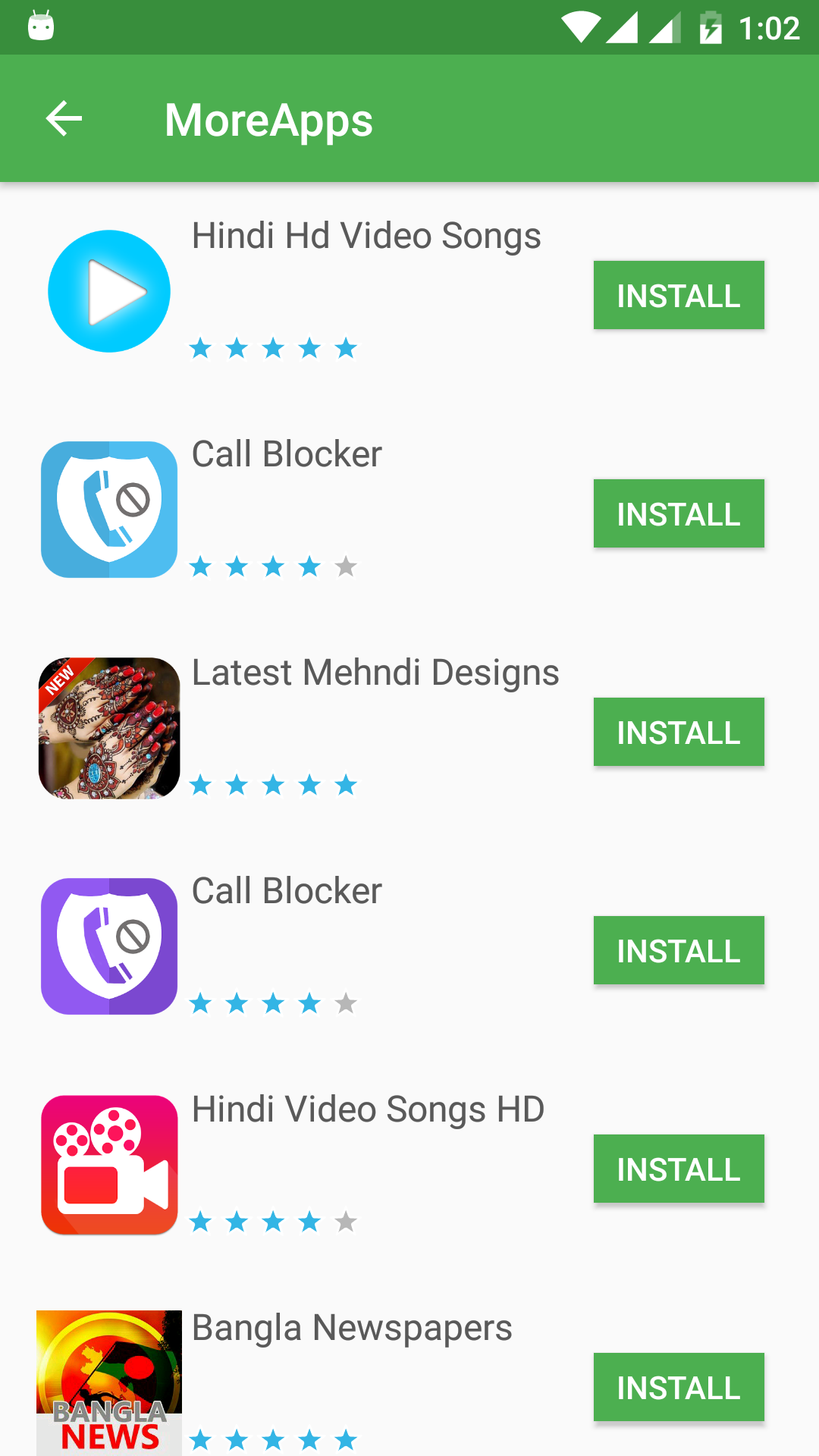
## Install
You can download from JitPack. [](https://jitpack.io/#paveltech/MoreApps)
Add this dependency in your `build.gradle`:
```groovy
allprojects {
repositories {
maven { url 'https://jitpack.io' }
}
}
```
```xml
dependencies {
compile 'com.github.paveltech:MoreApps:1.2'
}
```
### Json File Ready : make your json file looks like...
[
{
"name": "Your App Name",
"rating": 5,
"package_name": "package name",
"image": "icon image link"
},
{
"name": "Call Blocker",
"rating": 4.8,
"package_name": "com.playoffstudio.callblocker",
"image": "https://lh3.googleusercontent.com/CnqXt1s12Mzu-rzMcUEQpdmsk3SlBSHCHtmc02T8pTqngJeij6hLFIgcwi1R8G-Fs-am=w300"
},
{
"name": "USA Online Shopping",
"rating": 5,
"package_name": "com.creativeapp.usashopping",
"image": "https://lh3.googleusercontent.com/PiGn6kwmGltl7QEgMUwHtdpCJ7sPrTZOpY-ezN5zK6OJR0GNAB7c64yTMEI497Lhb9s=w300"
}
]
### Configuration : Now have to configure java code.
1.First make a class which can extends Application class. Looks like
```java
public class AppController extends Application {
App app;
@Override
public void onCreate() {
super.onCreate();
/// initialized more app library
app = new App(getApplicationContext());
}
}
```
2. Add Internet permissions and Application class in your Androidmanifest
```xml
android:name=".AppController"
......................
......................
```
3. Now you can use it as a Activity or as a Fragment
### For Activity
```java
Intent intent = new Intent(YourActivity.this , MoreActivity.class);
MoreActivity.url = "your json file link";
startActivity(intent);
```
### For Fragment
```java
MoreAppFragment moreAppFragment = new MoreAppFragment();
MoreAppFragment.url = "your json file link";
```
License
=======
Licensed under the MIT License. See the [LICENSE](LICENSE) file for more details.