https://github.com/pcon/openshift-deckjs-remote-quickstart
Openshift Deck.js Remote Quickstart
https://github.com/pcon/openshift-deckjs-remote-quickstart
Last synced: 11 months ago
JSON representation
Openshift Deck.js Remote Quickstart
- Host: GitHub
- URL: https://github.com/pcon/openshift-deckjs-remote-quickstart
- Owner: pcon
- Created: 2014-03-27T21:46:56.000Z (over 12 years ago)
- Default Branch: master
- Last Pushed: 2020-09-01T12:40:53.000Z (almost 6 years ago)
- Last Synced: 2024-05-02T00:11:33.060Z (about 2 years ago)
- Language: CSS
- Size: 421 KB
- Stars: 6
- Watchers: 3
- Forks: 2
- Open Issues: 0
-
Metadata Files:
- Readme: README.md
Awesome Lists containing this project
README
This quickstart will get you going with [deck.js](http://imakewebthings.com/deck.js/) and includes the [remote deck.js](https://github.com/chrisjaure/deckjs-remote) functionality
#What is it?
[Deck.js](http://imakewebthings.com/deck.js/) is a framework to make HTML based presentations. One of it's extensions [remote deck.js](https://github.com/chrisjaure/deckjs-remote) allows a presenter to control the current slide that all of the connected guests are viewing.
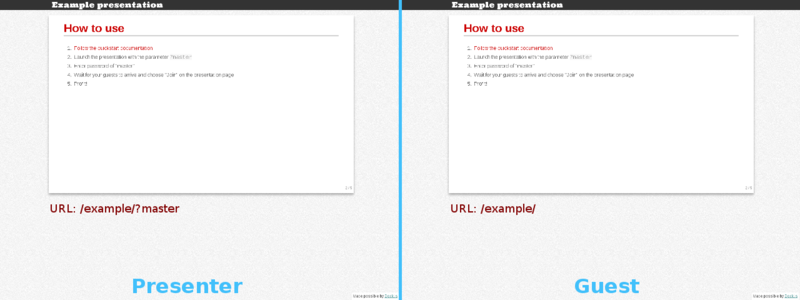
For example, if you installed this to your openshift account and navigated to http://slides-USERNAME.rhcloud.com/example/?master and the person you were presenting to navigated to http://slides-USERNAME.rhcloud.com/example/ you would be presented with this:
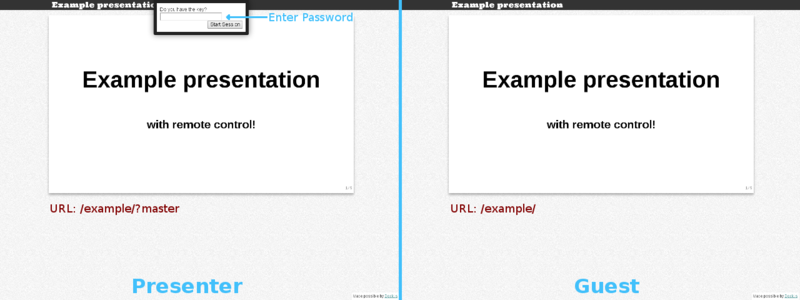
After the presenter enters the password (the default being "master"), the guest will be prompted to join the session
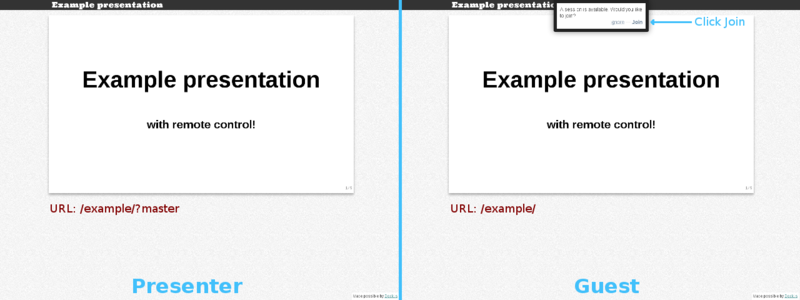
Once the guest has joined the session, any slide changes that the presenter makes will be conveyed to the guest
#How do I install it?
## Running on Openshift
Create an account at [http://openshift.redhat.com](http://openshift.redhat.com)
Create the application (piggybacking on nodejs-0.10)
rhc app create slides nodejs-0.10 --from-code=git://github.com/pcon/openshift-deckjs-remote-quickstart.git
Run `git push` to start the app
## Adding new presentations
Copy the contents of `public/example/` to a new location and edit the `index.html` file. Then commit and repush to view.
## Remote controlling a presentation
1. Navigate to the presentation and add `?master` to the URL
2. Type in the password of _master_
3. Wait until your guests have loaded the presentation and selected _Join_
4. Give your presentation
## Changing the default password
1. Generate a new md5sum with your new password `print "mynewpassword" | md5sum`
2. Take the hash and edit `public/extensions/remote/deckjs-remote.js` and change the hash in `key = '...'`