https://github.com/pei0804/go-http-swagger
https://github.com/pei0804/go-http-swagger
Last synced: 3 months ago
JSON representation
- Host: GitHub
- URL: https://github.com/pei0804/go-http-swagger
- Owner: pei0804
- License: mit
- Created: 2018-02-25T10:03:19.000Z (over 8 years ago)
- Default Branch: master
- Last Pushed: 2018-02-25T10:52:16.000Z (over 8 years ago)
- Last Synced: 2025-12-29T04:18:28.532Z (7 months ago)
- Language: Go
- Size: 5.86 KB
- Stars: 0
- Watchers: 1
- Forks: 0
- Open Issues: 0
-
Metadata Files:
- Readme: README.md
- License: LICENSE
Awesome Lists containing this project
README
# http-swagger
## Usage
### Start using it
1. Add comments to your API source code, [See Declarative Comments Format](https://github.com/swaggo/swag#declarative-comments-format).
2. Download [Swag](https://github.com/swaggo/swag) for Go by using:
```sh
$ go get github.com/swaggo/swag/cmd/swag
```
3. Run the [Swag](https://github.com/swaggo/swag) in your Go project root folder which contains `main.go` file, [Swag](https://github.com/swaggo/swag) will parse comments and generate required files(`docs` folder and `docs/doc.go`).
```sh
$ swag init
```
4.Download [http-swagger](https://github.com/swaggo/http-swagger) by using:
```sh
$ go get -u github.com/swaggo/http-swagger
```
And import following in your code:
```go
import "github.com/swaggo/http-swagger" // http-swagger middleware
```
### Canonical example:
```go
package main
import (
"net/http"
"github.com/go-chi/chi"
"github.com/swaggo/http-swagger"
_ "github.com/swaggo/http-swagger/example/docs" // docs is generated by Swag CLI, you have to import it.
)
// @title Swagger Example API
// @version 1.0
// @description This is a sample server Petstore server.
// @termsOfService http://swagger.io/terms/
// @contact.name API Support
// @contact.url http://www.swagger.io/support
// @contact.email support@swagger.io
// @license.name Apache 2.0
// @license.url http://www.apache.org/licenses/LICENSE-2.0.html
// @host petstore.swagger.io
// @BasePath /v2
func main() {
r := chi.NewRouter()
r.Get("/swagger/*", gohttpSwagger.WrapHandler)
http.ListenAndServe(":1323", r)
}
```
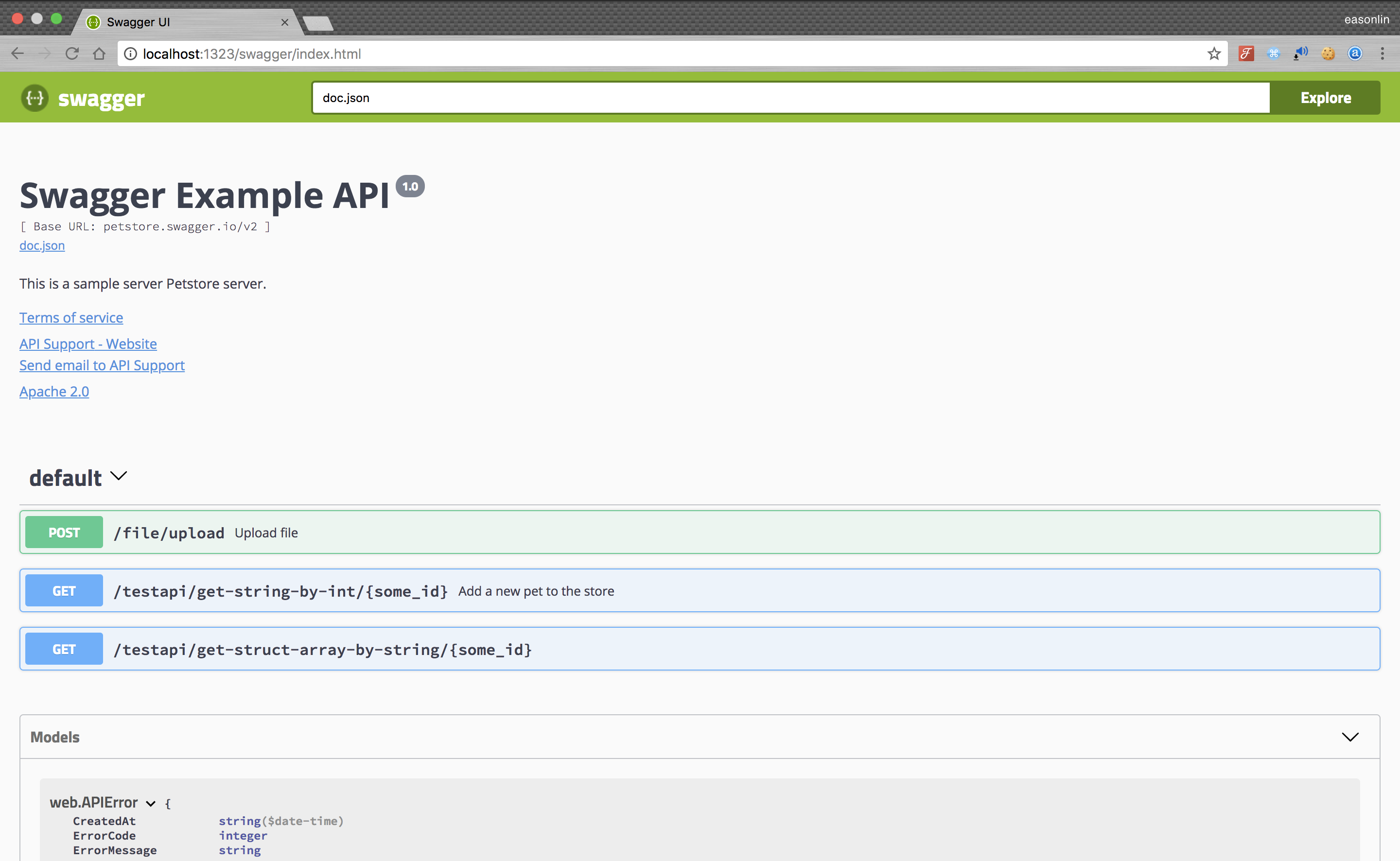
5. Run it, and browser to http://localhost:1323/swagger/index.html, you can see Swagger 2.0 Api documents.