https://github.com/peridot-php/peridot-watcher-plugin
Watch tests for changes and re-run them
https://github.com/peridot-php/peridot-watcher-plugin
Last synced: 12 months ago
JSON representation
Watch tests for changes and re-run them
- Host: GitHub
- URL: https://github.com/peridot-php/peridot-watcher-plugin
- Owner: peridot-php
- License: mit
- Created: 2014-11-04T03:41:11.000Z (over 11 years ago)
- Default Branch: master
- Last Pushed: 2017-08-16T22:07:38.000Z (almost 9 years ago)
- Last Synced: 2025-06-09T01:56:24.713Z (about 1 year ago)
- Language: PHP
- Homepage: http://peridot-php.github.io/
- Size: 124 KB
- Stars: 2
- Watchers: 3
- Forks: 2
- Open Issues: 1
-
Metadata Files:
- Readme: README.md
- License: LICENSE
Awesome Lists containing this project
README
Peridot Watcher Plugin
======================
[](https://travis-ci.org/peridot-php/peridot-watcher-plugin) [](http://hhvm.h4cc.de/package/peridot-php/peridot-watcher-plugin)
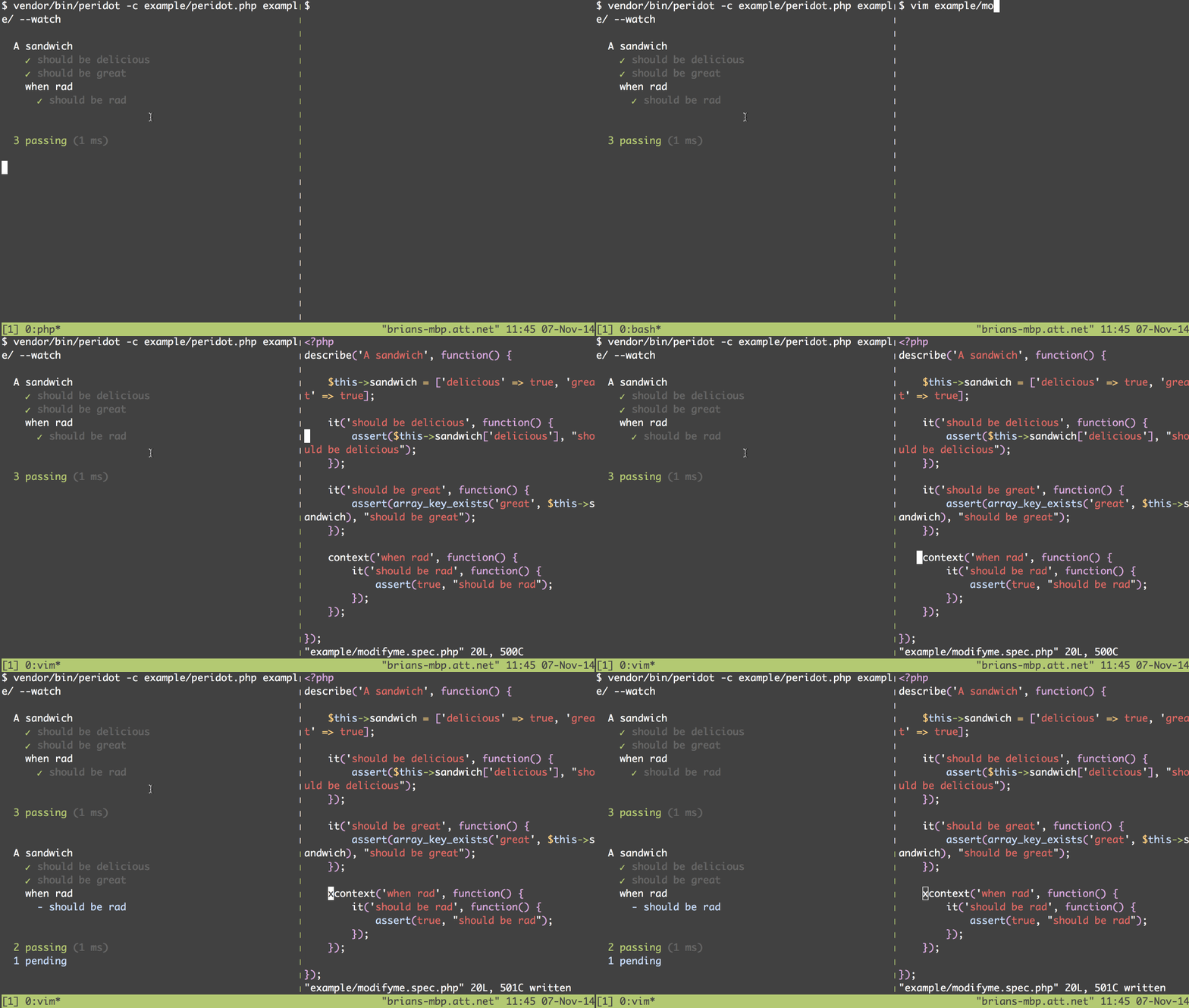
Watch for changes in your Peridot tests and re run them when a change occurs.
## Usage
We recommend installing this plugin to your project via composer:
```
$ composer require --dev peridot-php/peridot-watcher-plugin:~1.3
```
You can register the plugin via your [peridot.php](http://peridot-php.github.io/#plugins) file.
```php
setEvents([WatcherInterface::CREATE_EVENT, WatcherInterface::MODIFY_EVENT]);
};
```
## Tracking additional paths
By default, the watcher plugin just monitors the test path. If you want to track additional paths, you can do so in your peridot.php file:
```php
track(__DIR__ . '/src');
};
```
## File criteria
The watcher will look for changes in files ending in .php by default. If you want to track additional
file types, you can add criteria as regular expressions in your peridot.php file:
```php
track(__DIR__ . '/src');
$watcher->addFileCriteria('/\.js$/');
};
```
Using the above, you can re run your tests when the source file changes. Since the Peridot watcher re runs your tests
in a sub-process, it will actually detect new changes in your source.
## Example specs
Feel free to play around with the example spec using the watch option:
```
$ vendor/bin/peridot -c example/peridot.php example/modifyme.spec.php --watch
```
## Running plugin tests
```
$ vendor/bin/peridot specs/
```
## Inotify support
The watcher plugin will leverage the [Inotify extension](http://php.net/manual/en/book.inotify.php) if it is available, otherwise it will use a recursive directory strategy to watch for changes.
## Note on IDEs
Some IDEs might choke on ANSI sequences being returned from the watcher process. PHPStorm does not render colors
from sub process output, but most terminals will. If using the terminal from your IDE is a must, you may want to run your
tests using the `--no-colors` option.