https://github.com/permafrost-dev/vue-ray
Debug your Vue 3 code with Ray to fix problems faster
https://github.com/permafrost-dev/vue-ray
debugging npm-package ray-app vue vue-plugin vue2 vue3 vuejs
Last synced: about 1 year ago
JSON representation
Debug your Vue 3 code with Ray to fix problems faster
- Host: GitHub
- URL: https://github.com/permafrost-dev/vue-ray
- Owner: permafrost-dev
- License: mit
- Created: 2021-02-08T20:59:18.000Z (over 5 years ago)
- Default Branch: main
- Last Pushed: 2024-10-02T16:53:53.000Z (almost 2 years ago)
- Last Synced: 2025-03-28T11:08:34.511Z (over 1 year ago)
- Topics: debugging, npm-package, ray-app, vue, vue-plugin, vue2, vue3, vuejs
- Language: TypeScript
- Homepage: https://permafrost.dev/open-source
- Size: 356 KB
- Stars: 85
- Watchers: 2
- Forks: 5
- Open Issues: 5
-
Metadata Files:
- Readme: README.md
- Changelog: CHANGELOG.md
- Contributing: .github/CONTRIBUTING.md
- Funding: .github/FUNDING.yml
- License: LICENSE
- Security: .github/SECURITY.md
Awesome Lists containing this project
README
vue-ray







# vue-ray
## Debug Vue code with Ray to fix problems faster
Install this package in any Vue 3 project to send messages to the [Ray app](https://myray.app).
## Installation
Install with npm:
```bash
npm install vue-ray
```
or bun:
```bash
bun add vue-ray
```
### Installing
When using in a Vue 3 project, you may optionally install the plugin globally in your `main.js` or `app.js` file. This is primarily useful if you want to cusomize the connection settings for the package.
```js
import { RayPlugin } from 'vue-ray';
import { createApp } from 'vue';
import App from './App.vue';
const app = createApp(App);
app.use(RayPlugin, {
port: 23500,
host: 'localhost',
interceptErrors: true,
nodeRaySettings: {
interceptConsoleLog: true,
},
});
```
### Installation options
| Name | Type | Default | Description |
| --------------------- | ---------- | ----------- | -------------------------------------------------------------- |
| `host` | `string` | `localhost` | host to connect to the Ray app on |
| `scheme` | `string` | `http` | URI scheme to use to connect to host |
| `interceptErrors` | `boolean` | `false` | send Vue errors to Ray |
| `port` | `number` | `23517` | port to connect to the Ray app on |
| `nodeRaySettings` | `object` | `{}` | pass additional settings for `node-ray` _[(reference)](https://github.com/permafrots-dev/node-ray#configuration)_ |
## Usage
To access the `ray()` function, import `raySetup()` from the `vue-ray` library:
```html
import { raySetup } from 'vue-ray'
const ray = raySetup(); // `ray` is a ref, so you must use `ray.value` within the script tags
```
The `raySetup()` function accepts an optional `options` object, defined as:
```typescript
interface RaySetupOptions {
connection?: {
host?: string;
port?: number;
}
lifecycleEvents?: {
beforeCreate?: boolean;
beforeMount?: boolean;
created?: boolean;
mounted?: boolean;
unmounted?: boolean;
updated?: boolean;
all?: boolean;
}
}
```
The `lifecycleEvents` object can be used to enable or disable sending of the component's lifecycle events to Ray. Use the `all` property to enable all lifecycle events.
The following example will send the `created` and `mounted` events to Ray for the component:
```html
import { raySetup } from 'vue-ray'
const ray = raySetup({
lifecycleEvents: {
created: true,
mounted: true,
},
});
```
The `connection` object can be used to specify the host and port to connect to the Ray app. The default values are `localhost` and `23517`, respectively.
### Sending data to Ray
Once you have called `raySetup()`, you may use the `ray` function in the Vue SFC as normal _(see node-ray)_ to send data to Ray:
```html
Send message to Ray
ray().html('hello with html!')">Send html message to Ray
```
See the [node-ray reference](https://github.com/permafrost-dev/node-ray#reference) for a complete list of available methods.
## Vue-specific methods
| Name | Description |
| --------------------------- | ------------------------------------------------------ |
| `ray().data()` | show the component data |
| `ray().props()` | show the component props |
| `ray().element(refName: string)` | render the HTML of an element with a ref of `refName` |
| `ray().track(name: string)` | display changes to a component's data variable _(best used when not using script setup)_ |
| `ray().untrack(name: string)` | stop displaying changes to a component's data variable |
| `ray().watch(name: string, ref: Ref)` | watch a ref's value and send changes to Ray _(best used in script setup)_ |
| `ray().unwatch(name: string)` | stop watching a ref's value and stop sending changes to Ray |
## Watching refs
When using the `script setup` syntax, you can use the `ray().watch(name, ref)` method to watch a ref's value and send changes to Ray. Here's an example SFC using the `script setup` syntax:
```html
import { ref } from 'vue';
import { raySetup } from 'vue-ray';
const one = ref(100);
const two = ref(22);
const ray = raySetup().value;
ray().watch('one', one);
ray().watch('two', two);
{{ one }}
{{ two }}
Increment one
Increment two
```
## Tracking component data
When not using the `script setup` syntax, you can use the `ray().track(name)` method to track changes to a component's data variable. Here's an example SFC:
```html
import { raySetup } from 'vue-ray';
let ray;
export default {
props: ['title'],
data() {
return {
one: 100,
two: 22,
};
},
created() {
// must call raySetup() in the created() lifecycle hook so it can access the current component
ray = raySetup().value;
ray().track('one');
},
methods: {
sendToRay() {
ray().element('div1');
},
increment() {
this.one += 3;
this.two += 5;
}
}
};
```
> When either tracking data or watching a ref, you will notice that the entry in Ray updates in real-time
> as the data changes, instead of creating a new entry each time the >data changes.
## Intercepting errors
Use the `interceptErrors` option to intercept errors and send them to Ray:
```js
app.use(RayPlugin, { interceptErrors: true });
```
## Development setup
```bash
npm install
npm run test
```
## Development Builds
```bash
npm run build:dev
```
This will build the package in development mode, and writes to the `dist-temp` directory.
## Production Builds
```bash
npm run build:dist
```
This will build the package in production mode, and writes to the `dist` directory.
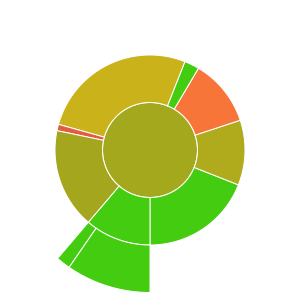
## Code Coverage Details

## Testing
`vue-ray` uses Vitest for unit tests. To run the test suite, run the following command:
```bash
npm run test
```
...or run with coverage:
```bash
npm run test:coverage
```
---
## Changelog
Please see [CHANGELOG](CHANGELOG.md) for more information on what has changed recently.
## Contributing
Please see [CONTRIBUTING](.github/CONTRIBUTING.md) for details.
## Security Vulnerabilities
Please review [our security policy](../../security/policy) on how to report security vulnerabilities.
## Credits
- [Patrick Organ](https://github.com/patinthehat)
- [All Contributors](../../contributors)
## License
The MIT License (MIT). Please see [License File](LICENSE) for more information.