https://github.com/peterbenoit/create-vvv
Scaffold a modern Vue 3 project with Vite, Tailwind CSS v4, Pinia, and Vercel serverless API routes — in one command. No bash required, works on any platform.
https://github.com/peterbenoit/create-vvv
daisy husky pinia tailwind vercel vite vue
Last synced: about 1 month ago
JSON representation
Scaffold a modern Vue 3 project with Vite, Tailwind CSS v4, Pinia, and Vercel serverless API routes — in one command. No bash required, works on any platform.
- Host: GitHub
- URL: https://github.com/peterbenoit/create-vvv
- Owner: peterbenoit
- Created: 2025-06-06T12:50:30.000Z (about 1 year ago)
- Default Branch: main
- Last Pushed: 2026-04-13T16:57:46.000Z (3 months ago)
- Last Synced: 2026-05-11T18:52:55.714Z (2 months ago)
- Topics: daisy, husky, pinia, tailwind, vercel, vite, vue
- Language: JavaScript
- Homepage:
- Size: 341 KB
- Stars: 0
- Watchers: 0
- Forks: 0
- Open Issues: 0
-
Metadata Files:
- Readme: README.md
Awesome Lists containing this project
README
# create-vvv




Scaffold a modern Vue 3 project with Vite, Tailwind CSS v4, Pinia, and Vercel serverless API routes — in one command. No bash required, works on any platform.
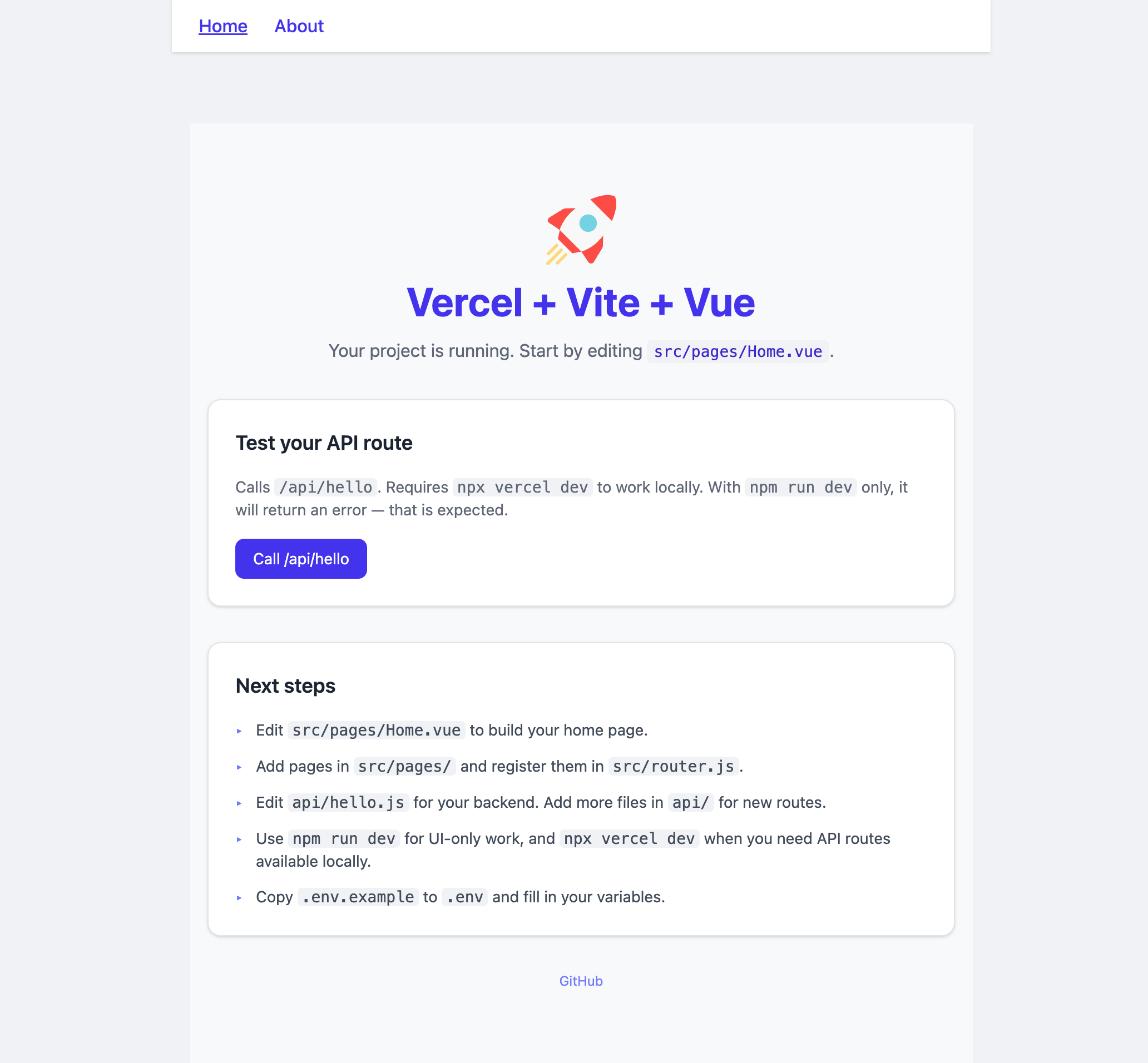
## Usage
```bash
npm create vvv@latest my-project
# or with a name prompt
npm create vvv@latest
```
You'll be walked through:
1. **Project name** (or pass it as an argument)
2. **Vue Router** — optional multi-page support
3. **DaisyUI** — optional component library (Tailwind v4-compatible)
4. **Git init** — initializes a repo with an initial commit
### Non-interactive flags
```bash
npm create vvv@latest my-app --yes # accept all defaults
npm create vvv@latest my-app --router # pre-select Vue Router
npm create vvv@latest my-app --daisyui # pre-select DaisyUI
npm create vvv@latest my-app --no-git # skip git init
npm create vvv@latest my-app --skip-install # skip npm install
```
Flags compose freely: `--yes --router` scaffolds with router and accepts defaults for everything else.
## What you get
```
my-project/
├── api/
│ └── hello.js # Example Vercel serverless function
├── public/
│ ├── favicon.svg
│ └── robots.txt
├── src/
│ ├── components/ # Your components go here
│ ├── composables/ # Your composables go here
│ ├── App.vue # Root component
│ ├── App.test.js # Example Vitest test
│ ├── main.js # App entry (Vue + Pinia + @unhead/vue)
│ └── style.css # @import "tailwindcss"
├── .env # Local env vars (gitignored)
├── .env.example # Env var reference (committed)
├── .gitignore
├── eslint.config.js # ESLint v9 flat config
├── index.html
├── package.json
├── vercel.json
└── vite.config.js # Vite + @tailwindcss/vite + @ alias + vitest
```
With Vue Router selected, `src/router.js` and `src/pages/` are added.
## Local dev vs Vercel dev
`npm run dev` starts the Vite dev server with hot-module replacement. **Use this for all local development.**
⚠️ **Note:** `vercel dev` currently has compatibility issues with Vite 6 and will throw errors. API routes should be tested after deploying to Vercel, or by creating a separate local development server.
| Command | UI | API routes | Status |
|---|---|---|---|
| `npm run dev` | ✅ Yes | ❌ No | **Recommended** |
| `vercel dev` | ⚠️ Issues | ⚠️ Issues | Not compatible with Vite 6 |
## Stack
| Layer | Tech |
|---|---|
| Framework | Vue 3 + Composition API |
| Build | Vite 6 |
| Styling | Tailwind CSS v4 via `@tailwindcss/vite` |
| State | Pinia |
| Head / SEO | `@unhead/vue` |
| API routes | Vercel serverless functions |
| Linting | ESLint v9 flat config + `eslint-plugin-vue` |
| Formatting | Prettier (config in `package.json`) |
| Git hooks | Husky v9 (pre-commit: Prettier + stage changed files) |
| Testing | Vitest + `@vue/test-utils` |
## Environment variables
```
VITE_PUBLIC_MESSAGE=Hello from the frontend # exposed to browser
VITE_API_BASE=/api # API base path
PRIVATE_BACKEND_SECRET=replace-this-secret # server-only
```
## Commands (in generated project)
```bash
npm run dev # Vite dev server
npm run build # Production build
npm run preview # Preview production build
npm test # Vitest
npm run lint # ESLint
npm run format # Prettier
```
## Deploying to Vercel
### Option 1: Vercel CLI (recommended)
```bash
# First time - link your project
vercel
# Deploy to production
vercel --prod
```
### Option 2: GitHub Integration (automatic)
1. Push your code to GitHub
2. Import your repo at [vercel.com/new](https://vercel.com/new)
3. Vercel auto-detects Vite and deploys
4. Every push to `main` auto-deploys
Your API routes in `api/` are automatically deployed as serverless functions. The `vercel.json` config handles routing.
## Publishing (for package maintainers)
```bash
# Dry run — check what gets included
npm pack --dry-run
# Publish
npm publish --access public
```
## Author
[Peter Benoit](https://peterbenoit.com)
## License
MIT