https://github.com/peterbenoit/vvv-init
A fast-start Bash script to scaffold a modern Vue 3 project with Vite, Tailwind CSS, Pinia, ESLint, Prettier, and Vercel-compatible serverless API routing. Designed to work seamlessly on both local development and Vercel deployments.
https://github.com/peterbenoit/vvv-init
daisy husky pinia tailwind vercel vite vue
Last synced: 4 months ago
JSON representation
A fast-start Bash script to scaffold a modern Vue 3 project with Vite, Tailwind CSS, Pinia, ESLint, Prettier, and Vercel-compatible serverless API routing. Designed to work seamlessly on both local development and Vercel deployments.
- Host: GitHub
- URL: https://github.com/peterbenoit/vvv-init
- Owner: peterbenoit
- Created: 2025-06-06T12:50:30.000Z (about 1 year ago)
- Default Branch: main
- Last Pushed: 2025-06-30T17:50:24.000Z (about 1 year ago)
- Last Synced: 2025-06-30T18:46:20.886Z (about 1 year ago)
- Topics: daisy, husky, pinia, tailwind, vercel, vite, vue
- Language: Shell
- Homepage:
- Size: 130 KB
- Stars: 0
- Watchers: 0
- Forks: 0
- Open Issues: 0
-
Metadata Files:
- Readme: README.md
Awesome Lists containing this project
README
# 🚀 Vercel + Vite + Vue Setup




A streamlined Bash script to scaffold a modern Vue 3 project with Vite, Tailwind CSS, serverless API endpoints, and a complete development setup. This template creates a production-ready project structure that works seamlessly in both local development and Vercel deployments.
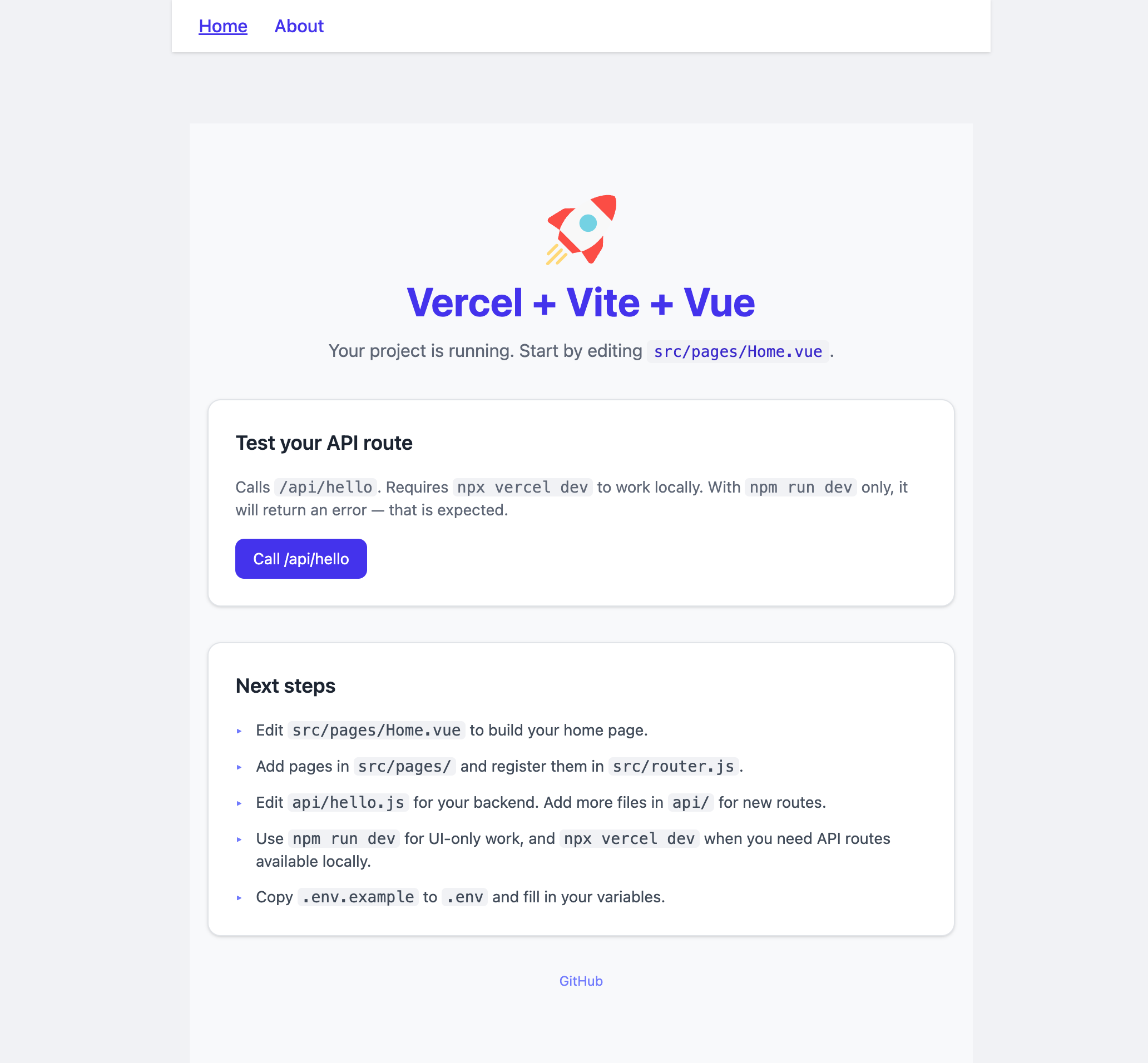
## ✨ Features
- **Frontend**: Vue 3 with Composition API and SFCs
- **Build System**: Vite for lightning-fast development
- **Styling**: Tailwind CSS with DaisyUI components
- **State Management**: Pinia store integration
- **API Integration**: Serverless API endpoints via Vercel
- **SEO Support**: @vueuse/head for managing document head
- **Code Quality**: ESLint, Prettier, and Husky pre-commit hooks
- **Testing**: Vitest and Vue Test Utils setup
- **Optional**: Vue Router support for multi-page applications
- **Deployment-ready**: Configured for instant Vercel deployment
## 🛠️ Installation
Clone this repository or download the `setup.sh` script:
```bash
# Make the script executable
chmod +x setup.sh
# Run the script
./setup.sh
```
## 👨💻 Usage
During setup, you'll be prompted to:
1. **Clean directory**: Optionally remove all existing files (except setup.sh)
2. **Add Vue Router**: Optionally include Vue Router for multi-page applications
3. **Initialize Git**: Set up a Git repository with initial commit
4. **Set remote origin**: Connect to a remote Git repository
5. **Launch dev server**: Start the development server immediately
### Directory Structure
```
my-project/
├── api/ # Serverless API endpoints
│ └── hello.js # Example API route
├── public/ # Static assets
│ └── favicon.svg
├── src/
│ ├── pages/ # (If using Vue Router)
│ ├── App.vue # Root component
│ ├── main.js # Application entry
│ ├── router.js # (If using Vue Router)
│ └── style.css # Global styles with Tailwind
├── .env # Environment variables
├── .gitignore
├── index.html # HTML entry point
├── package.json
├── tailwind.config.js
└── vercel.json # Vercel configuration
```
## 🌐 Environment Variables
The project comes pre-configured with environment variables support:
- **Frontend variables** (prefixed with `VITE_`):
```
VITE_PUBLIC_MESSAGE=Hello from the frontend
VITE_API_BASE=/api
```
- **Backend variables** (private to API routes):
```
PRIVATE_BACKEND_SECRET=shhh this is secret
```
## 💻 Development
### Local Development
```bash
# Standard Vite development
npm run dev
# Full Vercel emulation (including API routes)
npm run vercel-dev
```
### Building for Production
```bash
npm run build
```
### Testing
```bash
# Run tests
npm test
```
## 🚢 Deployment
This project is configured for immediate deployment on Vercel:
```bash
# Install Vercel CLI if not installed
npm i -g vercel
# Deploy to Vercel
vercel
```
## 🧩 Extending the Project
### Adding Components
Create reusable components in `src/components/`:
```bash
mkdir -p src/components
touch src/components/Button.vue
```
### Adding Meta Tags and SEO
The project includes [@vueuse/head](https://github.com/vueuse/head) for managing document head:
```js
import { useHead } from '@vueuse/head'
useHead({
title: 'My Page Title',
meta: [
{ name: 'description', content: 'Page description' },
{ property: 'og:title', content: 'My Page Title' }
],
link: [
{ rel: 'canonical', href: 'https://example.com/page' }
]
})
```
### Working with Axios
The project includes [Axios](https://axios-http.com/) for making HTTP requests:
```js
import axios from 'axios'
// Basic GET request
const fetchData = async () => {
try {
const response = await axios.get('https://api.example.com/data')
console.log(response.data)
} catch (error) {
console.error('Error fetching data:', error)
}
}
// POST request with data
const submitData = async (data) => {
try {
const response = await axios.post('https://api.example.com/submit', data)
return response.data
} catch (error) {
console.error('Error submitting data:', error)
throw error
}
}
```
### Adding API Routes
Create new API endpoints in the `api/` directory:
```bash
touch api/users.js
```
## 📄 License
MIT
## 🙏 Acknowledgements
- [Vue.js](https://vuejs.org/)
- [Vite](https://vitejs.dev/)
- [Vercel](https://vercel.com/)
- [Tailwind CSS](https://tailwindcss.com/)
- [DaisyUI](https://daisyui.com/)