https://github.com/peteretelej/nasa
Go Library for accessing the NASA API, nasa CLI and apps
https://github.com/peteretelej/nasa
go golang nasa-api nasa-astronomy-picture
Last synced: 8 months ago
JSON representation
Go Library for accessing the NASA API, nasa CLI and apps
- Host: GitHub
- URL: https://github.com/peteretelej/nasa
- Owner: peteretelej
- License: mit
- Created: 2017-05-11T11:01:36.000Z (about 9 years ago)
- Default Branch: master
- Last Pushed: 2018-12-19T22:11:22.000Z (over 7 years ago)
- Last Synced: 2025-09-22T01:37:34.246Z (10 months ago)
- Topics: go, golang, nasa-api, nasa-astronomy-picture
- Language: Go
- Homepage: https://nasa.etelej.com
- Size: 46.9 KB
- Stars: 17
- Watchers: 0
- Forks: 3
- Open Issues: 1
-
Metadata Files:
- Readme: README.md
- License: LICENSE
Awesome Lists containing this project
README
# nasa - Go library and apps based on the NASA API
[](https://circleci.com/gh/peteretelej/nasa/tree/master) [](https://app.fossa.io/projects/git%2Bgithub.com%2Fpeteretelej%2Fnasa?ref=badge_shield)
[](https://godoc.org/github.com/peteretelej/nasa)
[](https://goreportcard.com/report/github.com/peteretelej/nasa)
Includes:
- Go Library for accessing and using the NASA API (APOD, NEO)
- Command line interface (CLI) for accessing NASA API's services
- Apps based on the NASA API: e.g. Desktop Wallpapers, Web Server for APOD and Random APOD ..
## NASA API KEY
Kindly grab a NASA API key from [here](https://api.nasa.gov/index.html#apply-for-an-api-key), and set it to the environment variable __NASAKEY__.
```
export NASAKEY=YOUR-API_KEY
```
The API Key will increase the rate limits for your application/package to access the NASA API.
This package & its apps default to the demo key `NASAKEY=DEMO_KEY` if you haven't set one.
The DEMO_KEY has very low limits (30reqs/hr, 50req/day), only sufficient for demoing.
## nasa Library Usage
``` go
package main
import (
"fmt"
"log"
"time"
"github.com/peteretelej/nasa"
)
func main() {
apod, err := nasa.ApodImage(time.Now())
handle(err)
fmt.Println(apod)
// apod has structure of nasa.Image, hence get details with:
// apod.Date, apod.Title, apod.Explanation, apod.URL, apod.HDURL etc
fmt.Printf("Today's APOD is %s, available at %s", apod.Title, apod.HDURL)
lastweek := time.Now().Add(-(7 * 24 * time.Hour))
apod, err = nasa.ApodImage(lastweek)
handle(err)
fmt.Printf("APOD for 1 week ago:\n%s\n", apod)
}
func handle(err error) {
if err != nil {
log.Fatal(err)
}
}
```
## nasa CLI
``` sh
# installation
go get -u github.com/peteretelej/nasa/cmd/nasa
nasa apod
# returns the NASA Astronomy Picture of the day
nasa apod -date 2016-01-17
# returns the NASA APOD for the date specified
nasa neo
# returns Near Earth Objects for today
nasa neo -start 2017-05-10 -end 2017-05-12
# returns Near Earth Objects for the range of dates specified
```
## Webserver for APOD pictures and Random Pics
Serve APOD on the web (demo: nasa.etelej.com)
```
nasa web
# serves website at :8080
nasa web -listen localhost:9000
# serves website at localhost:9000
```
__Web server demo pages:__
- [nasa.etelej.com](https://nasa.etelej.com): NASA Astronomy Picture of the Day (for today)
- [nasa.etelej.com/random-apod](https://nasa.etelej.com/random-apod): Random images (HD images, updated every second, no autoreload)
- [nasa.etelej.com/random-apod?sd=1](https://nasa.etelej.com/random-apod?sd=1): Gets Standard Definition images (lower quality,faster load, saves bandwidth).
- [nasa.etelej.com/random-apod?auto=1](https://nasa.etelej.com/random-apod?auto=1): Automatically reload page (default reload interval: 5 minutes)
- [nasa.etelej.com/random-apod?auto=1&interval=60](https://nasa.etelej.com/random-apod?auto=1&interval=60): Automatically reloads every 1800 seconds (1 hr)
- [nasa.etelej.com/random-apod?sd=1&auto=1&interval=5](https://nasa.etelej.com/random-apod?sd=1&auto=1&interval=5): Automatically reloads SD images every 5 seconds
- [nasa.etelej.com/random-apod?auto=1&legacy=1](https://nasa.etelej.com/random-apod?auto=1&legacy=1): Legacy browser support for reloading
## NASA Desktop Wallpapers
Automatically change your desktop wallpaper to randomly selected NASA Astronomy Pictures of the Day.
- Supports various Linux desktop variants (at the moment) incl Gnome, Gnome2, Lubuntu, KDE and others.
- Also supports custom command to set the wallpaper.
```
go get -u github.com/peteretelej/nasa/cmd/nasa-wallpapers
nasa-wallpapers
# automatically changes wallpapers every 10 minutes
# tries to change wallpaper with an existing command, use -cmdDefault to change the default command
# e.g -cmdDefault feh
nasa-wallpapers -cmdDefault gnome
# uses the gnome command for changing wallpapers (ie gsettings)
nasa-wallpapers -interval 30s -cmdDefault kde
# automatically changes wallpaper every 30seconds
# rem to get and set NASA API KEY to env NASAKEY to avoid ratelimits
nasa-wallpapers -cmd "myCustomCommand %s"
# automatically changes wallpaper every 10 minutes with myCustomCommand
```
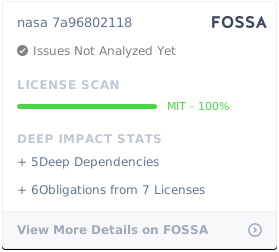
## License
[](https://app.fossa.io/projects/git%2Bgithub.com%2Fpeteretelej%2Fnasa?ref=badge_large)