https://github.com/peterroe/use-vue-component
Convert vue-component to react-component in docusaurus!
https://github.com/peterroe/use-vue-component
docusaurus plugin vue
Last synced: about 1 year ago
JSON representation
Convert vue-component to react-component in docusaurus!
- Host: GitHub
- URL: https://github.com/peterroe/use-vue-component
- Owner: peterroe
- Created: 2021-10-11T06:30:02.000Z (almost 5 years ago)
- Default Branch: master
- Last Pushed: 2022-09-27T08:45:43.000Z (almost 4 years ago)
- Last Synced: 2023-03-04T01:14:03.260Z (over 3 years ago)
- Topics: docusaurus, plugin, vue
- Language: JavaScript
- Homepage:
- Size: 40 KB
- Stars: 7
- Watchers: 1
- Forks: 0
- Open Issues: 5
-
Metadata Files:
- Readme: readme.en.md
Awesome Lists containing this project
README


🧐 [Docusaurus](https://www.docusaurus.cn/docs/) is a **static-site generator**. It builds a single-page application with a fast client-side navigation, leveraging the full power of **React** to make your site interactive. It provides out-of-the-box **documentation features**, but can be used to create **any kind of site** (personal website, product, blog, marketing landing pages, etc).
In terms of components, docusaurus only supports native rendering **react components**
**This plugin will help you render Vue components you write in docusaurus**
# ⚡install
Two **NPM packages** need to be installed:
```shell
yarn add docusaurus-plugin-usevue use-vue-component
```
Another plugin address:
[https://github.com/peterroe/docusaurus-plugin-usevue](https://github.com/peterroe/docusaurus-plugin-usevue)
# Import
In the **docusaurus.config.js** file, add the following configuration:
```js
module.exports = {
// ...
plugins: [
//...
'docusaurus-plugin-usevue'
],
};
```
# Usage
For example, there are the following scenarios:
**directory structure:**
```shell
+-- docs
| +-- test.vue
| +-- intro.mdx
```
**test.vue** content:
```vue
hello world, this is {{name}}
export default {
data() {
return {
name: 'peter'
}
}
}
.red {
color: red
}
```
**intro.mdx** content:
```js
---
sidebar_position: 1
---
## Getting Started
import {uvc} from 'use-vue-component' //Import conversion package
import test from './text.vue' //Import Vue components
export const HelloWorld = uvc(test) //transform
```
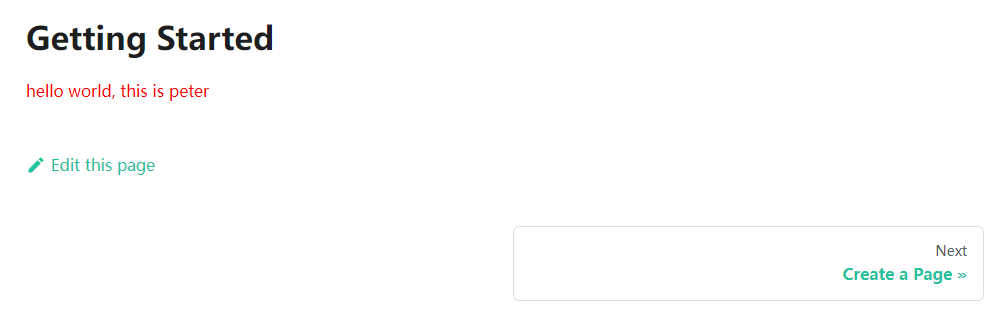
# Render results