https://github.com/pforhan/callsprite
Sprite loader and animator
https://github.com/pforhan/callsprite
kotlin sprite swing
Last synced: about 1 year ago
JSON representation
Sprite loader and animator
- Host: GitHub
- URL: https://github.com/pforhan/callsprite
- Owner: pforhan
- License: mit
- Created: 2020-06-13T02:24:14.000Z (about 6 years ago)
- Default Branch: main
- Last Pushed: 2025-02-20T01:02:23.000Z (over 1 year ago)
- Last Synced: 2025-02-20T02:22:09.224Z (over 1 year ago)
- Topics: kotlin, sprite, swing
- Language: Kotlin
- Size: 239 KB
- Stars: 0
- Watchers: 2
- Forks: 1
- Open Issues: 12
-
Metadata Files:
- Readme: README.md
- License: LICENSE
Awesome Lists containing this project
README
# callsprite
Sprite loader, animator, editor in kotlin
Not the first, not the best, just a thing.
# General goals
Primarily intended for frame-based pixel sprites (aka Pixel Art), such as these, courtesy
[sanctumpixel](https://sanctumpixel.itch.io/fire-column-pixel-art-effect).


...which the tool can put together roughly like this:

or more complicated animations like these (click to watch on [youtube](https://www.youtube.com/watch?v=2O4BTYVthDU)):
[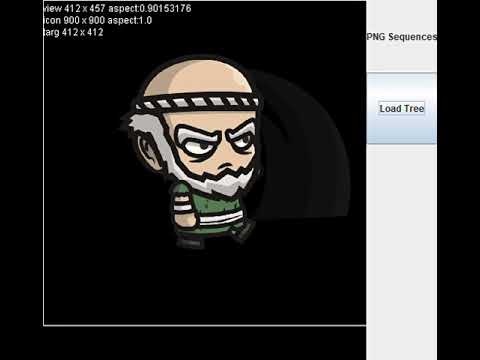](https://www.youtube.com/watch?v=2O4BTYVthDU)
# Overall Concepts
For this library we'll make a sprite a bit like the library's [namesake](#namesake), they'll track a
lot of their own state, particularly around animations. So we'll make Sprite the top-level object.
A Sprite contains a number of animations. Animations contain a number of frames and a
behavior (repeat, stop, transition). Frames can have join points that allow multiple sprites to
connect to one another.
## Guiding Principles
Two primary things we want to keep in mind:
* Keep all runtime code as simple as possible. Loaders and utilities will be more complex, but the
resulting Animation will be simple.
* This is a view layer that handles some logic but not much. Animations, affine transforms, sure,
but concepts like jumping and gravity, no. Such should be in a model layer.
For example, if we want to run an animation in reverse, there should be a utility method to do so,
and it will produce a new animation object. But the two animations will always proceed forward in
time in a nod to simplicity.
Likewise, if we want one frame to last longer than another, just repeat the frame rather than deal
with differing frame lengths.
## Namesake
TI Extended Basic added support for Sprites -- bitmapped, semi-autonomous pixel graphics with
position, velocity, scaling, and collision detection. A typical command could look like:
```
CALL SPRITE(#6, 108, 13, 80, 9, 90, 0)
```
(For the still-curious, that's sprite-number, character number, color, row, column, vertical
velocity, horizontal velocity)
# Thoughts and questions:
pull in romainguy/kotlin-math if we need to do a lot of matrices
Should we require frames in an Animation to be the same size?