https://github.com/pganssle/traffic-wallpaper
A script that grabs the Houston traffic and various traffic cameras, combines it into one image, and sets it as your desktop background.
https://github.com/pganssle/traffic-wallpaper
Last synced: over 1 year ago
JSON representation
A script that grabs the Houston traffic and various traffic cameras, combines it into one image, and sets it as your desktop background.
- Host: GitHub
- URL: https://github.com/pganssle/traffic-wallpaper
- Owner: pganssle
- Created: 2015-03-01T19:33:22.000Z (over 11 years ago)
- Default Branch: master
- Last Pushed: 2015-04-03T13:52:17.000Z (over 11 years ago)
- Last Synced: 2025-01-24T17:34:44.465Z (over 1 year ago)
- Language: Python
- Size: 21.9 MB
- Stars: 0
- Watchers: 3
- Forks: 0
- Open Issues: 0
-
Metadata Files:
- Readme: README.md
Awesome Lists containing this project
README
I like to make use of my desktop wallpaper to display some useful information. At work I have 3 monitors, and I don't usually have many (or any) windows open on the leftmost one, so I decided that I'd use it to monitor the traffic on my commute.
These scripts grab the traffic data from [Houston TranStar](http://www.houstontranstar.org/) - the traffic map, and a number of the traffic cameras and merges them into one image, the size of my monitor resolution:
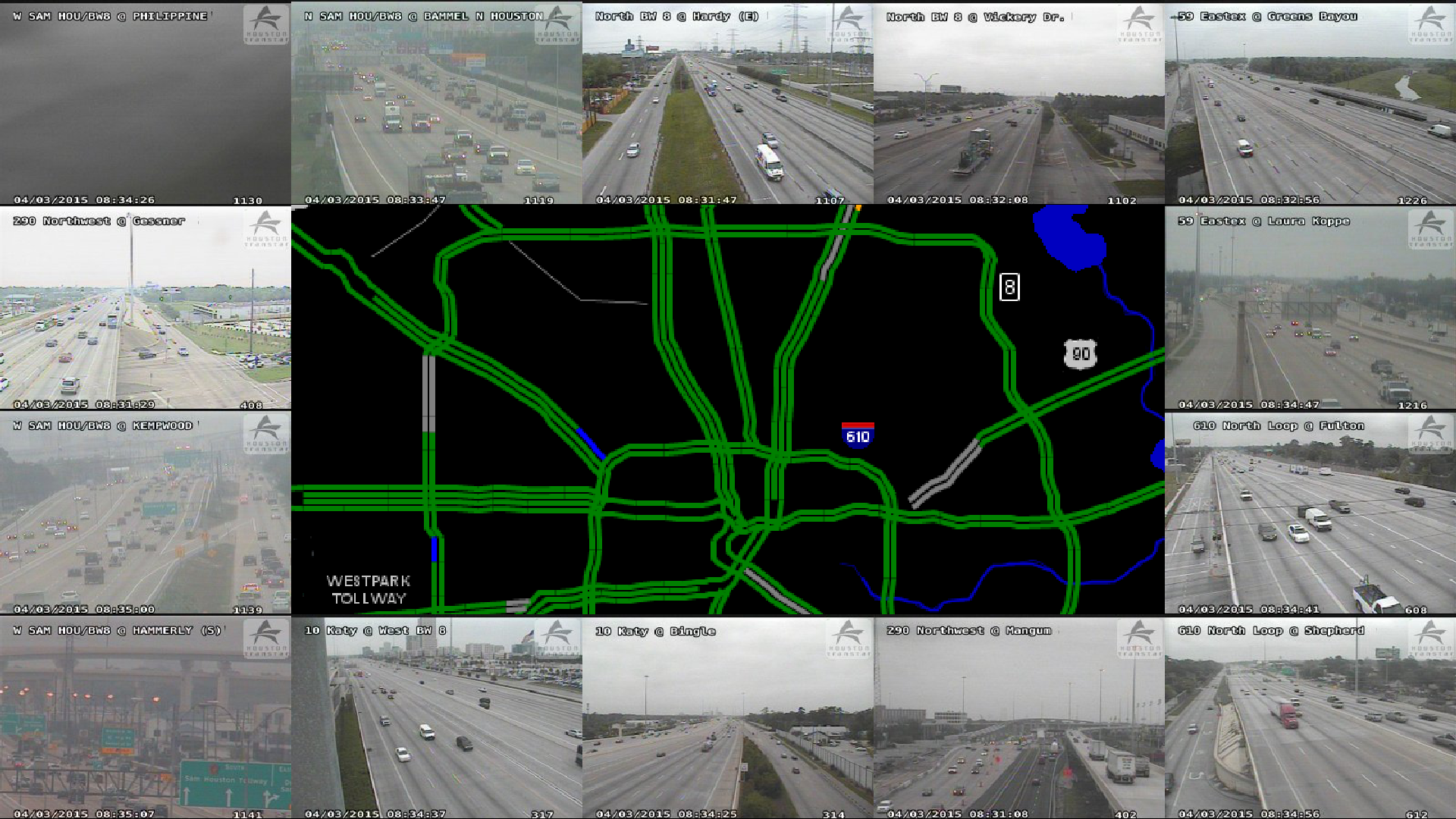
The `run_updates.pyw` updates the images every 30 seconds (configurable time interval in the `settings.json` file), and sets it to my desktop background (Windows). There doesn't seem to be a good way to set the desktop backgrounds individually, but since I want a different background on each screen, I make a composite image out of the traffic map and the other backgrounds. This generates a lock file (defaults to `runner.txt`) when it starts running. If you want to stop it running, just delete that file to stop the program (this allows me to avoid having any kind of user interface).
The `RunUpdates.bat` batch file is a wrapper for `run_updates.pyw`, and can be used if you want to use Task Scheduler to automatically start the script on startup. Unfortunately, it leaves a console window up - see [this SO question](https://stackoverflow.com/questions/324539/how-can-i-run-a-program-from-a-batch-file-without-having-the-console-open-after) for details on how to fix that, if that's your problem.
Requires [Pillow](http://pillow.readthedocs.org/index.html) and [requests](http://docs.python-requests.org/en/latest/).