https://github.com/phonycode/wuss-weapp
:whale:wuss-weapp 一款高质量,组件齐全,高自定义的微信小程序UI组件库
https://github.com/phonycode/wuss-weapp
calendar components ui weapp wechat weixin wuss wuss-weapp wxml wxss
Last synced: 7 months ago
JSON representation
:whale:wuss-weapp 一款高质量,组件齐全,高自定义的微信小程序UI组件库
- Host: GitHub
- URL: https://github.com/phonycode/wuss-weapp
- Owner: phonycode
- License: mit
- Created: 2018-08-31T01:05:34.000Z (almost 8 years ago)
- Default Branch: master
- Last Pushed: 2020-05-25T03:01:35.000Z (about 6 years ago)
- Last Synced: 2025-12-20T21:41:28.667Z (8 months ago)
- Topics: calendar, components, ui, weapp, wechat, weixin, wuss, wuss-weapp, wxml, wxss
- Language: JavaScript
- Homepage:
- Size: 27.5 MB
- Stars: 356
- Watchers: 16
- Forks: 66
- Open Issues: 6
-
Metadata Files:
- Readme: README.md
- License: LICENSE
Awesome Lists containing this project
- awesome-wechat-weapp - wuss-weapp - 一款高质量,组件齐全,高自定义的微信小程序UI组件库 (组件)
- awesome-wechat-app - wuss-weapp - 一款高质量,组件齐全,高自定义的微信小程序UI组件库 (组件)
- awesome-wechat-app - wuss-weapp - 一款高质量,组件齐全,高自定义的微信小程序UI组件库 (组件)
- awesome-uikit - Wuss Weapp - weapp?label=" /> - 一款高质量,组件齐全,高自定义的微信小程序 UI 组件库。 [![Open-Source Software][OSS Icon]](https://github.com/phonycode/wuss-weapp) (Mobile UI Components / Wechat)
README

Wuss Weapp
一款高质量,组件齐全,高自定义的微信小程序 UI 组件库
### 文档
[https://phonycode.github.io/wuss-weapp](https://phonycode.github.io/wuss-weapp)
### Wuss Weapp 官方交流群
QQ 群号 787275772
## 扫码体验
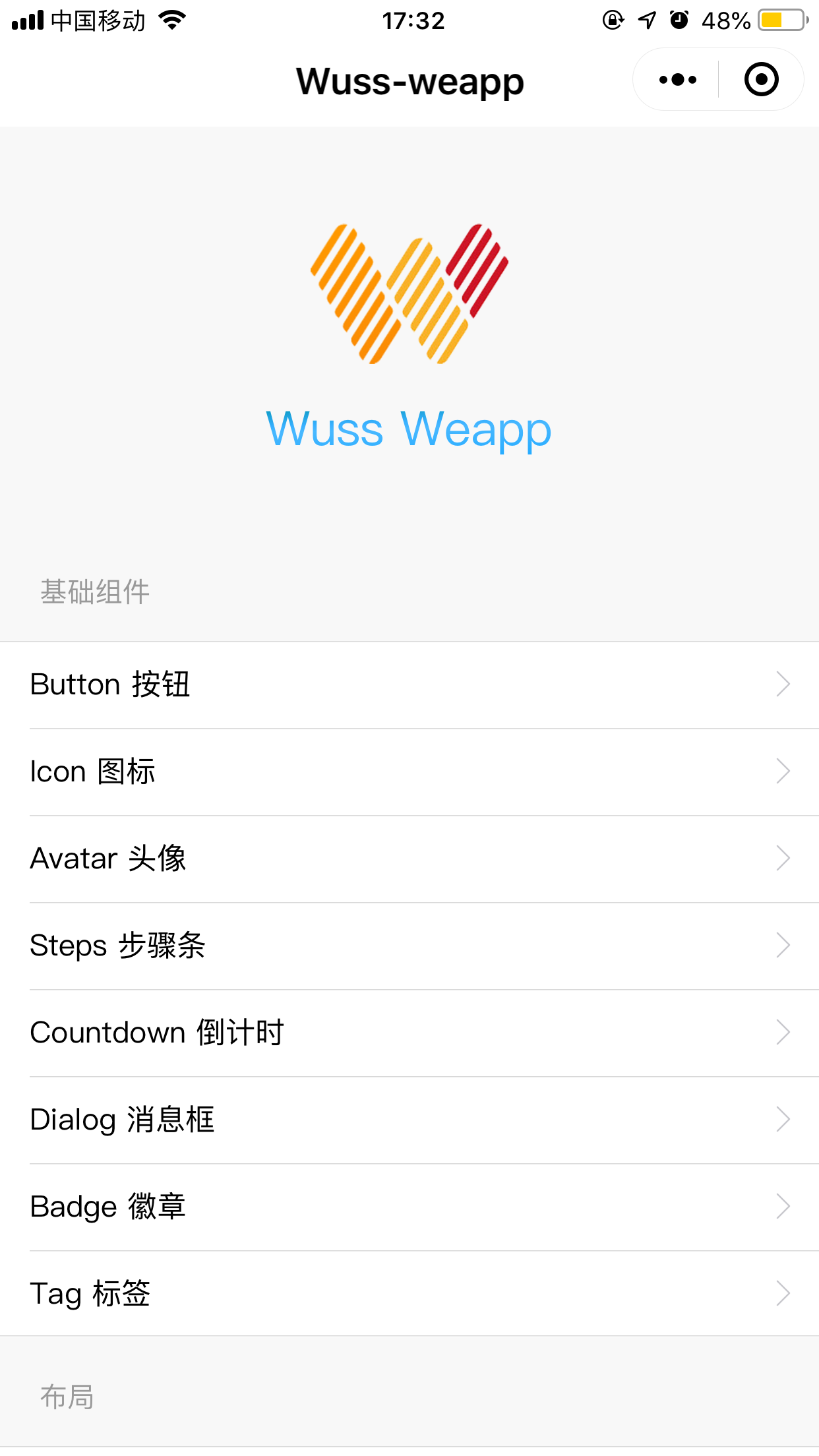
使用微信扫一扫体验小程序组件示例

## 演示图片
## 快速上手
在开始使用 Wuss Weapp 之前,你需要先阅读 [微信小程序自定义组件](https://developers.weixin.qq.com/miniprogram/dev/framework/custom-component/) 的相关文档。
### 如何使用
#### 方法一 [推荐] (通过npm安装依赖并在小程序构建npm模块)
1. 通过使用shell命令或git定位到当前小程序开发目录,然后使用npm或者yarn安装依赖。
```shell
npm init && npm install --production wuss-weapp
```
或者
```shell
yarn init && yarn add --production wuss-weapp
```
2. 当依赖安装完成后即可在微信小程序开发者工具里点击 [工具] => [构建npm],此时若出现弹窗则记得吧 “使用npm模块” 勾上,若无弹窗则待构建完成后在详情里面手动勾上 “使用npm模块”。
3. 构建完成后即可添加需要的组件。在页面的 json 中配置:
```json
"usingComponents": {
"w-button": "wuss-weapp/w-button/index",
"w-toast": "wuss-weapp/w-toast/index",
"w-alert": "wuss-weapp/w-alert/index"
}
```
4. 在 wxml 中使用组件:
```html
这是一个按钮
```
5. 在JavaScript中使用:
```javascript
import { Alert, Toast } from 'wuss-weapp';
Alert({
title: '提示',
content: 'wuss weapp is good',
});
Toast.show({
message: 'wuss小程序UI库',
});
```
#### 方法二(通过clone当前项目的dist拷贝到自己项目中使用)
1. 到 [GitHub](https://github.com/phonycode/wuss-weapp) 下载 Wuss Weapp 的代码,将 `dist` 目录拷贝到自己的项目中。然后按照如下的方式使用组件,以 Button 为例,其它组件在对应的文档页查看:
3. 添加需要的组件。在页面的 json 中配置(路径根据自己项目位置配置):
```json
"usingComponents": {
"w-button": "/dist/w-button/index"
}
```
2. 在 wxml 中使用组件:
```html
这是一个按钮
```
### 预览所有组件
我们内置了所有组件的示例,您可以扫描上方的的小程序码体验,或按以下方式在微信开发者工具中查看:
```shell
git clone https://github.com/phonycode/wuss-weapp.git
```
然后,直接将项目在微信开发者工具中打开即可。
## 贡献
有任何意见或建议都欢迎提 issue,提 issue 之前请先阅读是否已经有相关 issue 或者如果有相关但是已经关闭 issue 只是还未更新的版本,请不要在此 issue 下方回复,如果更新版本后依然存在 请提新出的 issue,感谢
## LICENSE
[MIT](https://github.com/phonycode/wuss-weapp/blob/master/LICENSE)