https://github.com/php-collective/djot-intellij
Djot IntelliJ Plugin - Djot markup language support for JetBrains IDEs (PhpStorm, IntelliJ IDEA, WebStorm, etc.)
https://github.com/php-collective/djot-intellij
Last synced: 5 months ago
JSON representation
Djot IntelliJ Plugin - Djot markup language support for JetBrains IDEs (PhpStorm, IntelliJ IDEA, WebStorm, etc.)
- Host: GitHub
- URL: https://github.com/php-collective/djot-intellij
- Owner: php-collective
- License: mit
- Created: 2025-12-03T14:28:00.000Z (7 months ago)
- Default Branch: main
- Last Pushed: 2026-01-04T03:31:08.000Z (6 months ago)
- Last Synced: 2026-01-13T19:44:23.326Z (5 months ago)
- Language: Kotlin
- Size: 114 KB
- Stars: 0
- Watchers: 0
- Forks: 0
- Open Issues: 0
-
Metadata Files:
- Readme: README.md
- Contributing: CONTRIBUTING.md
- License: LICENSE
Awesome Lists containing this project
- awesome-djot - djot-intellij - Djot support for all JetBrains IDEs. (Editors & IDE Support / JetBrains IDEs)
README
# Djot IntelliJ Plugin
[](https://plugins.jetbrains.com/plugin/29244-djot)
[](https://plugins.jetbrains.com/plugin/29244-djot)
Djot markup language support for JetBrains IDEs (PhpStorm, IntelliJ IDEA, WebStorm, etc.).
[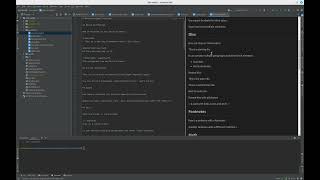](https://www.youtube.com/watch?v=E6K9snep79o)
## Features
- **Syntax highlighting** via TextMate grammar
- **Live preview** panel (split editor view)
- **IDE theme sync** - preview follows dark/light mode
- **Code highlighting** - syntax highlighting in code blocks (highlight.js)
- **Export to HTML** - full Djot rendering via embedded djot.js
- **Live Templates** - code snippets for common Djot patterns
- **Tool window** for standalone preview
- **File type** recognition for `.djot` files
## Requirements
- JetBrains IDE 2024.1+
- Java 17+
## Installation
### From JetBrains Marketplace
1. In your IDE: **Settings → Plugins → Marketplace**
2. Search for **"Djot"**
3. Click **Install**
Or install directly: [JetBrains Marketplace](https://plugins.jetbrains.com/plugin/29244-djot)
### From Disk (manual)
1. Download the latest release from [GitHub Releases](https://github.com/php-collective/djot-intellij/releases), or build it yourself:
```bash
./gradlew buildPlugin
```
2. In your IDE: Settings → Plugins → ⚙️ → Install Plugin from Disk
3. Select the `djot-intellij-*.zip` file (in `build/distributions/` if built locally)
4. Restart the IDE
## Usage
1. Open any `.djot` file
2. Editor opens in split view (editor + preview)
3. Preview updates live as you type
4. Right-click for "Export to HTML" option
5. Use `Ctrl+Shift+D` to toggle preview tool window
## Live Templates
Type a prefix and press `Tab` to expand. Available templates:
| Prefix | Description |
|-----------------------------------|-----------------------------------|
| `djh1`-`djh6` | Headings |
| `djb`, `dji`, `djc` | Bold, italic, code |
| `djhi`, `djsup`, `djsub` | Highlight, superscript, subscript |
| `djins`, `djdel` | Insert, delete |
| `djlink`, `djlinkref`, `djimg` | Links and images |
| `djcode`, `djraw` | Code blocks |
| `djquote`, `djdiv`, `djhr` | Blockquote, div, horizontal rule |
| `djul`, `djol`, `djtask`, `djdef` | Lists |
| `djtable` | Table |
| `djfn`, `djfndef` | Footnotes |
| `djmath`, `djmathblock` | Math |
| `djattr`, `djid`, `djspan` | Attributes |
| `djfront` | YAML frontmatter |
| `djcomment` | Comment block |
## Preview Rendering
The plugin supports two rendering engines, configurable via **Settings > Tools > Djot**:
### djot.js (default)
Uses [djot.js](https://github.com/jgm/djot.js) for accurate Djot rendering with:
- Code syntax highlighting (highlight.js)
- IDE theme synchronization (dark/light)
- Task list checkboxes
- Full Djot feature support
- No additional dependencies required
### php-djot (PHP CLI)
Uses [php-collective/djot](https://github.com/php-collective/djot) for rendering via PHP CLI:
- Requires PHP installed on your system
- Requires `php-collective/djot` installed in your project:
```bash
composer require php-collective/djot
```
- Useful for consistency with PHP-based projects
- Supports custom converter scripts
## About Djot
[Djot](https://djot.net) is a lightweight markup language created by John MacFarlane (creator of Pandoc). It improves on Markdown with:
- Consistent, unambiguous parsing rules
- Better syntax for highlights, super/subscript, attributes
- No backtracking required during parsing
## Links
- [Djot specification](https://htmlpreview.github.io/?https://github.com/jgm/djot/blob/master/doc/syntax.html)
- [djot.net](https://djot.net) - Official site
- [djot-php](https://github.com/php-collective/djot-php) - PHP implementation
## Development
### Building
```bash
./gradlew build
```
### Running (development)
```bash
./gradlew runIde
```
### Publishing
Releases are automated via GitHub Actions. When you push a tag, the plugin is automatically published to JetBrains Marketplace and a GitHub release is created.
#### Release Checklist
1. Update version in `build.gradle.kts`:
```kotlin
version = "X.Y.Z"
```
2. Commit the version bump:
```bash
git add build.gradle.kts
git commit -m "Release X.Y.Z"
git push
```
3. Create and push the tag:
```bash
git tag X.Y.Z
git push origin X.Y.Z
```
4. GitHub Actions will automatically:
- Build the plugin
- Publish to JetBrains Marketplace
- Create a GitHub release with the zip attached
#### Manual Publishing
To publish manually:
```bash
PUBLISH_TOKEN="your-token" ./gradlew publishPlugin
```
Get your token at https://plugins.jetbrains.com/author/me/tokens
#### Setup
The `PUBLISH_TOKEN` secret must be configured in GitHub repo settings (Settings → Secrets → Actions).