https://github.com/php-cuong/magento2-customer-avatar
How to add the profile picture for a customer in Magento 2
https://github.com/php-cuong/magento2-customer-avatar
add-attributes-to-customer customer-attributes customer-avatar customer-avatar-extension customer-profile-picture magento2-customer-avatar magento2-extension magento2-picture profile-picture-magento2 upload-a-profile-picture
Last synced: 5 months ago
JSON representation
How to add the profile picture for a customer in Magento 2
- Host: GitHub
- URL: https://github.com/php-cuong/magento2-customer-avatar
- Owner: php-cuong
- Created: 2017-07-03T16:30:26.000Z (almost 9 years ago)
- Default Branch: master
- Last Pushed: 2023-11-22T06:04:38.000Z (over 2 years ago)
- Last Synced: 2024-04-23T13:18:18.865Z (about 2 years ago)
- Topics: add-attributes-to-customer, customer-attributes, customer-avatar, customer-avatar-extension, customer-profile-picture, magento2-customer-avatar, magento2-extension, magento2-picture, profile-picture-magento2, upload-a-profile-picture
- Language: PHP
- Homepage:
- Size: 475 KB
- Stars: 22
- Watchers: 4
- Forks: 18
- Open Issues: 9
-
Metadata Files:
- Readme: README.md
Awesome Lists containing this project
README
# You can get the professional version of this extension here (No issues and is supported free)
https://www.giaphugroup.com/magento-2-customer-avatar-extension.html
# How to add the profile picture for a customer in Magento 2
This is an awesome module, it allows the customers the opportunity to personalize their account by uploading an avatar.
Please donate if you enjoy my extension.
[](https://www.paypal.com/cgi-bin/webscr?cmd=_s-xclick&hosted_button_id=CR756BABGNDC4)
## See the video How this extension can work here
https://www.youtube.com/watch?v=3Tt82EvXLLA&list=PL98CDCbI3TNvPczWSOnpaMoyxVISLVzYQ&index=96
## The features of this extension:
### Frontend:
- The customer can upload a new avatar.
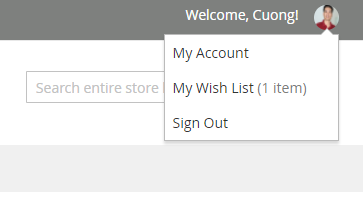
- The avatar can be displayed in the header of the website.
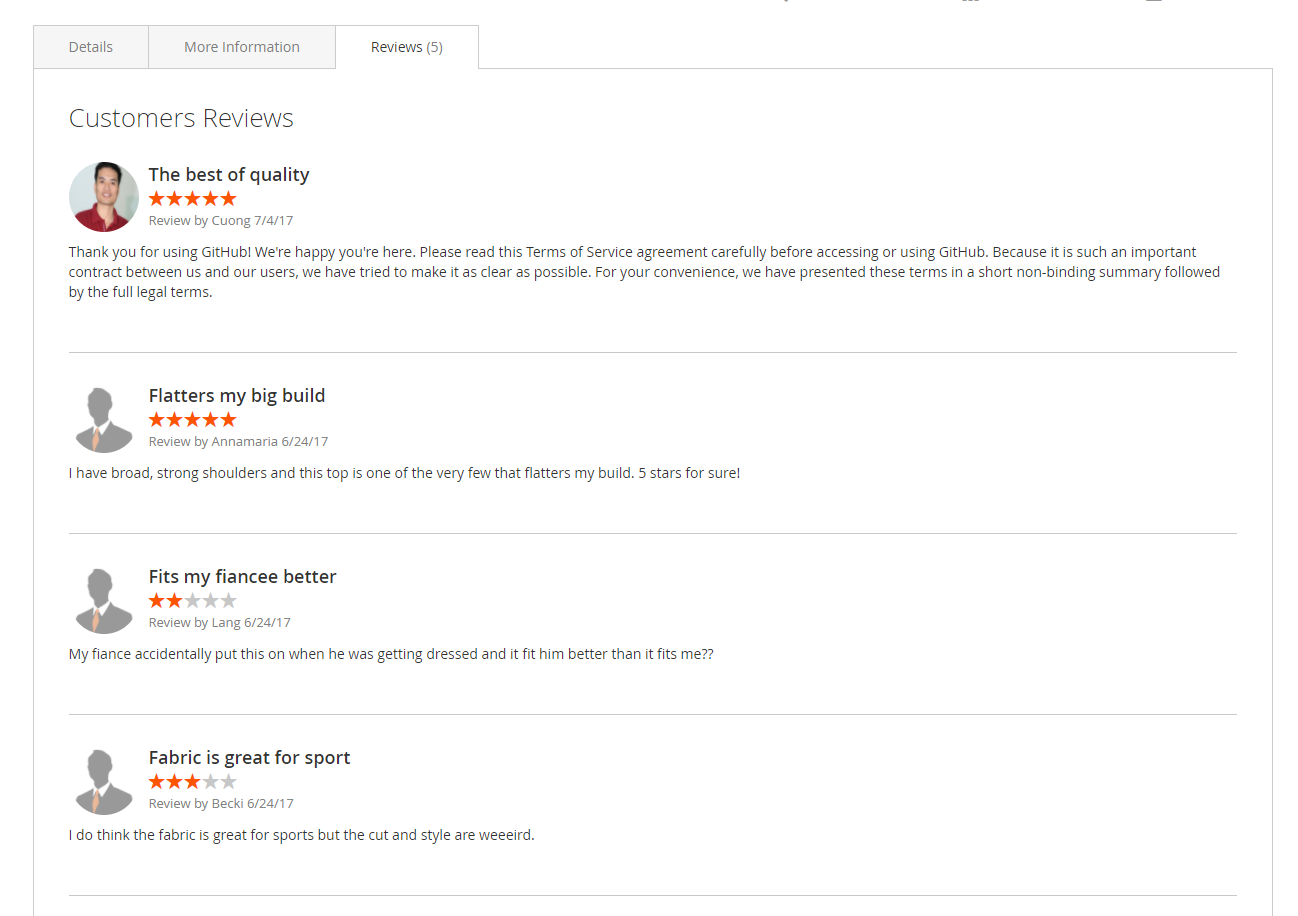
- The avatar can be displayed in the reviews list.
### Backend:
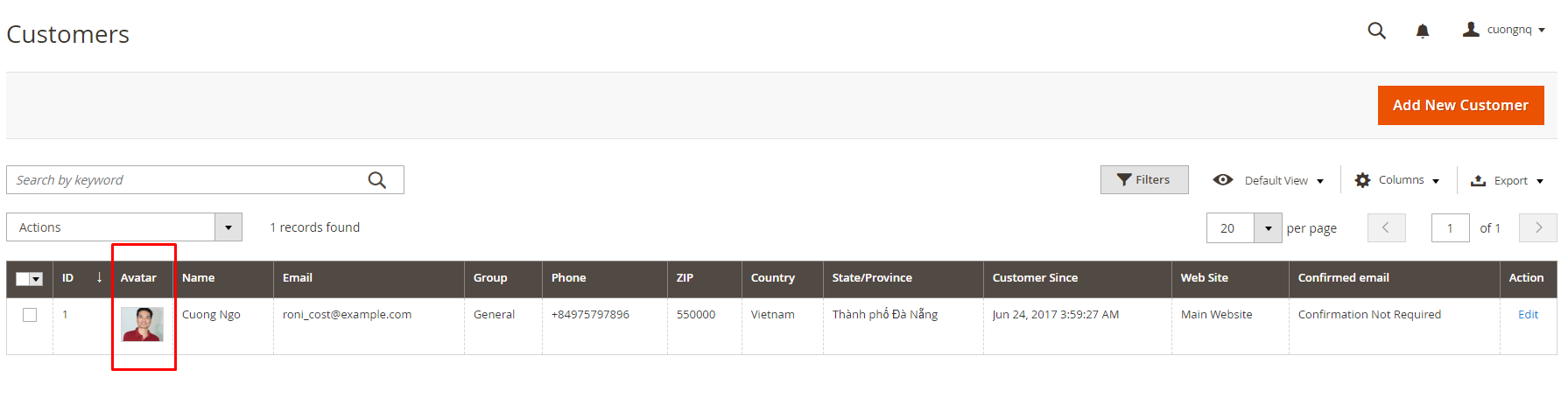
- Display the avatar of the customer in the customer's grid of Magento Admin.
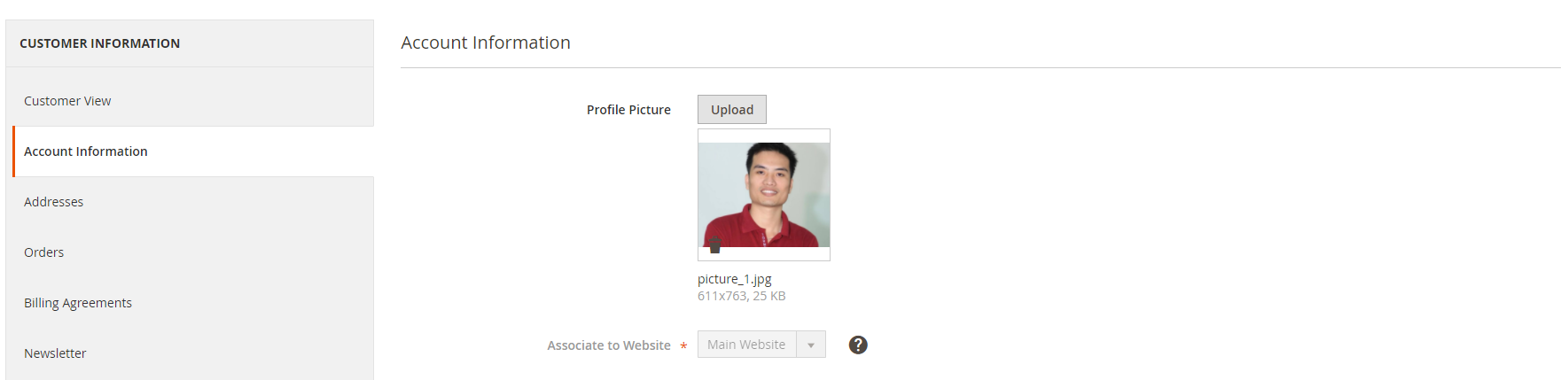
- Upload a new avatar or delete an avatar of the customer.
## Introduction installation:
### 1 - Using Composer
```
composer require php-cuong/magento2-customer-avatar:dev-master
```
### 2- Enable the Customer Avatar extension
* php bin/magento setup:upgrade
* php bin/magento setup:static-content:deploy
* php bin/magento indexer:reindex
* php bin/magento cache:flush
### 3 - See results
#### Frontend
Log into your customer account, go to Edit Account Information
##### The avatar in the header
##### The avatar in the edit account information
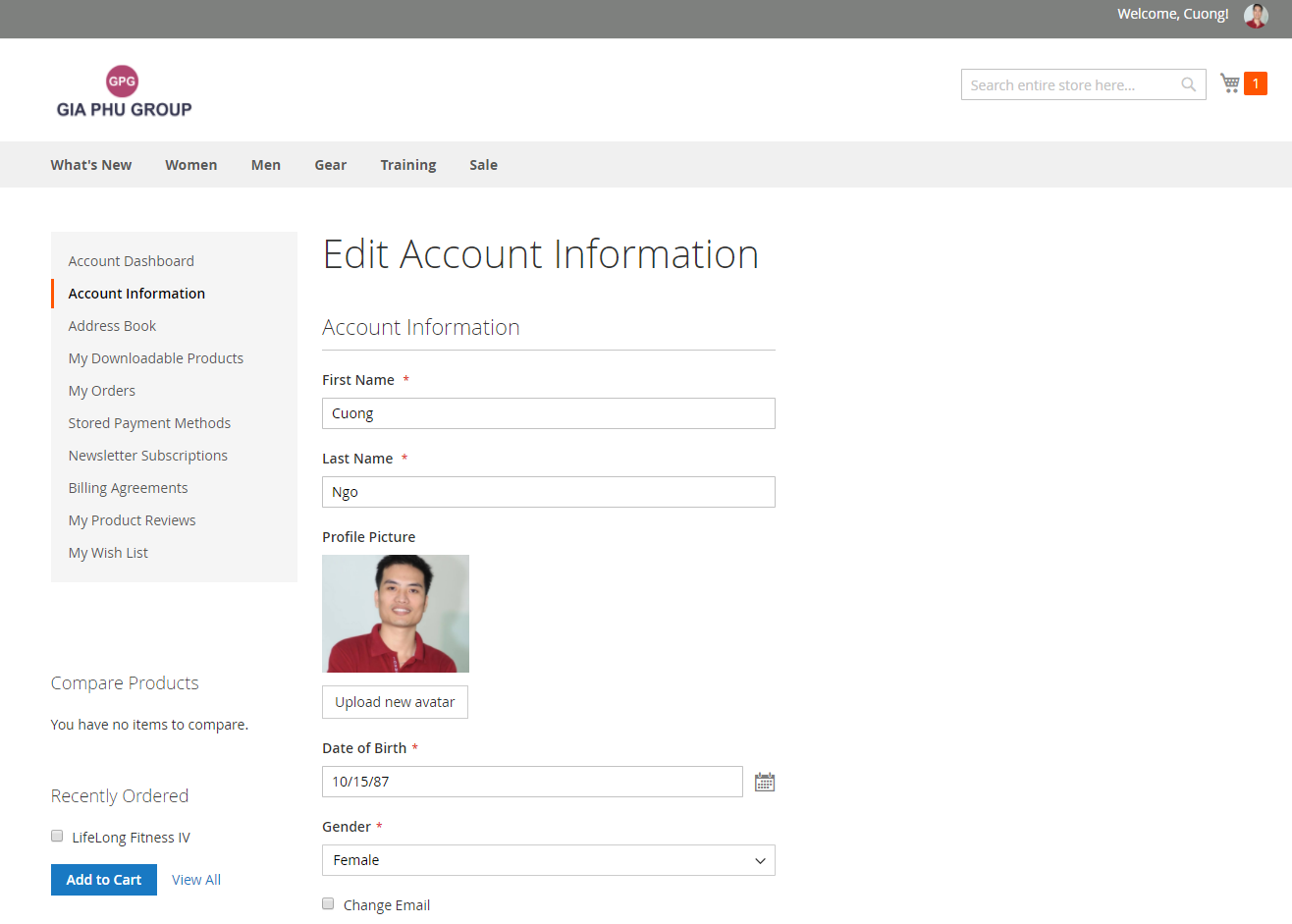
##### The avatar in the reviews list
#### Backend
Log into your Magento admin, go to Customers -> All Customers
##### The avatar in the customer's grid of Magento Admin
##### Upload a new avatar or delete an avatar of the customer
## Donations
Please donate if you enjoy my extension.
[](https://www.paypal.com/cgi-bin/webscr?cmd=_s-xclick&hosted_button_id=CR756BABGNDC4)