https://github.com/phpro/phpro-mage2-module-scheduler
Easily view and manage cron jobs in Magento 2
https://github.com/phpro/phpro-mage2-module-scheduler
cron magento2
Last synced: about 1 year ago
JSON representation
Easily view and manage cron jobs in Magento 2
- Host: GitHub
- URL: https://github.com/phpro/phpro-mage2-module-scheduler
- Owner: phpro
- License: mit
- Created: 2020-07-31T11:59:57.000Z (almost 6 years ago)
- Default Branch: master
- Last Pushed: 2023-06-29T12:30:12.000Z (almost 3 years ago)
- Last Synced: 2025-03-25T11:49:21.630Z (over 1 year ago)
- Topics: cron, magento2
- Language: PHP
- Homepage:
- Size: 74.2 KB
- Stars: 9
- Watchers: 4
- Forks: 6
- Open Issues: 1
-
Metadata Files:
- Readme: README.md
- Changelog: CHANGELOG.md
- License: LICENSE
Awesome Lists containing this project
README

# Cron Scheduler for Magento 2
This module allows merchants and developers to easily view and manage Magento cron jobs in the backend of Magento 2.
## Installation
composer require phpro/mage2-module-scheduler
## How to use
### Timeline
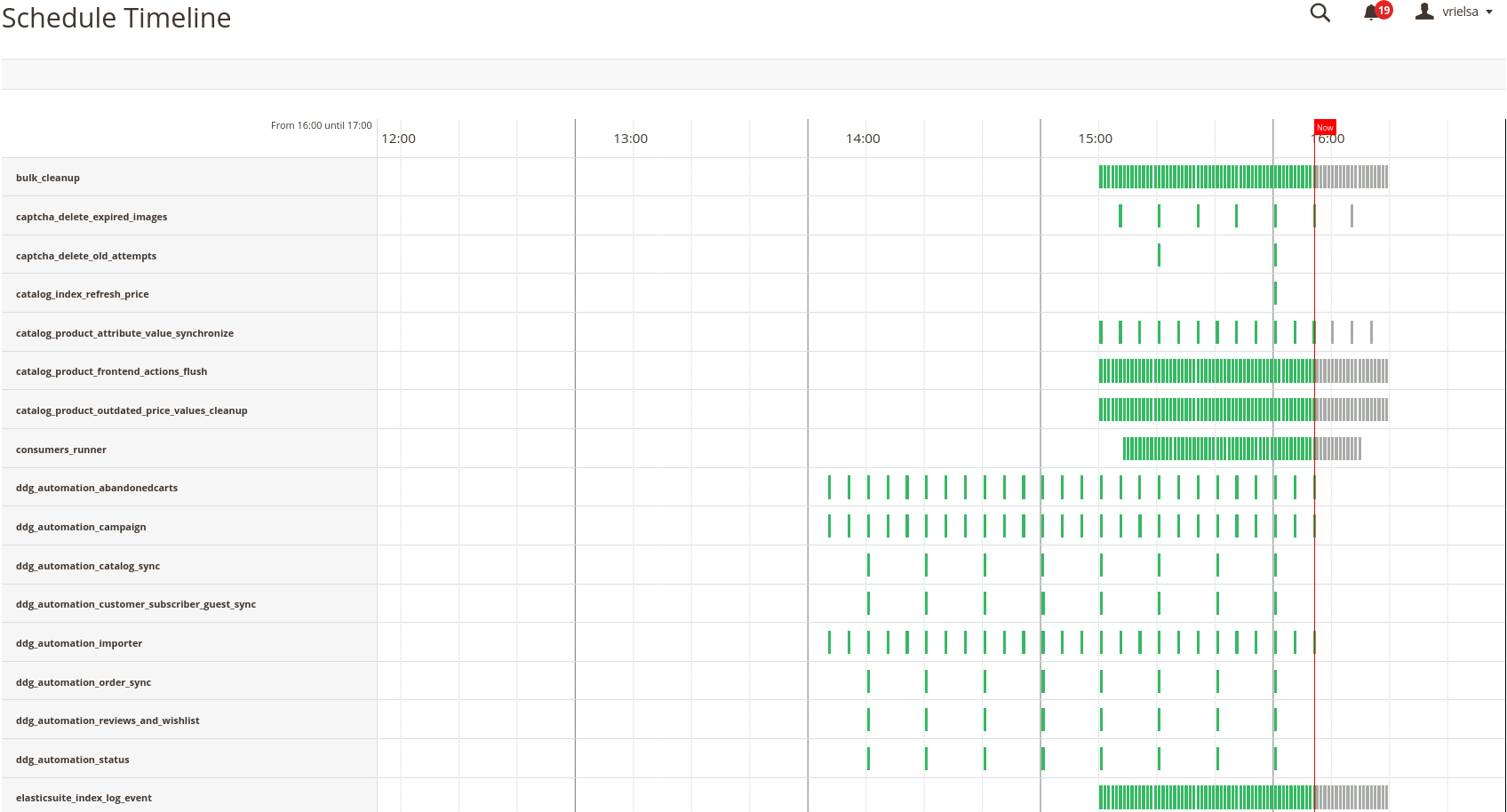
A timeline of the Magento jobs can be found under `System / Cron Schedule / Schedule Timeline`.
On this timeline we can easily:
- see when a job executed
- see when a job is successful, these are marked green
- see when a job has failed, these are marked red
- see at what time a job should be executed, these are marked gray
### Schedule list
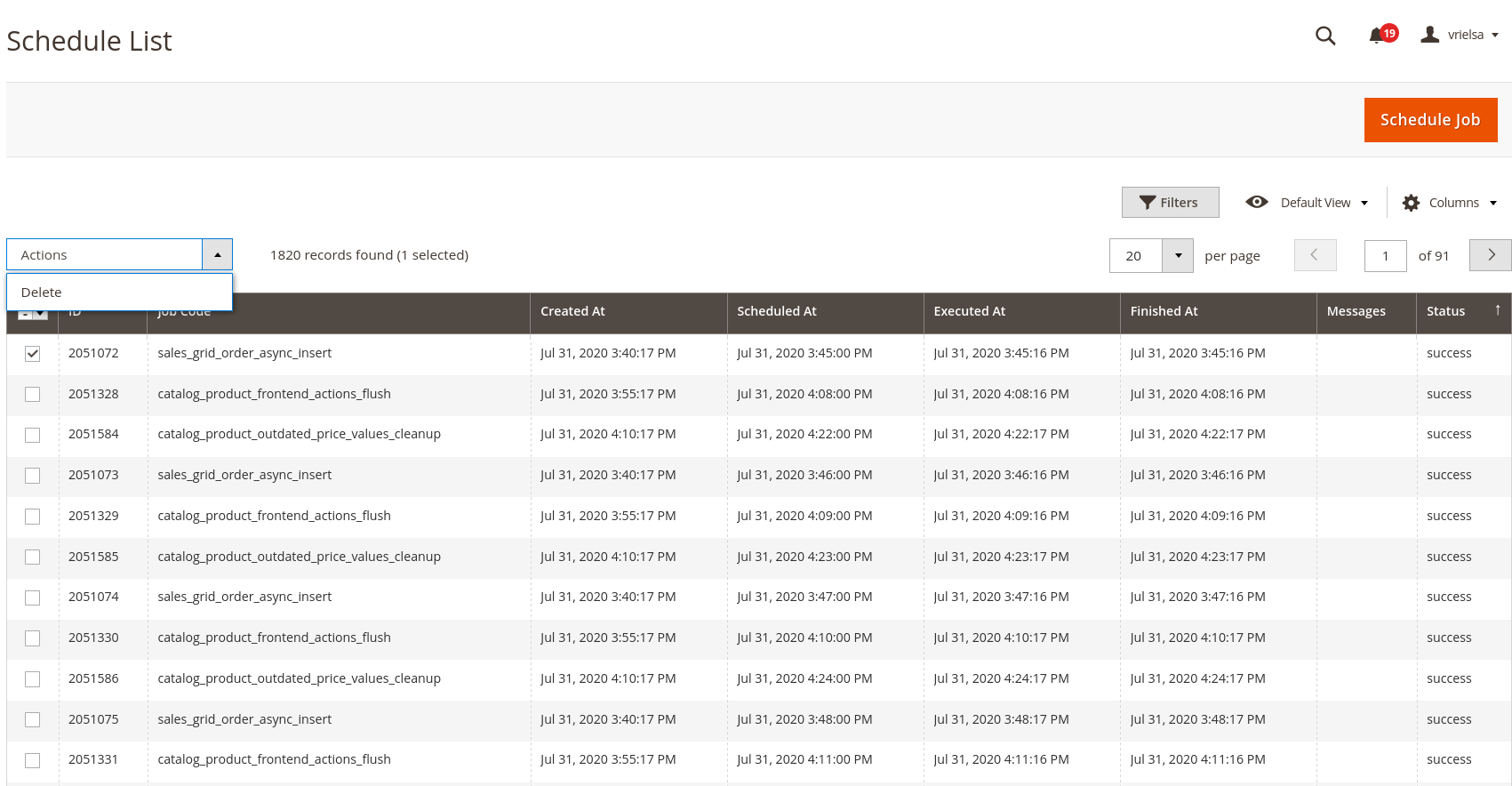
The timeline view is very similar to the list view, which we can find under `System / Cron Schedule / Schedule list`. With the schedule list you can easily:
- schedule new jobs (by clicking on the 'Schedule job' button)
- delete jobs (by selecting them and selecting 'Delete' from the actions dropdown)
- filter jobs (ex. filter by cron status)
### Job Configuration
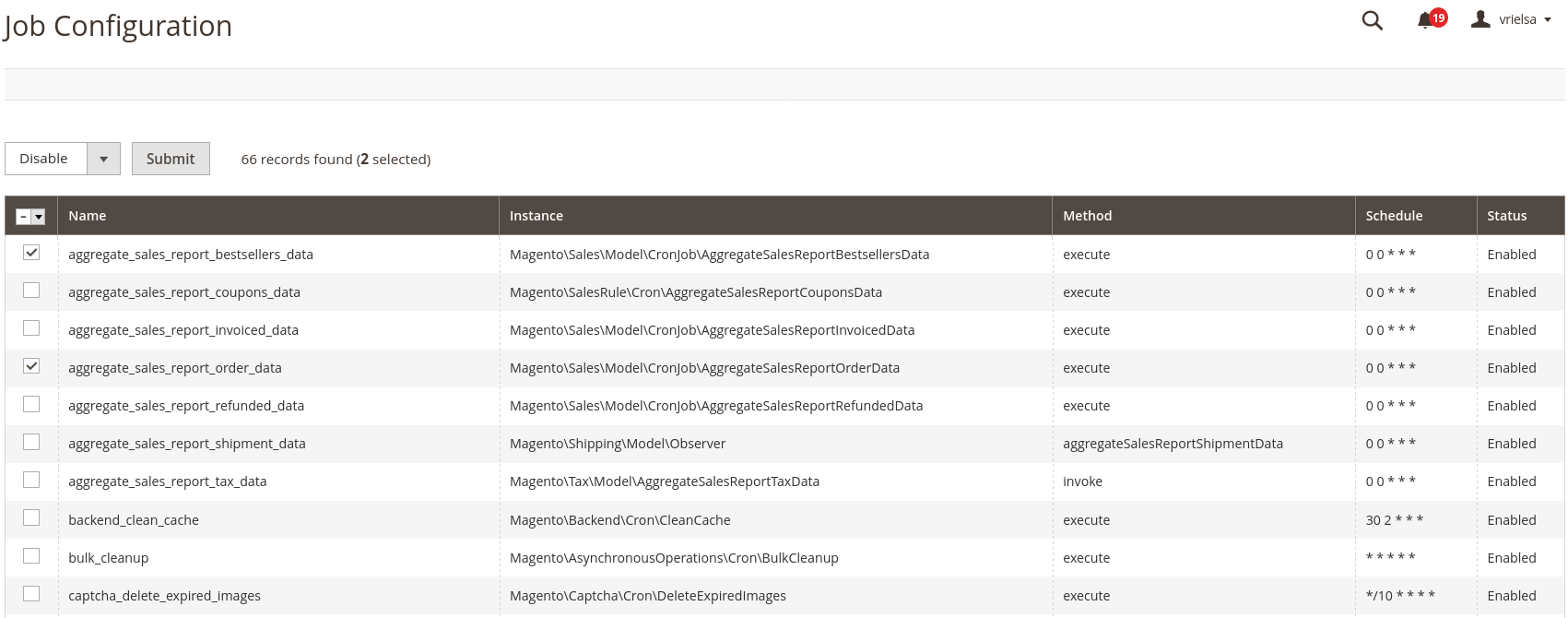
We can easily disable cron jobs by using the `System / Cron Schedule / Job Configuration` view from which we can easily select and disable a cron job. Disabling a cron will prevent it from being scheduled.
## Features
- Visualisation of the cron jobs by list and timeline view
- Add / remove jobs to the schedule
- Control which jobs can be scheduled by Magento
- Remove stalled jobs in 'running' status after a configured amount of time
- Clean up ran or failed cron jobs
## Configuration
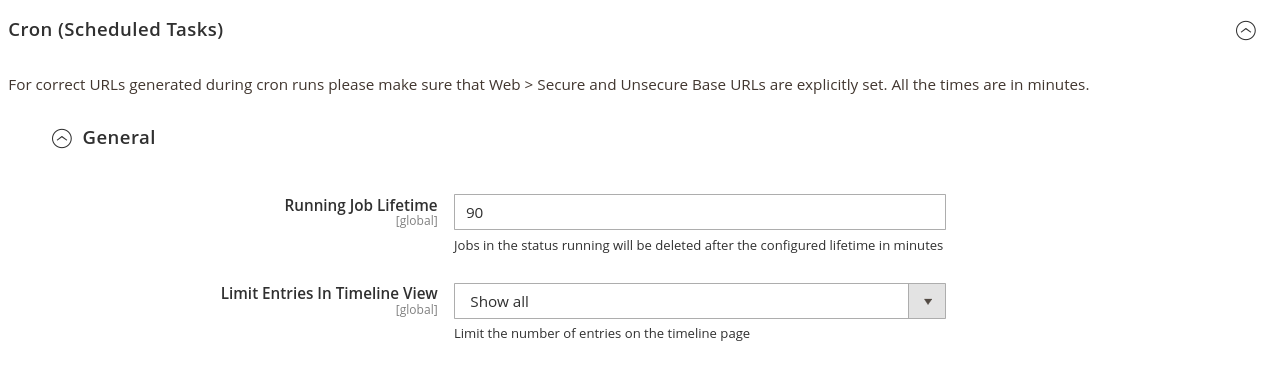
The configuration for this module can be found under `Stores / Configuration / Advanced / System / Cron`
**Running Job Lifetime:**
The value for this field is in minutes. With it, you can determine when a job will be removed when its status is running.
**Limit Entries In Timeline View:**
With this we limit which cron jobs are visible in the timeline view. By default, we can select the following values:
- Show All
- Show past 24 hours
- Show past 12 hours
- Show past 6 hours