https://github.com/phstc/alfred_links_workflow
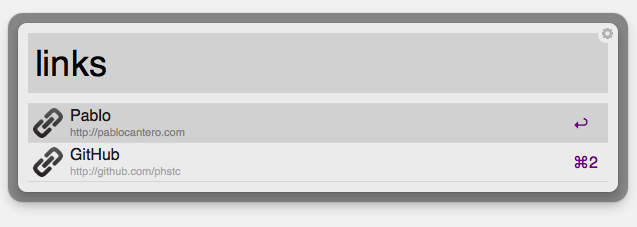
It is an Alfred Workflow to list/search links
https://github.com/phstc/alfred_links_workflow
Last synced: about 1 year ago
JSON representation
It is an Alfred Workflow to list/search links
- Host: GitHub
- URL: https://github.com/phstc/alfred_links_workflow
- Owner: phstc
- Created: 2014-01-08T00:35:31.000Z (over 12 years ago)
- Default Branch: master
- Last Pushed: 2014-05-13T00:46:57.000Z (about 12 years ago)
- Last Synced: 2025-04-24T02:52:21.872Z (about 1 year ago)
- Language: Ruby
- Homepage: https://github.com/phstc/alfred_links_workflow
- Size: 499 KB
- Stars: 13
- Watchers: 3
- Forks: 0
- Open Issues: 0
-
Metadata Files:
- Readme: README.md
Awesome Lists containing this project
README
# Alfred Links Workflow
It is an [Alfred Workflow](http://www.alfredapp.com/powerpack/) to list/search links.
## Installation instructions
1. Download & Intall [alfred_links_workflow.alfredworkflow](https://github.com/phstc/alfred_links_workflow/raw/master/alfred_links_workflow.alfredworkflow)
2. Open Alfred Preferences `CMD+Space` then `CMD+,`.
3. Open Workflows.
4. Right click on "Links by Pablo Cantero".
5. Show in Finder.
6. Open `links.json` in your favorite editor then add your links.
## links.json
```json
{
"links": [
{ "name": "Pablo", "href": "http://pablocantero.com" },
{ "name": "GitHub", "href": "http://github.com/phstc" }
]
}
```
## Usage
* Click in the link name to open it in your default browser.
* Hold CMD and click to copy the link to Clipboard.