https://github.com/pikpikcu/nodesub
Nodesub is a command-line tool for finding subdomains in bug bounty programs
https://github.com/pikpikcu/nodesub
bugbounty recon subdomains
Last synced: 5 months ago
JSON representation
Nodesub is a command-line tool for finding subdomains in bug bounty programs
- Host: GitHub
- URL: https://github.com/pikpikcu/nodesub
- Owner: pikpikcu
- License: mit
- Created: 2023-06-06T22:19:54.000Z (about 3 years ago)
- Default Branch: main
- Last Pushed: 2024-08-01T15:42:53.000Z (almost 2 years ago)
- Last Synced: 2024-08-01T17:45:57.568Z (almost 2 years ago)
- Topics: bugbounty, recon, subdomains
- Language: JavaScript
- Homepage:
- Size: 1.13 MB
- Stars: 136
- Watchers: 2
- Forks: 24
- Open Issues: 6
-
Metadata Files:
- Readme: README.md
- License: LICENSE
Awesome Lists containing this project
README
NODESUB
Nodesub is a command-line tool for finding subdomains in bug bounty programs. It supports various subdomain enumeration techniques and provides flexible options for customization.
# Features
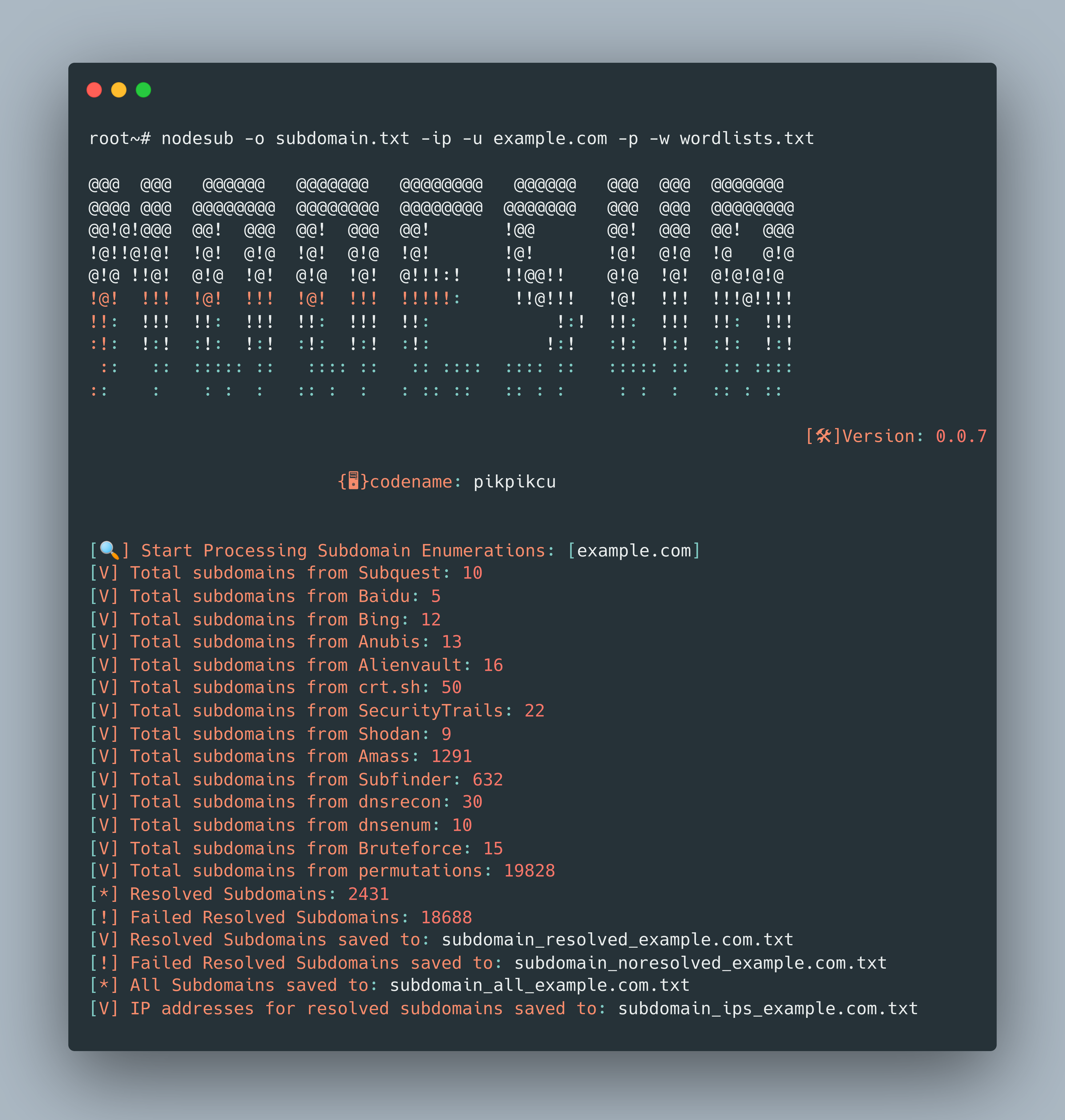
- Perform subdomain enumeration using CIDR notation (Support input list).
- Perform subdomain enumeration using ASN (Support input list).
- Perform subdomain enumeration using a list of domains.
## Installation
To install Nodesub, use the following command:
`npm install -g nodesub`
**NOTE:**
- Edit File `~/.config/nodesub/config.ini`
# ✔️ Usage
```
nodesub -h
```
This will display help for the tool. Here are all the switches it supports.
```
Usage: nodesub [options]
Nodesub is a command-line tool for finding subdomains in bug bounty programs.
Options:
-u, --url Main domain
-l, --list File with list of domains
-c, --cidr Perform subdomain enumeration using CIDR
-a, --asn Perform subdomain enumeration using ASN
-dns, --dnsenum Enable DNS Enumeration (if you enable this the enumeration process will be slow)
-rl, --rate-limit Rate limit for DNS requests (requests per second) (default: "0")
-ip, --ips Ekstrak IPs in Subdomain Resolved
-wl, --wildcard Filter subdomains by wildcard DNS resolution Default:(False)
-r, --recursive Enable recursive subdomain enumeration
-p, --permutations Enable subdomain permutations
-re,--resolver File with list of resolvers
-w, --wordlist Wordlist file
-pr, --proxy Proxy URL
-pa, --proxy-auth Proxy authentication credentials
-s, --size Max old space size heap Default:(10048 MB)
-d, --debug Show DNS resolution details
-v, --verbose Enable verbose output
-o, --output Output file
-f, --format Output file format (txt, json, csv, pdf) (default: "txt")
-h, --help display help for command
```
## ✔️ Examples
- Enumerate subdomains for a single domain:
```
nodesub -u example.com
```
- Enumerate subdomains for a list of domains from a file:
```
nodesub -l domains.txt
```
- Perform subdomain enumeration using CIDR:
```
node nodesub.js -c 192.168.0.0/24 -o subdomains.txt
```
```
node nodesub.js -c CIDR.txt -o subdomains.txt
```
- Perform subdomain enumeration using ASN:
```
node nodesub.js -a AS12345 -o subdomains.txt
```
```
node nodesub.js -a ASN.txt -o subdomains.txt
```
- Enable recursive subdomain enumeration and output the results to a JSON file:
```
nodesub -u example.com -r -o output.json -f json
```
## Output
The tool provides various output formats for the results, including:
- Text (txt)
- JSON (json)
- CSV (csv)
- PDF (pdf)
The output file contains the resolved subdomains, failed resolved subdomains, or all subdomains based on the options chosen.
### ✔️ ***Contribution
You can contribute in following ways:
- Give suggestions to make it better
- Fix issues & submit a pull request
## License
This project is licensed under the [MIT License](LICENSE).