https://github.com/pinto0309/sne4onnx
A very simple tool for situations where optimization with onnx-simplifier would exceed the Protocol Buffers upper file size limit of 2GB, or simply to separate onnx files to any size you want.
https://github.com/pinto0309/sne4onnx
cli model-converter models onnx python
Last synced: 4 months ago
JSON representation
A very simple tool for situations where optimization with onnx-simplifier would exceed the Protocol Buffers upper file size limit of 2GB, or simply to separate onnx files to any size you want.
- Host: GitHub
- URL: https://github.com/pinto0309/sne4onnx
- Owner: PINTO0309
- License: mit
- Created: 2022-04-06T15:25:30.000Z (about 4 years ago)
- Default Branch: main
- Last Pushed: 2024-05-07T06:05:47.000Z (about 2 years ago)
- Last Synced: 2025-04-12T13:42:39.944Z (about 1 year ago)
- Topics: cli, model-converter, models, onnx, python
- Language: Python
- Homepage:
- Size: 30.3 KB
- Stars: 16
- Watchers: 4
- Forks: 1
- Open Issues: 0
-
Metadata Files:
- Readme: README.md
- License: LICENSE
Awesome Lists containing this project
README
# sne4onnx
A very simple tool for situations where optimization with onnx-simplifier would exceed the Protocol Buffers upper file size limit of 2GB, or simply to separate onnx files to any size you want. **S**imple **N**etwork **E**xtraction for **ONNX**.
https://github.com/PINTO0309/simple-onnx-processing-tools
[](https://pepy.tech/project/sne4onnx)  [](https://pypi.org/project/sne4onnx/) [](https://github.com/PINTO0309/sne4onnx/actions?query=workflow%3ACodeQL)

# Key concept
- [x] If INPUT OP name and OUTPUT OP name are specified, the onnx graph within the range of the specified OP name is extracted and .onnx is generated.
- [x] I do not use `onnx.utils.extractor.extract_model` because it is very slow and I implement my own model separation logic.
## 1. Setup
### 1-1. HostPC
```bash
### option
$ echo export PATH="~/.local/bin:$PATH" >> ~/.bashrc \
&& source ~/.bashrc
### run
$ pip install -U onnx sne4onnx
```
### 1-2. Docker
https://github.com/PINTO0309/simple-onnx-processing-tools#docker
## 2. CLI Usage
```bash
$ sne4onnx -h
usage:
sne4onnx [-h]
-if INPUT_ONNX_FILE_PATH
-ion INPUT_OP_NAMES
-oon OUTPUT_OP_NAMES
[-of OUTPUT_ONNX_FILE_PATH]
[-n]
optional arguments:
-h, --help
show this help message and exit
-if INPUT_ONNX_FILE_PATH, --input_onnx_file_path INPUT_ONNX_FILE_PATH
Input onnx file path.
-ion INPUT_OP_NAMES [INPUT_OP_NAMES ...], --input_op_names INPUT_OP_NAMES [INPUT_OP_NAMES ...]
List of OP names to specify for the input layer of the model.
e.g. --input_op_names aaa bbb ccc
-oon OUTPUT_OP_NAMES [OUTPUT_OP_NAMES ...], --output_op_names OUTPUT_OP_NAMES [OUTPUT_OP_NAMES ...]
List of OP names to specify for the output layer of the model.
e.g. --output_op_names ddd eee fff
-of OUTPUT_ONNX_FILE_PATH, --output_onnx_file_path OUTPUT_ONNX_FILE_PATH
Output onnx file path. If not specified, extracted.onnx is output.
-n, --non_verbose
Do not show all information logs. Only error logs are displayed.
```
## 3. In-script Usage
```bash
$ python
>>> from sne4onnx import extraction
>>> help(extraction)
Help on function extraction in module sne4onnx.onnx_network_extraction:
extraction(
input_op_names: List[str],
output_op_names: List[str],
input_onnx_file_path: Union[str, NoneType] = '',
onnx_graph: Union[onnx.onnx_ml_pb2.ModelProto, NoneType] = None,
output_onnx_file_path: Union[str, NoneType] = '',
non_verbose: Optional[bool] = False
) -> onnx.onnx_ml_pb2.ModelProto
Parameters
----------
input_op_names: List[str]
List of OP names to specify for the input layer of the model.
e.g. ['aaa','bbb','ccc']
output_op_names: List[str]
List of OP names to specify for the output layer of the model.
e.g. ['ddd','eee','fff']
input_onnx_file_path: Optional[str]
Input onnx file path.
Either input_onnx_file_path or onnx_graph must be specified.
onnx_graph If specified, ignore input_onnx_file_path and process onnx_graph.
onnx_graph: Optional[onnx.ModelProto]
onnx.ModelProto.
Either input_onnx_file_path or onnx_graph must be specified.
onnx_graph If specified, ignore input_onnx_file_path and process onnx_graph.
output_onnx_file_path: Optional[str]
Output onnx file path.
If not specified, .onnx is not output.
Default: ''
non_verbose: Optional[bool]
Do not show all information logs. Only error logs are displayed.
Default: False
Returns
-------
extracted_graph: onnx.ModelProto
Extracted onnx ModelProto
```
## 4. CLI Execution
```bash
$ sne4onnx \
--input_onnx_file_path input.onnx \
--input_op_names aaa bbb ccc \
--output_op_names ddd eee fff \
--output_onnx_file_path output.onnx
```
## 5. In-script Execution
### 5-1. Use ONNX files
```python
from sne4onnx import extraction
extracted_graph = extraction(
input_op_names=['aaa','bbb','ccc'],
output_op_names=['ddd','eee','fff'],
input_onnx_file_path='input.onnx',
output_onnx_file_path='output.onnx',
)
```
### 5-2. Use onnx.ModelProto
```python
from sne4onnx import extraction
extracted_graph = extraction(
input_op_names=['aaa','bbb','ccc'],
output_op_names=['ddd','eee','fff'],
onnx_graph=graph,
output_onnx_file_path='output.onnx',
)
```
## 6. Samples
### 6-1. Pre-extraction
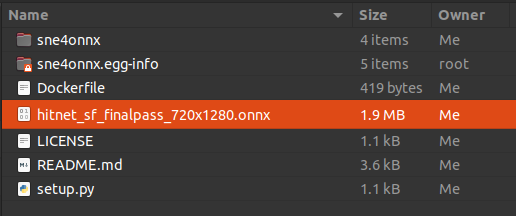
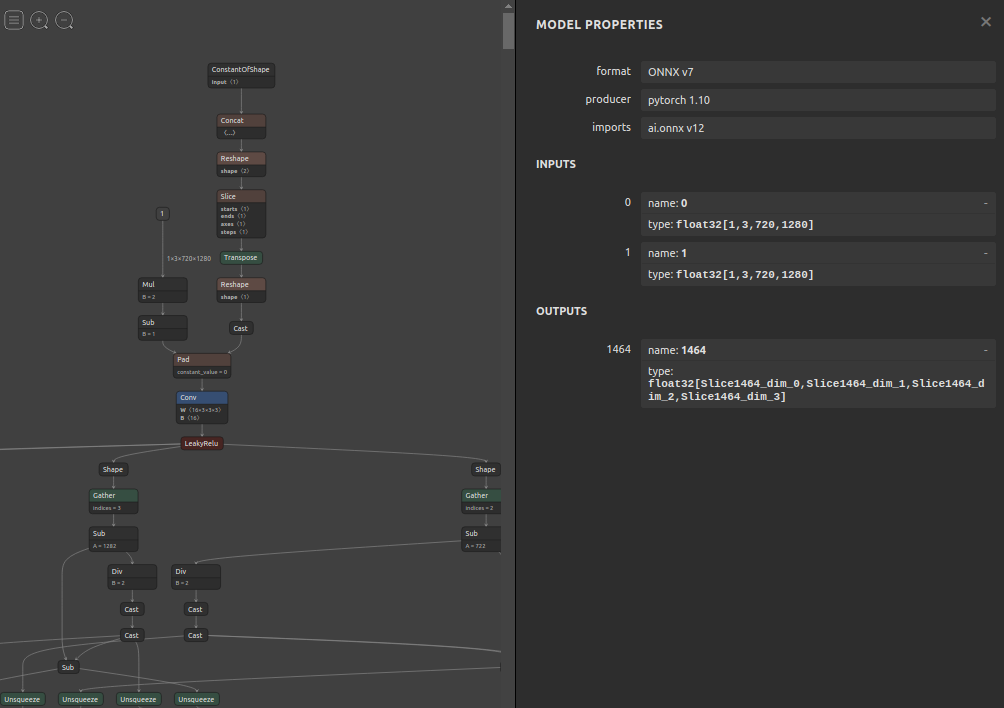
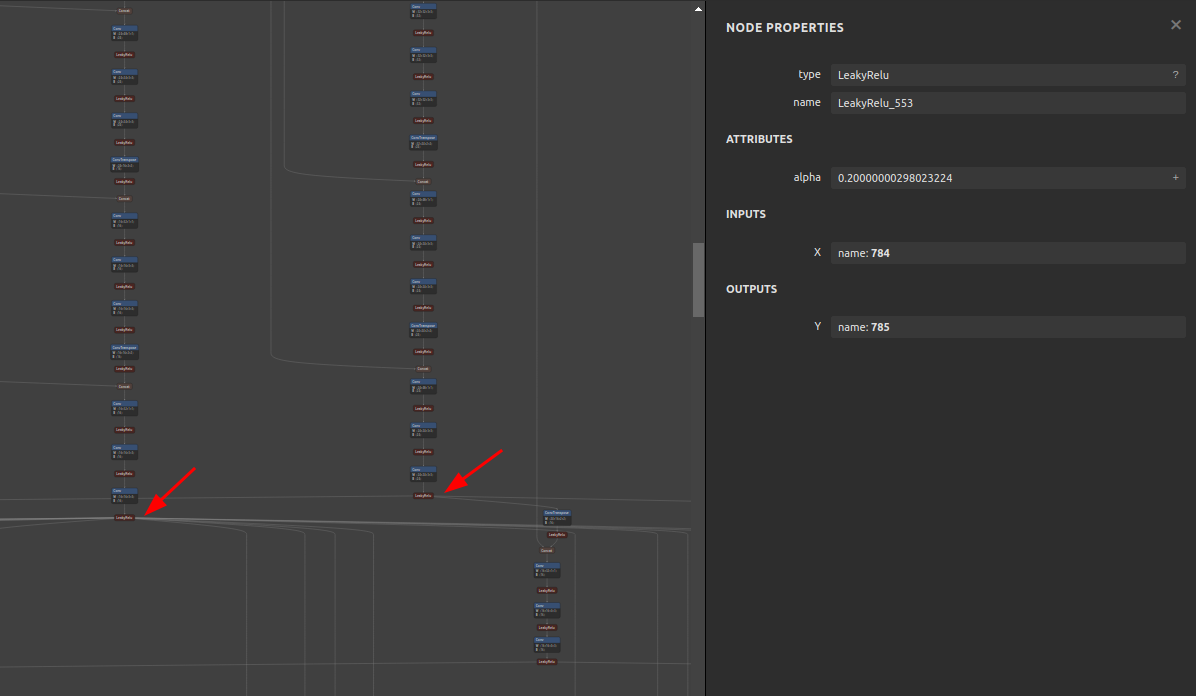
### 6-2. Extraction
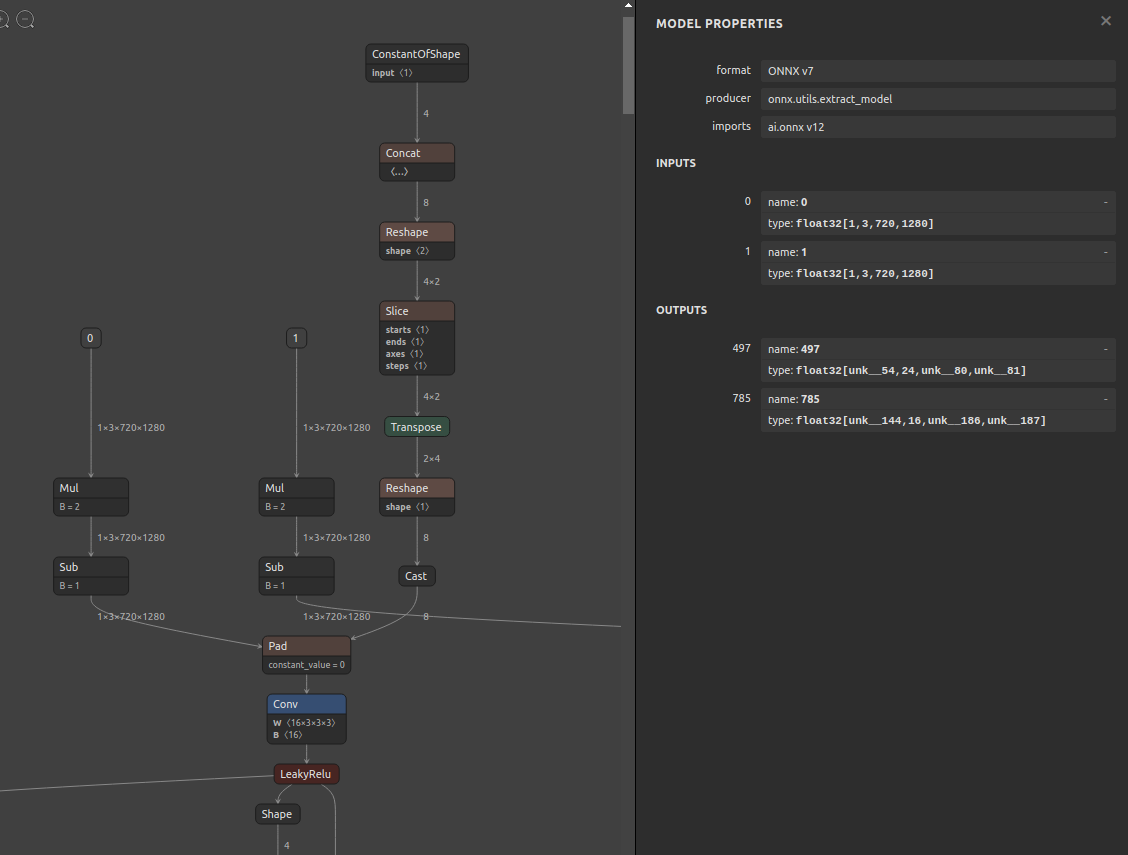
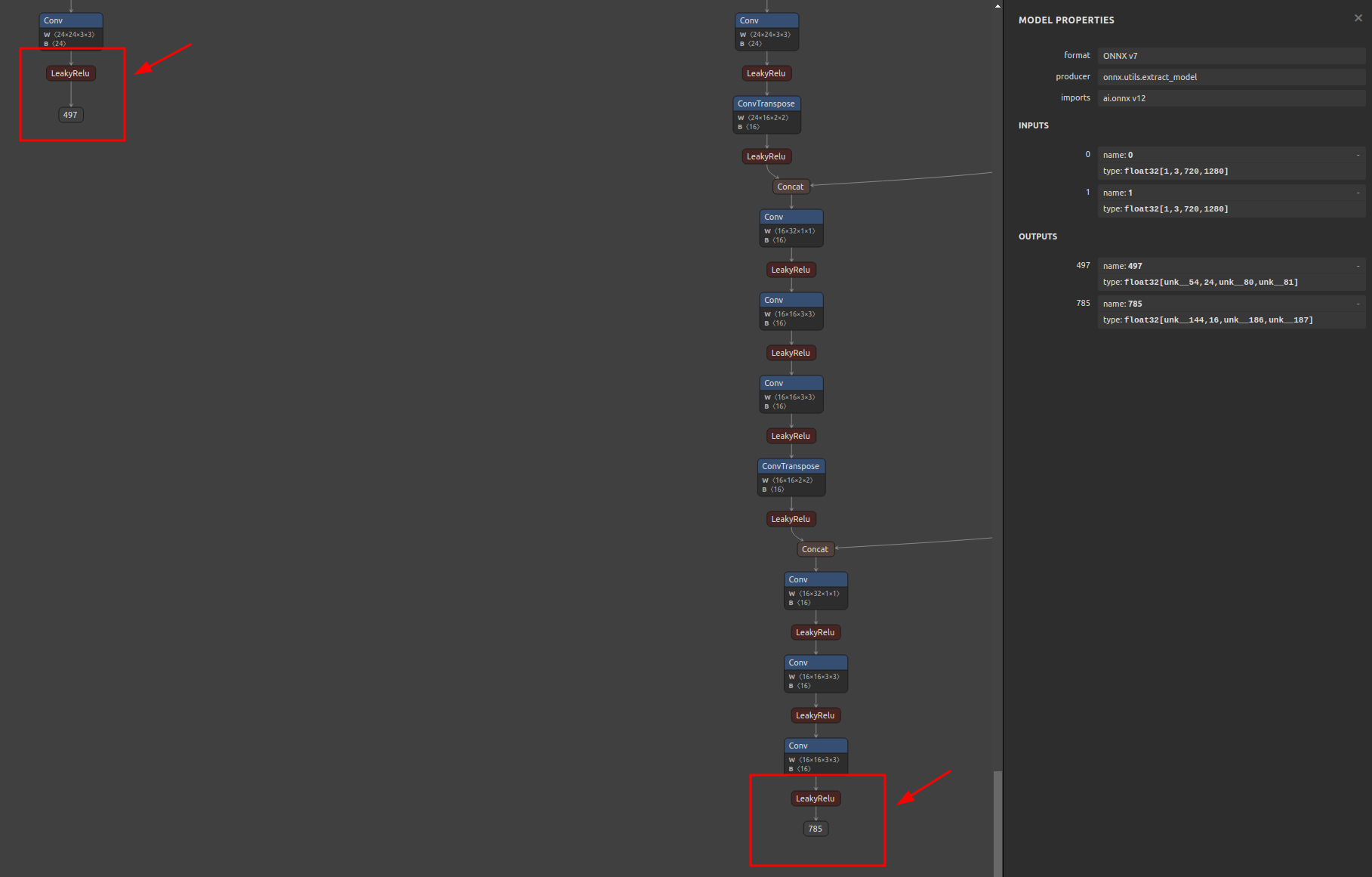
```bash
$ sne4onnx \
--input_onnx_file_path hitnet_sf_finalpass_720x1280.onnx \
--input_op_names 0 1 \
--output_op_names 497 785 \
--output_onnx_file_path hitnet_sf_finalpass_720x960_head.onnx
```
### 6-3. Extracted
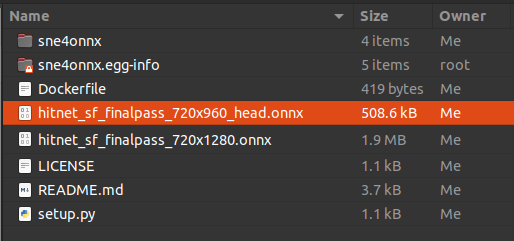
## 7. Reference
1. https://github.com/onnx/onnx/blob/main/docs/PythonAPIOverview.md
2. https://docs.nvidia.com/deeplearning/tensorrt/onnx-graphsurgeon/docs/index.html
3. https://github.com/NVIDIA/TensorRT/tree/main/tools/onnx-graphsurgeon
4. https://github.com/PINTO0309/snd4onnx
5. https://github.com/PINTO0309/scs4onnx
6. https://github.com/PINTO0309/snc4onnx
7. https://github.com/PINTO0309/sog4onnx
8. https://github.com/PINTO0309/PINTO_model_zoo
## 8. Issues
https://github.com/PINTO0309/simple-onnx-processing-tools/issues