https://github.com/planeshifter/llm-context-builder
Visual Studio Code extension for assembling contextual information from project files for usage in LLMs.
https://github.com/planeshifter/llm-context-builder
Last synced: 12 months ago
JSON representation
Visual Studio Code extension for assembling contextual information from project files for usage in LLMs.
- Host: GitHub
- URL: https://github.com/planeshifter/llm-context-builder
- Owner: Planeshifter
- License: other
- Created: 2024-10-19T23:44:22.000Z (over 1 year ago)
- Default Branch: main
- Last Pushed: 2025-02-01T02:45:51.000Z (over 1 year ago)
- Last Synced: 2025-04-10T04:48:55.622Z (about 1 year ago)
- Language: TypeScript
- Size: 912 KB
- Stars: 4
- Watchers: 1
- Forks: 1
- Open Issues: 1
-
Metadata Files:
- Readme: README.md
- License: LICENSE.md
Awesome Lists containing this project
README
# LLM Context Builder


[](https://github.com/Planeshifter/llm-context-builder/actions/workflows/ci.yml)
> VS Code extension for building context prompts for Large Language Models (LLMs).
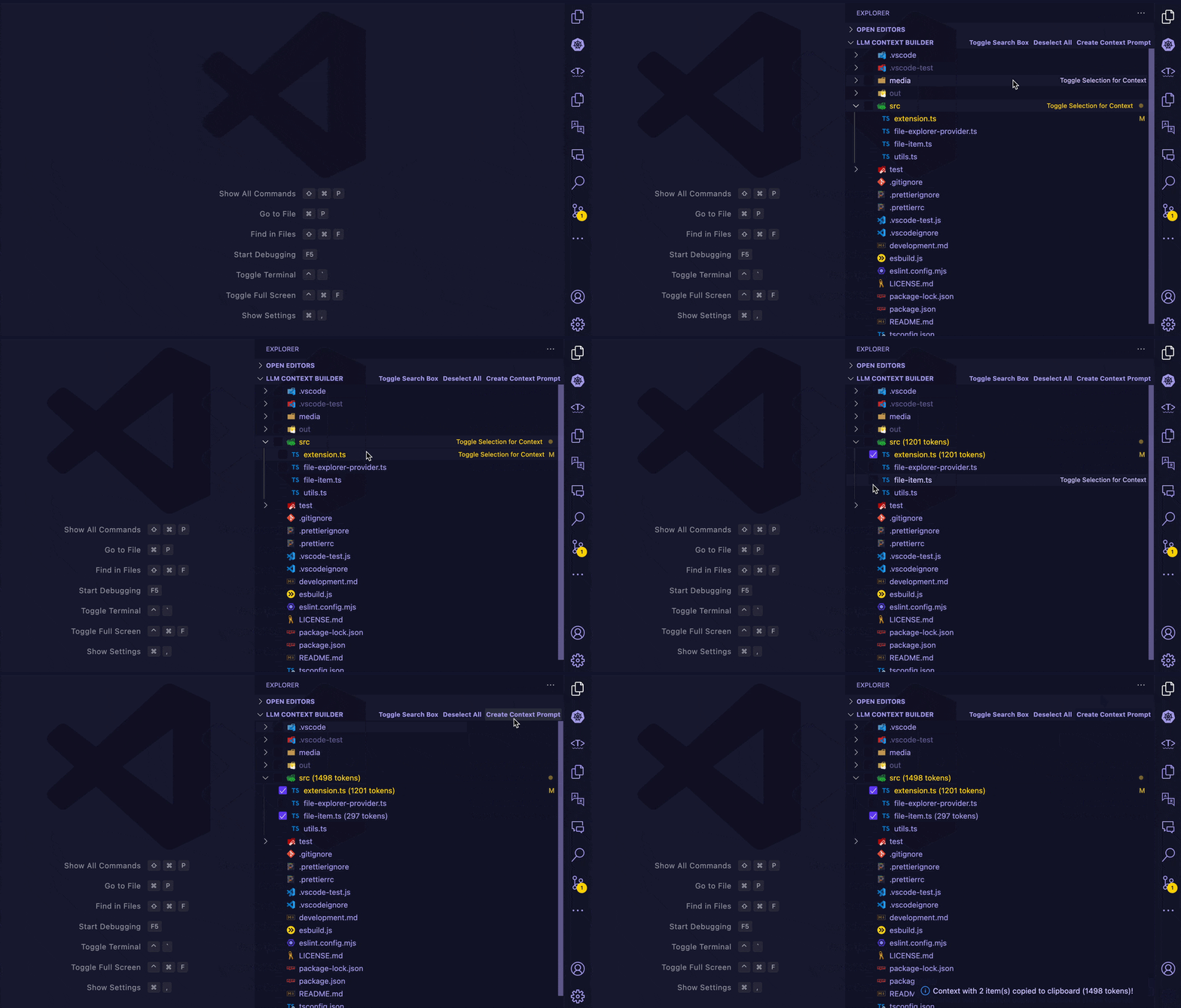
## Features
- 📁 Custom file explorer for easy selection of files and folders
- 🔢 Automatic token counting for selected content
- 🔍 File filtering with comma-separated search terms
- 🗜️ Optional code minification for JS/TS files
- ⚙️ Customizable directory and file type exclusions
- 📋 One-click context prompt generation and copying
## Install
- **From Visual Studio Marketplace**: Install directly from the [marketplace](https://marketplace.visualstudio.com/items?itemName=philipp-burckhardt.llm-context-builder) and reload VS Code if prompted.
- **From within Visual Studio Code**: Open Extensions (Ctrl+Shift+X), search "LLM Context Builder", and click Install.
## Usage
1. Open the LLM Context Builder view in the Explorer sidebar
2. Select files/folders to include in your context prompt
3. Use the search box to filter files
4. Click "Create Context Prompt" to generate and copy the prompt to the clipboard
## Commands
- `LLM Context Builder: Toggle Search Box`
- `LLM Context Builder: Deselect All Files`
- `LLM Context Builder: Create Context Prompt`
- `LLM Context Builder: Toggle Code Minification`
- `LLM Context Builder: Update Exclude List`
- `LLM Context Builder: Open Selected Files`
- `LLM Context Builder: Select All Files`
## Configuration
```jsonc
{
"contextPrompt.excludeDirectories": [".git", "node_modules"],
"contextPrompt.excludeFileTypes": [".jpg", ".png", ".pdf"],
"contextPrompt.minifyCode": false,
}
```
## License
This project is licensed under the Blue Oak Model License 1.0.0.