https://github.com/pleft/omega-python-oled
Onion Omega OledExpansion Graphics Library
https://github.com/pleft/omega-python-oled
Last synced: about 1 year ago
JSON representation
Onion Omega OledExpansion Graphics Library
- Host: GitHub
- URL: https://github.com/pleft/omega-python-oled
- Owner: pleft
- License: mit
- Created: 2017-11-09T21:05:57.000Z (over 8 years ago)
- Default Branch: master
- Last Pushed: 2017-11-19T21:40:17.000Z (over 8 years ago)
- Last Synced: 2025-04-08T12:50:47.701Z (over 1 year ago)
- Language: Python
- Size: 64.5 KB
- Stars: 1
- Watchers: 1
- Forks: 1
- Open Issues: 0
-
Metadata Files:
- Readme: README.md
- License: LICENSE
Awesome Lists containing this project
README
# OledLib
Onion Omega OledExpansion Graphics Library in Python
## Intro
`OledLib` is a small graphics library for the OledExpansion module for Onion Omega IoT devices.
While the `oledExp` Python module mainly deals with writing text on screen, `OledLib` dives deeper into pixel precise graphics.
`OledLib` breaks the limit of 8 pages and 128 columns, giving access to all 128x64 pixels of the screen. It is also faster since it uses the `i2c` interface which is capable of sending 32 bytes of data simultaneously instead of only 1 byte (`oledExp.write(byte)`).
With `OledLib`'s ability to address each pixel individually, `OledExpansion` becomes much more versatile and capable of rendering complex graphics.
## Features
- 128x64 framebuffer, pixel-level precision.
- Up to 32 bytes sent to screen simultaneously.
- 1-bit bitmap rendering.
- DMA (Direct Memory Access) functionality to fast render a portion of the screen only.
- Special effects: rotation and scaling.
## Prerequisites
Requires [oledExp](https://docs.onion.io/omega2-docs/oled-expansion-python-module.html) and [onionI2C](https://docs.onion.io/omega2-docs/i2c-python-module.html)
Python modules to be installed on the Onion Omega IoT device.
## Demonstration
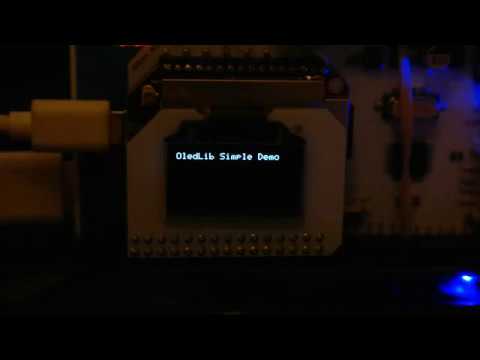
Below is a video showcasing most features of the `OledLib` library.
[](https://www.youtube.com/watch?v=tv8f6IBPjpM "OledLib Graphics Library Demonstration")
## Performance
`OledLib` has an almost fixed rate of rendering a full screen at between `0.1` and `0.2` seconds. This yields to `5` `FPS` (frames per second). This is the outcome of the `blit()` method. Although it seems rather small, it is a huge optimization against trying to render a whole screen with `oledExp.writeByte()` method which renders at `1` `FPS`. Much higher `FPS` can be achieved using the `DMA` (Direct Memory Access) technique when rendering bitmaps. This technique is used in `bitmapBlit()` method.
`bitmapBlit(x, y, translatedBitmap)` method uses the `DMA` technique and renders the exact portion of the screen that the `translatedBitmap` needs. All the rest part of the screen remains untouched. This results in very fast rates of screen refreshing since only a small part of the screen is rendered each time. For example rendering a `32x32` bitmap at various positions of the screen can be as fast as `20` `FPS`! Smaller bitmaps will achieve even higher `FPS`! A demonstration of this technique can be found in the [BatmanDemoDMA.py](https://github.com/pleft/omega-python-oled/blob/master/BatmanDemoDMA.py)
### DMA Tests
A `DMA` performance test against `bitmap` size and `FPS` count is included in [PerformanceDMADemo.py](https://github.com/pleft/omega-python-oled/blob/master/PerformanceDMADemo.py). Small bitmaps can achieve impressive refresh frame rates.
| Bitmap size (in pixels) | FPS |
| :---------------------: | ------------: |
| 64x64 | 8.38996560114 |
| 32x32 | 27.0965993768 |
| 24x24 | 41.8497593639 |
| 16x16 | 74.5712155108 |
| 8x8 | 180.342651037 |
| 4x4 | 204.498977505 |
| 2x2 | 219.538968167 |
| 1x1 | 226.500566251 |
## API
- `clearBuffers`: Clears the framebuffer (all elements to `0`).
- `putPixel(x, y, value)`: Puts the `value` (`0` or `1`) at `x`, `y` coordinates.
- `putRectangle(x, y, width, height, fill)`: Puts a rectangle (`width` x `height`) at the specified `x`, `y` coordinates. Setting `fill` to `True` will fill the rectangle, where `False` will draw just the borders.
- `putBitmap(x, y, bitmap)`: Puts a `bitmap` MxN array of `0`s and `1`s to `x`, `y` coordinates.
- `translateBitmap(bitmap)`: Converts a MxN `bitmap` array where each element is a `bit` (`0` or `1`), to a `byte` array MxL where each element is a `byte` (8 `bits`). Bitmap array sizes can be: `0