https://github.com/pletfix/app
The Pletfix Application Skeleton.
https://github.com/pletfix/app
framework php pletfix
Last synced: 6 months ago
JSON representation
The Pletfix Application Skeleton.
- Host: GitHub
- URL: https://github.com/pletfix/app
- Owner: pletfix
- Created: 2017-02-08T08:04:52.000Z (over 9 years ago)
- Default Branch: master
- Last Pushed: 2018-02-09T09:30:43.000Z (over 8 years ago)
- Last Synced: 2024-04-19T15:23:44.803Z (about 2 years ago)
- Topics: framework, php, pletfix
- Language: PHP
- Homepage:
- Size: 1.71 MB
- Stars: 2
- Watchers: 3
- Forks: 1
- Open Issues: 0
-
Metadata Files:
- Readme: README.md
Awesome Lists containing this project
README
# The Pletfix Application Skeleton.


## About Pletfix
This is a application skeleton for the Pletfix framework.
Pletfix is going to be an easy to learn and fasted PHP framework.
But currently, Pletfix is **under construction** and not ready to use yet!
Please have patience with us :-)
Some parts of the project were influenced by: Laravel, Symfony, CakePHP, Aura for PHP, Doctrine, Slim and Flight. Thank you!
Read more about Pletfix in the [official documentation](https://pletfix.com).
## Requirements
- Web server with URL rewriting
- PHP >= 5.6.4
- [Composer](https://getcomposer.org/)
## Installing Pletfix Application
Install Pletfix by entering the Composer's create-project command in your terminal:
```bash
composer create-project pletfix/app myapp
```
The current development version (may be unstable):
```bash
composer create-project pletfix/app --stability=dev myapp
```
> Pletfix uses the [Asset Packagist](https://asset-packagist.org/) by [HiQDev](https://hiqdev.com/) to download Bower and NPM packages via Composer.
> It's licensed under [BSD 3-clause](https://github.com/hiqdev/asset-packagist/blob/master/LICENSE).
> Thanks for this great work!
The command above creates a directory you specify (here "myapp") and downloads the package in this folder.
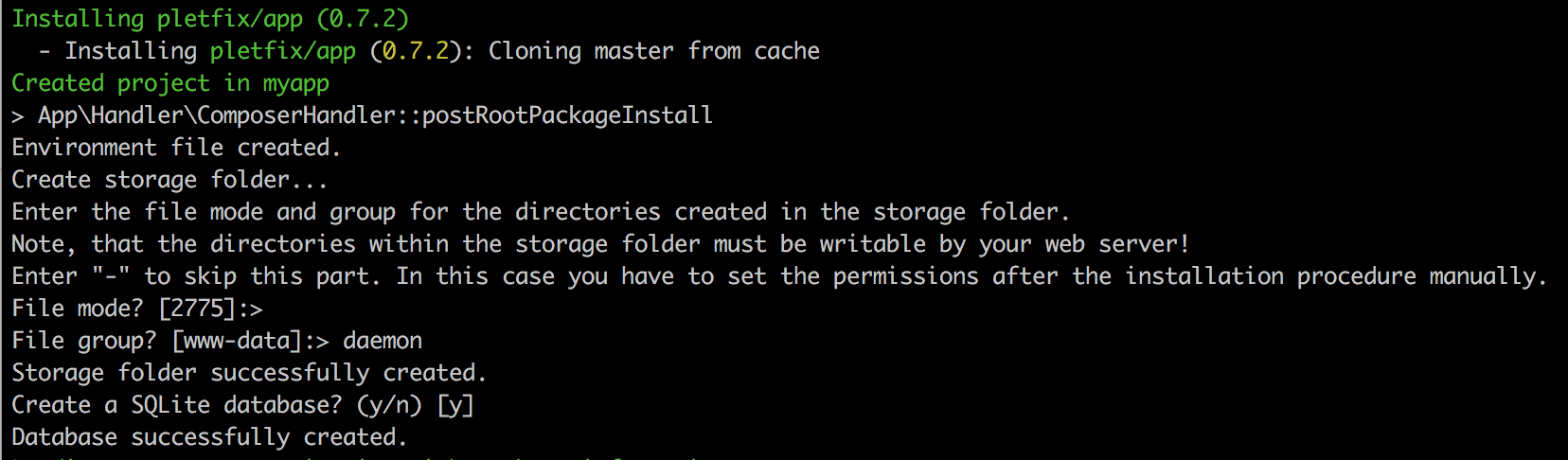
**Storage Folder**
After then, the installation procedure asks you about a file mode and group that should be used for the directories
to be created in the storage folder.
Note, that the directories within the storage folder must be writable by your web server!
Enter "-" to skip this part. In this case you have to set the permissions after the installation procedure manually like
this:
```bash
cd storage
chgrp www-data *
chmod 775 *
chmod g+s *
```
**Database**
In addition, you are asked if a SQLite database should be created.
If you answer yes, the migration procedure will be executed at the end of the installation.
**Remove VCS**
Composer loads all dependent packages into the vendor folder. It could take a few minutes.
At the end it will ask you "Do you want to remove the existing VCS (.git, .svn..) history? [Y,n]?". You should answer
with **Y** (the default).
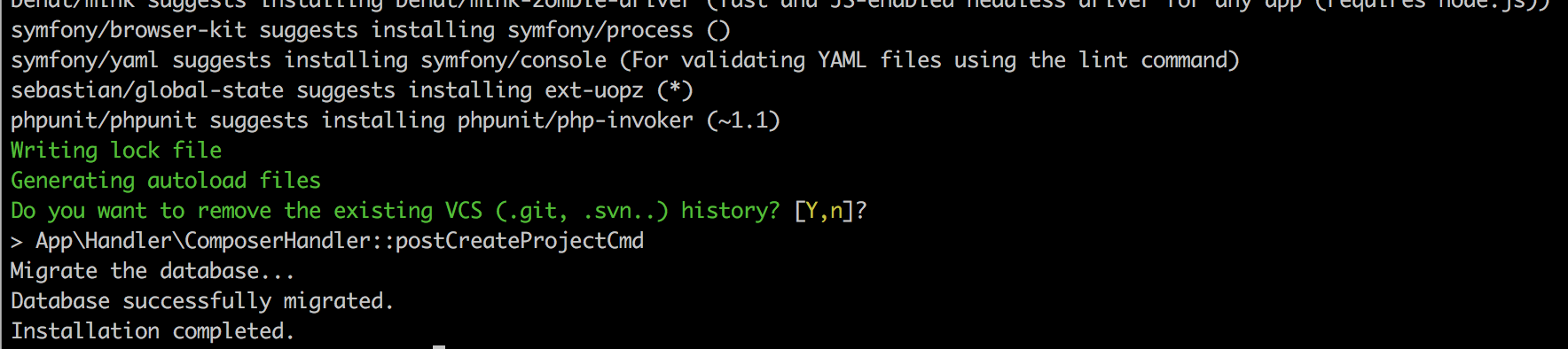
Now the application is ready for the first request.
## Start the Application
Before you open the application with your browser, you should configure the document root of the web server to be the
`public` directory.
If you have not installed a web server on your development environment, or if you do not have time or desire to
configure your server, you can start up the PHP's built-in web server with the following command:
```bash
php -S localhost:8000 -t public/ router.php
```
> Note, that the built-in web server should never be used in a production environment. It is only intended as a basic
> development server!
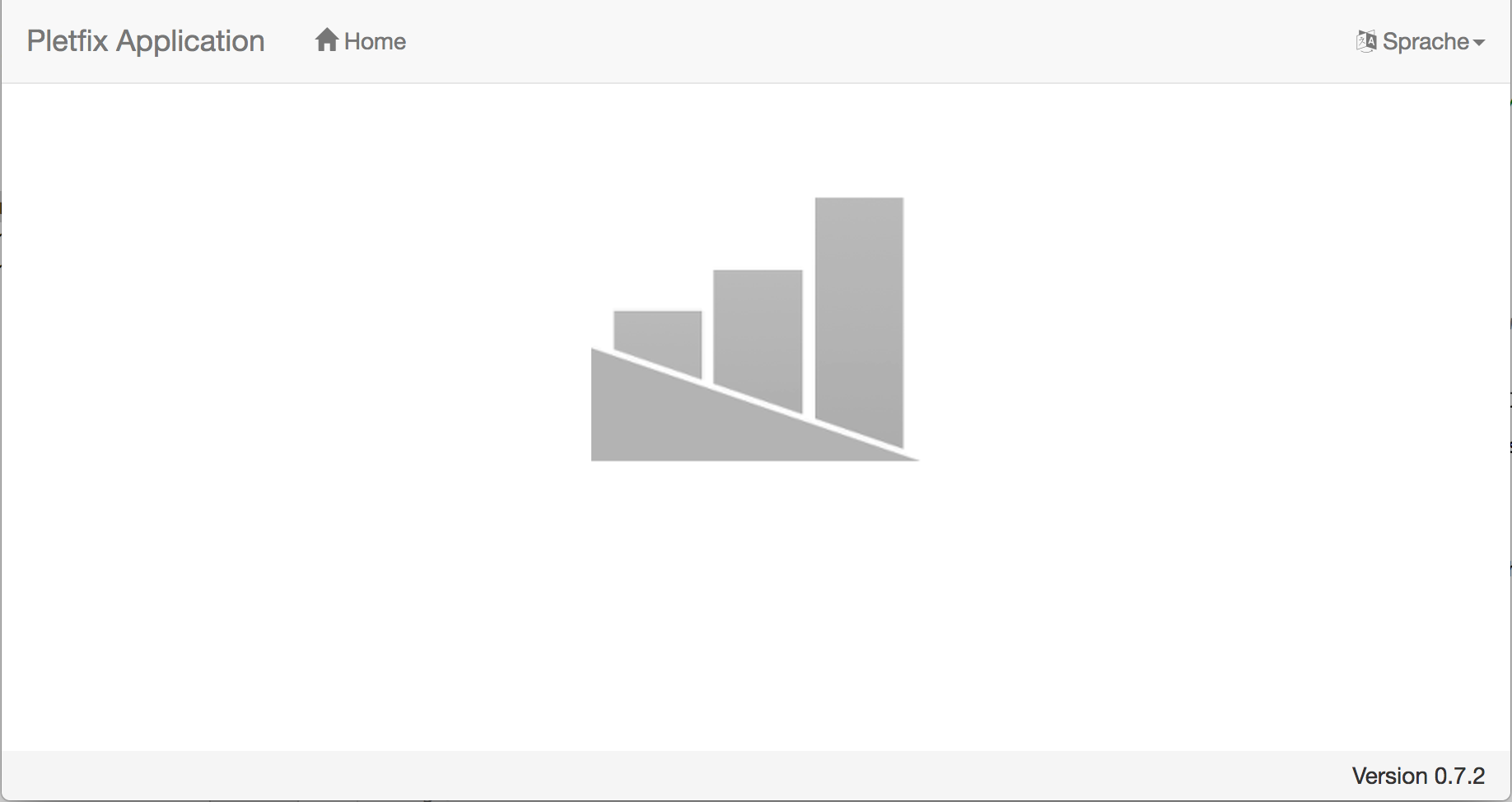
That's all! This command will serve your application at `http://localhost:8000`.
## Customizing
### Environment
After you have installed Pletfix, modify the entries in the environment file `.env` as you need.
Because this file typically contains sensitive data, e.g. Passwords, it must not be pushed into your repository!
Therefore, be sure, that this file is registered in `.gitignore`.
### Additional Configuration
Customize the configuration files stored in `config` folder.
## Web Server Configuration
For the production environment a web server with URL rewriting is required, e.g. Apache or Nginx.
Read the [Pletfix documentation](https://pletfix.com/docs/master/en/installation#web-server) for setup instructions.
## License
The Pletfix framework is open-sourced software licensed under the [MIT license](http://opensource.org/licenses/MIT).