https://github.com/pmunch/termfm
https://github.com/pmunch/termfm
Last synced: 10 months ago
JSON representation
- Host: GitHub
- URL: https://github.com/pmunch/termfm
- Owner: PMunch
- Created: 2020-11-19T12:51:05.000Z (over 5 years ago)
- Default Branch: master
- Last Pushed: 2020-11-21T00:27:59.000Z (over 5 years ago)
- Last Synced: 2025-07-13T20:50:07.507Z (11 months ago)
- Language: Nim
- Homepage:
- Size: 9.77 KB
- Stars: 4
- Watchers: 2
- Forks: 0
- Open Issues: 0
-
Metadata Files:
- Readme: README.md
Awesome Lists containing this project
README
# TermFM
To many people [eDEX-UI](https://github.com/GitSquared/edex-ui) was simply seen
as a joke UI, an experiment, or interactive art. But after watching a
demonstration of it I saw something that piqued my interest. Namely the file
manager that follows the terminal. It's one of the things that has sometimes
irked me while looking for a file. The `cd/ls/cd/ls/cd/ls` loop quickly gets
tedious. And opening my file manager, navigating to the folder I'm in, find the
thing I was looking for, and then copying the path back is even worse. So I
created this thing, TermFM, short for "Terminal File Manager". This is
currently in a PoC state, and only supports the basic premise of the idea. Here
is a YouTube video I recorded of how it works:
[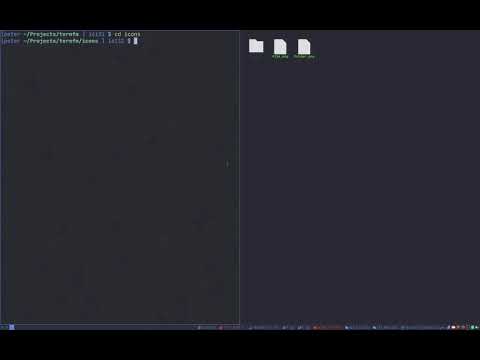](https://www.youtube.com/watch?v=KoSbxQ_UlyA)
## Setup
To make this work you need to add a little thing to you PS1:
``` bash
store_dir() {
xprop -id $WINDOWID -f _CUSTOM_FOLDER 8s -set _CUSTOM_FOLDER $(pwd)
}
PS1='$(store_dir)' # For bash, you probably want to append/prepend it to what you have already
PROMPT='$(store_dir)' # For zsh, same as above
```
Then you can simply run TermFM whenever you want:
```
termfm $WINDOWID &
```
As you can see the program takes in the X11 window ID to read the property of
and direct the `xdotool type` command at. This obviously doesn't have to be the
terminal that launches TermFM, so you could easily have a keyboard shortcut that
just grabbed the current window (but maybe double check that it's actually a
terminal).
## TODO
Pretty much everything. Things that could be implemented, in no particular
order:
- Scrolling
- Options for fonts/icons
- Support the various file type colours
- Some kind of check if the terminal is ready for input
- Clear whatever is on the terminal input line before typing
- Different icons for different files
- Image previews