https://github.com/point72/raydar
A perspective powered, user editable ray dashboard via ray serve
https://github.com/point72/raydar
dashboard observability python ray scheduler tracing
Last synced: 11 months ago
JSON representation
A perspective powered, user editable ray dashboard via ray serve
- Host: GitHub
- URL: https://github.com/point72/raydar
- Owner: Point72
- License: apache-2.0
- Created: 2024-01-29T18:35:58.000Z (over 2 years ago)
- Default Branch: main
- Last Pushed: 2025-07-07T13:58:23.000Z (about 1 year ago)
- Last Synced: 2025-07-14T09:45:23.181Z (about 1 year ago)
- Topics: dashboard, observability, python, ray, scheduler, tracing
- Language: Python
- Homepage: https://github.com/Point72/raydar/wiki
- Size: 8.9 MB
- Stars: 46
- Watchers: 4
- Forks: 6
- Open Issues: 7
-
Metadata Files:
- Readme: README.md
- License: LICENSE
- Code of conduct: .github/CODE_OF_CONDUCT.md
- Codeowners: .github/CODEOWNERS
Awesome Lists containing this project
README

[](https://github.com/Point72/raydar/actions/workflows/build.yaml)
[](https://codecov.io/gh/point72/raydar)
[](https://github.com/point72/raydar/issues)
[](https://pypi.python.org/pypi/raydar)
[](https://github.com/Point72/raydar/blob/main/LICENSE)
A [perspective](https://perspective.finos.org/) powered, user editable ray dashboard via ray serve.
Ray offers powerful metrics visualizations powered by graphana and prometheus. Although useful, the setup can take time - and customizations can be challenging.
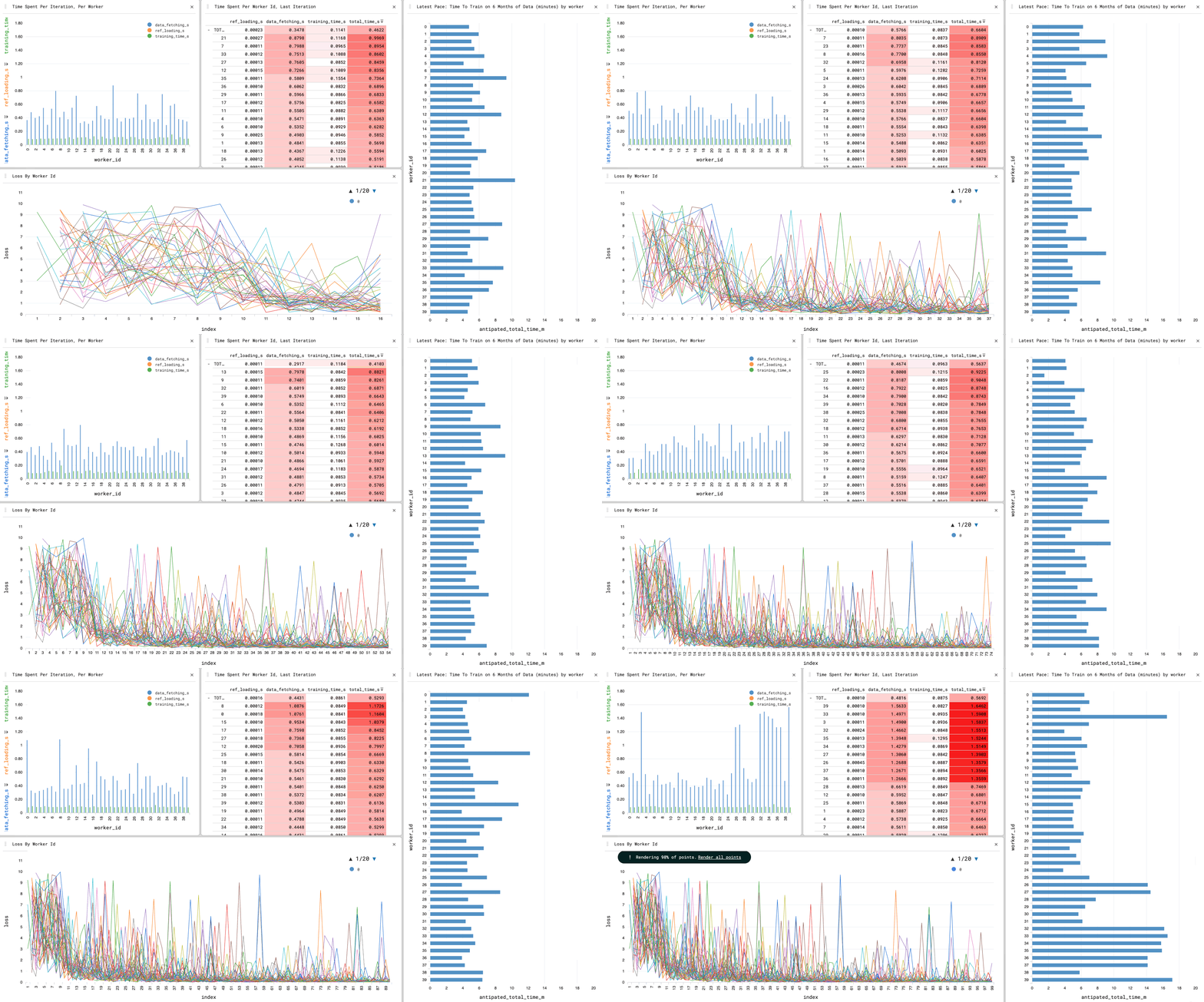
Raydar, enables out-of-the-box live cluster metrics and user visualizations for Ray workflows with just a simple pip install. It helps unlock distributed machine learning visualizations on Anyscale clusters, runs live and at scale, is easily customizable, and enables all the in-browser aggregations that [perspective](https://perspective.finos.org/) has to offer.
## Features
- Convenience wrappers for the tracking and persistence of ray GCS task metdata. Can scale beyond the existing ray dashboard / GCS task tracking limitations.
- Serves a UI through [ray serve](https://docs.ray.io/en/latest/serve/index.html) for the vizualization of [perspective](https://github.com/finos/perspective) tables.
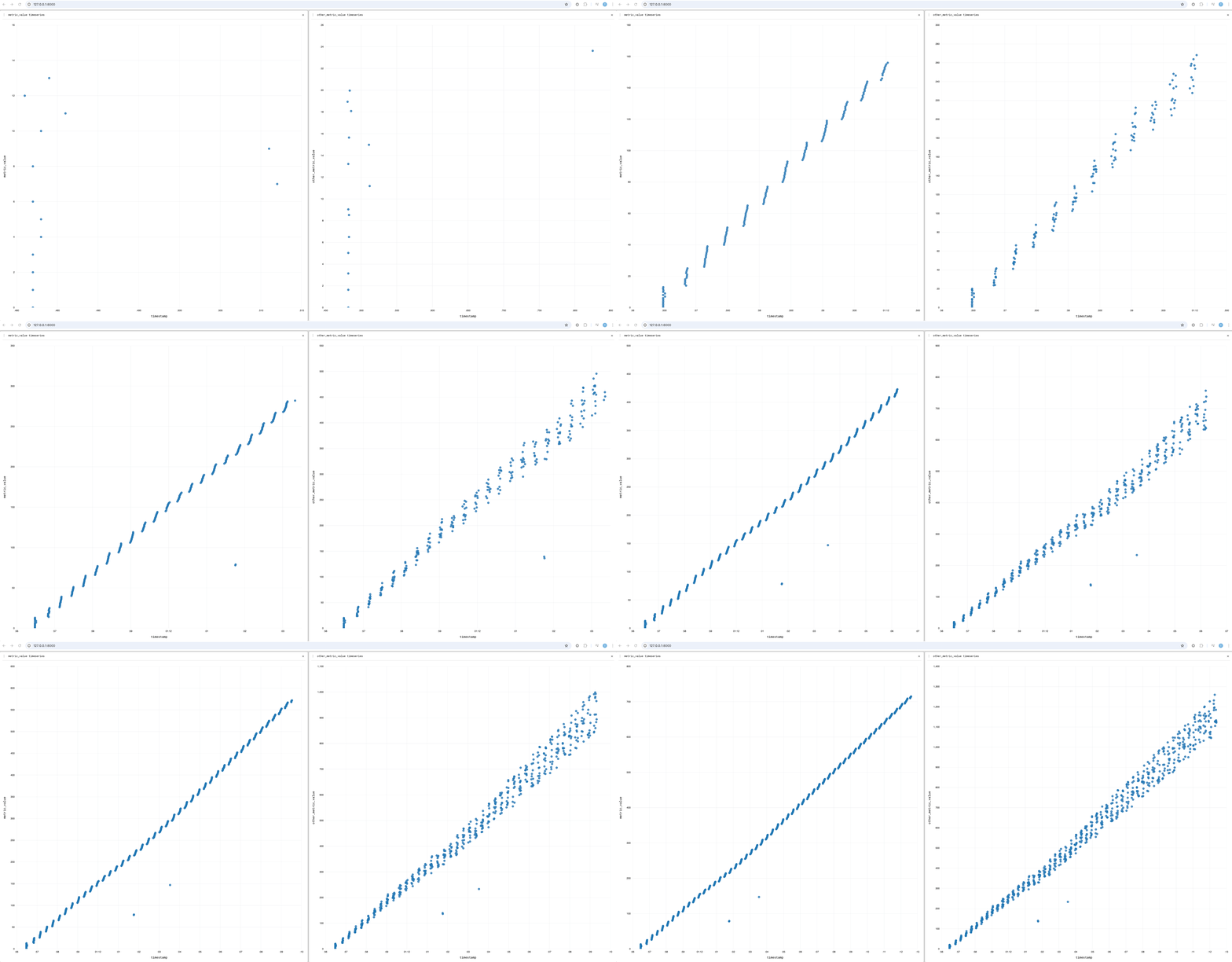
- A python interface to create and update perspective tables from within ray tasks.
[More information is available in our wiki](https://github.com/Point72/raydar/wiki)
## Installation
`raydar` can be installed via [pip](https://pip.pypa.io) or [conda](https://docs.conda.io/en/latest/), the two primary package managers for the Python ecosystem. See [our wiki](https://github.com/Point72/raydar/wiki/Installation) for more information.
## Launching The UI, Tracking Tasks, Creating/Updating Custom Tables
The raydar module provides an actor which can process collections of ray object references on your behalf, and can serve a perspective dashboard in which to visualize that data.
```python
from raydar import RayTaskTracker
task_tracker = RayTaskTracker(enable_perspective_dashboard=True)
```
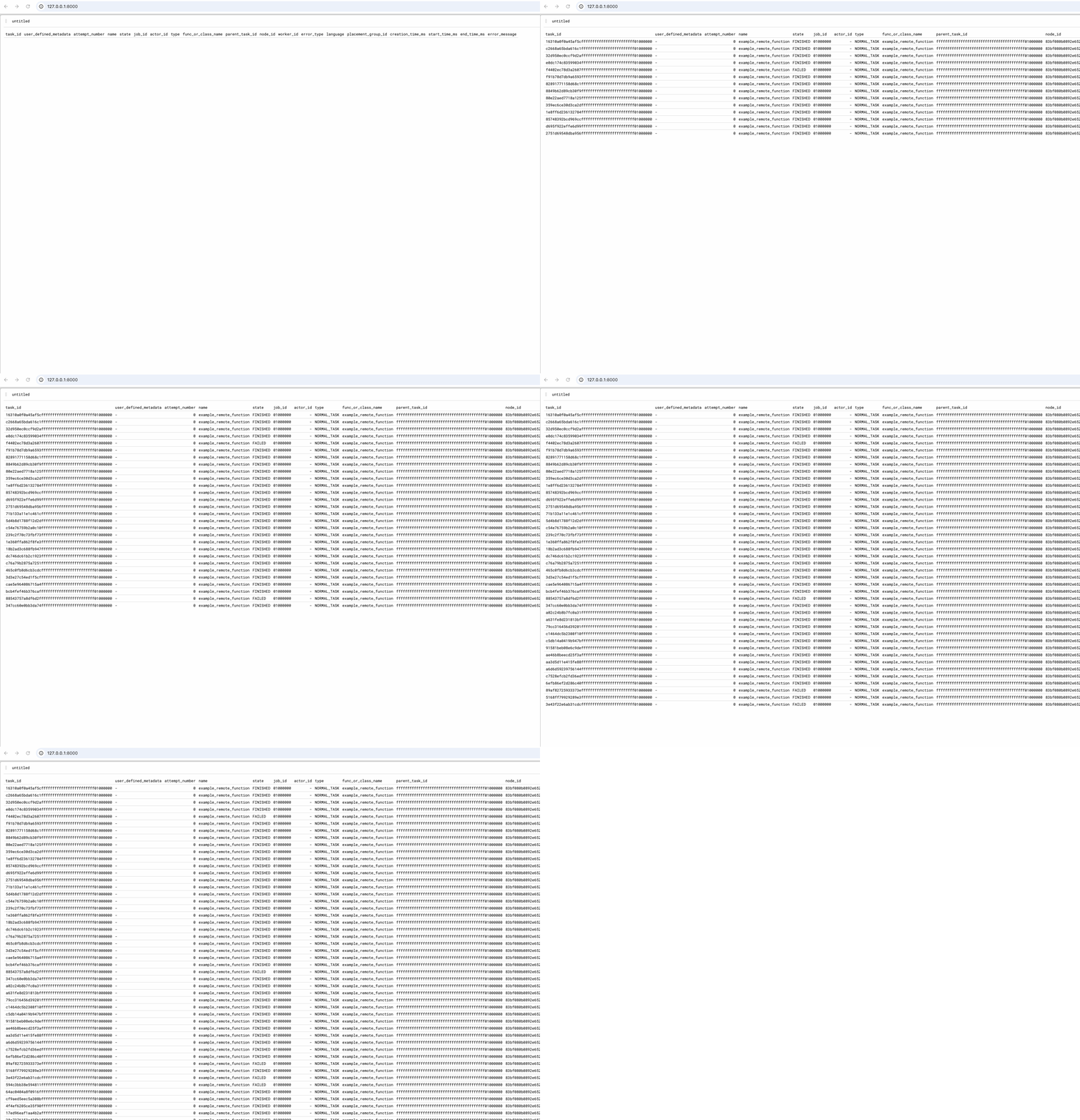
Passing collections of object references to this actor's process method causes those references to be tracked in an internal polars dataframe, as they finish running.
```python
@ray.remote
def example_remote_function():
import time
import random
time.sleep(1)
if random.randint(1,100) > 90:
raise Exception("This task should sometimes fail!")
return True
refs = [example_remote_function.remote() for _ in range(100)]
task_tracker.process(refs)
```
The perspective UI is served on port 8000 by default.
Passing a `name` and `namespace` arguments allows the RayTaskTracker to skip construction when an actor already exists. This also means we can access the correct ray actor handle from arbitrary ray code, once the correct name and namespace are provided.
```python
from raydar import RayTaskTracker
task_tracker = RayTaskTracker(
enable_perspective_dashboard=True,
name="my_actor_name",
namespace="my_actor_namespace”
)
task_tracker.create_table(
table_name="demo_table",
table_schema=dict(
worker_id="str",
metric_value="int",
other_metric_value="float",
timestamp="datetime”
)
)
```
Now, from an arbitrary remote function:
```python
@ray.remote
def add_data_to_demo_table(i):
task_tracker = RayTaskTracker(name="my_actor_name", namespace="my_actor_namespace")
import datetime
import random
data = dict(
worker_id="worker_1",
metric_value=i,
other_metric_value=i * random.uniform(1.5, 1.8),
timestamp = datetime.datetime.now()
)
task_tracker.update_table("demo_table", [data])
```
## FAQ
- _Where is the perspective data stored?_
Currently, in memory. There are plans to integrate alternatives to this configuration, but currently the data is stored in machine memory on the ray head.
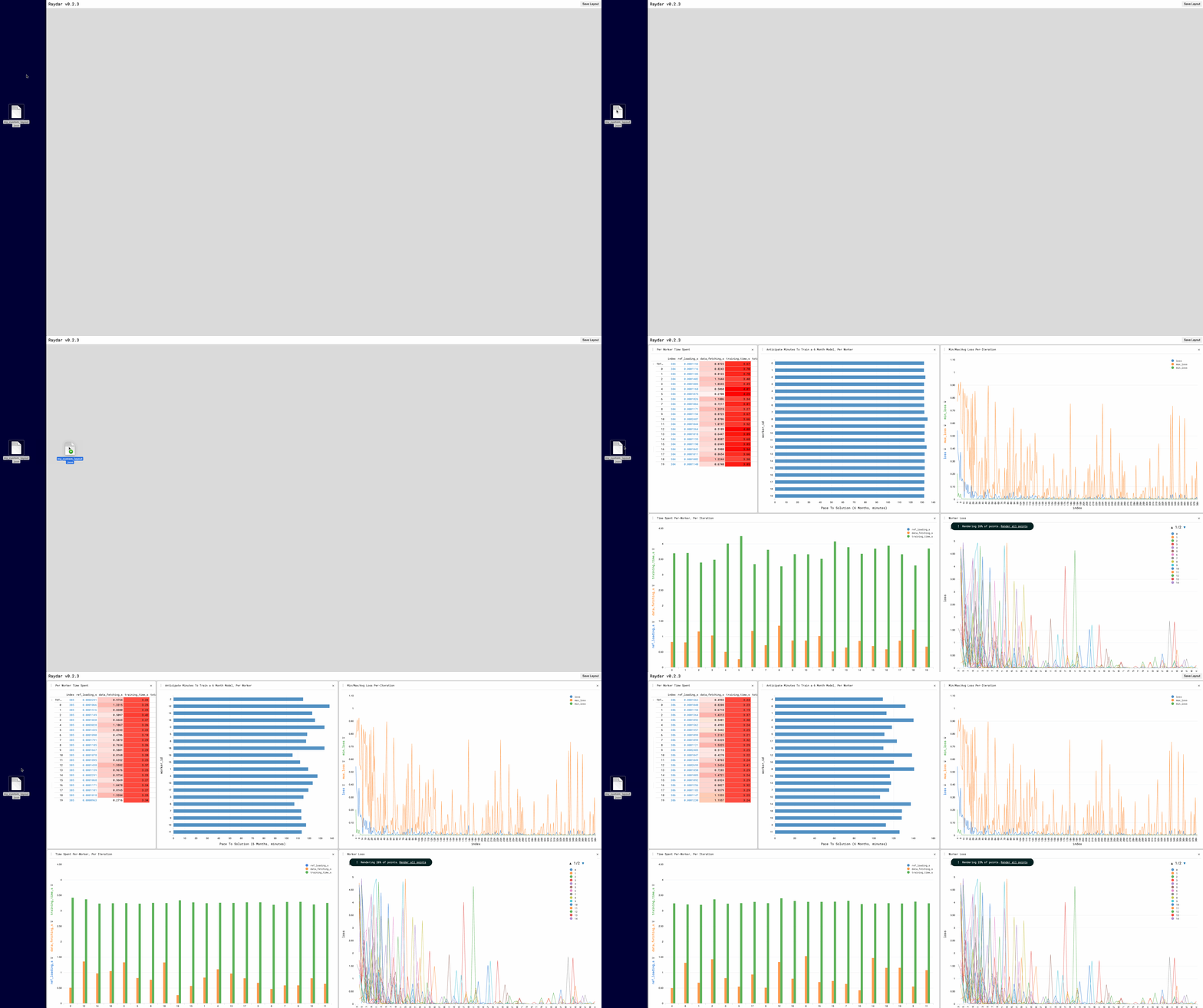
- _How can I save and restore my perspective layouts?_
The `Save Layout` button saves a json file containing layout information. Dragging and dropping this file into the UI browser window restores that layout.
## License
This software is licensed under the Apache 2.0 license. See the [LICENSE](LICENSE) file for details.