https://github.com/polymerlabs/books
https://github.com/polymerlabs/books
Last synced: 12 months ago
JSON representation
- Host: GitHub
- URL: https://github.com/polymerlabs/books
- Owner: PolymerLabs
- Created: 2018-03-06T18:14:59.000Z (over 8 years ago)
- Default Branch: master
- Last Pushed: 2025-03-28T22:16:07.000Z (about 1 year ago)
- Last Synced: 2025-03-31T06:06:03.298Z (about 1 year ago)
- Language: JavaScript
- Homepage: https://books-pwakit.appspot.com
- Size: 3.05 MB
- Stars: 54
- Watchers: 25
- Forks: 34
- Open Issues: 13
-
Metadata Files:
- Readme: README.md
Awesome Lists containing this project
README
[](https://github.com/Polymer/pwa-starter-kit "Built with pwa–starter–kit")
# Books PWA
Books is a simple Google Books PWA. It uses [Google Books API](https://developers.google.com/books/docs/v1/reference/volumes/list) to search for books and [Embedded Viewer API](https://developers.google.com/books/docs/viewer/reference) to display book content.
Additionally it uses [OAuth 2.0](https://developers.google.com/identity/protocols/OAuth2UserAgent) authorization to retrieve a listing of the Favorites on the authenticated user's bookshelf. As well as add/remove favorite on the authenticated user's bookshelf.
The app is built using [PWA Starter Kit](https://github.com/Polymer/pwa-starter-kit). Using the starter-template as the starting point and the [wiki](https://github.com/Polymer/pwa-starter-kit/wiki) for configuring and personalizing.
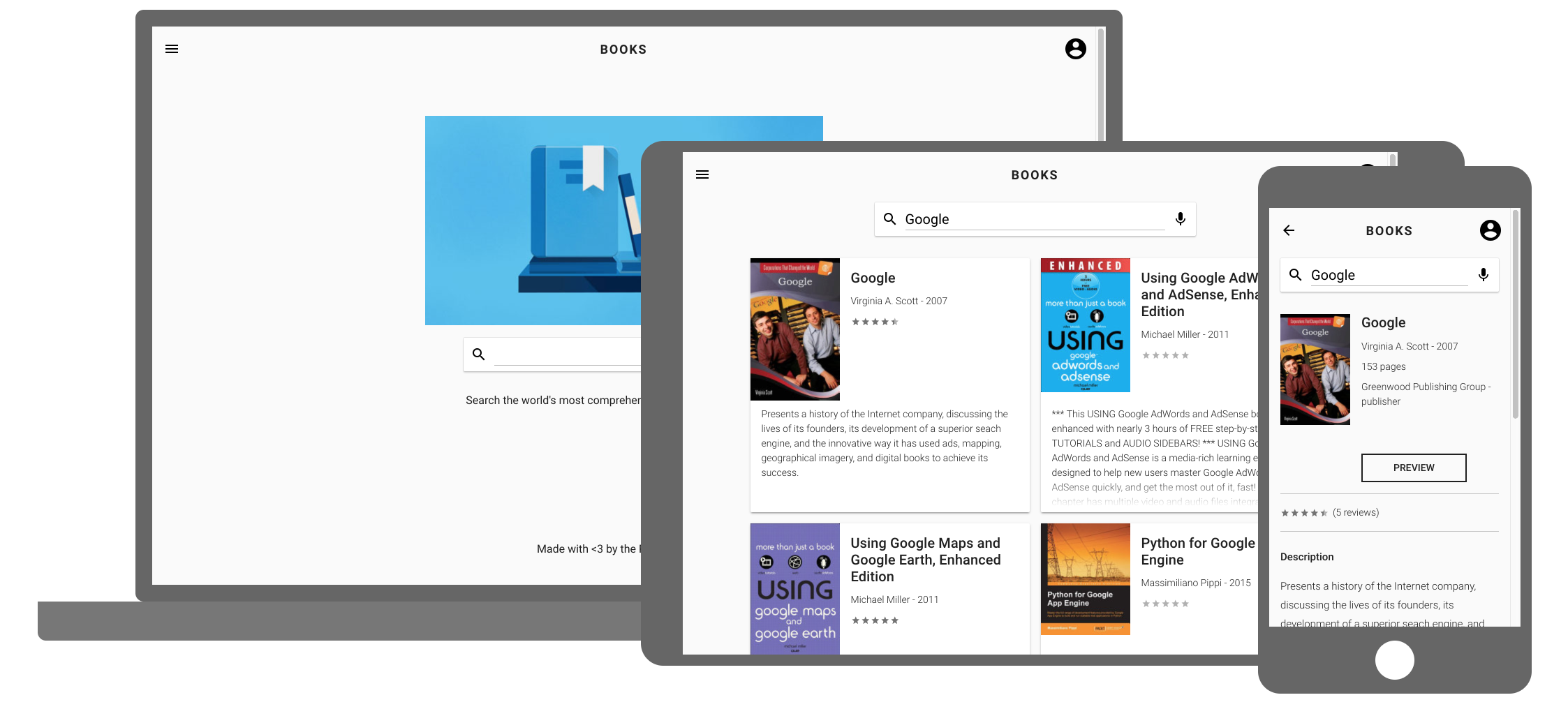
## Features/highlights
- Show a basic search-list-detail flow.
- Use `fetch` to send request to Google Books API.
- Sign-in to Google account using [Google Sign-In Client API](https://developers.google.com/identity/sign-in/web/reference#googleauthsignin)
- OAuth 2.0 authorization to access Google APIs via [Google API Client Library](https://developers.google.com/api-client-library/javascript/reference/referencedocs)
- Display offline UI when fetch returns failure while offline.
- And once it comes back online, automatically re-fetch and update the page.
- Uses the [SpeechRecognition API](https://developer.mozilla.org/en-US/docs/Web/API/SpeechRecognition) to search by voice.
- Shimmer placeholder while content is loading.

- Update the browser URL programmatically without causing page reload. In the app, we want to append query param to the URL when the search input’s value is committed.
- Scroll to top on page change.
- ``: Simple rating element.
- ``: Basic image element which fades in when the image is loaded. Also has a placeholder that can be used to put a base64 encoded data URL to create the “blur up” effect.
- ``: Simple input decorator element in which the input's underline animates when the input is focused.
## Setup
```bash
$ npm i
$ npm start # or similar that serve index.html for all routes
```
#### Enable OAuth for list/add/remove favorites on the authenticated user's bookshelf
- Enable Books API and create OAuth client ID
https://developers.google.com/identity/protocols/OAuth2UserAgent#prerequisites
- Set the OAuth client ID in the application [here](https://github.com/PolymerLabs/books/blob/master/src/actions/auth.js#L24)
## Build and deploy
```bash
$ npm run build:prpl-server
```
Download the [Google App Engine SDK](https://cloud.google.com/appengine/downloads) and follow the instructions to install and create a new project. This app uses the Python SDK.
```bash
$ gcloud app deploy server/app.yaml --project
```