https://github.com/poyrazavsever/reactive-switcher
A simple and customizable theme switcher component for React applications, allowing users to toggle between light and dark modes seamlessly. Easily integrate it into your projects to enhance user experience with dynamic theming.
https://github.com/poyrazavsever/reactive-switcher
colors mode react-native react-switcher react-theme-provider reactive reactive-switcher switcher theme theme-mode theme-switch theme-switcher themes web-themes
Last synced: 21 days ago
JSON representation
A simple and customizable theme switcher component for React applications, allowing users to toggle between light and dark modes seamlessly. Easily integrate it into your projects to enhance user experience with dynamic theming.
- Host: GitHub
- URL: https://github.com/poyrazavsever/reactive-switcher
- Owner: poyrazavsever
- Created: 2025-11-30T19:58:01.000Z (7 months ago)
- Default Branch: master
- Last Pushed: 2025-12-01T12:04:12.000Z (7 months ago)
- Last Synced: 2025-12-03T05:45:41.465Z (7 months ago)
- Topics: colors, mode, react-native, react-switcher, react-theme-provider, reactive, reactive-switcher, switcher, theme, theme-mode, theme-switch, theme-switcher, themes, web-themes
- Language: TypeScript
- Homepage: https://reactive-switcher-j9qb.vercel.app/
- Size: 325 KB
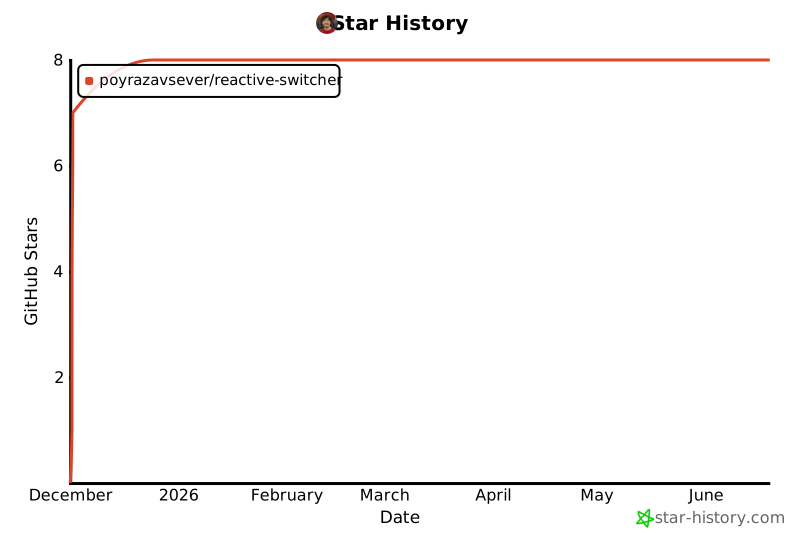
- Stars: 7
- Watchers: 0
- Forks: 0
- Open Issues: 0
-
Metadata Files:
- Readme: README.md
Awesome Lists containing this project
README

Reactive Switcher
Type-safe, modular, and instant theme switching for React & Tailwind CSS v4




Features •
Installation •
Quick Start •
API •
Demo •
Türkçe
---
## ✨ Features
- 🚀 **Zero Runtime Overhead** - Uses CSS variables for instant theme switching
- 📦 **TypeScript First** - Full type safety with autocomplete support
- 🎨 **Tailwind CSS v4 Ready** - Seamless integration with the new engine
- 💾 **Persistent Themes** - LocalStorage support out of the box
- 🌙 **System Theme Detection** - Respects `prefers-color-scheme`
- ⚡ **No Flash** - SSR compatible with hydration flash prevention
- 🎯 **Scoped Theming** - Apply different themes to different parts of your app
- 🧩 **Ready-to-use Components** - `ThemeSwitcher` and `ThemeToggle` included
---
## 📦 Installation
```bash
npm install reactive-switcher
# or
pnpm add reactive-switcher
# or
yarn add reactive-switcher
```
---
## 🚀 Quick Start
### 1. Define Your Themes
```typescript
// themes.ts
import { ThemesConfig } from "reactive-switcher";
export const themes: ThemesConfig = {
light: {
name: "light",
type: "light",
colors: {
background: "#ffffff",
foreground: "#0f172a",
primary: {
DEFAULT: "#3b82f6",
foreground: "#ffffff",
50: "#eff6ff",
500: "#3b82f6",
600: "#2563eb",
},
secondary: {
DEFAULT: "#64748b",
foreground: "#ffffff",
},
surface: {
50: "#f8fafc",
100: "#f1f5f9",
200: "#e2e8f0",
},
},
},
dark: {
name: "dark",
type: "dark",
colors: {
background: "#020617",
foreground: "#f8fafc",
primary: {
DEFAULT: "#60a5fa",
foreground: "#0f172a",
},
secondary: {
DEFAULT: "#94a3b8",
foreground: "#0f172a",
},
surface: {
50: "#0f172a",
100: "#1e293b",
200: "#334155",
},
},
},
};
```
### 2. Wrap Your App with ThemeProvider
```tsx
// app/layout.tsx (Next.js)
import { ThemeProvider } from "reactive-switcher";
import { themes } from "./themes";
export default function RootLayout({ children }) {
return (
{children}
);
}
```
### 3. Use the Theme
```tsx
"use client";
import { useTheme, ThemeToggle } from "reactive-switcher";
export function Header() {
const { theme, setTheme, toggleTheme } = useTheme();
return (
Current Theme: {theme}
{/* Ready-to-use toggle */}
{/* Or manual control */}
setTheme("dark")}>Dark
Toggle
);
}
```
### 4. Configure Tailwind CSS v4
```css
/* globals.css */
@import "tailwindcss";
@theme {
--color-background: var(--color-background);
--color-foreground: var(--color-foreground);
--color-primary: var(--color-primary-DEFAULT);
--color-primary-foreground: var(--color-primary-foreground);
--color-secondary: var(--color-secondary-DEFAULT);
--color-surface-50: var(--color-surface-50);
--color-surface-100: var(--color-surface-100);
--color-surface-200: var(--color-surface-200);
}
@layer base {
body {
background-color: var(--color-background);
color: var(--color-foreground);
transition: background-color 0.3s, color 0.3s;
}
}
```
---
## 📖 API Reference
### ThemeProvider Props
| Prop | Type | Default | Description |
| --------------- | ------------------------- | ---------------------------- | ------------------------------- |
| `themes` | `ThemesConfig` | **required** | Theme configurations object |
| `defaultTheme` | `string` | `"light"` | Initial theme name |
| `enableStorage` | `boolean` | `true` | Persist theme to localStorage |
| `storageKey` | `string` | `"reactive-switcher-theme"` | localStorage key |
| `enableSystem` | `boolean` | `true` | Detect system color scheme |
| `selector` | `string` | `":root"` | CSS selector for scoped theming |
| `styleId` | `string` | `"reactive-switcher-styles"` | Style tag ID |
| `attribute` | `"class" \| "data-theme"` | `"class"` | HTML attribute for theme |
### useTheme() Hook
```typescript
const {
theme, // Current theme name (string)
resolvedTheme, // Actual theme (resolves "system")
setTheme, // (name: string) => void
toggleTheme, // () => void - Cycle through themes
themes, // Available theme names (string[])
systemTheme, // System preference ("light" | "dark")
} = useTheme();
```
### Built-in Components
```tsx
import { ThemeSwitcher, ThemeToggle } from "reactive-switcher";
// Dropdown/Button switcher with multiple variants
// Side-by-side buttons
// Dropdown menu
// Toggle button
// Simple two-theme toggle
```
---
## 🎯 Advanced Usage
### Scoped Theming
Apply different themes to different parts of your app:
```tsx
import { ThemeProvider } from "reactive-switcher";
import { themes } from "./themes";
function App() {
return (
Main content with light theme
{/* Scoped dark theme section */}
This section has its own theme!
);
}
```
### Custom Color Palettes
Define nested color tokens:
```typescript
const themes: ThemesConfig = {
ocean: {
name: "ocean",
type: "dark",
colors: {
background: "#042f2e",
foreground: "#ccfbf1",
primary: {
DEFAULT: "#2dd4bf",
foreground: "#042f2e",
50: "#042f2e",
100: "#115e59",
200: "#0f766e",
// ... more shades
},
accent: {
DEFAULT: "#facc15",
foreground: "#422006",
},
},
},
};
```
---
## 🌐 Demo
Check out the live demo: [reactive-switcher.vercel.app](https://reactive-switcher.vercel.app)
---
## 🤝 Contributing
Contributions are welcome! Please feel free to submit a Pull Request.
1. Fork the repository
2. Create your feature branch (`git checkout -b feature/amazing-feature`)
3. Commit your changes (`git commit -m 'Add some amazing feature'`)
4. Push to the branch (`git push origin feature/amazing-feature`)
5. Open a Pull Request
---
## 📄 License
MIT © [Poyraz Avsever](https://github.com/poyrazavsever)
---
# Türkçe
React ve Tailwind CSS v4 için tip güvenli, modüler ve anlık tema değiştirici
---
## ✨ Özellikler
- 🚀 **Sıfır Çalışma Zamanı Yükü** - Anlık tema değişimi için CSS değişkenleri kullanır
- 📦 **TypeScript Öncelikli** - Otomatik tamamlama desteği ile tam tip güvenliği
- 🎨 **Tailwind CSS v4 Uyumlu** - Yeni motor ile kusursuz entegrasyon
- 💾 **Kalıcı Temalar** - Kutudan çıktığı gibi localStorage desteği
- 🌙 **Sistem Teması Algılama** - `prefers-color-scheme` tercihine uyar
- ⚡ **Yanıp Sönme Yok** - SSR uyumlu, hidrasyon flash önleme
- 🎯 **Kapsamlı Tema** - Uygulamanızın farklı bölümlerine farklı temalar uygulayın
- 🧩 **Kullanıma Hazır Bileşenler** - `ThemeSwitcher` ve `ThemeToggle` dahil
---
## 📦 Kurulum
```bash
npm install reactive-switcher
# veya
pnpm add reactive-switcher
# veya
yarn add reactive-switcher
```
---
## 🚀 Hızlı Başlangıç
### 1. Temalarınızı Tanımlayın
```typescript
// themes.ts
import { ThemesConfig } from "reactive-switcher";
export const themes: ThemesConfig = {
light: {
name: "light",
type: "light",
colors: {
background: "#ffffff",
foreground: "#0f172a",
primary: {
DEFAULT: "#3b82f6",
foreground: "#ffffff",
50: "#eff6ff",
500: "#3b82f6",
600: "#2563eb",
},
secondary: {
DEFAULT: "#64748b",
foreground: "#ffffff",
},
surface: {
50: "#f8fafc",
100: "#f1f5f9",
200: "#e2e8f0",
},
},
},
dark: {
name: "dark",
type: "dark",
colors: {
background: "#020617",
foreground: "#f8fafc",
primary: {
DEFAULT: "#60a5fa",
foreground: "#0f172a",
},
secondary: {
DEFAULT: "#94a3b8",
foreground: "#0f172a",
},
surface: {
50: "#0f172a",
100: "#1e293b",
200: "#334155",
},
},
},
};
```
### 2. Uygulamanızı ThemeProvider ile Sarmalayın
```tsx
// app/layout.tsx (Next.js)
import { ThemeProvider } from "reactive-switcher";
import { themes } from "./themes";
export default function RootLayout({ children }) {
return (
{children}
);
}
```
### 3. Temayı Kullanın
```tsx
"use client";
import { useTheme, ThemeToggle } from "reactive-switcher";
export function Header() {
const { theme, setTheme, toggleTheme } = useTheme();
return (
Aktif Tema: {theme}
{/* Kullanıma hazır toggle */}
{/* Veya manuel kontrol */}
setTheme("dark")}>Koyu
Değiştir
);
}
```
### 4. Tailwind CSS v4 Yapılandırması
```css
/* globals.css */
@import "tailwindcss";
@theme {
--color-background: var(--color-background);
--color-foreground: var(--color-foreground);
--color-primary: var(--color-primary-DEFAULT);
--color-primary-foreground: var(--color-primary-foreground);
--color-secondary: var(--color-secondary-DEFAULT);
--color-surface-50: var(--color-surface-50);
--color-surface-100: var(--color-surface-100);
--color-surface-200: var(--color-surface-200);
}
@layer base {
body {
background-color: var(--color-background);
color: var(--color-foreground);
transition: background-color 0.3s, color 0.3s;
}
}
```
---
## 📖 API Referansı
### ThemeProvider Props
| Prop | Tip | Varsayılan | Açıklama |
| --------------- | -------------- | --------------------------- | ----------------------------- |
| `themes` | `ThemesConfig` | **zorunlu** | Tema yapılandırma objesi |
| `defaultTheme` | `string` | `"light"` | Başlangıç teması |
| `enableStorage` | `boolean` | `true` | localStorage'a kaydet |
| `storageKey` | `string` | `"reactive-switcher-theme"` | localStorage anahtarı |
| `enableSystem` | `boolean` | `true` | Sistem teması algılama |
| `selector` | `string` | `":root"` | Kapsamlı tema için CSS seçici |
### useTheme() Hook
```typescript
const {
theme, // Aktif tema adı (string)
resolvedTheme, // Gerçek tema ("system" çözümlenir)
setTheme, // (name: string) => void
toggleTheme, // () => void - Temalar arasında geçiş
themes, // Mevcut tema adları (string[])
systemTheme, // Sistem tercihi ("light" | "dark")
} = useTheme();
```
---
## 🌐 Demo
Canlı demoyu inceleyin: [reactive-switcher.vercel.app](https://reactive-switcher.vercel.app)
---
## 🤝 Katkıda Bulunma
Katkılarınızı bekliyoruz! Pull Request göndermekten çekinmeyin.
1. Repoyu fork edin
2. Feature branch oluşturun (`git checkout -b feature/harika-ozellik`)
3. Değişikliklerinizi commit edin (`git commit -m 'Harika özellik ekle'`)
4. Branch'i push edin (`git push origin feature/harika-ozellik`)
5. Pull Request açın
---
## 📄 Lisans
MIT © [Poyraz Avsever](https://github.com/poyrazavsever)
---
[](https://www.star-history.com/#poyrazavsever/reactive-switcher&type=date&legend=top-left)
Made with ❤️ by Poyraz Avsever