https://github.com/pranshuchittora/simvyn
Universal mobile devtool — control iOS Simulators, Android Emulators, and real devices from a single dashboard and CLI
https://github.com/pranshuchittora/simvyn
adb android android-studio devtools flutter ionic ios jetpack mobile react-native simulator swiftui xcode xcrun
Last synced: 4 months ago
JSON representation
Universal mobile devtool — control iOS Simulators, Android Emulators, and real devices from a single dashboard and CLI
- Host: GitHub
- URL: https://github.com/pranshuchittora/simvyn
- Owner: pranshuchittora
- Created: 2026-02-27T12:51:28.000Z (5 months ago)
- Default Branch: main
- Last Pushed: 2026-03-20T19:42:58.000Z (4 months ago)
- Last Synced: 2026-03-21T10:44:02.716Z (4 months ago)
- Topics: adb, android, android-studio, devtools, flutter, ionic, ios, jetpack, mobile, react-native, simulator, swiftui, xcode, xcrun
- Language: TypeScript
- Homepage:
- Size: 46.6 MB
- Stars: 103
- Watchers: 2
- Forks: 6
- Open Issues: 0
-
Metadata Files:
- Readme: README.md
Awesome Lists containing this project
README

simvyn
Universal mobile devtool — control iOS Simulators, Android Emulators, and real devices from a single dashboard and CLI


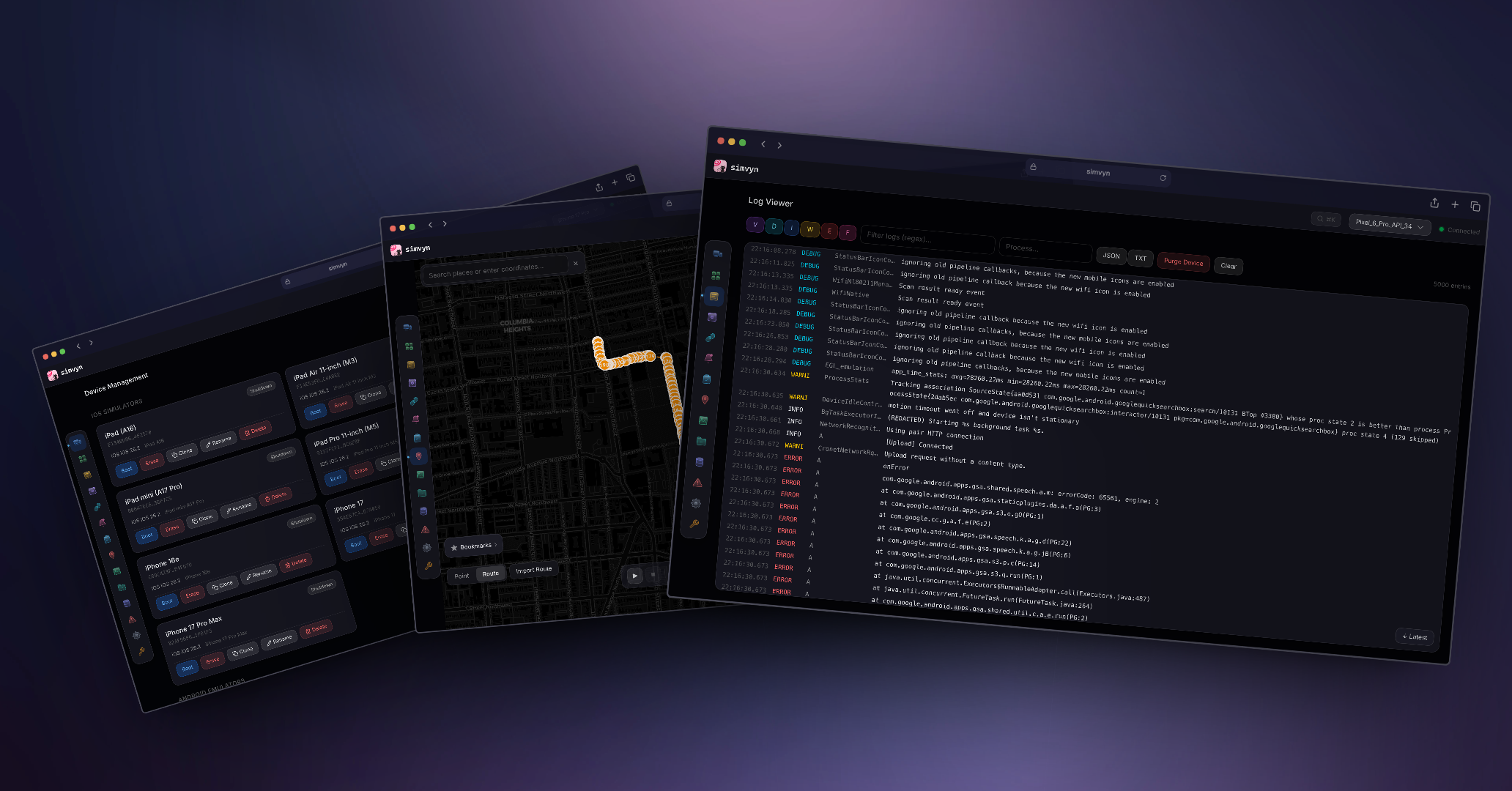
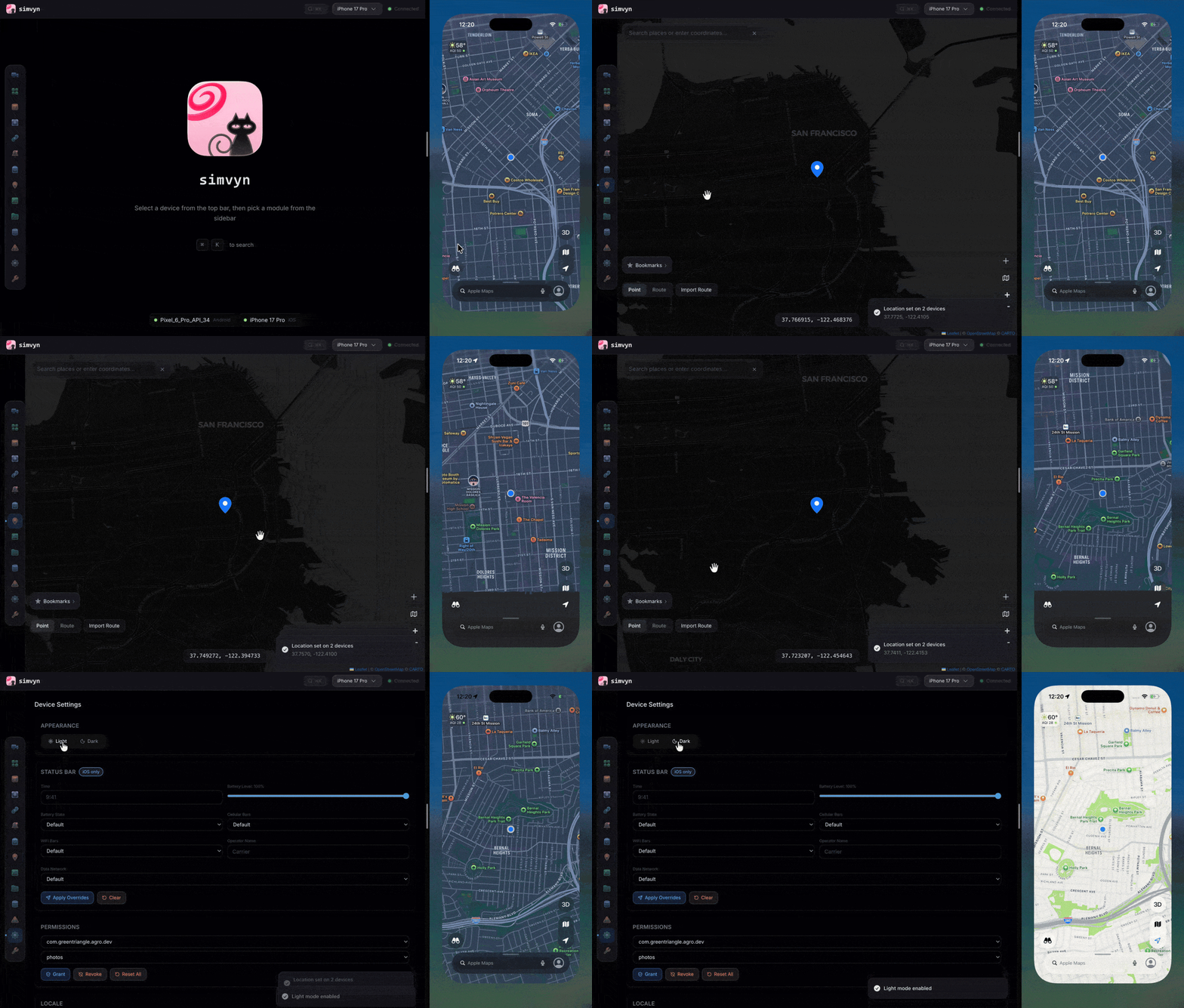
## Quick Start
```bash
npx simvyn
```
Starts the local server, opens the web dashboard in your browser, and discovers all connected simulators, emulators, and USB-connected physical devices automatically.
## Installation
**Global install:**
```bash
npm install -g simvyn
```
**One-time use (no install):**
```bash
npx simvyn
```
**Requirements:**
- Node.js >= 22.12.0
- macOS (full iOS + Android support) or Linux (Android only)
## Features
- **Device Management** — Discover, boot, shutdown, erase, create, and clone simulators, emulators, and physical devices with favourite pinning
- **App Management** — Install, launch, terminate, uninstall apps via drag-and-drop or CLI
- **Log Viewer** — Real-time streaming with level filtering, find-in-page search (Cmd+F), regex search, pagination, and export
- **Location Simulation** — Set GPS coordinates, play GPX/KML routes with speed control, save favorites
- **Device Settings** — Dark mode, locale, orientation, permissions, status bar overrides, accessibility presets
- **Screenshots and Recording** — Capture screenshots and record screen video with history
- **Deep Links** — Open URLs and custom schemes, save favorites per app
- **Database Inspector** — Browse SQLite tables, run SQL queries, view SharedPreferences and NSUserDefaults
- **File Browser** — Browse app sandboxes, upload/download files, edit text inline
- **Push Notifications** — Compose JSON payloads, send to iOS simulators, template library
- **Collections** — Bundle device actions into reusable sequences, apply to multiple devices at once
- **Crash Logs** — iOS diagnostic reports and Android logcat/tombstone crashes
- **Clipboard** — Read and write device clipboard contents
- **Media** — Push photos and videos to device camera rolls and galleries
- **Tool Settings** — Server configuration, storage management, diagnostics, and debug reports
- **Real Device Support** — Connect physical Android and iOS devices via USB with automatic discovery
- **Web Dashboard** — Apple Liquid Glass design with command palette, keyboard navigation
- **Full CLI** — Every feature works headlessly via `simvyn `
## Module Showcases
### Device Management
Discover all connected iOS Simulators, Android Emulators, and USB-connected physical devices in one unified list. Boot, shutdown, and erase devices without touching Xcode or Android Studio. Create new iOS simulators by choosing a device type and runtime, or clone an existing one to quickly spin up duplicates. Physical devices appear automatically when plugged in and are grouped separately in the device selector.
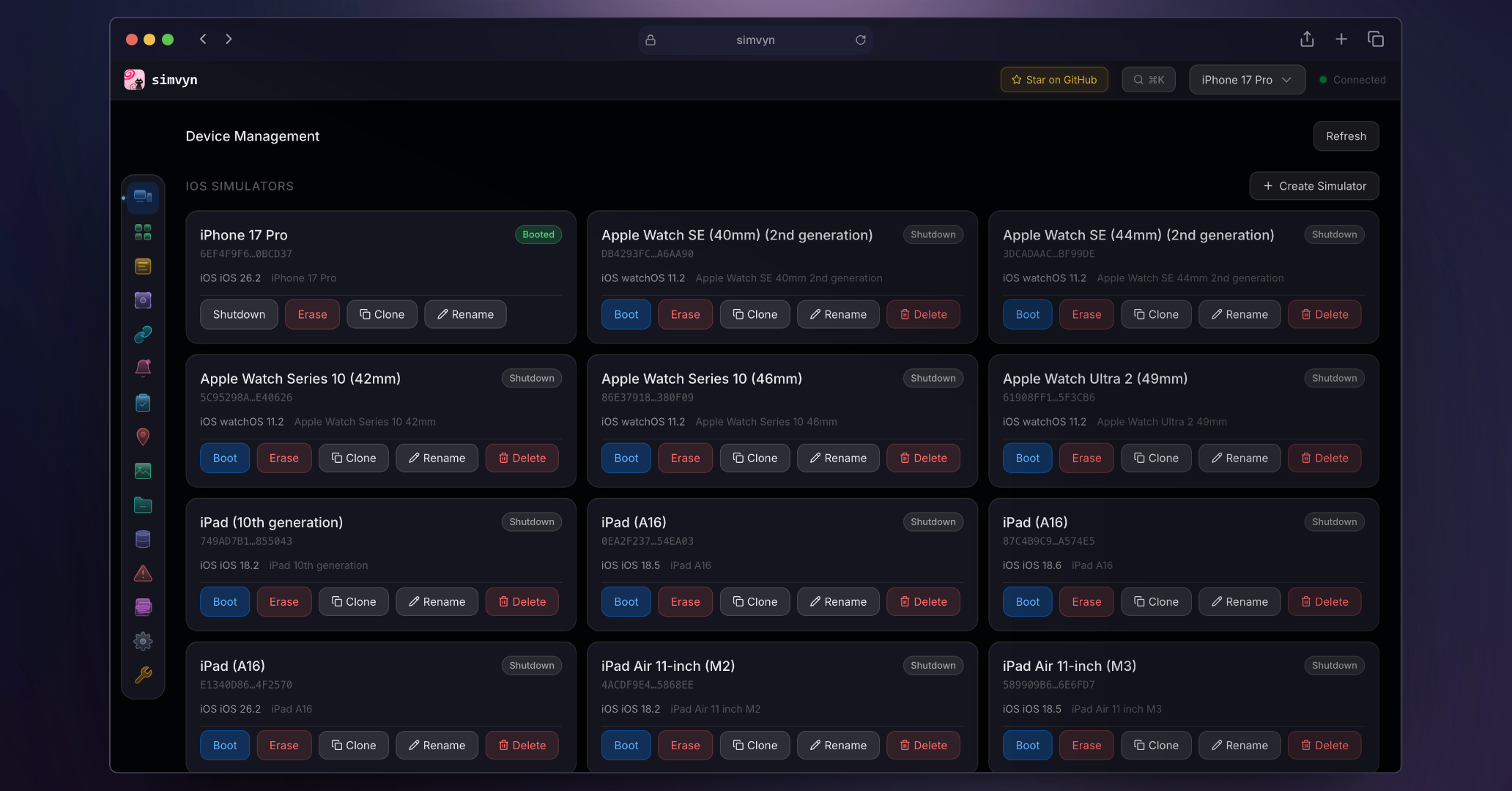
- List all available simulators, emulators, and physical devices across platforms
- Boot, shutdown, and erase devices with one click or CLI command
- Create new iOS simulators with device type and runtime selection
- Clone and rename existing simulators
- Pin favourite devices to the top of the device selector
- Real-time device state updates via WebSocket
### App Management
Install, launch, terminate, and uninstall apps on any connected device. Drag and drop IPA or APK files directly onto the dashboard. View detailed app information and clear app data without manual adb or simctl commands.
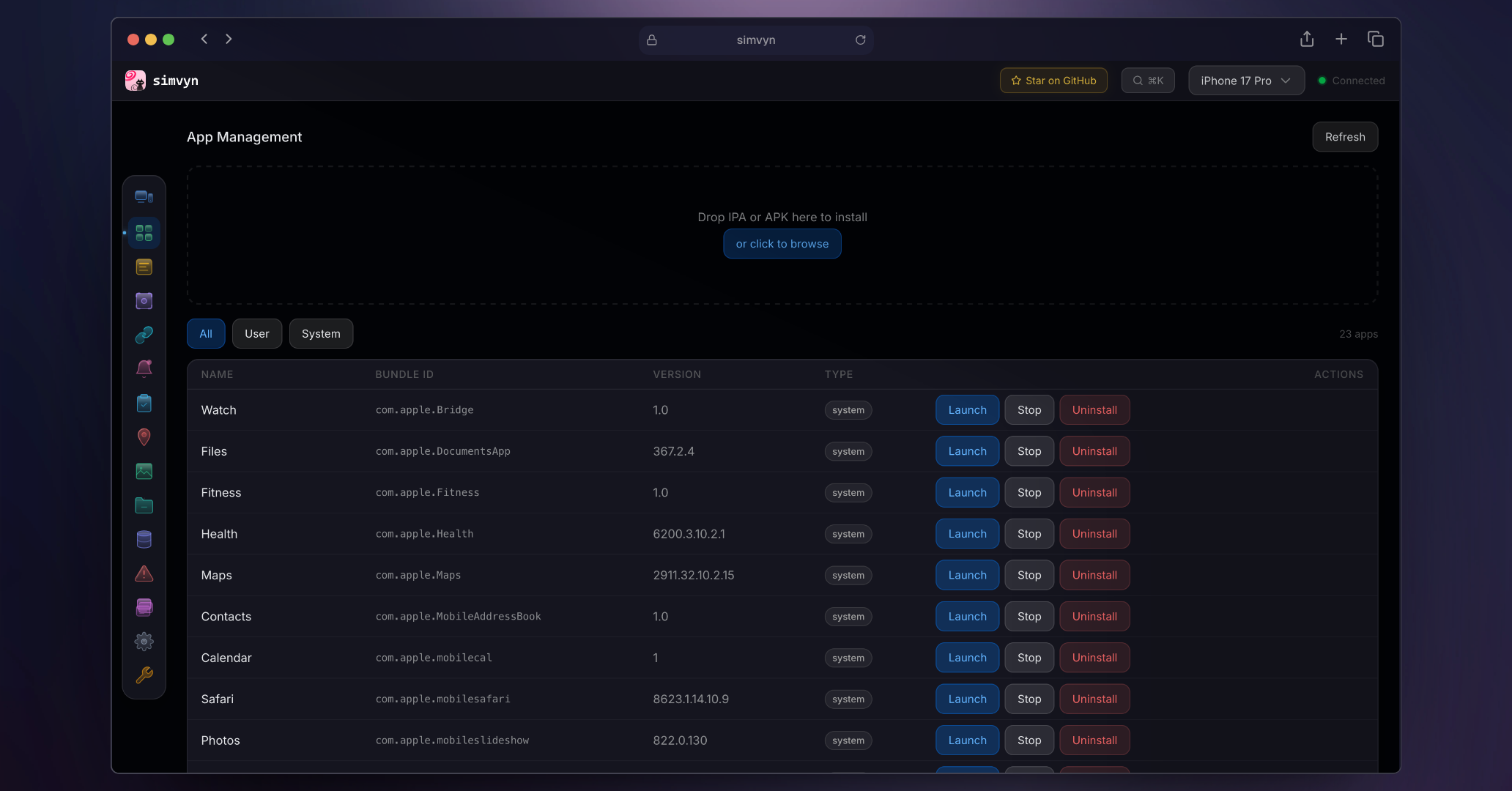
- Drag-and-drop IPA and APK installation
- Launch, terminate, and uninstall apps by bundle ID
- View app details including version, size, and permissions
- Clear app data on Android devices
- List all installed apps with search filtering
### Log Viewer
Stream device logs in real time with powerful filtering. Filter by log level, search with regex patterns, and filter by process name. Use find-in-page search (Cmd+F) to highlight specific entries without hiding surrounding context. Export filtered logs for sharing or archival. Paginated history lets you scroll back through thousands of entries without performance issues.
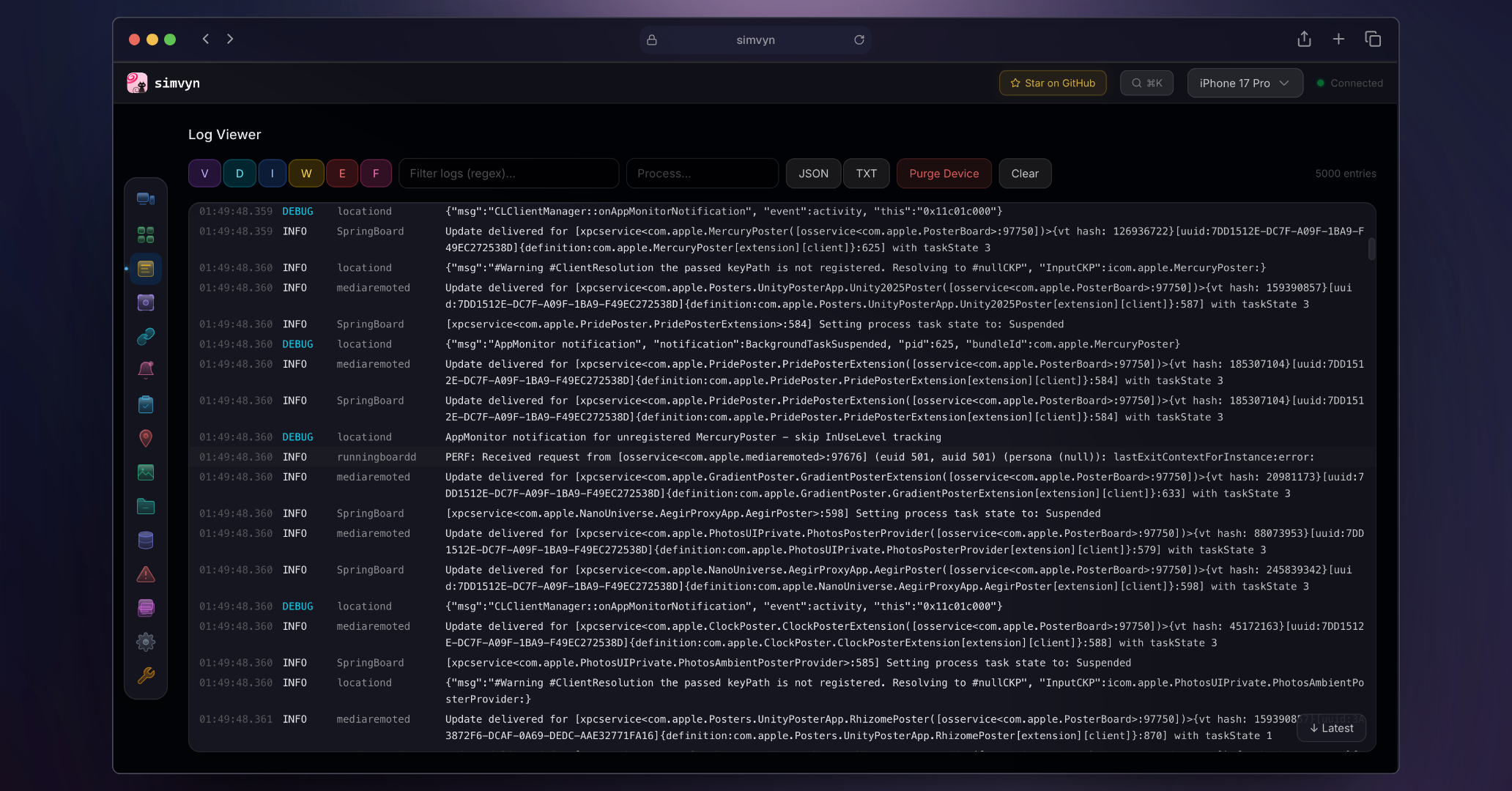
- Real-time log streaming via WebSocket
- Filter by level: debug, info, warning, error, fatal
- Find-in-page search (Cmd+F) with match highlighting, navigation, and counter
- Regex search and process name filtering
- Paginated history with virtual scrolling
- Export filtered logs to file
- Pause/resume log streaming while preserving state across clears
### Location
Set precise GPS coordinates on any device using an interactive map or manual input. Play back GPX and KML route files with adjustable speed control. Save frequently used locations as favorites for quick access.
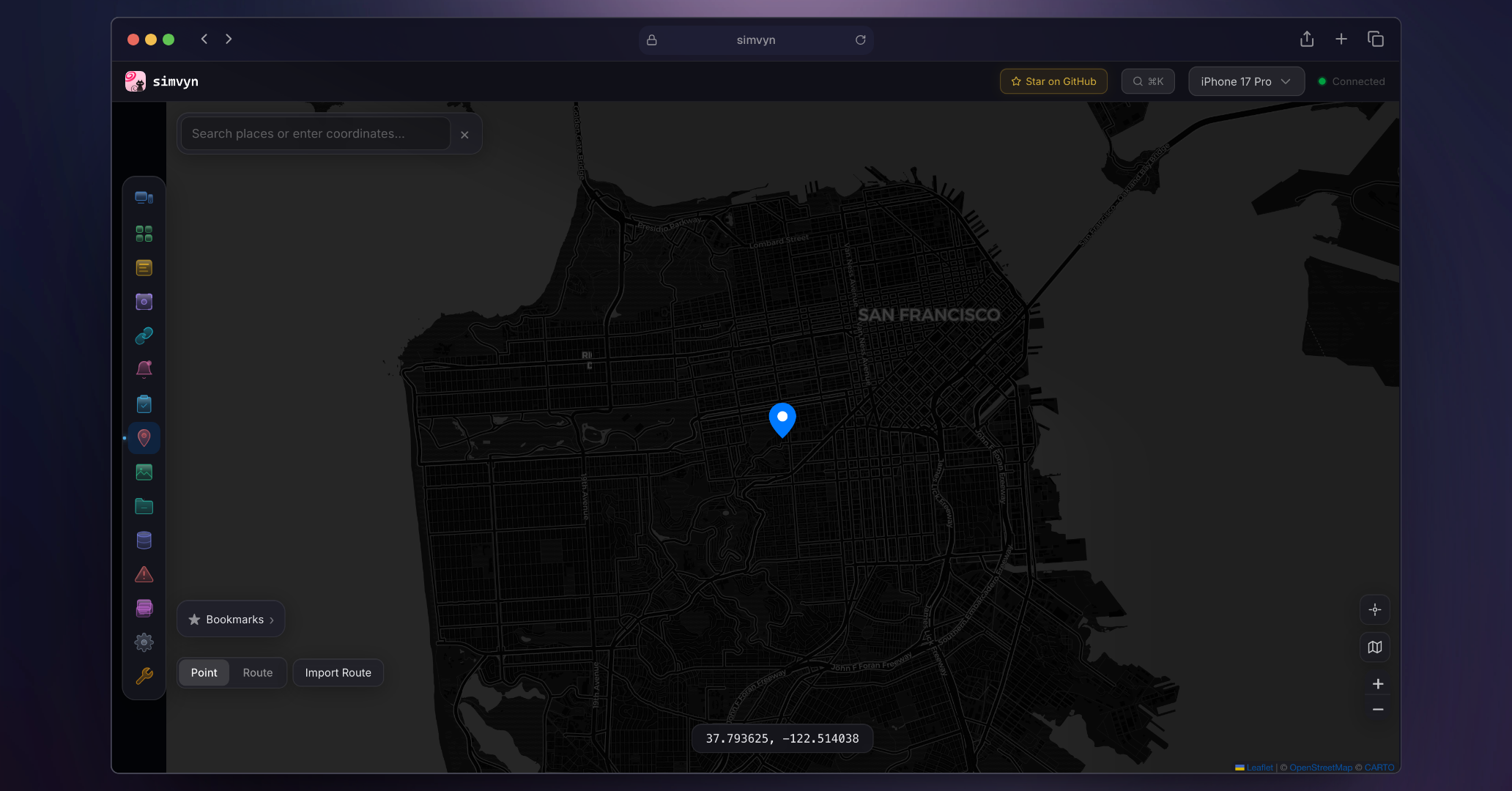
- Interactive map with click-to-set coordinates
- GPX and KML route file playback with speed control
- Favorite locations saved per device
- Multi-device location broadcast
- Reverse geocoding for human-readable addresses
### Device Settings
Toggle dark mode, change locale, rotate device orientation (Android), manage app permissions, and override status bar appearance. Apply accessibility presets to test your app under different conditions. All settings changes take effect immediately on the target device.
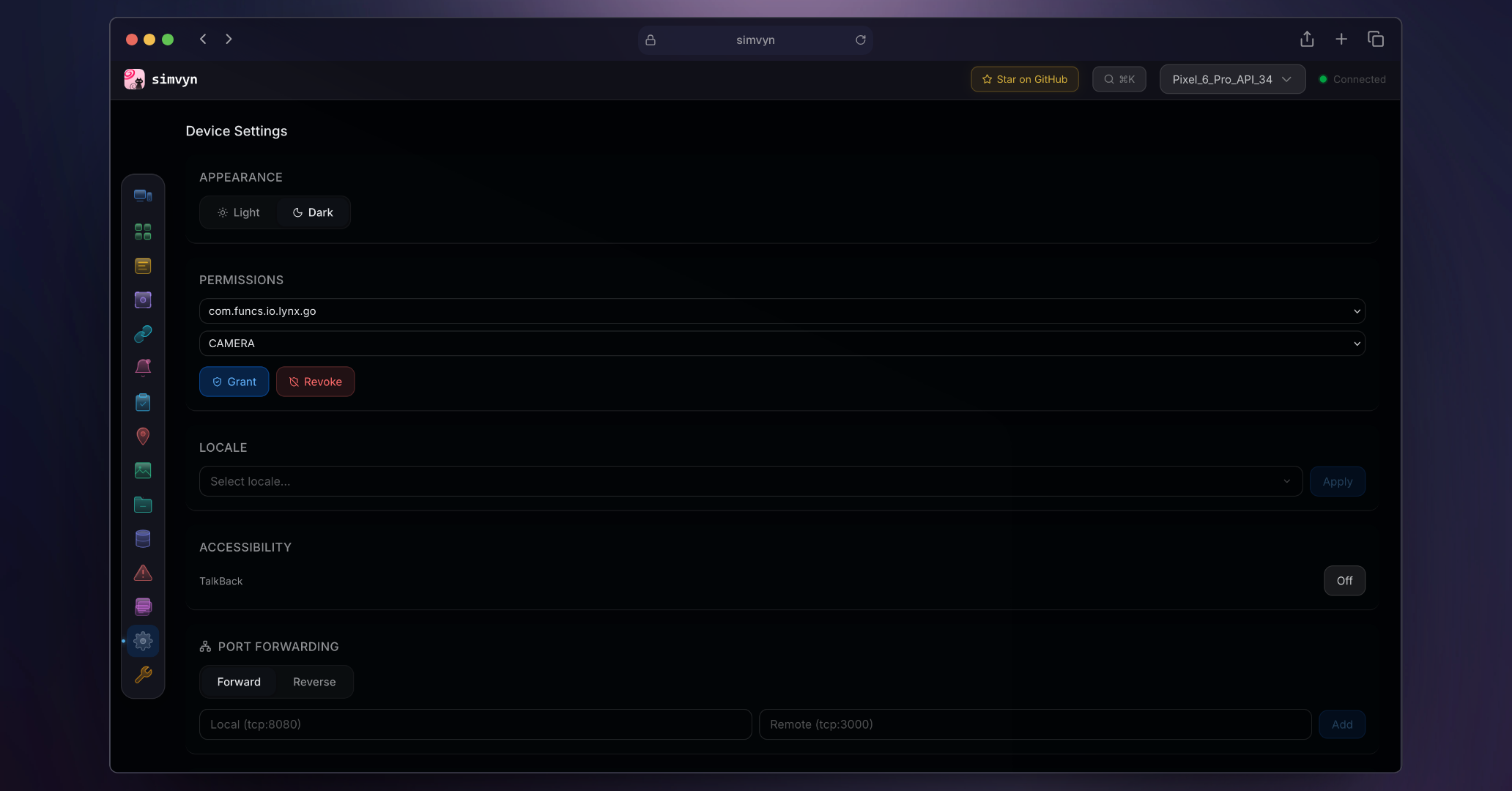
- Toggle dark/light mode
- Change device locale
- Manage app permissions
- Override status bar (time, battery, signal)
- Accessibility presets (bold text, increase contrast, content size)
### Screenshots and Recording
Capture screenshots and record screen video on any device. All captures are saved with timestamps and organized in a browsable history. Download or delete captures directly from the dashboard.
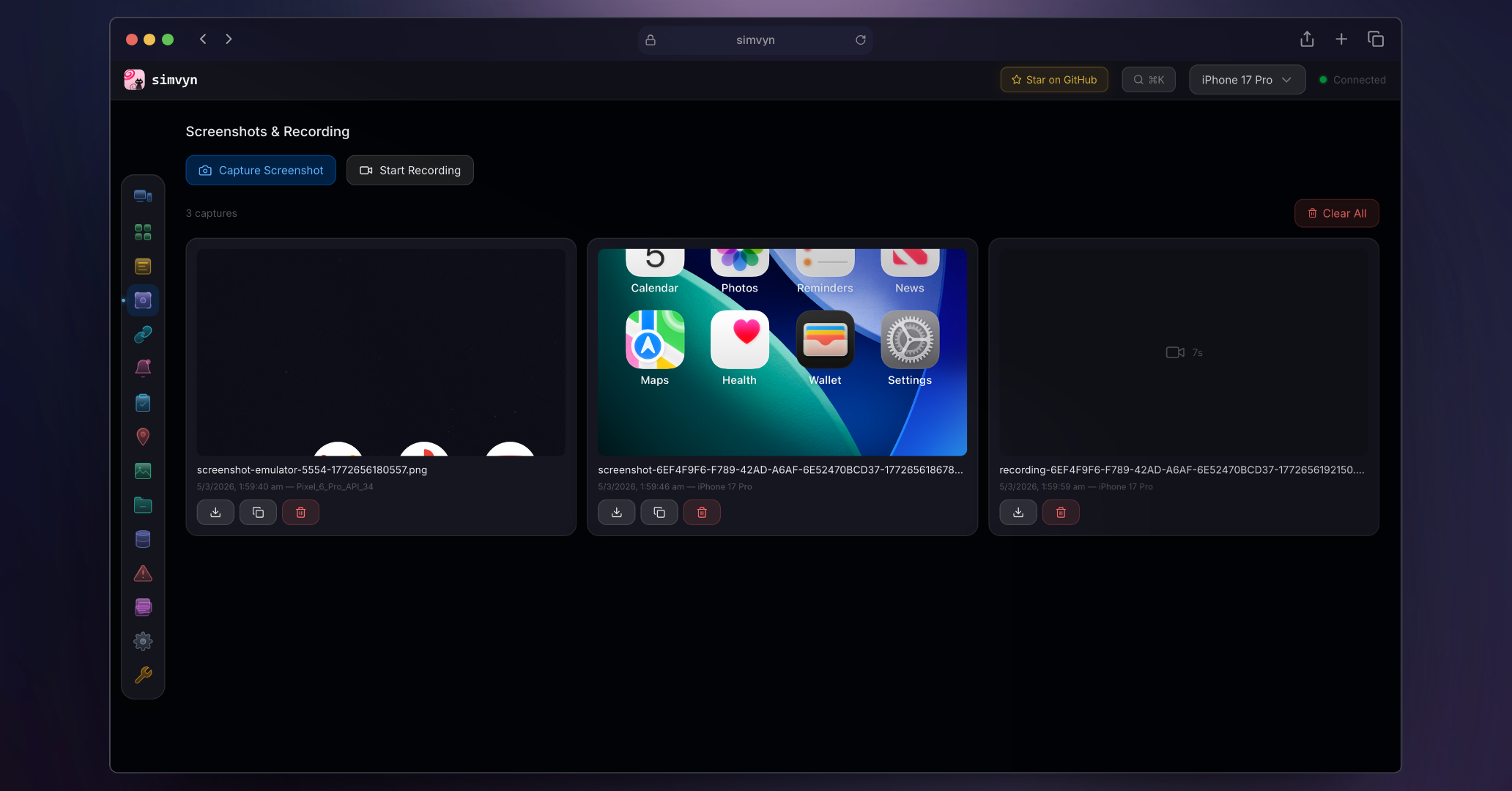
- One-click screenshot capture
- Screen recording with start/stop controls
- Timestamped capture history
- Download and delete captures from the dashboard
### Deep Links
Open URLs and custom URI schemes on any device. Save frequently used deep links as favorites organized by app. Test your app's deep link handling without manually typing URLs into a terminal.
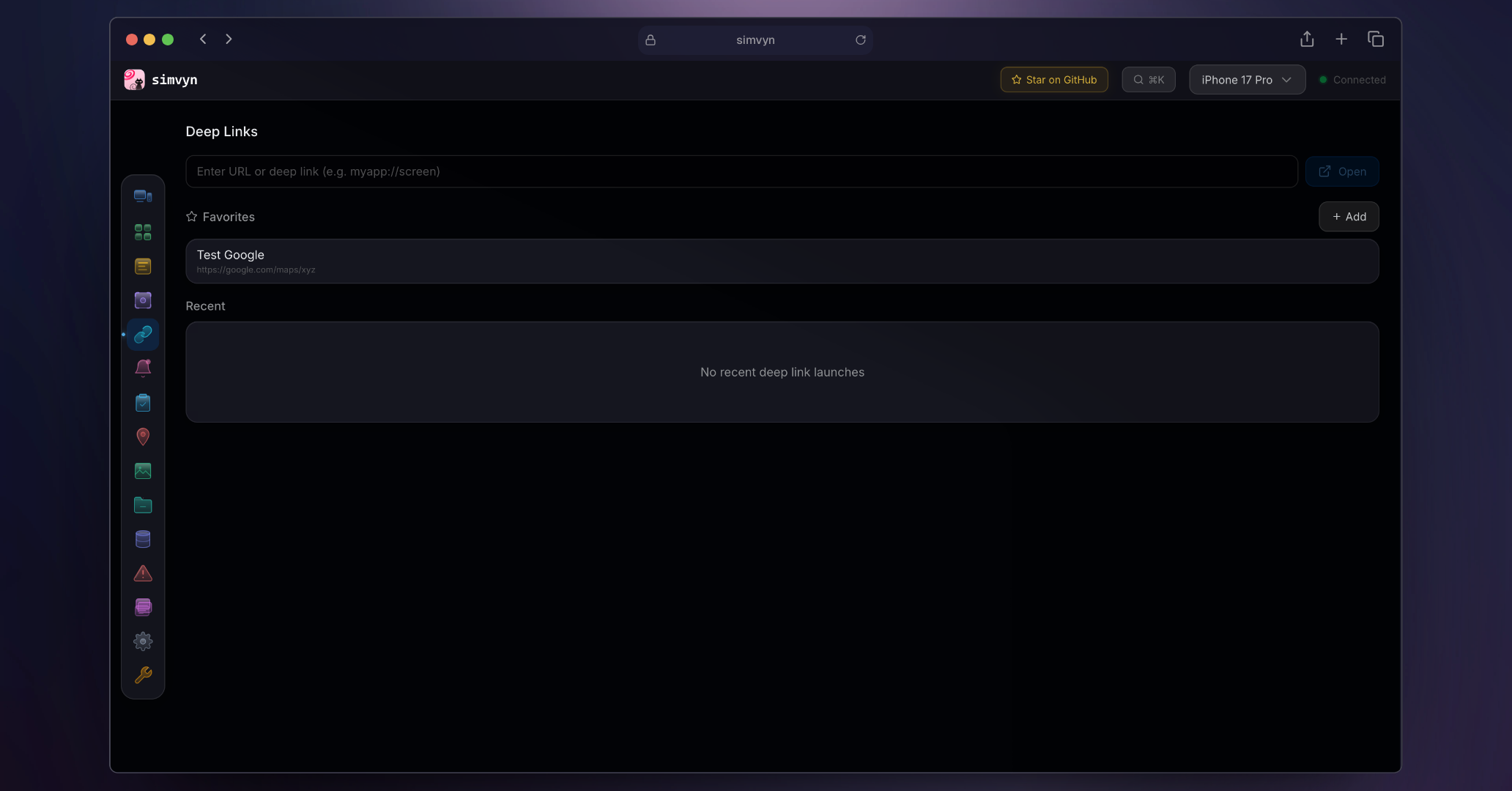
- Open any URL or custom scheme on a device
- Save favorite deep links per app
- Link history with recent-first ordering
- Works with both iOS and Android
### Database Inspector
Browse SQLite databases inside any app's sandbox. View table schemas, run arbitrary SQL queries, and inspect SharedPreferences (Android) or NSUserDefaults (iOS). Edit values inline without writing scripts.
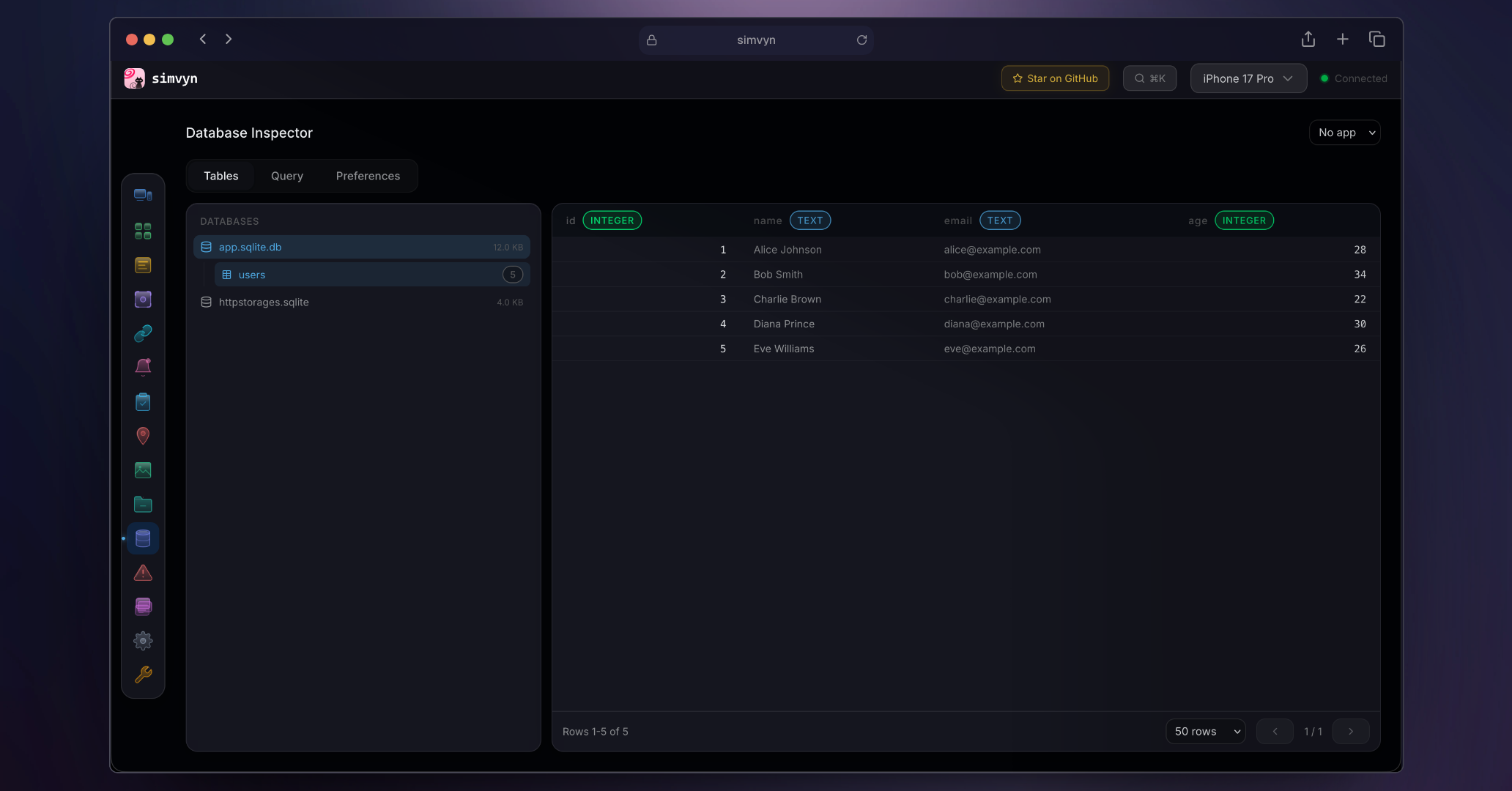
- Browse SQLite tables with sortable columns
- Run arbitrary SQL queries
- View and edit SharedPreferences and NSUserDefaults
- Inline cell editing with type detection
### File Browser
Browse the sandbox file system of any installed app. Navigate directories, upload and download files, and edit text files inline. Transfer files between your machine and the device without manual adb pull/push commands.
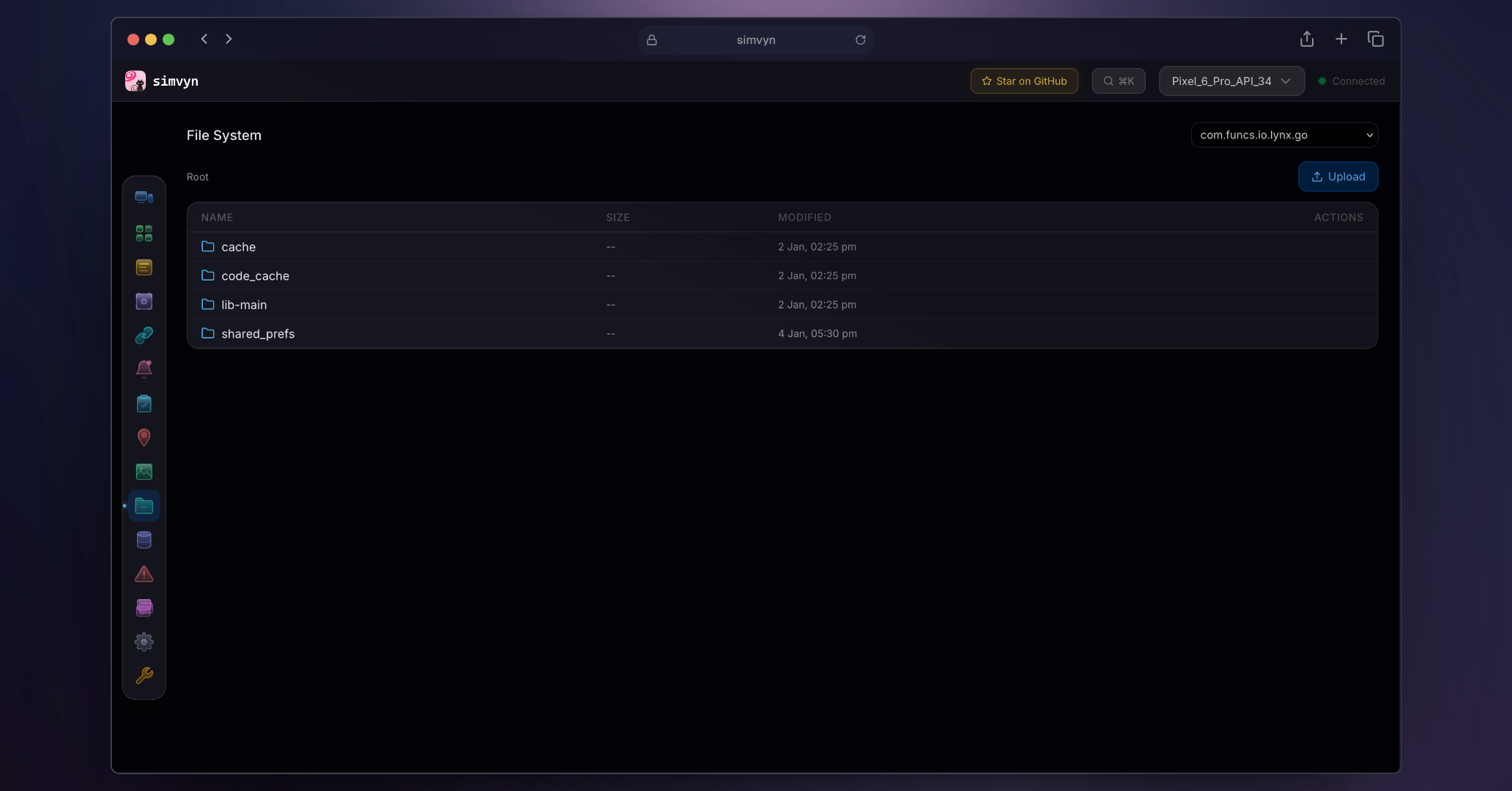
- Browse app sandbox directories
- Upload and download files
- Inline text file editing
- Works with both iOS and Android app containers
### Push Notifications
Compose JSON push notification payloads and send them to iOS simulators. Use the built-in template library as a starting point or write payloads from scratch. Real-time JSON validation highlights errors before sending.
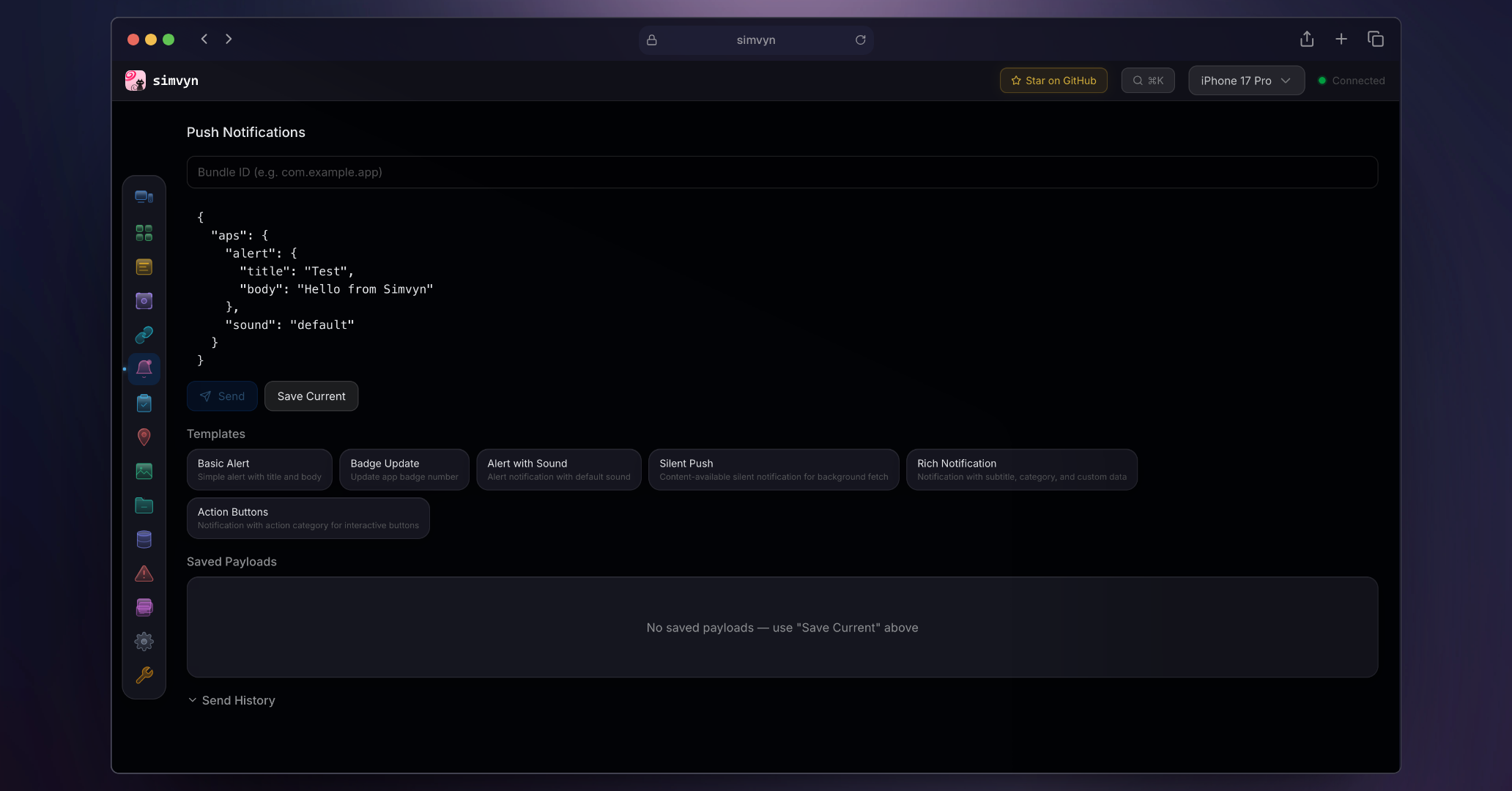
- Compose and send push payloads to iOS simulators
- Built-in payload template library
- Real-time JSON validation
- Target specific apps by bundle ID
### Collections
Create reusable sets of device actions and apply them to multiple devices at once. Collections bundle together steps like setting location, toggling dark mode, and installing an app into a single repeatable workflow. Three starter presets ship with simvyn to get you started.
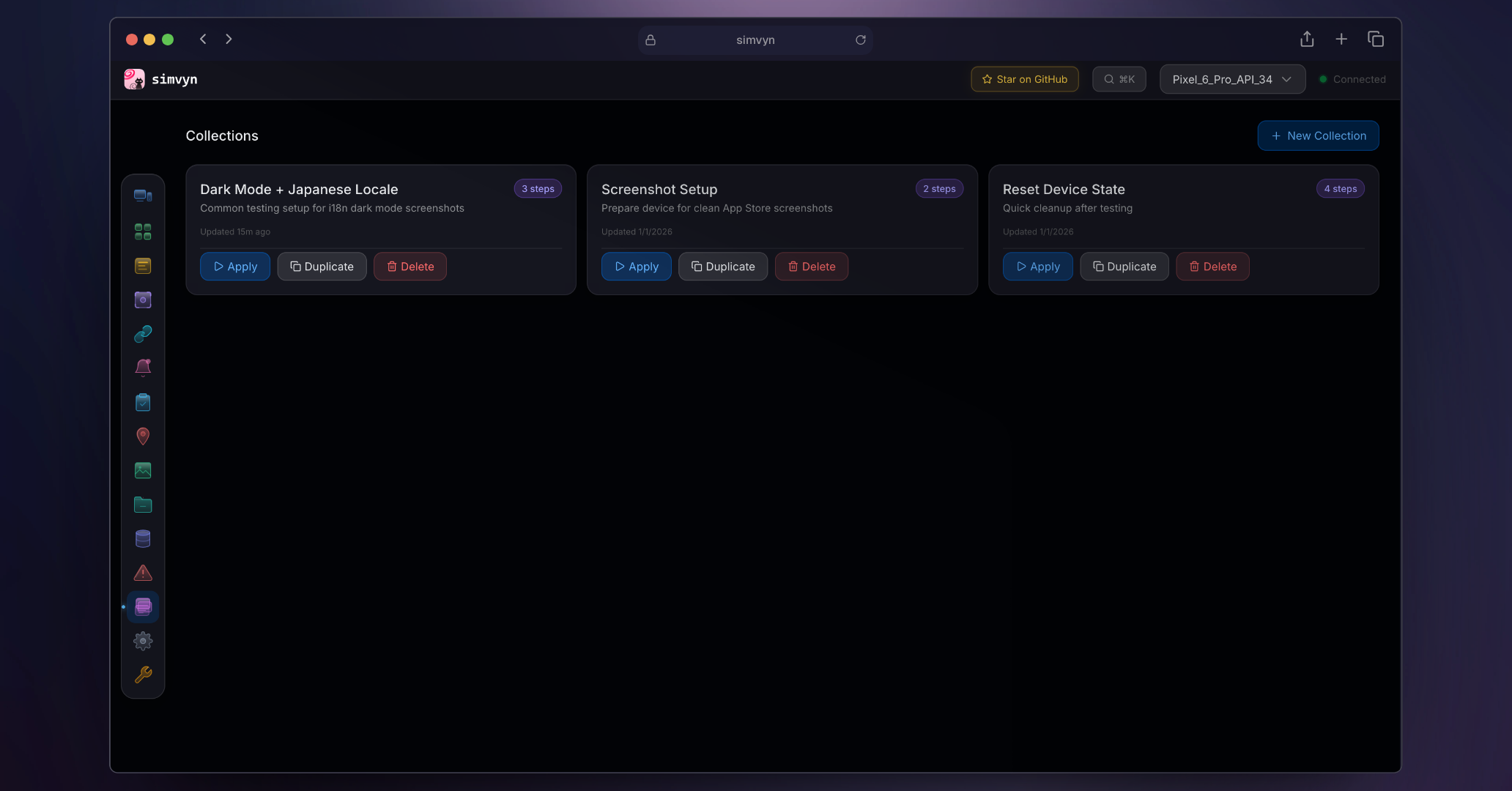
- Create, duplicate, and manage named collections
- Browse categorized action catalog across all modules
- Drag-and-drop step reordering
- Apply to multiple devices with compatibility checking
- Three built-in starter presets
### Crash Logs
View iOS diagnostic reports (.ips files) and Android crash logs from logcat and tombstone dumps. Browse crash entries with timestamps and process information. Inspect full crash details without digging through device file systems.
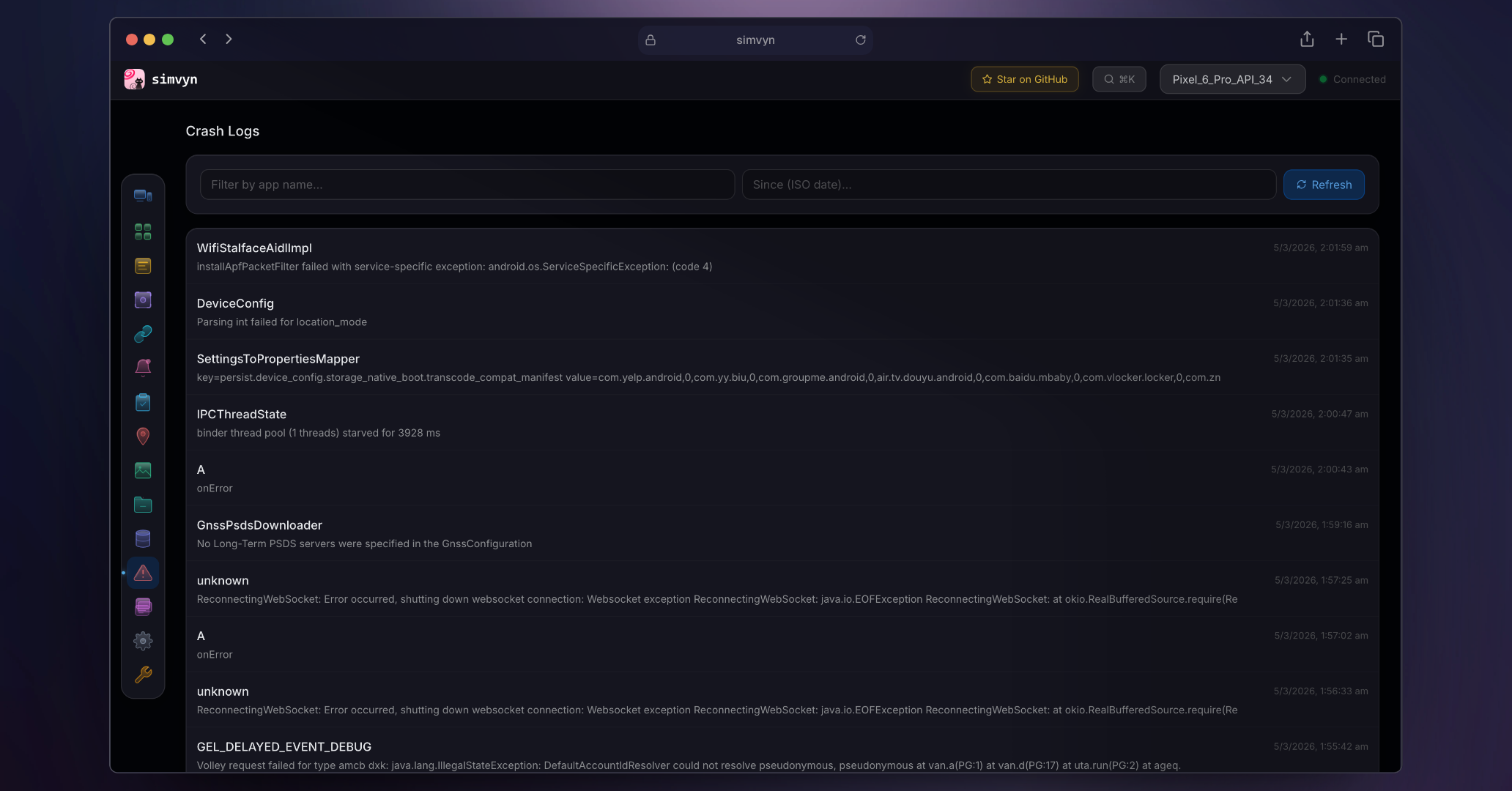
- iOS diagnostic report (.ips) parsing
- Android logcat crash grouping by PID and tag
- Android tombstone dump retrieval
- Timestamped crash list with detail view
### Clipboard
Read and write the device clipboard from the dashboard or CLI. Useful for quickly pasting test data into apps or inspecting what an app copied.
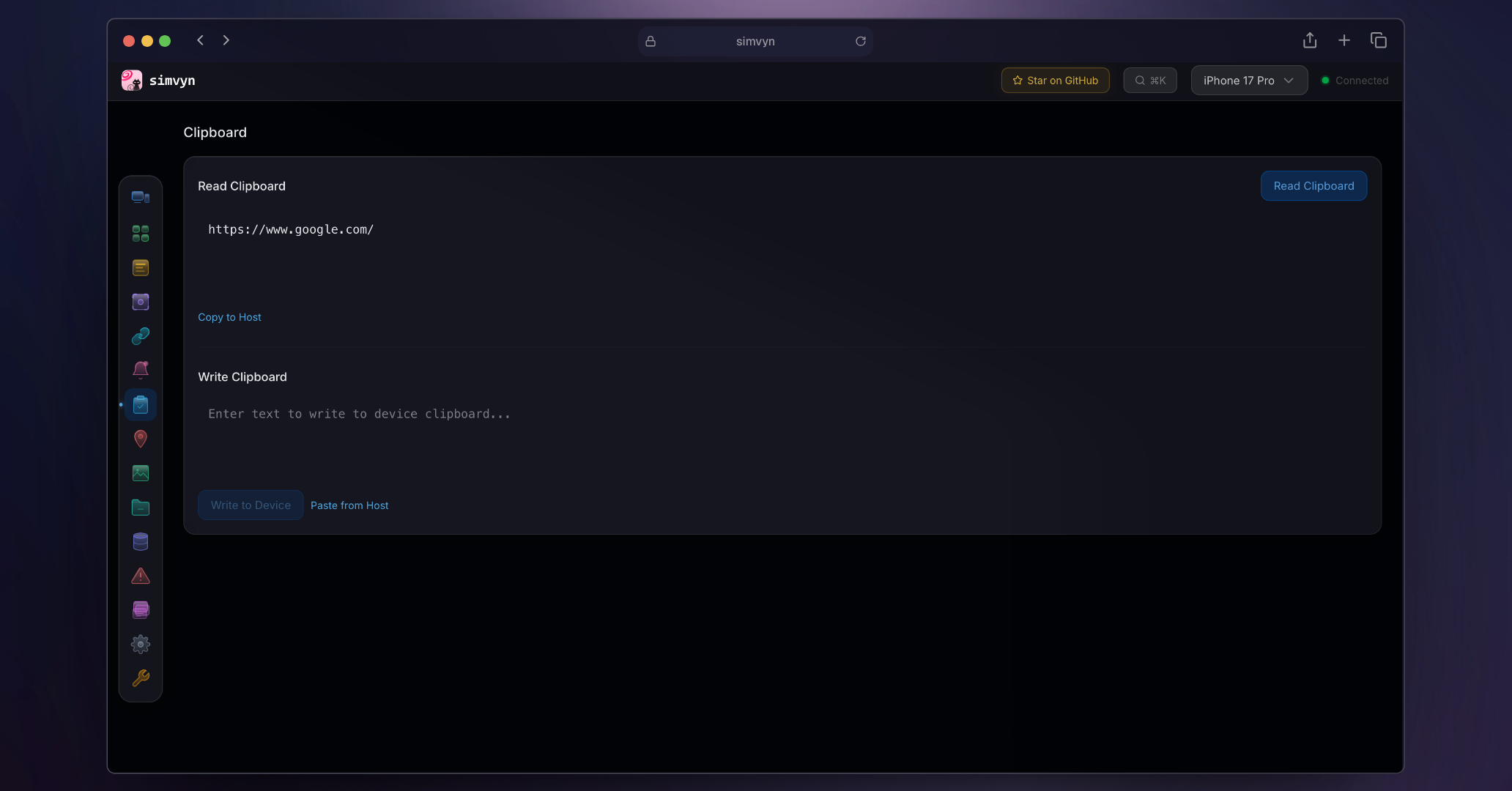
- Read current clipboard contents
- Write text to device clipboard
- Works with iOS Simulators and Android Emulators
### Media
Push photos and videos directly into a device's camera roll or gallery. Drop files onto the dashboard to inject them without cables, email, or cloud transfers.
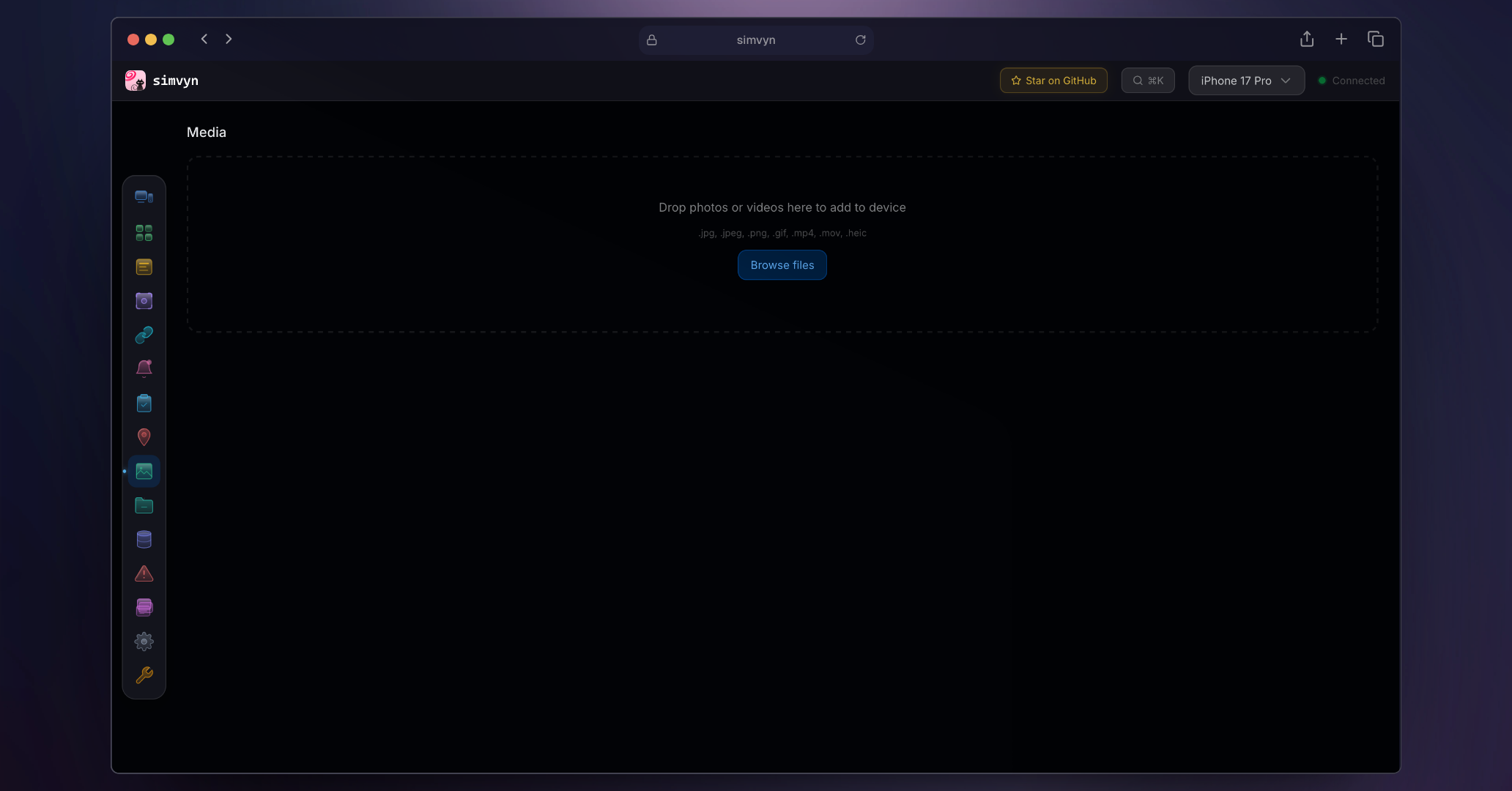
- Add photos and videos to device gallery via drag-and-drop
- Supports large files up to 500 MB
- Works with iOS Simulators and Android Emulators
### Tool Settings
Configure the simvyn server, manage storage, and view diagnostics. Includes a debug report generator for filing issues.
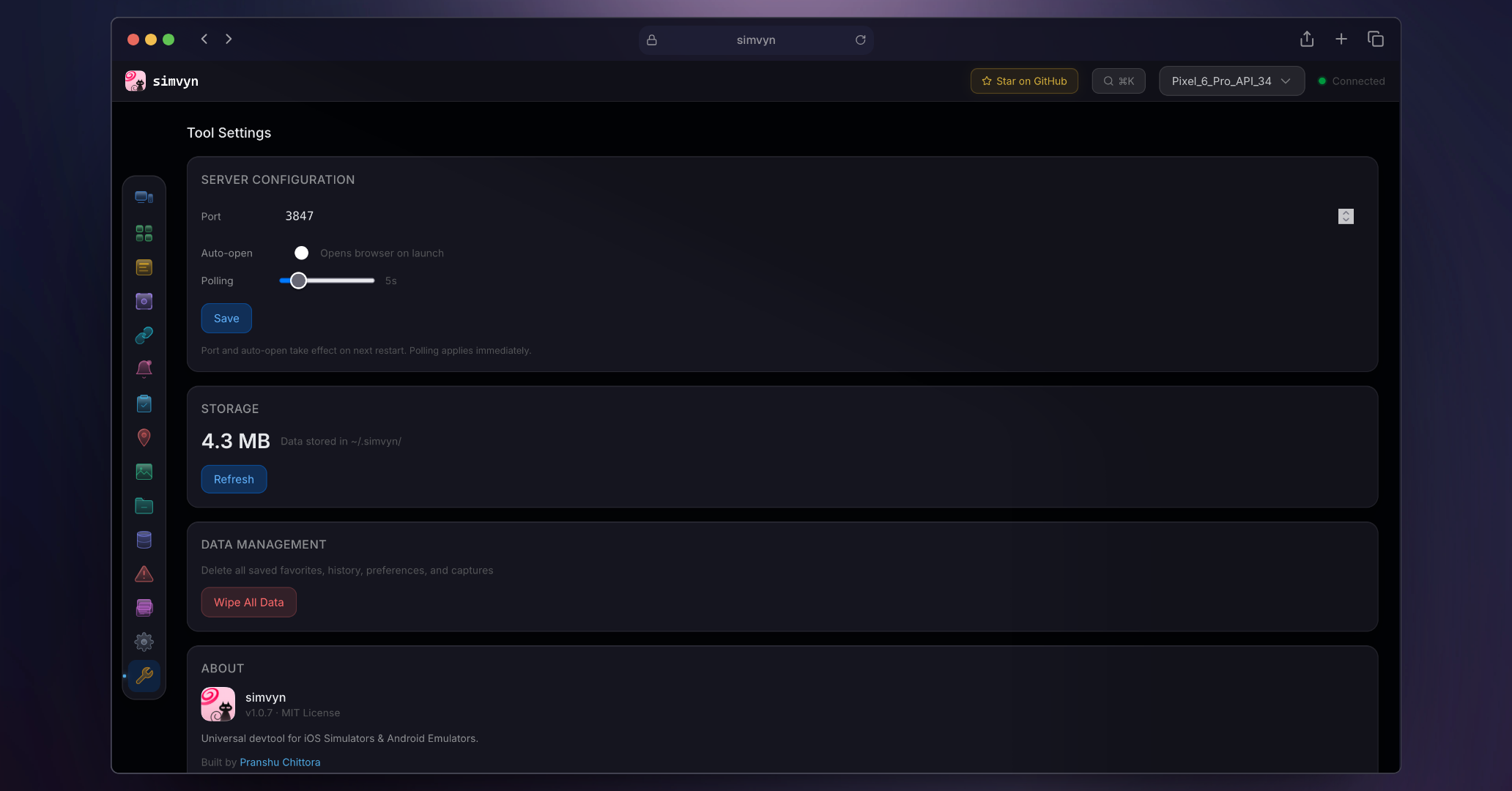
- Server port, auto-open, and polling interval configuration
- Storage usage overview with data wipe option
- Diagnostics: Xcode version, devicectl availability, adb version
- One-click debug report for bug filing
## Collections Guide
Collections let you bundle multiple device actions into a reusable sequence and apply them to any combination of devices with one click.
### Creating a Collection
Open the Collections panel from the sidebar. Click **New Collection** and give it a name. The collection starts empty — you'll add steps from the action catalog.
### Adding Steps
Click **Add Step** to browse the categorized action catalog. Actions are organized by module — Device Settings, Location, App Management, and more. Select an action, configure its parameters inline (coordinates, bundle IDs, toggle values), and it appears in your collection. Drag steps to reorder them.
### Applying a Collection
Click **Apply** to open the apply modal. Select one or more target devices from the device list. A compatibility summary shows which steps will be skipped on incompatible platforms (for example, iOS-only actions on an Android device). Press **Cmd+Enter** to execute. A live status matrix shows per-step, per-device progress in real time.
### Command Palette Integration
Saved collections appear in the command palette (**Cmd+K**). Search for a collection by name and apply it directly with the device picker — no need to navigate to the Collections panel.
### Starter Collections
Three built-in presets ship with simvyn:
- **Dark Mode + Japanese Locale** — Enables dark mode and sets locale to Japanese
- **Screenshot Setup** — Configures status bar overrides for clean App Store screenshots
- **Reset Device State** — Clears location, resets settings, and erases app data
### CLI Usage
```bash
simvyn collections list # List all collections
simvyn collections apply # Apply a collection to devices
```
## CLI Reference
Every feature is accessible from the command line. Run `simvyn` with no arguments to start the dashboard, or use any command below for headless operation.
| Command | Description |
| ------------------------------------------------- | --------------------------------------- |
| `simvyn` | Start the dashboard (default) |
| `simvyn device list` | List all devices |
| `simvyn device boot ` | Boot a device |
| `simvyn device shutdown ` | Shutdown a device |
| `simvyn device erase ` | Erase device content and settings |
| `simvyn device create ` | Create a new iOS simulator |
| `simvyn device clone ` | Clone an iOS simulator |
| `simvyn device rename ` | Rename an iOS simulator |
| `simvyn device delete ` | Delete an iOS simulator |
| `simvyn location set ` | Set GPS coordinates |
| `simvyn location route ` | Play a GPX/KML route |
| `simvyn location clear ` | Clear simulated location |
| `simvyn app list ` | List installed apps |
| `simvyn app install ` | Install an IPA or APK |
| `simvyn app uninstall ` | Uninstall an app |
| `simvyn app launch ` | Launch an app |
| `simvyn app terminate ` | Terminate an app |
| `simvyn app info ` | Show app details |
| `simvyn app clear-data ` | Clear app data (Android) |
| `simvyn logs ` | Stream device logs |
| `simvyn screenshot ` | Capture a screenshot |
| `simvyn record ` | Record the screen |
| `simvyn link ` | Open a deep link |
| `simvyn push ` | Send a push notification |
| `simvyn fs ls [path]` | List files in app sandbox |
| `simvyn fs pull ` | Download a file |
| `simvyn fs push ` | Upload a file |
| `simvyn db list ` | List databases |
| `simvyn db query ` | Run a SQL query |
| `simvyn db prefs ` | View SharedPreferences / NSUserDefaults |
| `simvyn keychain add ` | Add a root certificate |
| `simvyn keychain reset ` | Reset the keychain |
| `simvyn collections list` | List all collections |
| `simvyn collections show ` | Show collection details |
| `simvyn collections create ` | Create a new collection |
| `simvyn collections delete ` | Delete a collection |
| `simvyn collections duplicate ` | Duplicate a collection |
| `simvyn collections apply ` | Apply a collection to devices |
| `simvyn settings orientation ` | Set device orientation (Android) |
## How It Works
simvyn wraps `xcrun simctl` (iOS Simulators), `xcrun devicectl` (iOS physical devices), and `adb` (Android) behind a unified interface. No SDK required — works with any app, no code changes needed.
The architecture is built around a module system where each feature (location, logs, app management, etc.) is a self-contained plugin that registers its own API routes, CLI commands, and WebSocket handlers. The web dashboard communicates with a local Fastify server over a single multiplexed WebSocket connection for real-time device state and log streaming. Features that aren't available on a particular device type are automatically disabled with clear indicators in the UI.
## Supported Platforms
| Platform | iOS Simulators | iOS Devices | Android Emulators | Android Devices |
| -------- | -------------- | ----------- | ----------------- | --------------- |
| macOS | Yes | Limited | Yes | Yes |
| Linux | No | No | Yes | Yes |
### Real Device Support
Physical devices connected via USB are discovered automatically alongside simulators and emulators. The dashboard groups them into separate sections (Physical / Simulators / Emulators) and shows a toast when a device disconnects.
**Android physical devices** support nearly all features — app management, deep links, logs, screenshots, database inspector, file browser, and more. A few emulator-only features (location simulation via `adb emu geo`, battery simulation) are unavailable and clearly marked in the UI.
**iOS physical devices** require Xcode 15+ and use `xcrun devicectl` under the hood. Supported features include device discovery, app install/uninstall/launch/terminate, app listing, deep links, and file copy. Many features that rely on `simctl` (screenshots, screen recording, location simulation, clipboard, appearance, status bar, push notifications) are not available on physical iOS devices. Unsupported controls are disabled with tooltips explaining why. Collections automatically skip steps that don't apply to physical devices.
## License
MIT