https://github.com/pratik-dabhi/keep-notes
Keep notes is a web application for managing and organizing notes with labels, using Firebase for secure authentication and real-time data synchronization. Built with React, Firebase Firestore, and Tailwind CSS, it offers a responsive and user-friendly interface.
https://github.com/pratik-dabhi/keep-notes
architectural-patterns firebase firebase-auth react tailwindcss typescript vite
Last synced: 6 months ago
JSON representation
Keep notes is a web application for managing and organizing notes with labels, using Firebase for secure authentication and real-time data synchronization. Built with React, Firebase Firestore, and Tailwind CSS, it offers a responsive and user-friendly interface.
- Host: GitHub
- URL: https://github.com/pratik-dabhi/keep-notes
- Owner: pratik-dabhi
- License: mit
- Created: 2024-07-17T05:30:41.000Z (about 2 years ago)
- Default Branch: main
- Last Pushed: 2025-01-21T05:13:01.000Z (over 1 year ago)
- Last Synced: 2025-01-21T06:19:45.081Z (over 1 year ago)
- Topics: architectural-patterns, firebase, firebase-auth, react, tailwindcss, typescript, vite
- Language: TypeScript
- Homepage: https://keep-notes-dun.vercel.app
- Size: 422 KB
- Stars: 2
- Watchers: 1
- Forks: 0
- Open Issues: 0
-
Metadata Files:
- Readme: README.md
- License: LICENSE
Awesome Lists containing this project
README
# Notes App
A simple notes application built using Vite, React, and Tailwind CSS. The app uses Firebase for storing notes and Firestore for storing images.
## Table of Contents
- [Features](#features)
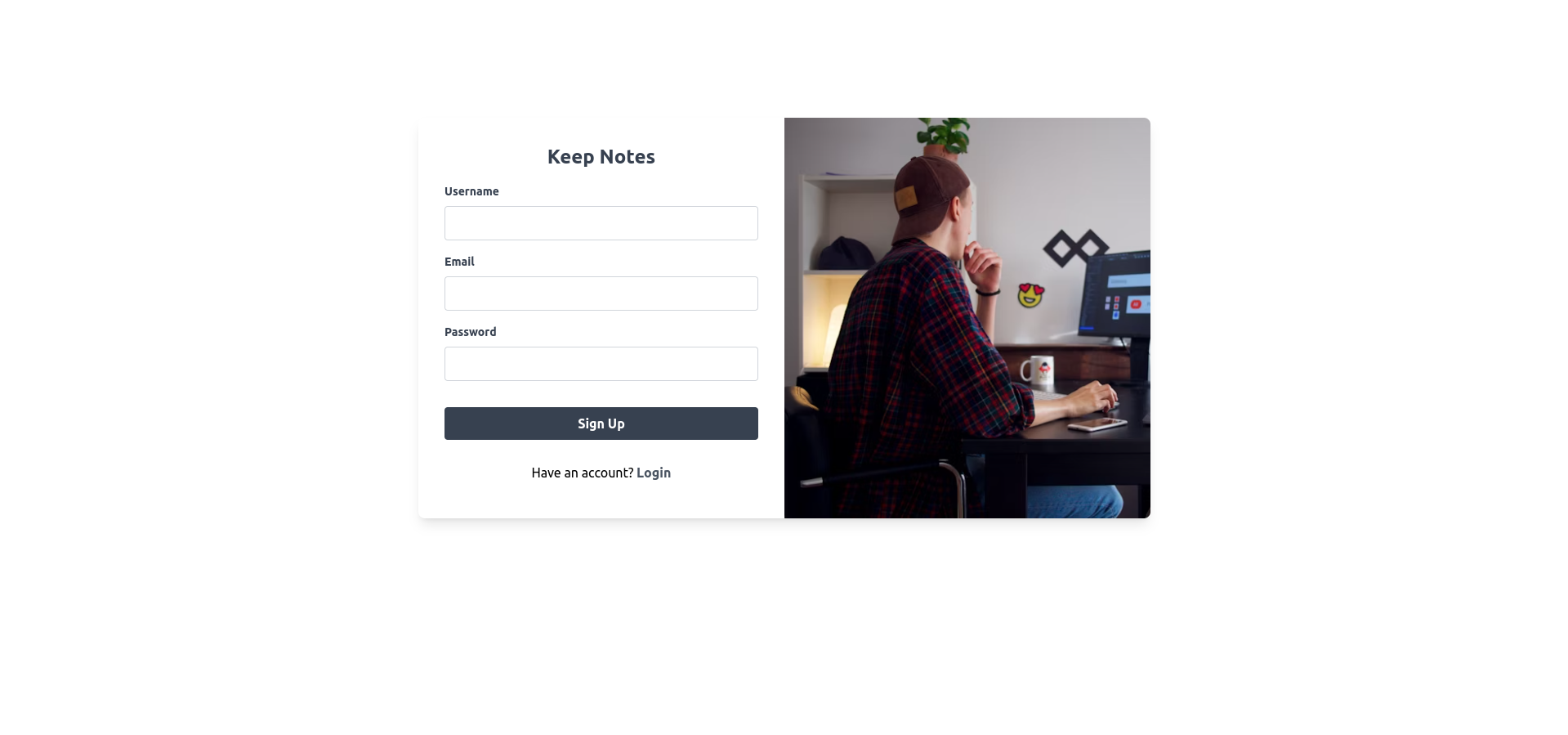
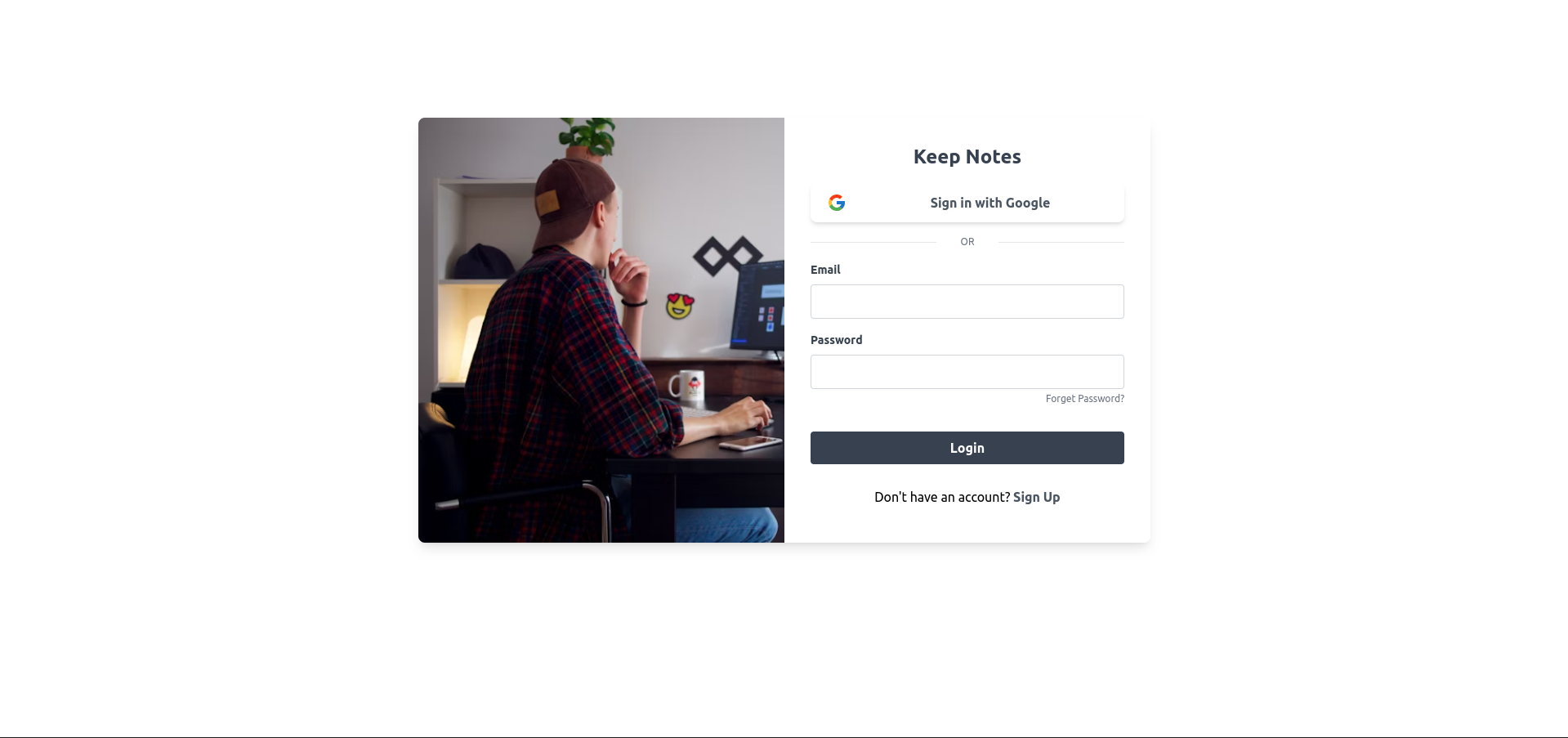
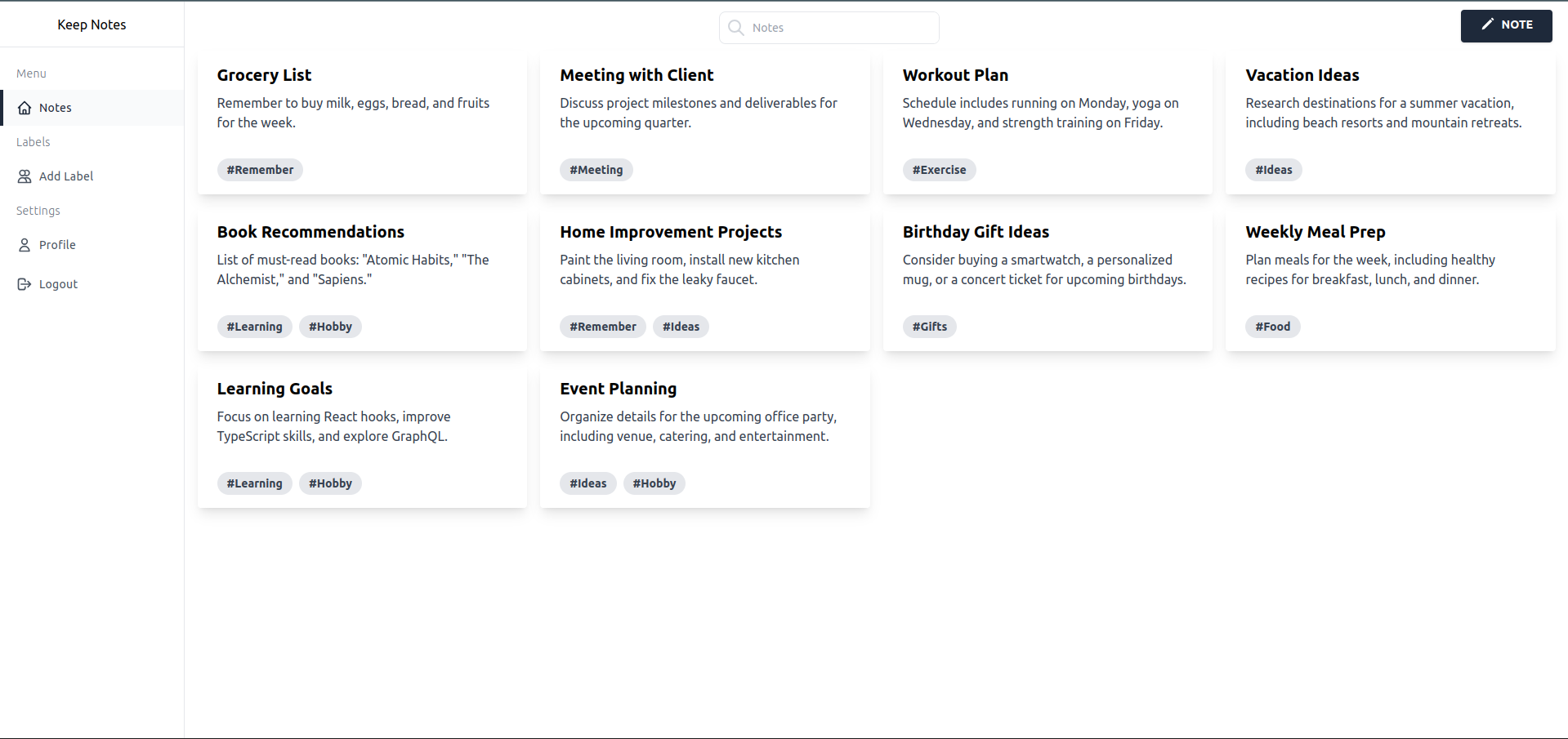
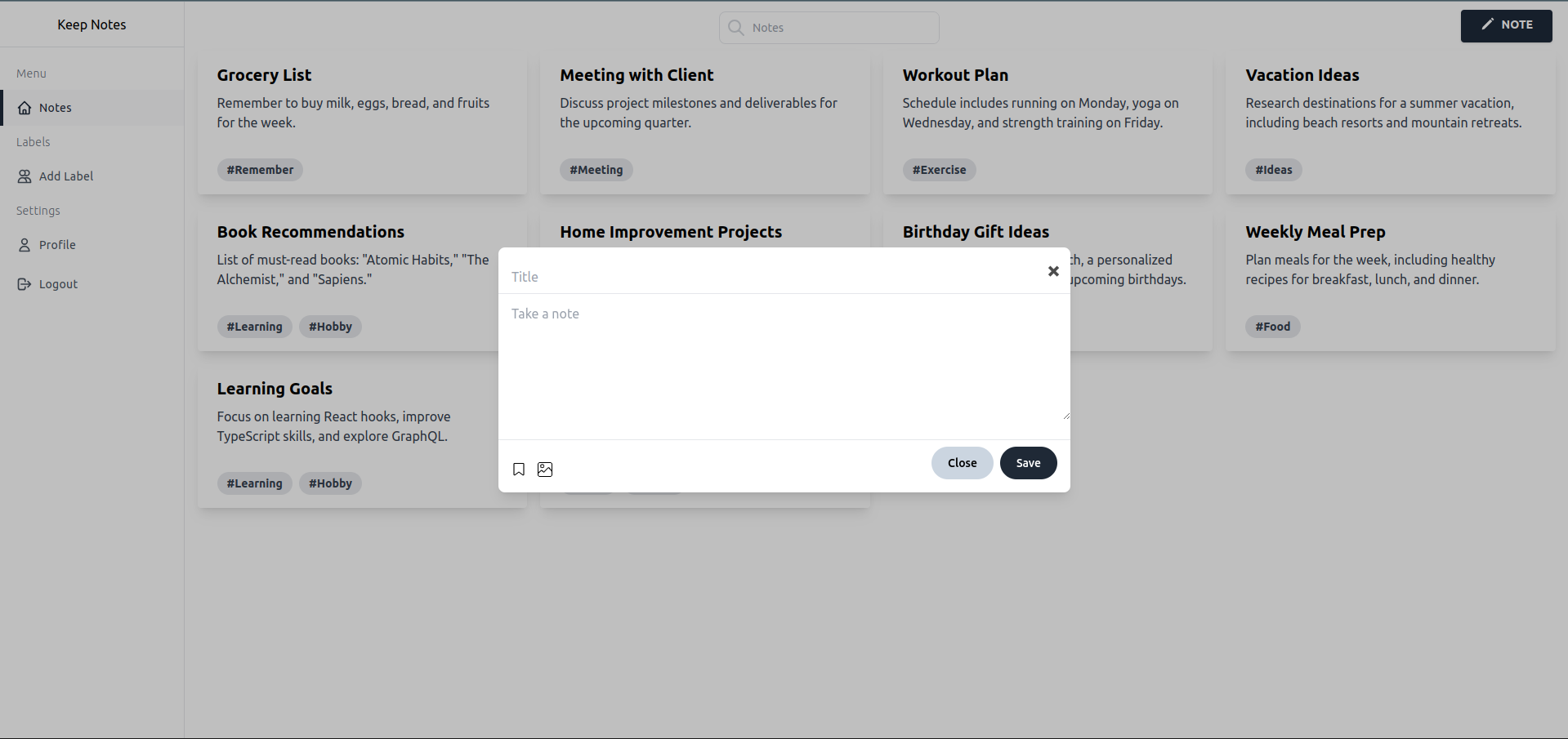
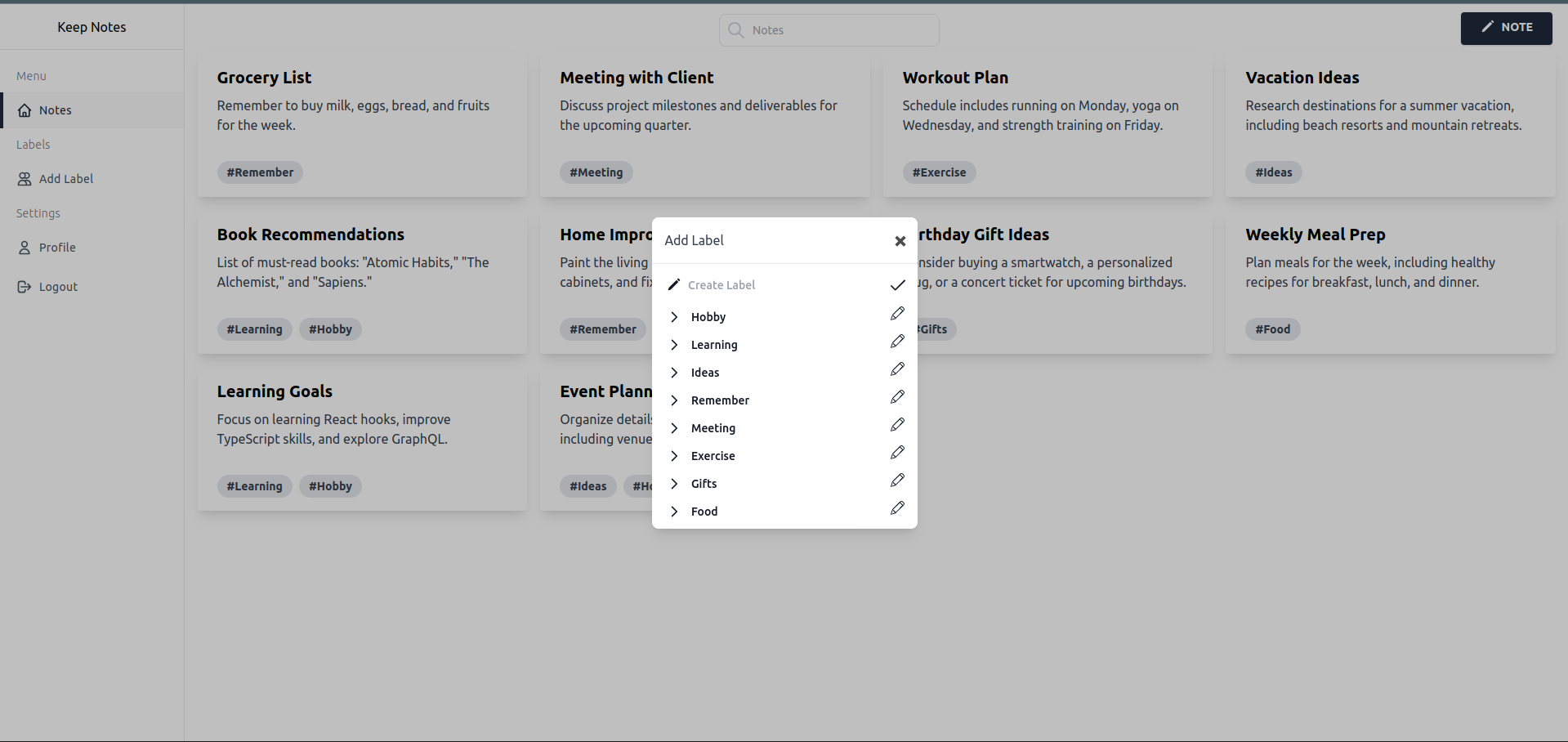
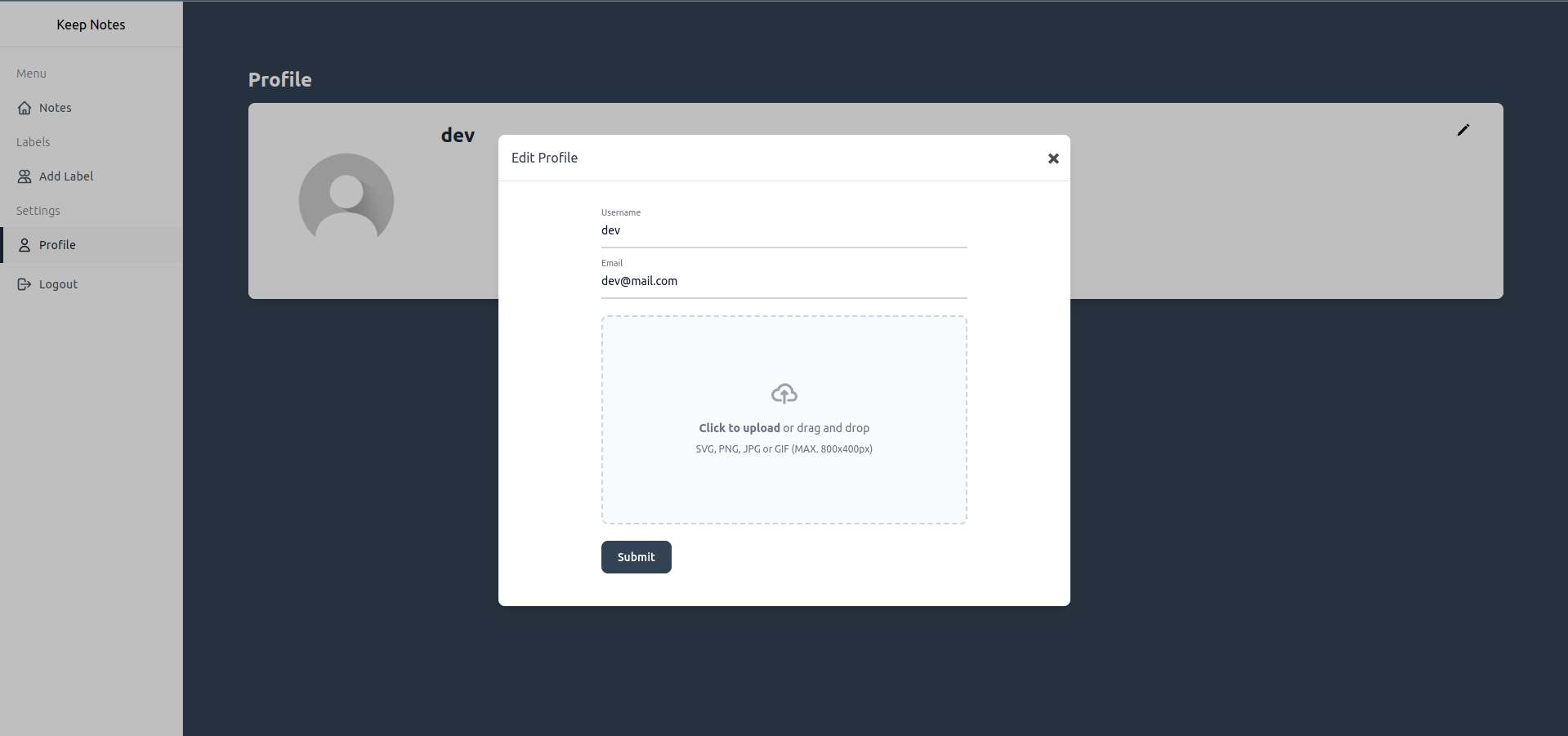
- [Screenshots](#screenshots)
- [Setup](#setup)
## Features
- Create, update, and delete notes
- Store notes in Firebase
- Upload and display images using Firestore
- Responsive design with Tailwind CSS
## Screenshots
### Register
### Login
### Notes
### Create Note
### Create Label
### Profile
## Setup
To get started with the project, follow these steps:
### Prerequisites
- Node.js (>=20.x)
### Installation
1. **Clone the repository:**
```sh
git clone https://github.com/pratik-dabhi/keep-notes.git
cd keep-notes
2. **Install dependencies:**
```sh
npm install
3. **Set up Firebase:**
- Go to the Firebase Console.
- Create a new project.
- Add a web app to your project.
- Copy the Firebase configuration and create a .env file in the root directory of your project with the following variables:
```sh
VITE_FIREBASE_API_KEY=your_api_key
VITE_FIREBASE_AUTH_DOMAIN=your_auth_domain
VITE_FIREBASE_PROJECT_ID=your_project_id
VITE_FIREBASE_STORAGE_BUCKET=your_storage_bucket
VITE_FIREBASE_MESSAGING_SENDER_ID=your_messaging_sender_id
VITE_FIREBASE_APP_ID=your_app_id
VITE_FIREBASE_MEASUREMENT_ID=your_measurement_id
4. **Run the development server:**
```sh
npm run dev