https://github.com/prbonn/refusion
ReFusion: 3D Reconstruction in Dynamic Environments for RGB-D Cameras Exploiting Residuals
https://github.com/prbonn/refusion
Last synced: over 1 year ago
JSON representation
ReFusion: 3D Reconstruction in Dynamic Environments for RGB-D Cameras Exploiting Residuals
- Host: GitHub
- URL: https://github.com/prbonn/refusion
- Owner: PRBonn
- License: other
- Created: 2019-05-06T13:08:12.000Z (over 7 years ago)
- Default Branch: master
- Last Pushed: 2019-05-20T10:15:23.000Z (about 7 years ago)
- Last Synced: 2025-03-26T23:05:14.407Z (over 1 year ago)
- Language: C++
- Size: 80.1 KB
- Stars: 270
- Watchers: 18
- Forks: 49
- Open Issues: 11
-
Metadata Files:
- Readme: README.md
- License: LICENSE.txt
Awesome Lists containing this project
README
# ReFusion: 3D Reconstruction in Dynamic Environments for RGB-D Cameras Exploiting Residuals
## Description
The programs allows to perform RGB-D SLAM in dynamic environments. We employ an efficient direct tracking on the truncated signed distance function (TSDF) and leverage color information encoded in the TSDF to estimate the pose of the sensor. The TSDF is efficiently represented using voxel hashing, with most computations parallelized on a GPU. For detecting dynamics, we exploit the residuals obtained after an initial registration.
Check out the video:
[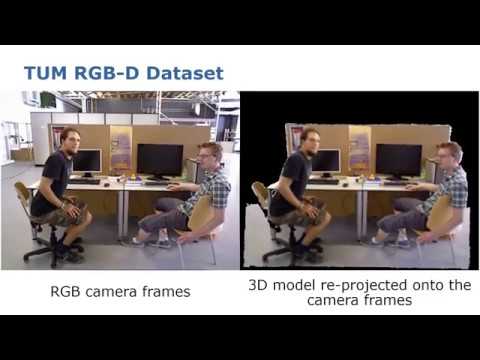](https://www.youtube.com/watch?v=1P9ZfIS5-p4&feature=youtu.be "ReFusion Video")
For further details, see the paper: ["ReFusion: 3D Reconstruction in Dynamic Environments for RGB-D Cameras Exploiting Residuals"](https://arxiv.org/abs/1905.02082).
**WARNING:** The provided code is not optimized, nor in an easy-to-read shape. It is provided "as is", as a prototype implementation of our paper. Use it at your own risk. Moreover, compared to the paper, this implementation lacks the features that make it able to deal with invalid measurements. Therefore, it will not produce good models for the [TUM RGB-D Benchmark](https://vision.in.tum.de/data/datasets/rgbd-dataset) scenes. To test it, please use our [Bonn RGB-D Dynamic Dataset](http://www.ipb.uni-bonn.de/data/rgbd-dynamic-dataset/)
## Key contributors
Emanuele Palazzolo (emanuele.palazzolo@igg.uni-bonn.de)
## Related publications
If you use this code for your research, please cite:
Emanuele Palazzolo, Jens Behley, Philipp Lottes, Philippe Giguère, Cyrill Stachniss, "ReFusion: 3D Reconstruction in Dynamic Environments for RGB-D Cameras Exploiting Residuals", _arXiv_, 2019 [PDF](https://arxiv.org/pdf/1905.02082.pdf)
BibTeX:
```
@article{palazzolo2019arxiv,
author = {E. Palazzolo and J. Behley and P. Lottes and P. Gigu\`ere and C. Stachniss},
title = {{ReFusion: 3D Reconstruction in Dynamic Environments for RGB-D Cameras Exploiting Residuals}},
journal = {arXiv},
year = {2019},
url = {https://arxiv.org/abs/1905.02082}
}
```
## Dependencies
* catkin
* Eigen = 3.3
* OpenCV >= 2.4
* CUDA >= 9.0
* (optional) Doxygen >= 1.8.11
## Installation guide
### Ubuntu 16.04
First, install the necessary dependencies:
* Install [CUDA](https://developer.nvidia.com/cuda-zone).
* Install the rest of the dependencies:
```bash
sudo apt install git libeigen3-dev libopencv-dev catkin
```
* Install [catkin-tools](https://catkin-tools.readthedocs.io/en/latest/):
```bash
sudo apt install python-pip
sudo pip install catkin-tools
```
* Finally, if you also want to build the documentation you need Doxygen installed (tested only with Doxygen 1.8.11):
```bash
sudo apt install doxygen
```
If you do not have a catkin workspace already, create one:
```bash
cd
mkdir catkin_ws
cd catkin_ws
mkdir src
catkin init
cd src
git clone https://github.com/ros/catkin.git
```
Clone the repository in your catkin workspace:
```bash
cd ~/catkin_ws/src
git clone https://github.com/PRBonn/refusion.git
```
Then, build the project:
```bash
catkin build refusion
```
Now the project root directory (e.g. `~/catkin_ws/src/refusion`) should contain a `bin` directory containing an example binary and, if Doxygen is installed, a `docs` directory containing the documentation.
### Ubuntu 18.04
The software is not compatible with the version of Eigen shipped in Ubuntu 18.04. It is necessary to install a newer version and modify the `CMakeLists.txt` file to use it:
* Get Eigen v3.3.7:
```bash
wget http://bitbucket.org/eigen/eigen/get/3.3.7.tar.bz2
```
* Install the Eigen libraries in /usr/local
```bash
cd eigen && cmake && sudo make install
```
* Change line 9 of `CMakeLists.txt` from
```
find_package(Eigen3 REQUIRED)
```
to
```
find_package(Eigen3 REQUIRED PATHS /usr/local/include/)
```
* Follow the installation guide for Ubuntu 16.04.
## How to use it
The `Tracker` class is the core of the program. Its constructor requires the options for the TSDF representation, the options for the tracker, and the intrinsic parameters of the RGB-D sensor. Use the `AddScan` member function to compute the pose of a scan and add it to the map. To visualize the result, the `GetCurrentPose` member function returns the current pose of the sensor, and the `GenerateRgb` member functions allows to create a virtual RGB image from the model. Furthermore, the `ExtractMesh` member fuction allows to create a mesh from the current model and save it as an obj file.
Refer to the documentation and to the source code for further details. An example that illustrates how to use the library is located in `src/example/example.cpp`.
## Examples / datafiles
After the build process, the `bin` directory in the project root directory (e.g. `~/catkin_ws/src/refusion`) will contain an example binary.
To run it execute from the command line:
```bash
cd ~/catkin_ws/src/refusion/bin
./refusion_example DATASET_PATH
```
where `DATASET_PATH` is the path to the directory of a dataset in the format of the [TUM RGB-D Benchmark](https://vision.in.tum.de/data/datasets/rgbd-dataset) (e.g. `~/rgbd_bonn_dataset/rgbd_bonn_crowd3`).
Some example datasets can be found [here](http://www.ipb.uni-bonn.de/data/rgbd-dynamic-dataset/).
**Note that the directory of the dataset should contain a file called `associated.txt`, containing the association between RGB and Depth images. Such file can be created using [this](https://svncvpr.in.tum.de/cvpr-ros-pkg/trunk/rgbd_benchmark/rgbd_benchmark_tools/src/rgbd_benchmark_tools/associate.py) Python tool:**
```bash
python2 associate.py depth.txt rgb.txt > associated.txt
```
## License
This project is licensed under the Creative Commons Attribution-NonCommercial-ShareAlike 3.0 Unported License. See the LICENSE.txt file for details.
## Acknowledgments
This work has partly been supported by the DFG under the grant number FOR 1505: Mapping on Demand, under the grant number BE 5996/1-1, and under German's Excellence Strategy EXC 2070-390732324: PhenoRob.