https://github.com/preaction/yancy-backend-static
A static site backend for the Yancy CMS
https://github.com/preaction/yancy-backend-static
Last synced: 8 months ago
JSON representation
A static site backend for the Yancy CMS
- Host: GitHub
- URL: https://github.com/preaction/yancy-backend-static
- Owner: preaction
- License: other
- Created: 2019-04-19T21:25:48.000Z (about 7 years ago)
- Default Branch: master
- Last Pushed: 2021-12-31T00:30:38.000Z (over 4 years ago)
- Last Synced: 2024-04-17T21:17:03.978Z (about 2 years ago)
- Language: Perl
- Size: 426 KB
- Stars: 2
- Watchers: 2
- Forks: 4
- Open Issues: 1
-
Metadata Files:
- Readme: README.mkdn
- Changelog: CHANGES
- Contributing: CONTRIBUTING.md
- License: LICENSE
Awesome Lists containing this project
README
[](https://travis-ci.org/preaction/Yancy-Backend-Static)
[](https://coveralls.io/r/preaction/Yancy-Backend-Static?branch=master)
# NAME
Yancy::Backend::Static - Build a Yancy site from static Markdown files
# VERSION
version 0.015
# SYNOPSIS
use Mojolicious::Lite;
plugin Yancy => {
backend => 'static:.',
read_schema => 1,
};
get '/*slug', {
controller => 'yancy',
action => 'get',
schema => 'pages',
slug => 'index', # Default to index page
template => 'default', # default.html.ep below
};
app->start;
__DATA__
@@ default.html.ep
% title $item->{title};
<%== $item->{html} %>
# DESCRIPTION
This [Yancy::Backend](https://metacpan.org/pod/Yancy::Backend) allows Yancy to work with a site made up of
Markdown files with YAML frontmatter, like a [Statocles](https://metacpan.org/pod/Statocles) site. In other
words, this module works with a flat-file database made up of YAML
\+ Markdown files.
## Schemas
You should configure the `pages` schema to have all of the fields
that could be in the frontmatter of your Markdown files. This is JSON Schema
and will be validated, but if you're using the Yancy editor, make sure only
to use [the types Yancy supports](https://metacpan.org/pod/Yancy::Help::Config#Types).
## Limitations
This backend should support everything [Yancy::Backend](https://metacpan.org/pod/Yancy::Backend) supports, though
some list() queries may not work (please make a pull request).
## Future Developments
This backend could be enhanced to provide schema for static files
(CSS, JavaScript, etc...) and templates.
# GETTING STARTED
To get started using this backend to make a simple static website, first
create a file called `myapp.pl` with the following contents:
#!/usr/bin/env perl
use Mojolicious::Lite;
plugin Yancy => {
backend => 'static:.',
read_schema => 1,
};
get '/*slug', {
controller => 'yancy',
action => 'get',
schema => 'pages',
template => 'default',
layout => 'default',
slug => 'index',
};
app->start;
__DATA__
@@ default.html.ep
% title $item->{title};
<%== $item->{html} %>
@@ layouts/default.html.ep
<%= title %>
%= content
Once this is done, run the development webserver using `perl myapp.pl
daemon`:
$ perl myapp.pl daemon
Server available at http://127.0.0.1:3000
Then open `http://127.0.0.1:3000/yancy` in your web browser to see the
[Yancy](https://metacpan.org/pod/Yancy) editor.
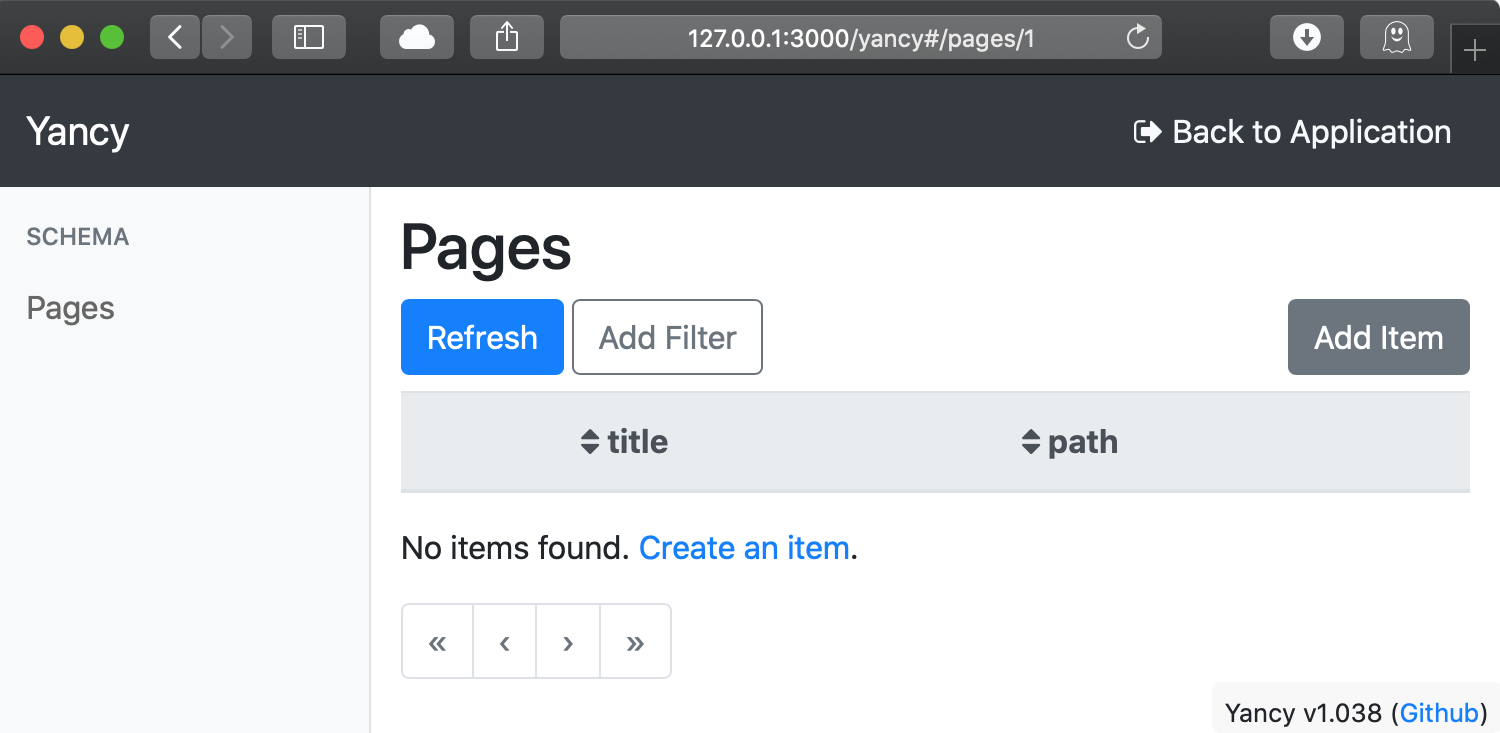
You should first create an `index` page by clicking the "Add Item"
button to create a new page and giving the page a `slug` of `index`.
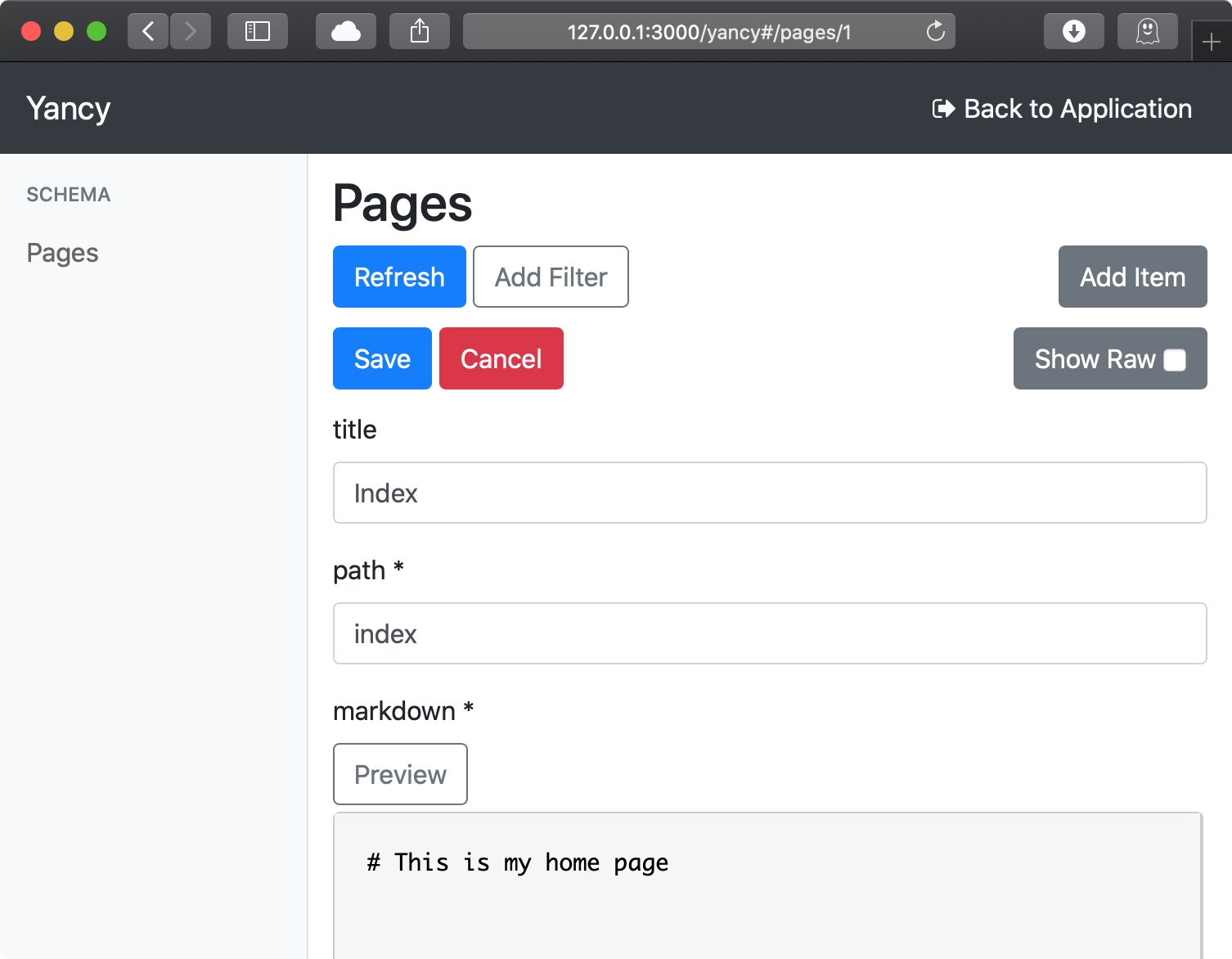
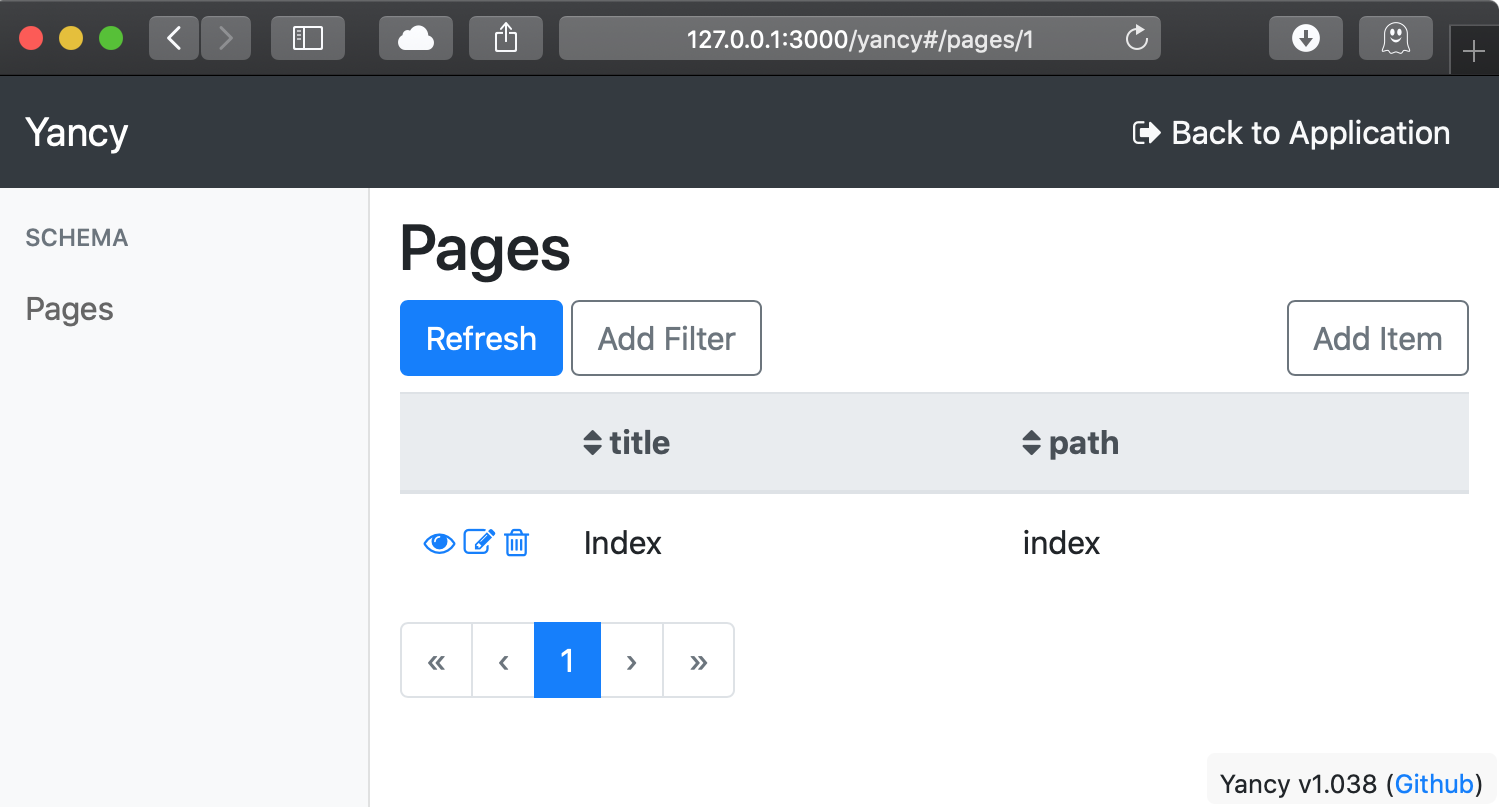
Once this page is created, you can visit your new page either by
clicking the "eye" icon on the left side of the table, or by navigating
to [http://127.0.0.1:3000](http://127.0.0.1:3000).
## Adding Images and Files
To add other files to your site (images, scripts, stylesheets, etc...),
create a directory called `public` and put your file in there. All the
files in the `public` folder are available to use in your website.
To add an image using Markdown, use ``.
## Customize Template and Layout
The easiest way to customize the look of the site is to edit the layout
template. Templates in Mojolicious can be in external files in
a `templates` directory, or they can be in the `myapp.pl` script below
`__DATA__`.
The layout your site uses currently is called
`layouts/default.html.ep`. The two main things to put in a layout are
`<%= title %>` for the page's title and `<%= content %>` for
the page's content. Otherwise, the layout can be used to add design and
navigation for your site.
# ADVANCED FEATURES
## Custom Metadata Fields
You can add additional metadata fields to your page by adding them to
your schema, like so:
plugin Yancy => {
backend => 'static:.',
read_schema => 1,
schema => {
pages => {
properties => {
# Add an optional 'author' field
author => { type => [ 'string', 'null' ] },
},
},
},
};
These additional fields can be used in your template through the
`$item` hash reference (`$item->{author}`). See
[Yancy::Help::Config](https://metacpan.org/pod/Yancy::Help::Config) for more information about configuring a schema.
## Character Encoding
By default, this backend detects the locale of your current environment
and assumes the files you read and write should be in that encoding. If
this is incorrect (if, for example, you always want to read/write UTF-8
files), add a `?encoding=...` to the backend string:
use Mojolicious::Lite;
plugin Yancy => {
backend => 'static:.?encoding=UTF-8',
read_schema => 1,
};
# SEE ALSO
[Yancy](https://metacpan.org/pod/Yancy), [Statocles](https://metacpan.org/pod/Statocles)
# AUTHOR
Doug Bell
# CONTRIBUTORS
- Mohammad S Anwar
- Wojtek Bażant <wojciech.bazant+ebi@gmail.com>
# COPYRIGHT AND LICENSE
This software is copyright (c) 2019 by Doug Bell.
This is free software; you can redistribute it and/or modify it under
the same terms as the Perl 5 programming language system itself.