https://github.com/prolificinteractive/navigationcontrollerblurtransition
[DEPRECATED] A UINavigationController transition that utilizes a blur view for a simple interface.
https://github.com/prolificinteractive/navigationcontrollerblurtransition
Last synced: about 1 year ago
JSON representation
[DEPRECATED] A UINavigationController transition that utilizes a blur view for a simple interface.
- Host: GitHub
- URL: https://github.com/prolificinteractive/navigationcontrollerblurtransition
- Owner: prolificinteractive
- License: mit
- Created: 2015-10-04T20:28:34.000Z (over 10 years ago)
- Default Branch: master
- Last Pushed: 2016-11-11T21:38:47.000Z (over 9 years ago)
- Last Synced: 2025-04-19T05:16:00.152Z (about 1 year ago)
- Language: Swift
- Homepage:
- Size: 925 KB
- Stars: 35
- Watchers: 5
- Forks: 5
- Open Issues: 0
-
Metadata Files:
- Readme: README.md
- License: LICENSE
Awesome Lists containing this project
README
# [DEPRECATED] NavigationControllerBlurTransition
[](http://cocoapods.org/pods/NavigationControllerBlurTransition)
[](http://cocoapods.org/pods/NavigationControllerBlurTransition)
[](http://cocoapods.org/pods/NavigationControllerBlurTransition)
⚠️ **This repository is no longer maintained or supported. New pull requests will not be reviewed.** ⚠️
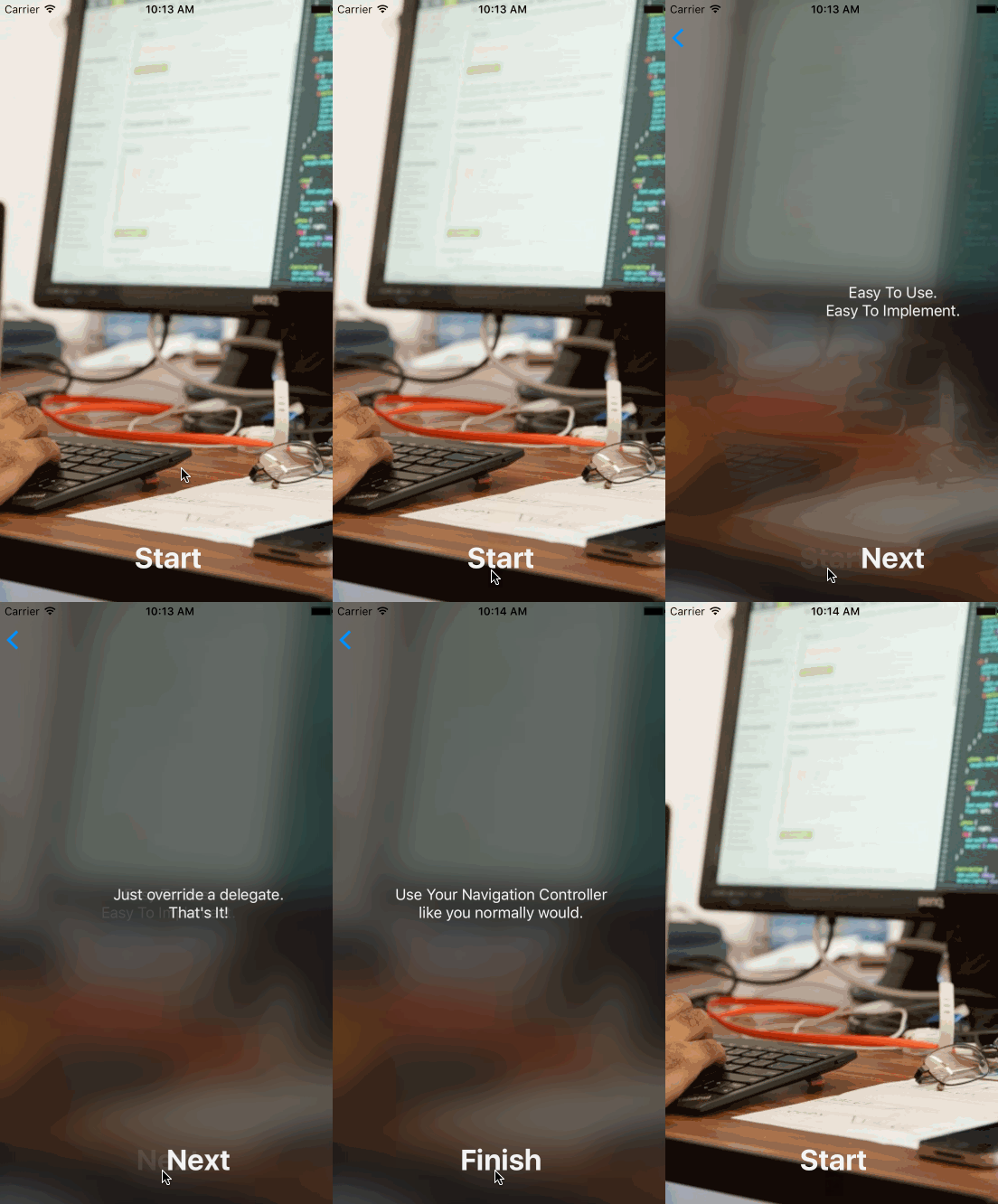
NavigationControllerBlurTransition is a simple blur transition for your UINavigationController. With only one line of code, create a visually appealing interface for your app!
## Requirements
NavigationControllerBlurTransition utilizes UIVisualEffectView to provide its blur effect as well as dynamic frameworks (since the library is written in Swift); as such, it requires:
* iOS8+
* Xcode 7.0
## Installation
Add the following to your podfile:
```ruby
pod "NavigationControllerBlurTransition"
```
## Usage
To use this transition, simply set your root view controller as the delegate for your UINavigationController, and implement the following `UINavigationControllerDelegate` delegate method as such:
```swift
func navigationController(navigationController: UINavigationController,
animationControllerForOperation operation: UINavigationControllerOperation,
fromViewController fromVC: UIViewController,
toViewController toVC: UIViewController) -> UIViewControllerAnimatedTransitioning?
{
return self.navigationController?.blurAnimationControllerForOperation(operation)
}
```
That's it! Now your view controller will push / pop its view controllers over a blurred representation of the initial view controller.
## Author
Christopher Jones, c.jones@prolificinteractive.com
## License
NavigationControllerBlurTransition is available under the MIT license. See the LICENSE file for more info.