https://github.com/prophetru/reddot
Reddot - is not a commercial educational project
https://github.com/prophetru/reddot
cmake cms config cpp doxygen factory filter gtest http https mysql openssl otus poco prototype server session singleton strategy
Last synced: 2 months ago
JSON representation
Reddot - is not a commercial educational project
- Host: GitHub
- URL: https://github.com/prophetru/reddot
- Owner: ProphetRu
- License: apache-2.0
- Created: 2024-05-08T12:21:18.000Z (about 2 years ago)
- Default Branch: master
- Last Pushed: 2024-05-08T13:16:04.000Z (about 2 years ago)
- Last Synced: 2025-10-26T17:14:05.149Z (9 months ago)
- Topics: cmake, cms, config, cpp, doxygen, factory, filter, gtest, http, https, mysql, openssl, otus, poco, prototype, server, session, singleton, strategy
- Language: C++
- Homepage:
- Size: 967 KB
- Stars: 0
- Watchers: 1
- Forks: 0
- Open Issues: 0
-
Metadata Files:
- Readme: README.md
- License: LICENSE
Awesome Lists containing this project
README
# Reddot
**Reddot** - is not a commercial educational project with:
* [cmake](https://github.com/Kitware/CMake)
* [googletest](https://github.com/google/googletest)
* [boost program-options](https://github.com/boostorg/program_options)
* [openssl](https://github.com/openssl/openssl)
* [libmysql](https://github.com/LuaDist/libmysql)
* [poco (netssl, mysql)](https://github.com/pocoproject/poco)
* [doxygen](https://github.com/doxygen/doxygen)
## Description
**Reddot** - is a web server and website with CMS on it.
Features:
* User registrations;
* User login;
* User logout;
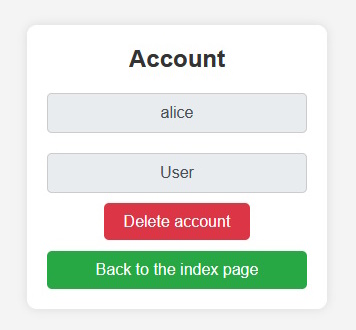
* Deleting an account by the user;
* Writing posts;
* Editing posts;
* Deleting posts;
Each user can view posts of other users, but can only manage their own account and their posts.
The project implemented:
* Thread-safe logger with different logging levels;
* Support configuration from file;
* Calculation of hashes;
* Working with the file system;
* Server supporting HTTP protocol and secure connection using HTTPS. A certificate has been generated and signed;
* A database and tables were created in the MySQL. The tables are filled with initial data;
* Working with the MySQL forming queries, obtaining results, error handling;
* Web pages written using HTML and CSS, placed placeholders;
* CMS responsible for query parsing, business logic, and generation and delivery of content (web pages);
* Support for user sessions;
* Filters for web security and protection against web attacks;
The project uses design patterns: `Singleton`, `Factory`, `Prototype`, `Strategy`.
## Demo
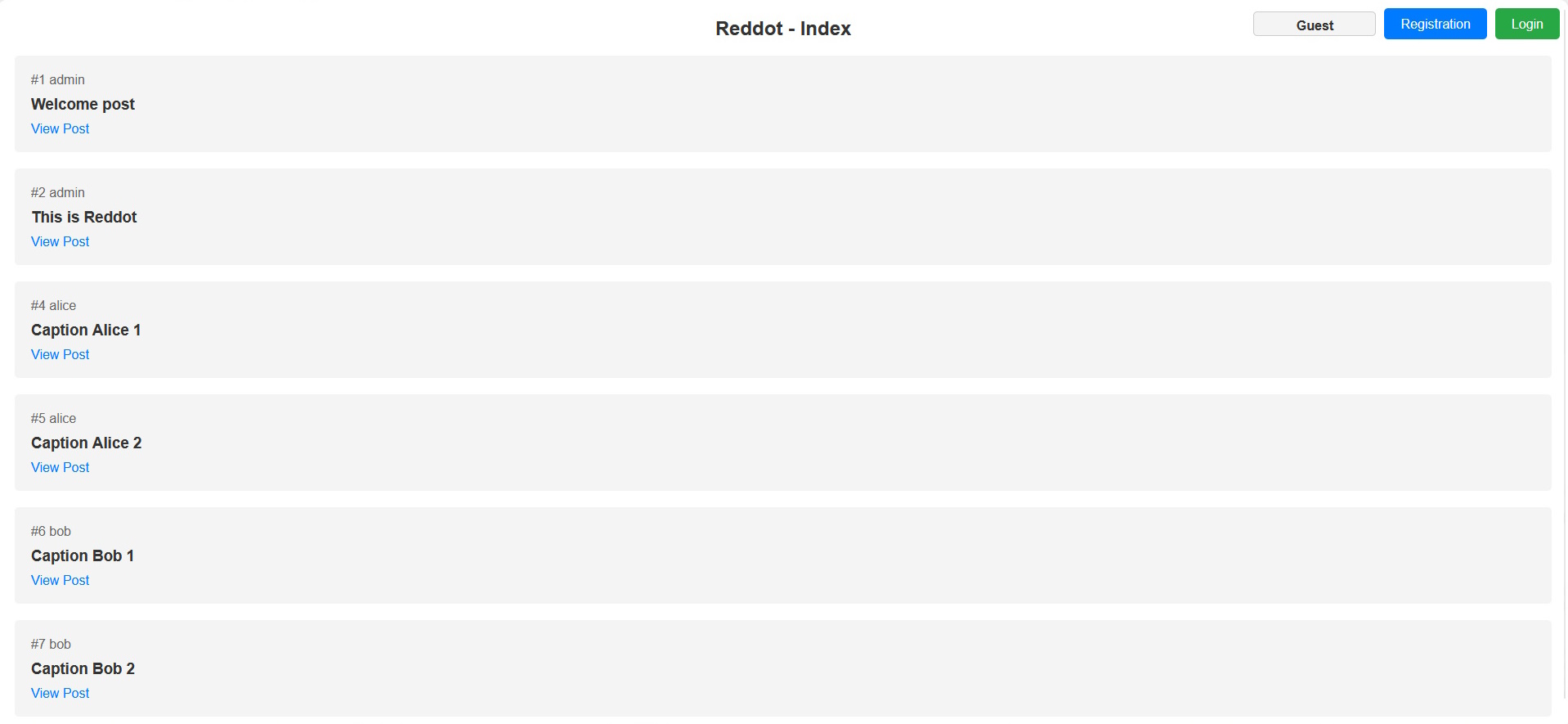
Index page for guest:
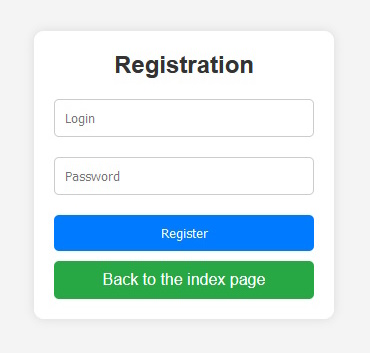
Registration page:
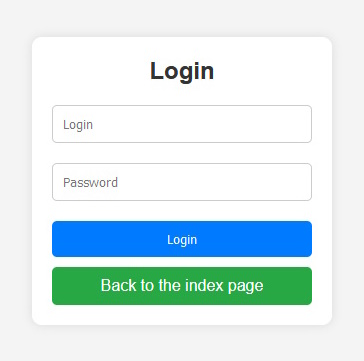
Login page:
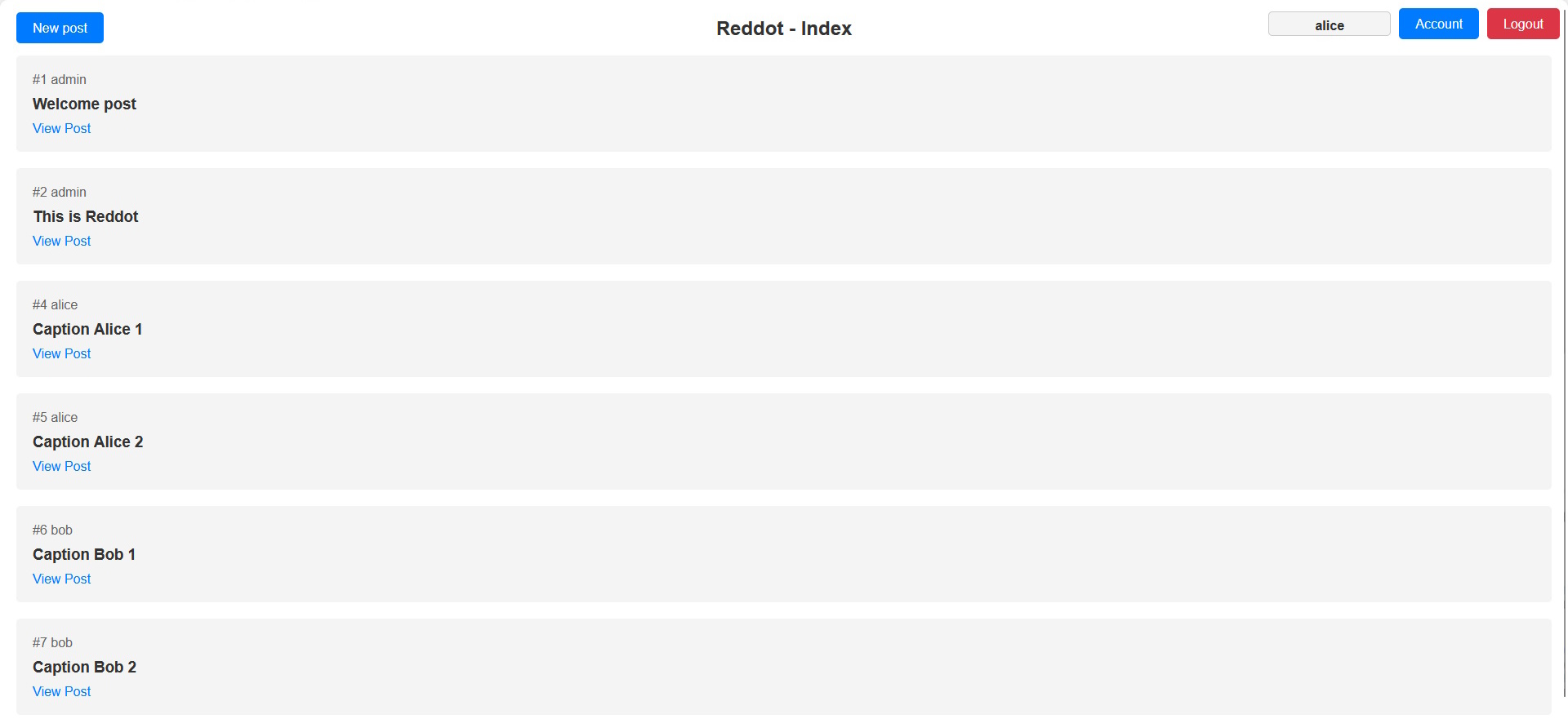
Index page for user:
Account page:
Post creation page:

Post view page:

Post editing page:

## Creating and init MySQL
### 1. Gain access to MySQL
Stopping a service:
```shell
sudo service mysql stop
```
Create a file:
```shell
/home//mysql-init
```
Write in a file:
```shell
ALTER USER 'root'@'127.0.0.1' IDENTIFIED BY '';
```
Use a file to init MySQL:
```shell
sudo mysqld --init-file=/home//mysql-init &
```
Starting a service:
```shell
sudo service mysql start
```
Login into MySQL:
```shell
sudo mysql -u root -p
```
### 2. Creating a user MySQL
Execute queries in MySQL:
```sql
CREATE USER 'reddot'@'%' IDENTIFIED BY 'reddot';
GRANT ALL PRIVILEGES ON reddot.* TO 'reddot'@'%';
FLUSH PRIVILEGES;
```
### 3. Creating database and tables
Execute queries in MySQL:
```sql
CREATE DATABASE IF NOT EXISTS reddot;
USE reddot;
CREATE TABLE roles (id INT AUTO_INCREMENT PRIMARY KEY, description VARCHAR(32));
CREATE TABLE users (login VARCHAR(64) PRIMARY KEY, password VARCHAR(64), role_id INT, FOREIGN KEY (role_id) REFERENCES roles(id));
CREATE TABLE posts (id INT AUTO_INCREMENT PRIMARY KEY, login VARCHAR(64), caption VARCHAR(255), body TEXT, FOREIGN KEY (login) REFERENCES users(login));
```
### 4. Filling tables with initial data
Execute queries in MySQL:
```sql
INSERT INTO roles (description) VALUES ('Administrator');
INSERT INTO roles (description) VALUES ('User');
INSERT INTO users (login, password, role_id) VALUES ('admin', MD5('admin'), 1);
INSERT INTO posts (login, caption, body) VALUES ('admin', 'Welcome post', 'Welcome to Reddot!');
```
### 5. Allowing remote connections to the MySQL
Stopping a service:
```shell
sudo service mysql stop
```
In the settings file, comment out the "bind" line:
```shell
sudo nano /etc/mysql/mariadb.conf.d/50-server.cnf
```
Add firewall rule:
```shell
sudo iptables -A INPUT -p tcp --dport 3306 -j ACCEPT
```
Starting a service:
```shell
sudo service mysql start
```
## Build project local
**Important**: the resources folder must be in the same directory where the executable file is located.
### Build for Linux
Updating and installing dependencies:
```shell
sudo apt-get update && sudo apt install g++ cmake build-essential libgtest-dev libboost-program-options-dev libssl-dev ca-certificates libpoco-dev libpoconetssl80 libmysqlclient-dev -y
```
Generate cmake files:
```shell
cd Reddot
mkdir build && cd build
cmake ..
```
Build debug:
```shell
cmake --build .
```
Build release:
```shell
cmake --build . --config Release
```
Build deb-package:
```shell
cmake --build . --target package
```
### Build for Windows
Installing dependencies:
```shell
vcpkg install gtest boost-program-options openssl libmysql poco poco[netssl] --recurse poco[mysql] --recurse poco:x64-windows-release
vcpkg integrate install
```
Generate cmake files:
```shell
cd Reddot
mkdir build && cd build
cmake .. -DCMAKE_TOOLCHAIN_FILE="path/to/vcpkg/scripts/buildsystems/vcpkg.cmake"
```
Build debug:
```shell
cmake --build .
```
Build release:
```shell
cmake --build . --config Release
```
## Configure
Set parameters in config file `config.ini`:
* **web_root_path** - path to web-pages;
* **server_port** - port for server;
* **db_login** - login to MySQL;
* **db_password** - password to MySQL;
* **db_server** - host MySQL;
* **db_port** - port MySQL;
* **db_name** - database name to MySQL;
## Testing
Starting unit-tests:
```shell
ctest
```
## Starting
Starting the server
```shell
Release>Reddot.exe
[08-05-2024 12:46:20] (Info) Server is running
[08-05-2024 12:46:20] (Info) Init config
[08-05-2024 12:46:20] (Info) Init CMS
[08-05-2024 12:46:20] (Info) Init DB connection
WARNING: MYSQL_OPT_RECONNECT is deprecated and will be removed in a future version.
[08-05-2024 12:46:20] (Info) Init Server
[08-05-2024 12:46:20] (Info) Key file : resources/cert/reddot.key
[08-05-2024 12:46:20] (Info) Cert file : resources/cert/reddot.crt
[08-05-2024 12:46:20] (Info) Port : 4444
[08-05-2024 12:46:20] (Info) Max queued : 100
[08-05-2024 12:46:20] (Info) Max threads: 20
[08-05-2024 12:46:20] (Info) Waiting connections...
```