https://github.com/proxlight/proxlight-designer
https://github.com/proxlight/proxlight-designer
Last synced: about 1 year ago
JSON representation
- Host: GitHub
- URL: https://github.com/proxlight/proxlight-designer
- Owner: Proxlight
- License: gpl-3.0
- Created: 2021-07-03T16:18:09.000Z (almost 5 years ago)
- Default Branch: main
- Last Pushed: 2021-07-03T16:21:24.000Z (almost 5 years ago)
- Last Synced: 2025-03-26T09:11:41.544Z (over 1 year ago)
- Language: Python
- Size: 42 KB
- Stars: 38
- Watchers: 3
- Forks: 14
- Open Issues: 2
-
Metadata Files:
- Readme: README.md
- License: LICENSE
Awesome Lists containing this project
README
Proxlight Designer
Automate Tkinter GUI Creation
## 💡 Introduction
Proxlight Designer was created to speed up the GUI-development process in Python. It uses the well-known design software [Figma](https://www.figma.com/) to make creating beautiful Tkinter GUIs in Python a piece of cake.
Proxlight Designer uses the Figma API to analyse a design file and create the respective code and files needed for the GUI. Even Proxlight Designer's GUI is created using Proxlight Designer.
___
## ☄️ Advantages of Proxlight Designer
1. Drag and Drop Interfaces
2. Significantly faster than creating code manually.
3. Ability to create more beautiful interfaces.
___
## 🦋 Supporting Proxlight Designer
Life without coffee is like something without something … sorry, I haven’t had any coffee yet.

## 🛠 Installing Proxlight Designer
```
git clone https://github.com/Proxlight/Proxlight-Designer
cd Tkinter-Designer
pip3 install -r requirements.txt
python3 tkinter_designer.py
```
## ⚡️ Using Proxlight Designer
The instructions contain all the information about installing and using Proxlight Designer, along with information for troubleshooting and reporting issues. There is also a video format.
[Visit Youtube Channel](https://www.youtube.com/channel/UCZY5SODGdRzOeD_lHCzPdKg)
[Website](https://www.plexusdesigns.cf/)
___
## 📐 How it Works
The only thing the user needs to do is design an interface with Figma, and then paste the Figma file URL and API token into Proxlight Designer.
Proxlight Designer will automatically generate all the code and images required to create the GUI in Tkinter.
___
## 🎯 Examples
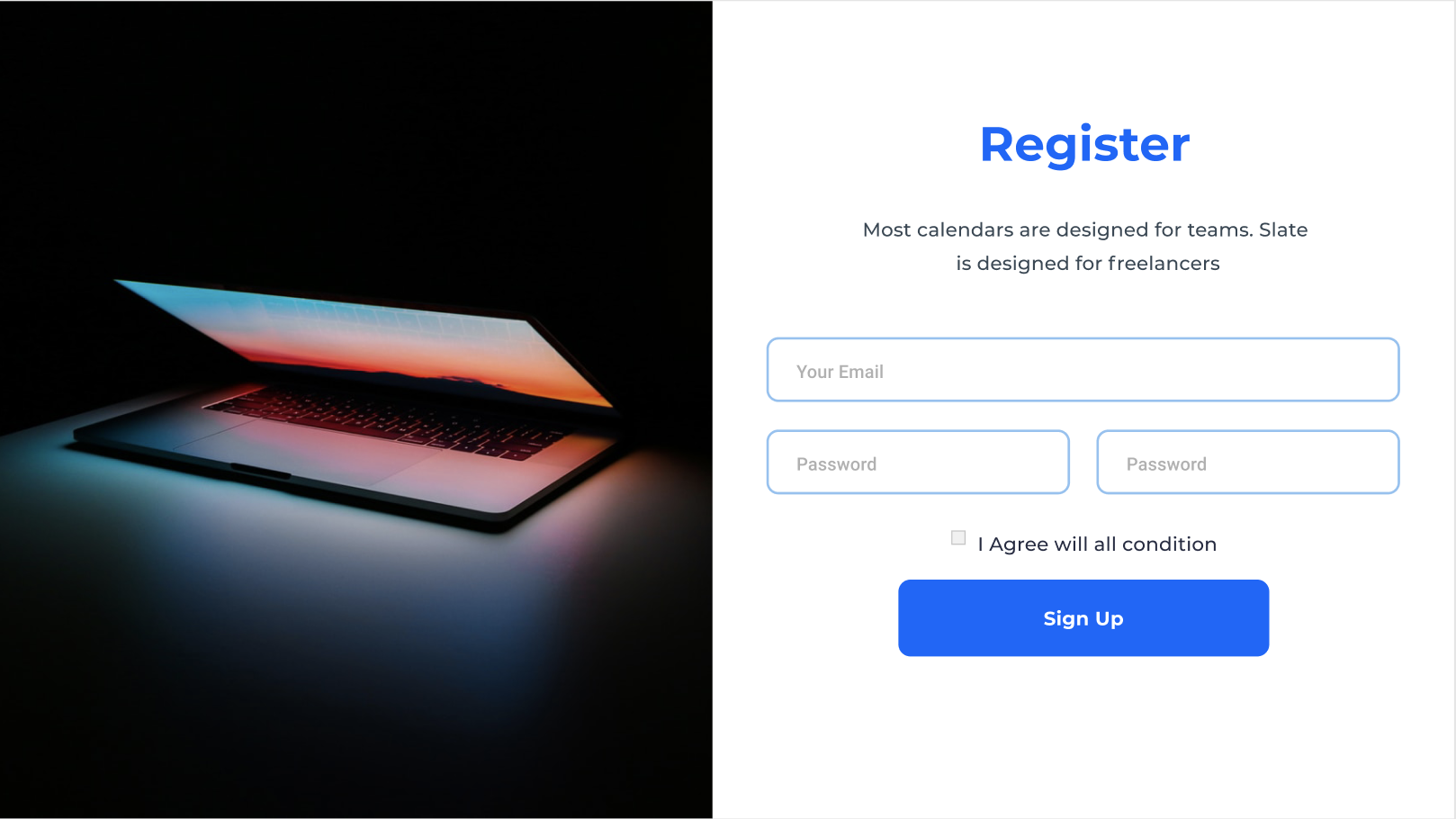
The possibilities are endless with Proxlight Designer, but here are a couple of GUIs that can be perfectly replicated in Tkinter.
The following are not my creations.
### Registration Page
### Branding Page

## 🔥 Showcase
If your app was made with Proxlight Designer, let me know. It will be helpful for others to see more examples!
(See: [Contact Me](#-contact-me))
___
* Background — should be named `Background` (in Figma)
* Buttons — should be named `Button` (in Figma)
* When creating a button, add a Rectangle behind the actual button with the same color as the background color.
* Entry — should be named `TextBox` (in Figma)
* Rectangles — should be named `Rectangle` (in Figma)
* Text — All text in the design should be created as text.
Before converting a Figma file to Python code using Proxlight Designer, make sure that both the X & Y coordinates of the frame are 0.
___
## 📝 Contact Me
If you want to contact me, you can reach me at Proxlight02@gmail.com
___
## 📄 License
Proxlight Designer is licensed under the BSD 3-Clause "New" or "Revised" License.
[View Here.](https://github.com/Proxlightv/Proxlight-Designer/blob/master/LICENSE)
| Permissions | Restrictions | Conditions
| --- | --- | ---
✓ Commercial Use | × Liability | 🛈 License and Copyright Notice
✓ Modification | × Warranty
✓ Distribution
✓ Private Use