https://github.com/pymongo/saks
Rust library for Swiss Army Knife Shield for Raspberry Pi
https://github.com/pymongo/saks
Last synced: over 1 year ago
JSON representation
Rust library for Swiss Army Knife Shield for Raspberry Pi
- Host: GitHub
- URL: https://github.com/pymongo/saks
- Owner: pymongo
- Created: 2020-11-21T03:03:21.000Z (over 5 years ago)
- Default Branch: main
- Last Pushed: 2021-07-11T03:57:33.000Z (about 5 years ago)
- Last Synced: 2025-04-09T19:16:00.540Z (over 1 year ago)
- Language: Rust
- Size: 16.6 KB
- Stars: 3
- Watchers: 1
- Forks: 1
- Open Issues: 0
-
Metadata Files:
- Readme: README.md
Awesome Lists containing this project
README
# SAKS hat for raspberry_pi
SAKS = Swiss Army Knife Shield for Raspberry Pi
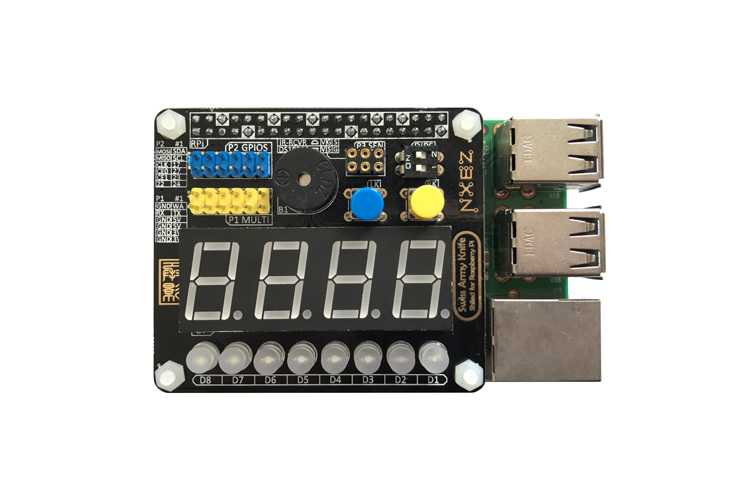
## examples
### turn on buzzer by saks::Saks lib
```rust
use saks::{Saks, SaksPins, VoltageLevel};
fn main() {
// Saks lib would automatic set buzzer pin to Output mode,
// and turn off buzzer when deconstruct
let saks_gpio = Saks::new();
saks_gpio.set_level(SaksPins::Buzzer, VoltageLevel::Low);
std::thread::sleep(std::time::Duration::from_millis(2000));
}
```
### turn on buzzer via command line
> raspi-gpio set 12 op
>
> raspi-gpio set 12 dl
---
## How other library control GPIO
wiringpi system but uses the /sys/class/gpio interface **rather than accessing the hardware directly**(softPwmWrite)
[sprintf(fName, "/sys/class/gpio/gpio%d/value", i)](https://github.com/WiringPi/WiringPi/blob/093e0a17a40e064260c1f3233b1ccdf7e4c66690/gpio/gpio.c#L428)
1. /sys/class/gpio: sysfs_gpio(deprecated), gpio(deprecated), maybe not working in pi4B
2. /dev/gpiomem or /dev/gpiochip0: rppal, wiringpi, gpio-cdev
3. /dev/pigpio and pigpio daemon process: pigpio
## Some questions need to solve
- [ ] Why gpio access from /dev/gpiomem via mmap syscall is faster than `format!("/sys/class/gpio/gpio{}/active_low", gpio_num)`
- [ ] Why gpio pin number has three encoding?(BOARD, BCM, wiringpi)
- [ ] About the onboard_led(/sys/class/leds/led0/) like arduino's LED_BUILTIN
---
## My raspberry_pi notes
### CPU temperature
> vcgencmd measure_temp
### Setup raspberry_pi
How to connect raspberry_pi without internet/display/GUI Desktop?
1. put empty ssh file to SD card root directory in order to enable SSH on first time boot
2. SSH to pi via ethernet cable or serial(RS-232 with RXD+TXD+GND, don't connect 5V pin!) port