https://github.com/pyozer/flipart
https://github.com/pyozer/flipart
Last synced: 3 months ago
JSON representation
- Host: GitHub
- URL: https://github.com/pyozer/flipart
- Owner: Pyozer
- Created: 2019-09-17T06:25:58.000Z (almost 7 years ago)
- Default Branch: master
- Last Pushed: 2020-02-28T11:46:06.000Z (over 6 years ago)
- Last Synced: 2025-01-08T07:48:40.359Z (over 1 year ago)
- Language: Dart
- Size: 7.65 MB
- Stars: 1
- Watchers: 2
- Forks: 1
- Open Issues: 0
-
Metadata Files:
- Readme: README.md
Awesome Lists containing this project
README
# Flip Art
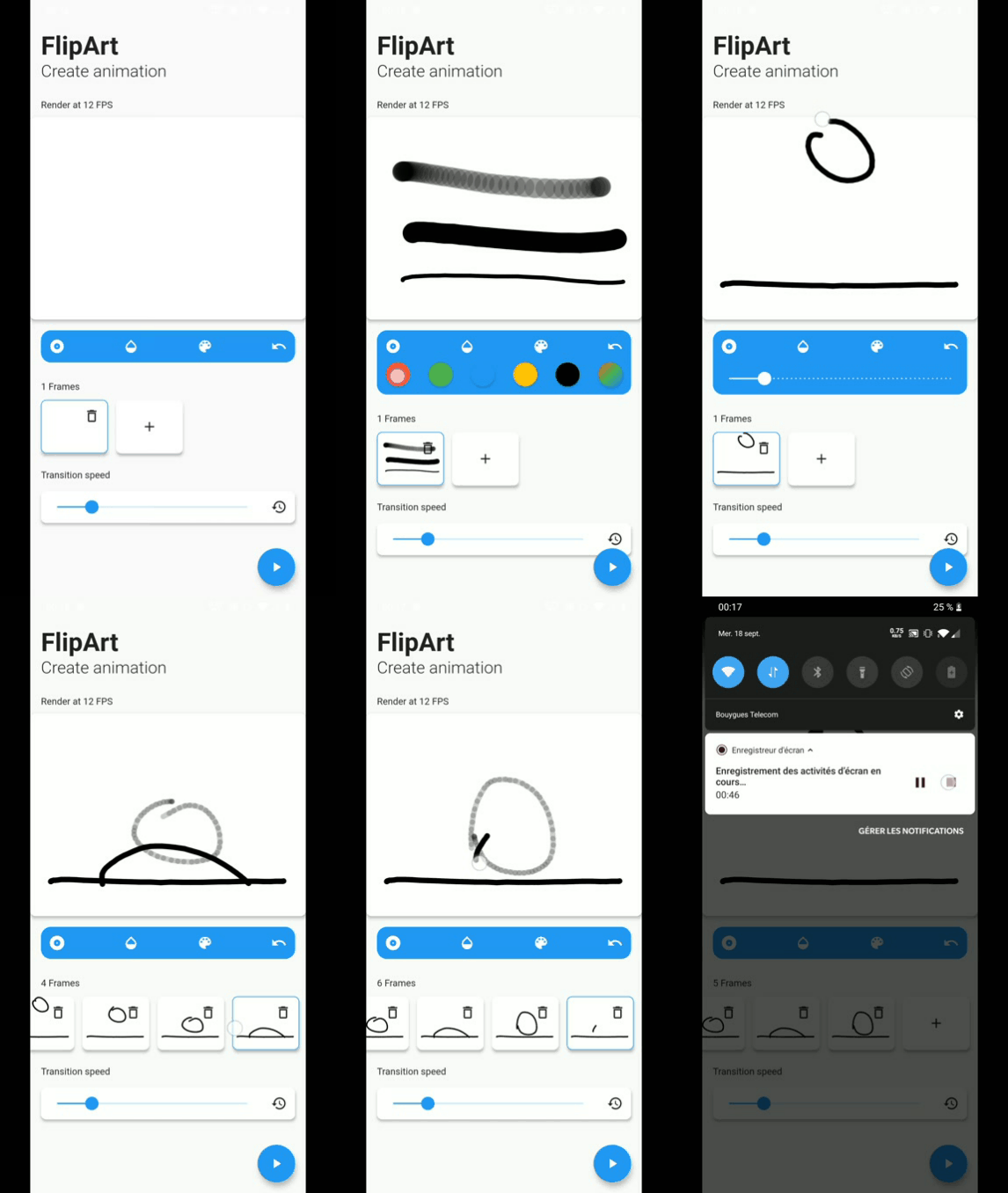
FlipArt is an app to create animations, like a Flip Book.
You can draw some frame and animate it ! You can also change FPS animation.
App made with Flutter ❤️
## Requirements & Constraints
### User Stories
- [X] User can see the following primary components in the app window:
- Configuration panel containing elements used to tailor the animation
process.
- Operation buttons
- Animation display panel animations will be presented in
### Configuration Panel
- [X] User can see eight thumbnails that will contain individual animation frames
- [X] User can see a button under each thumbnail - '+'
- [X] User can click the '+' button to add a new image to an empty thumbnail
- [X] User can draw using touch screen to create a frame (**EDIT**)
- [X] User can see the '+' button label change to '-' after a thumbnail is loaded.
- [X] User can click the '-' button to remove or replace a thumbnail.
- [X] User can see an 'Transition Speed' slider control.
- [X] User can adjust the 'Transition Speed' slider from slow to fast to adjust the transition time between thumbnails in the Animation Display.
### Operation Buttons
- [X] User can see two buttons - 'Clear Configuration' and 'Start Animation'
- [X] User can see the 'Start Animation' button disabled until at least one thumbnail has been added via the Configuration Panel.
- [X] User can click the 'Clear Configuration' button to clear all thumbnails from the configuration panel.
- [X] User can click the 'Start Animation' button to begin the Animation Display panel
- [X] User can see the 'Start Animation' button label change to 'Stop Animation' once an animation has been started.
- [X] User can click the 'Stop Animation' button to halt the animation in the animation display
- [X] User can see the 'Stop Animation' button label change to 'Start Animation' when an animation has been stopped.
### Animation Display Panel
- [X] User can see thumbnails added in the Configuration panel displayed when theh 'Start Animation' button is clicked.
- [X] User can see thumbnails transtion from one to the next at the rate defined by the 'Transition Speed' slider.
## Bonus features
- [X] User can see the border around the thumbnail in the Configuration Panel highlighted when that thumbnail is displayed in the Animation Display panel.
- [X] User can dynamically add any number of thumbnails rather than being restricted to just eight.
- [ ] User can hear unique sounds associated with modifying thumbnails in the Configuration Panel.
- [ ] User can see a transition type dropdown in the Configuration Panel to define the transition effect between thumbnails in the Animation Display - ease, ease-in, ease-out, ease-in-out
- [ ] User can drag and drop thumbnails to reorder them
- [ ] User can save the animation as a `.gif` file.
- [X] User can duplicate a frame (**EDIT**)
- [X] User can undo last line drawed of a frame (**EDIT**)
- [X] User can draw using different colors (**EDIT**)
- [X] User can draw using different line weight (**EDIT**)
- [X] User can draw using different line opacity (**EDIT**)
## Run the project
To run the app **you must have Flutter installed**. If it's not the case, go to .
After this, run `flutter packages get` to download packages.
If you want to build for iOS, **go to /ios** folder and execute `pod update`.
Now, you can run the app with `flutter run`.
## Demo