https://github.com/pyramation/mathapedia
write LaTeX + PSTricks and produce digital textbooks with HTML5 interactivity :)
https://github.com/pyramation/mathapedia
Last synced: over 1 year ago
JSON representation
write LaTeX + PSTricks and produce digital textbooks with HTML5 interactivity :)
- Host: GitHub
- URL: https://github.com/pyramation/mathapedia
- Owner: pyramation
- License: other
- Created: 2013-01-02T03:02:27.000Z (over 13 years ago)
- Default Branch: master
- Last Pushed: 2020-02-06T01:26:26.000Z (over 6 years ago)
- Last Synced: 2025-03-13T02:03:52.113Z (over 1 year ago)
- Language: JavaScript
- Size: 2.51 MB
- Stars: 66
- Watchers: 10
- Forks: 15
- Open Issues: 1
-
Metadata Files:
- Readme: readme.md
- License: LICENSE.txt
Awesome Lists containing this project
README
Mathapedia + LaTeX2HTML5
====================
DEPRECATED!
Visit [latex2js](http://latex2js.com)
====================
Notes for revival (locally)
## initialize db
```
docker-compose up
```
* login as root with the example password in compose file
* create the database latex2html5_db
* load the sql dump in the admin (localhost:8080)
* dump file is located in Dans preferred cloud drive `>websites>mathapedia`
## build the frontend and start app
* install and old version of `bbb`
* build it
* start it on release mode
```
npm install -g bbb@0.1.16
bbb release
RELEASE=1 node server/app.js
```
## NOTES
it's completely frontend rendered, so to make this a static site, need to build in rendering.
====================
GOOD NEWS! This project now has a frontend-only version: [latex2html5](http://latex2html5.com) ([github](https://github.com/Mathapedia/LaTeX2HTML5))
The loose structure and nature of user interface design poses a problem for documenting science and related interfaces in a consistent manner. TeX provides us with some "laws" to obey in order to design the output of a text and graphical language around. Hence, we can attempt to create a synthesis of a structured user interface specification (TeX) and a structured functional specification (HTML5) to provide a publishing platform for the current and next generation.
The Art is where we can blend these two standards bodies; higher levels of abstraction allow people to express their ideas without having to worry about the mechanisms by which the technology is rendering their works. It is in these environments when people can express themselves freely.
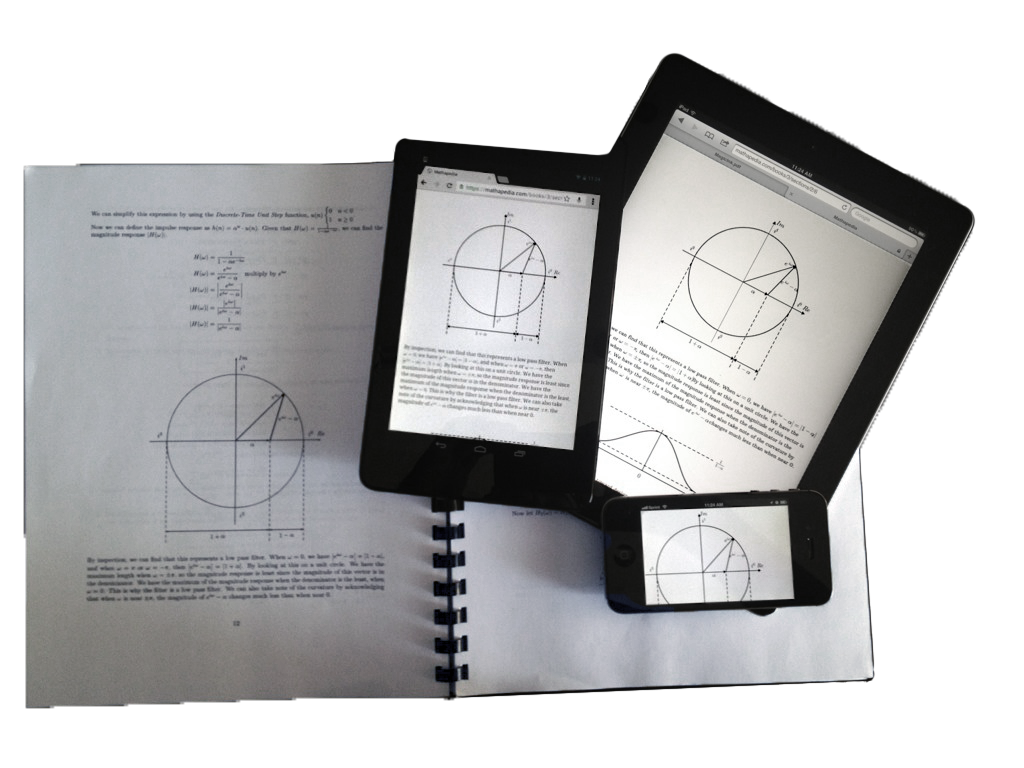
Cheers!
[video](http://www.youtube.com/watch?v=QYMLMUKJyFc)
[demo](https://mathapedia.com)
Adding new LaTeX commands
=========================
If there is one takeaway for developers, the most important files for adding (LaTeX) functionality: expressions.js, psgraph.js, renderer.js
Installation
============
* nginx v0.8.54
* nodejs v0.8.11
* mysql v14.14
installing nodejs, npm, and mysql
---------------------------------
These three installations vary from machine to machine. Your best bet is to use Google for this.
get the code
---------------------
cd /var/www
git clone https://github.com/pyramation/LaTeX2HTML5.git
install node packages
---------------------
these run globally (they are for the build and monitoring):
npm install -g forever
npm install -g bbb
The rest is a part of the repo and can be installed more easily:
cd /var/www/LaTeX2HTML5
npm install
Database Setup
--------------
Create a mysql user
GRANT ALL PRIVILEGES ON latex2html5_db.* TO latex2html5@localhost IDENTIFIED BY 'skateboard321' WITH GRANT OPTION;
Create the database
CREATE DATABASE latex2html5_db;
Initialize database
cd /var/www/LaTeX2HTML5
bbb db:migrate
Web Server Setup
----------------
make public folder and create symbolic links that alias the public folders
cd /var/www
mkdir public
cd public
ln -s ../LaTeX2HTML5/dist dist
ln -s ../LaTeX2HTML5/app app
Edit nginx.conf in /usr/local/nginx/conf or wherever it was installed so that you proxy port 9000 and point to the public folder for the root:
worker_processes 1;
events {
worker_connections 1024;
}
http {
include mime.types;
default_type application/octet-stream;
sendfile on;
keepalive_timeout 65;
upstream math_server {
server localhost:9000 fail_timeout=0;
}
proxy_set_header Host yourdomain.com;
proxy_set_header X-forwarded-for $proxy_add_x_forwarded_for;
server {
listen 80;
server_name localhost;
root /var/www/public/;
location / {
try_files $uri @backer;
}
location @backer {
proxy_pass http://math_server$request_uri;
}
location ~* \.(png|jpg|jpeg|gif|ico|js|css)$ {
expires max;
log_not_found off;
}
#error_page 404 /404.html;
# redirect server error pages to the static page /50x.html
error_page 500 502 503 504 /50x.html;
location = /50x.html {
root html;
}
}
}
We are utilizing many various open source projects. Thank you, thank you, thank you open source community!!!!!!
Starting the Server for Development
-----------------------------------
cd /var/www/LaTeX2HTML5
npm start
Starting the Server for Production
----------------------------------
bbb release
RELEASE=1 forever start server/app.js
Working Locally
---------------
If you want to work locally and use some.com in your browser, you can edit your `/etc/hosts/` file
127.0.0.1 math.com
Thanks
======
# Frontend
[MathJax](http://www.mathjax.org/)
[Aura](https://github.com/aurajs/aura)
[Backbone](https://github.com/documentcloud/backbone)
[RequireJS](https://github.com/jrburke/requirejs)
[Backbone Layout Manager](https://github.com/tbranyen/backbone.layoutmanager)
[Async.js](https://github.com/caolan/async)
[CodeMirror](http://codemirror.net)
[D3](http://d3js.org/)
[bootstrap](http://twitter.github.com/bootstrap/)
[jQuery](http://jquery.com/)
[underscore.js](http://underscorejs.org/)
[handlebars.js](http://handlebarsjs.com/)
# Backend
[nginx](http://wiki.nginx.org/Main)
[node.js](http://nodejs.org/)
[express.js](http://expressjs.com/)
[MySQL](http://www.mysql.com/)
[jugglingdb](https://github.com/pyramation/jugglingdb/tree/has-and-belongs-to-many)
## Build process
[Backbone Boilerplate](https://github.com/tbranyen/backbone-boilerplate/wiki)
[grunt-bbb](https://github.com/backbone-boilerplate/grunt-bbb)
plugin repo and follow the instructions to install. Basing your project off
this repo will allow the `bbb` commands to work out-of-the-box.