https://github.com/pythoninthegrass/cli-ninja
Claude skill to level up CLI operations 🥷
https://github.com/pythoninthegrass/cli-ninja
claude claude-code
Last synced: 9 months ago
JSON representation
Claude skill to level up CLI operations 🥷
- Host: GitHub
- URL: https://github.com/pythoninthegrass/cli-ninja
- Owner: pythoninthegrass
- Created: 2025-10-22T04:19:10.000Z (9 months ago)
- Default Branch: main
- Last Pushed: 2025-10-22T05:43:40.000Z (9 months ago)
- Last Synced: 2025-10-22T06:30:20.526Z (9 months ago)
- Topics: claude, claude-code
- Language: Shell
- Homepage:
- Size: 46.9 KB
- Stars: 1
- Watchers: 0
- Forks: 0
- Open Issues: 1
-
Metadata Files:
- Readme: README.md
- Changelog: CHANGELOG.md
Awesome Lists containing this project
README
# CLI Ninja Skill
> ```
> ## Tooling for shell interactions
> Is it about finding FILES? use 'fd'
> Is it about finding TEXT/strings? use 'rg'
> Is it about finding CODE STRUCTURE? use 'ast-grep'
> Is it about SELECTING from multiple results? pipe to 'fzf'
> Is it about interacting with JSON? use 'jq'
> Is it about interacting with YAML or XML? use 'yq'
> ```
-- [Acceptable-Garage906](https://www.reddit.com/r/ClaudeAI/comments/1lefmff/comment/mykm3nz/)
A [Claude skill](https://support.claude.com/en/articles/12512176-what-are-skills) for mastering CLI navigation and code exploration using modern command-line tools.
## Overview
The `cli-ninja` skill provides guidance for efficient repository navigation and code exploration using these tools:
- **fd** - Fast file finding
- **rg** (ripgrep) - Lightning-fast text search
- **ast-grep** - Code structure search by AST
- **fzf** - Interactive fuzzy selection
- **jq** - JSON processing
- **yq** - YAML/XML processing
## What's Included
### SKILL.md (12.4 KB)
Main skill file with:
- Tool selection decision tree
- Quick reference guide for all 6 tools
- Combination workflows (7 common patterns)
- Best practices and performance tips
- Integration examples
### References (63 KB total)
Comprehensive guides for each tool:
- `fd-patterns.md` (5.1 KB) - File finding patterns and flags
- `rg-patterns.md` (8.2 KB) - Text search patterns and regex tips
- `ast-grep-guide.md` (14 KB) - Code structure patterns for Python, Zig, Go, Ruby, JS/TS, Rust
- `fzf-workflows.md` (12 KB) - Interactive selection and preview configurations
- `jq-cookbook.md` (11.4 KB) - JSON transformations and filters
- `yq-examples.md` (12.4 KB) - YAML/XML processing examples
### Scripts (18.9 KB total)
Reusable workflow examples:
- `combo-search.sh` (8.2 KB) - 10 common combination workflows
- `interactive-code-finder.sh` (10.8 KB) - Interactive ast-grep + fzf tool
## Tool Selection Decision Tree
```
What are you looking for?
├─ FILES by name/path/extension?
│ └─ Use: fd
│ └─ Need to select from results? → Pipe to fzf
│
├─ TEXT/STRINGS in file contents?
│ └─ Use: rg (ripgrep)
│ └─ Need to select from results? → Pipe to fzf
│
├─ CODE STRUCTURE (functions, classes, imports)?
│ └─ Use: ast-grep
│ └─ Need to select from results? → Pipe to fzf
│ └─ Need to refactor/replace? → Use ast-grep --rewrite
│
├─ Working with JSON data?
│ └─ Use: jq
│
└─ Working with YAML or XML data?
└─ Use: yq
```
## Example Workflows
### 1. Find and Edit Files with Context
```bash
rg -l 'def process_data' -t py | fzf --preview 'rg -C 5 "def process_data" {}' | xargs $EDITOR
```
### 2. Code Refactoring
```bash
ast-grep --pattern 'old_function($$$)' --rewrite 'new_function($$$)' -l py --interactive
```
### 3. Interactive Configuration Explorer
```bash
fd -e json | fzf --preview 'jq . {}'
```
## Key Features
- **Language-agnostic**: Patterns for Python, JavaScript/TypeScript, Rust, Go, Zig, and Ruby
- **Practical examples**: Real-world workflows for common tasks
- **Performance tips**: Optimize searches for speed
- **Integration ready**: Combine tools for powerful workflows
- **Interactive scripts**: Ready-to-use bash scripts for complex searches
## Installation
### Option 1: Direct Installation (Recommended)
```bash
# Add the marketplace
/plugin marketplace add pythoninthegrass/cli-ninja
# Install the skill
/plugin install cli-ninja
```
Or install directly in one command:
```bash
/plugin install cli-ninja@pythoninthegrass/cli-ninja
```
### Option 2: Manual Installation
1. Download `cli-ninja-{version}.zip` from the [latest release](https://github.com/pythoninthegrass/cli-ninja/releases/latest)
2. Extract and place in your Claude Code plugins directory
3. Restart Claude Code if necessary
### Using the Skill
Once installed, invoke the skill when navigating repositories or searching code:
```bash
/cli-ninja
```
## When to Use This Skill
Use the cli-ninja skill when:
- Navigating repositories and codebases
- Searching for files, text, or code patterns
- Working with JSON/YAML/XML configuration
- Performing code refactoring
- Building interactive CLI workflows
- Needing to select from multiple results
## Prerequisites
The skill assumes these tools are installed:
- fd
- rg (ripgrep)
- ast-grep
- fzf
- jq
- yq
Installation varies by platform (Homebrew on macOS, apt/dnf on Linux, etc.)
## Total Package Size
94.5 KB (9 files)
## Development
This project uses [Release Please](https://github.com/googleapis/release-please) to automate releases based on [Conventional Commits](https://www.conventionalcommits.org/).
### How It Works
1. **Make changes and commit** using Conventional Commits format:
```bash
git commit -m "feat: add new search pattern for Python"
git commit -m "fix: correct typo in fzf examples"
git commit -m "docs: update installation instructions"
```
2. **Push to main branch**:
```bash
git push origin main
```
3. **Release Please creates a PR** automatically with:
- Updated CHANGELOG.md based on your commits
- Version bump following semantic versioning
- All changes since the last release
4. **Merge the release PR** to trigger:
- Git tag creation
- GitHub Release creation with auto-generated release notes
- Packaging and uploading of `cli-ninja-{VERSION}.zip`
### Conventional Commit Types
- `feat:` - New feature (bumps minor version)
- `fix:` - Bug fix (bumps patch version)
- `docs:` - Documentation changes (no version bump)
- `chore:` - Maintenance tasks (no version bump)
- `refactor:` - Code refactoring (no version bump)
- `test:` - Test changes (no version bump)
Add `!` or `BREAKING CHANGE:` footer for breaking changes (bumps major version):
```bash
git commit -m "feat!: redesign skill structure"
```
### Current Version
The current version is tracked in `.release-please-manifest.json`. Release Please manages this automatically.
### Manual Release (if needed)
If you need to create a release manually, you can:
1. Update `.release-please-manifest.json` with the new version
2. Update `CHANGELOG.md` manually
3. Create and push a tag:
```bash
git tag v0.2.0
git push origin v0.2.0
```
The workflow will package and upload the zip file to the release.
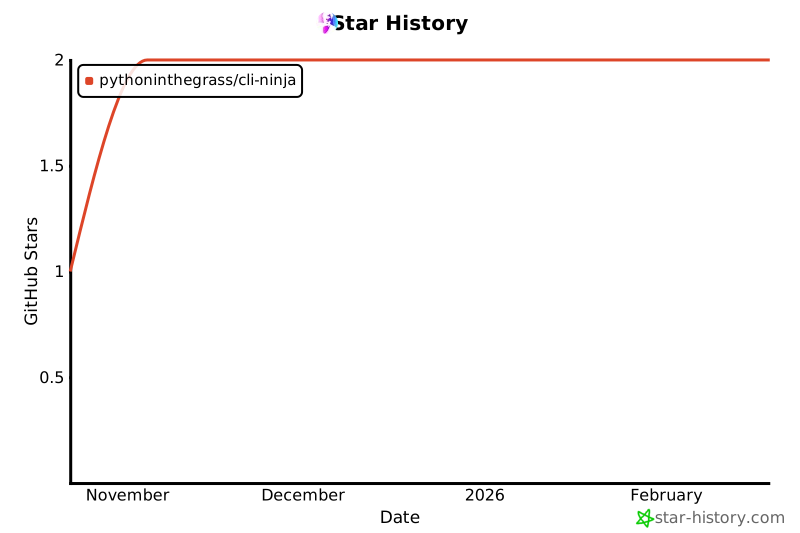
## Star History
[](https://star-history.com/#pythoninthegrass/cli-ninja&Date)